

Written by Oğuzhan Karahan
Last updated on Aug 28, 2026
●18 min read
LTX-2.5 Complete Guide: Features, Limits & Workflows
LTX-2.5 is an open-weights video model you can plan a shot around, not a headline you can paste into a timeline. This complete guide covers confirmed features, license and hardware floors, and the limits that change duration, camera, and audio design.
Read it before the first render if you need native multishot, synced audio, and a local or API path that matches the project.

LTX-2.5 is not a headline.
It's a model you plan a shot around, not a line you paste into a timeline.
A release note can list features. It can't tell you if the take will hold.
That's the trap.
Confirmed open-weights still leave license floors, duration caps, hardware floors, and failure modes.
Those limits change duration, camera, and audio on the take.
The catch:
You still need confirmed features, a generation method, and a fit decision before you lock a take.
Here's why:
Production-minded creators, TDs, freelancers, and studio teams can't treat a launch as a shot plan.
They need a production map first.
The better move:
Stay on verified facts for AI video generation, not a recap.
Use what is confirmed to plan the shot, then decide fit.
The choice should feel like a workflow decision, not a model debate, before the first render.
Lock the take only after confirmed features, shot limits, and fit are settled.
LTX-2.5 in the Lightricks Line: Open Weights, Multishot, and World-Model Positioning
LTX-2.5 is a Lightricks open-weights audio-visual model with synced video and audio, native multishot, and world-model positioning. Gated Hugging Face weights are not an unrestricted public dump. A source-reported 33M+ family download figure is adoption data, not a quality score.
This video is a hands-on tutorial for beginners learning video prompting with LTX-2.5.
It includes a live demo and Q&A that directly applies to splitting camera and subject instructions.
This LTX video model sits in the Lightricks LTX line as a fine-tunable audio-visual system.
It generates synchronized video and audio from text, image, and video inputs.
That is the confirmed product identity.
Not quite:
Calling it an open source video model overclaims if you skip the gated open-weights release.
Weights live behind Hugging Face access, not an OSI-style public dump.
Native multishot is the production-facing claim.
LTX-2.5 is positioned to hold character, environment, lighting, and voice across cuts in a single pass.
That changes how you plan a sequence.
It does not prove long-form coherence.
World-model positioning is a research stance.
Robotics and physical AI are developing uses, not proven production delivery.
Look:
Available launch download data suggests the LTX family has 33M+ downloads.
For production workflows, this means interest, not output quality.
A download count cannot tell you if identity holds on cut two.
| Confirmed attribute | What it means on a shoot | What it does not prove |
|---|---|---|
| Gated open-weights | You can run and fine-tune after access is granted | OSI-style open source or unrestricted redistribution |
| Synced video and audio | Picture and sound can leave the model together | Reliable lip sync on every take |
| Native multishot | Character, environment, lighting, and voice can hold across cuts in one pass | Unverified long-form coherence |
| World-model positioning | The model is framed for physical scene understanding | Shipped robotics or physical AI delivery |
| 33M+ family downloads | Source-reported adoption across the LTX line | A quality ranking for this model |
The practical result:
Treat these as identity claims, not a shot plan.
They tell you what the model is.
They do not prove a take will hold.
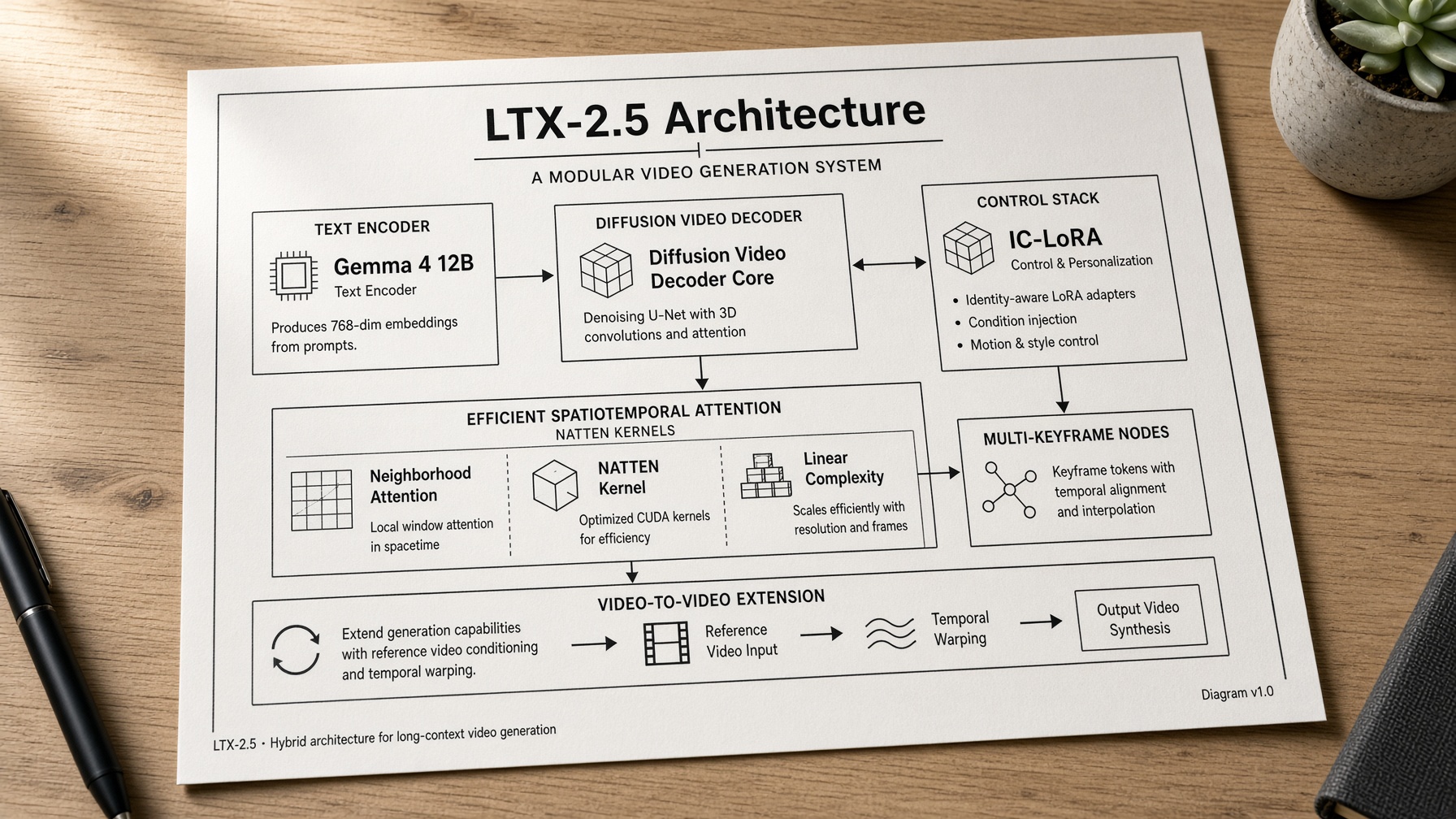
From Architecture to Shot Design: Gemma 4, the Diffusion Decoder, and Control Stacks
Gemma 4 12B, a diffusion video decoder, native multishot with synced audio, control and continuity tools, a distilled fast path, 4K HDR, and automatic duration prediction are shot-design controls. They change camera language and duration planning. They are not a quality ranking.
Here's why:
Gemma 4 12B and the diffusion video decoder: prompt language and motion cleanliness.
Native multishot with synced audio: cuts and voice in one pass.
IC-LoRA, multi-keyframe, video-to-video extension, and LoRA fine-tune: structure and continuity control.
Distilled fast path and automatic duration prediction: draft speed and length proposals.
4K HDR ceiling and physical AI checkpoint: finish format versus experimental physical-AI use.
That means:
These are generative video controls.
They are not a ranking of the AI video model.
Gemma 4 12B and the new diffusion video decoder
Gemma 4 12B is the text encoder on this AI video model.
A separate Gemma 4 checkpoint runs as a custom prompt enhancer.
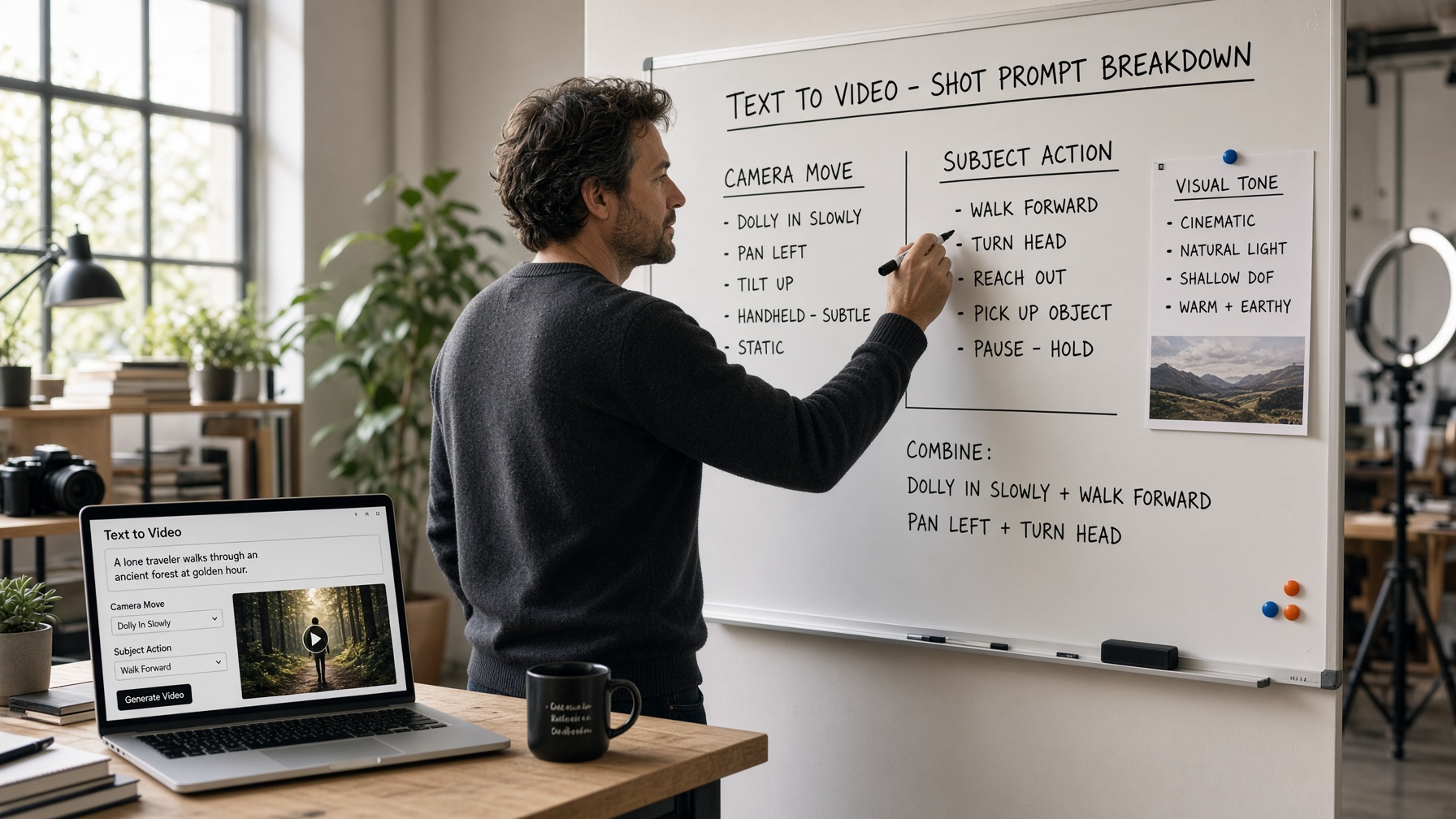
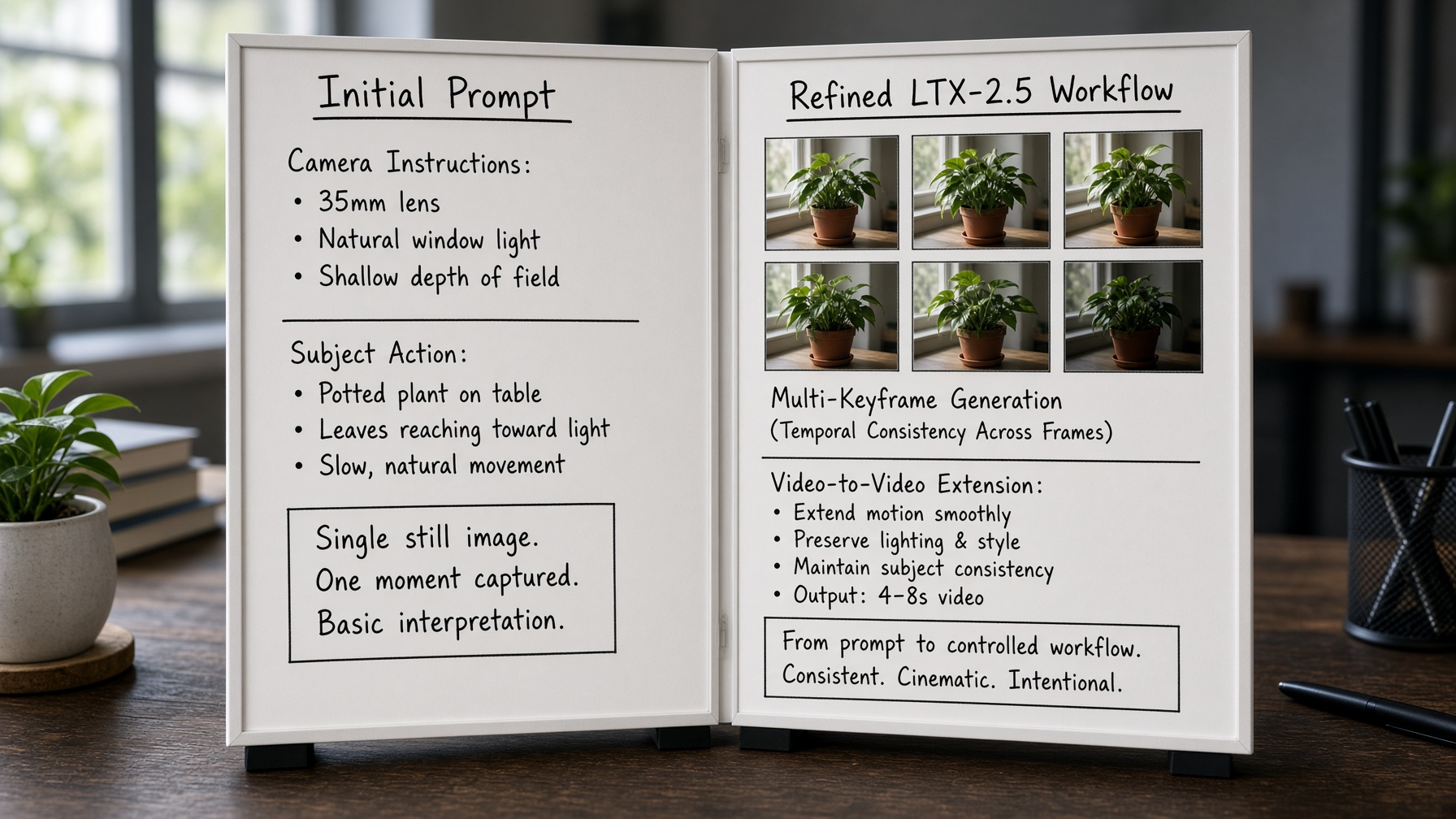
Write camera move and subject action as clauses the encoder can keep apart.
The new diffusion video decoder targets cleaner motion and detail.
It is a generative video decode choice, not a score.
NATTEN kernels come with that decoder option.
Treat them as a local-setup check, especially off Linux CUDA.

Native multishot, synced audio, and the control stack
Native multishot plus synced audio changes continuity work.
You can plan character, environment, lighting, and voice to hold across cuts in one pass.
That is a continuity plan, not an identity guarantee.
Depth, pose, and canny IC-LoRA give structure control.
Use them to hold camera path or body line.
Multi-keyframe plants the frames you refuse to lose.
Video-to-video extension grows an approved clip instead of restarting the world.
LoRA fine-tune sits on the pretrained base.
That is not a lock-tight identity promise.
Distilled fast path, physical AI checkpoint, 4K HDR, and automatic duration prediction
The distilled fast variant is a draft-speed path.
Do not treat it as a scored upgrade versus a full model.
Automatic duration prediction proposes length from the prompt.
Still plan the beat yourself.
Native 4K HDR and RAW are a finishing ceiling, not laptop throughput.
The physical AI checkpoint is developing.
Keep robotics tests experimental, not on a client delivery list.
Access Before the First Render: Gated Weights, Community License, and Hardware Floors
LTX-2.5 weights are gated on Hugging Face. The LTX-2.x Community License allows commercial use below $10M ARR with no mandatory branding. Local runs need 16GB+ NVIDIA VRAM or Mac Apple Silicon with about 15GB+ free RAM. Anything below is API only.
| Gate | Verified floor | Production implication |
|---|---|---|
| Community License ARR | below $10M ARR | Commercial use at no cost. Revenue across entity including subsidiaries if verified. Verify LICENSE.md |
| Branding | no mandatory branding | No forced branding required. Check for any attribution needs |
| Fine-tune caveat | may require paid license | Fine-tunes may need a separate paid license per the license |
| NVIDIA VRAM | 16GB+ | Local execution requires at least this amount |
| Mac free RAM | about 15GB+ | Mac Apple Silicon needs this free RAM for local runs |
| Hosted fallback | API | Use API when hardware is below the floors |
Community License and the $10M ARR line
The LTX-2.x Community License permits commercial and production use at no cost for organizations under $10M ARR. No mandatory branding is required.
Revenue is measured across the entity including subsidiaries if verified.
Fine-tunes may require a paid license if verified. Creators should verify LICENSE.md rather than inventing enforcement mechanics.
This cap applies to the weights and does not change with the path chosen.

Local hardware floors versus API fallback
Local hardware floors are 16GB+ NVIDIA VRAM.
Mac Apple Silicon requires about 15GB+ free RAM.
Anything below those floors uses the API.
The model does not run on consumer hardware below these verified minima.
This rule applies regardless of the app path selected.
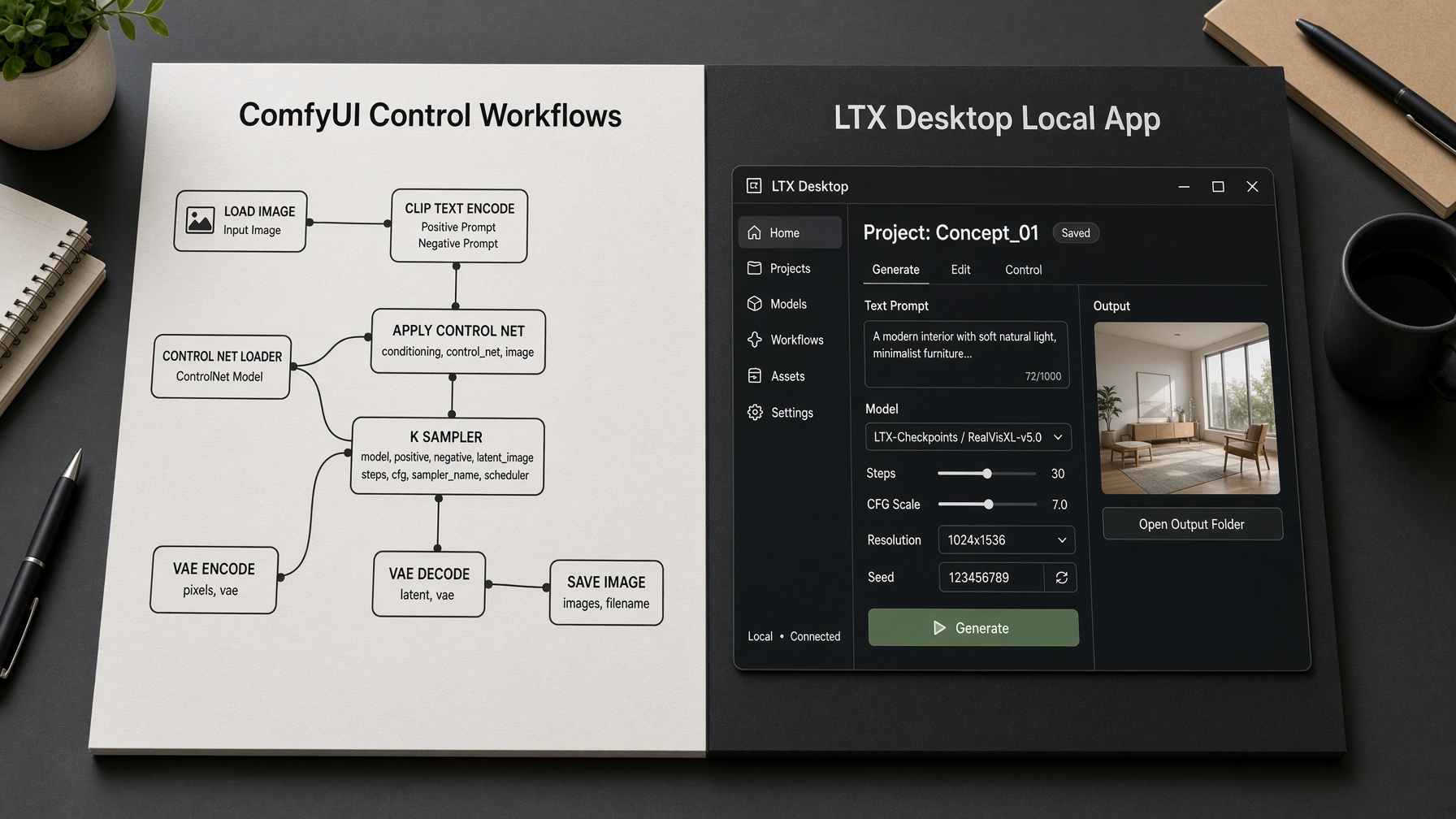
Gated weights, LTX Desktop, native ComfyUI, and LTX API as access doors
Gated weights come from Hugging Face.
LTX Desktop is the local app path. Native ComfyUI supports control workflows.
LTX API provides hosted access. Each serves as a different door to the weights.
Choose based on your setup needs only.
The weights are the same across paths but the access method differs.
Text to Video First Render: Split Camera From Action, Then Iterate
Text to video is the first render path. Write camera move and subject action as separate instructions. Plan duration against verified Fast vs Pro ranges without inventing a single maximum. Iterate before locking the first take.
First render sequence
- Define camera move
Write the camera move as the first clause in your prompt.
- Describe subject motion
Then describe the subject action in a separate clause.
- Set duration intent
Include your planned duration at the end of the prompt.
- Generate
Hit generate on the chosen path.
- Review identity motion audio
Inspect the output for identity consistency, motion quality, and audio sync.
- Revise
Revise the prompt if needed and regenerate.
Write the prompt so camera and action cannot fight
Separate camera language from subject motion.
This prevents the model from mixing instructions.
Clause order reduces conflicts. The first clause should focus on camera.
The second should focus on subject.
The model treats these as distinct inputs.
Poor separation leads to mixed motion or drifted identity.
Plan duration before you hit generate
Plan duration first.
Do not invent one maximum clip length. Include your planned duration at the end of the prompt.
Automatic duration prediction serves only as a planning aid.
It is not a guaranteed runtime.
This habit changes shot design before the first take.
Iterate before locking the first take
Iterate on take one.
Inspect motion, identity, and audio sync.
Locking early wastes downstream continuity work.
Review the output carefully.
Then revise and regenerate if needed.
This step turns a test render into a usable take.
Limits That Break Shots: Fast vs Pro Duration, 4K HDR, and Sync Failures
Source-reported Fast versus Pro duration is about 20 seconds versus about 10 seconds, with no single invented maximum. Native 4K HDR is a finishing ceiling, not a throughput claim. Motion, identity, and audio-sync failures are the modes that break a take.
These limits change shot length, camera move, and dialogue design.
The catch:
A reported range is not a guaranteed runtime.
| Variant | Source-reported duration | Shot-design implication |
|---|---|---|
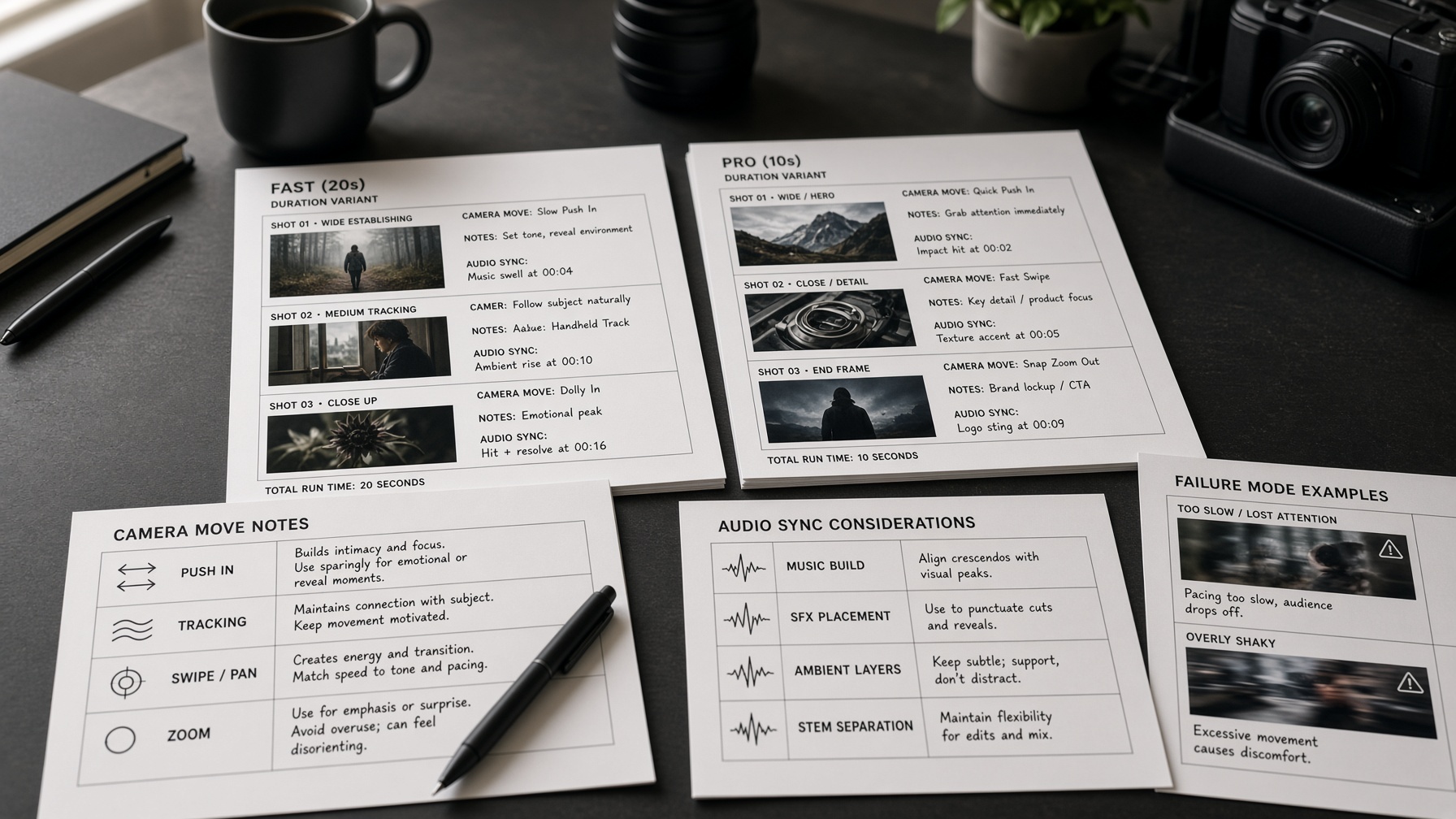
| Fast | about 20 seconds | Hold a longer coverage beat, then cut before drift. |
| Pro | about 10 seconds | Keep the action short and the camera idea singular. |
Shot design has to absorb these caps.
Fast versus Pro duration and why you still cannot quote one maximum
Source-reported Fast duration sits at about 20 seconds.
Source-reported Pro duration sits at about 10 seconds.
Those are two reported ranges, not one universal cap.
Do not invent a single maximum clip length.
The better move:
Design shot length to the variant in the pipeline.
A coverage beat that fits Fast can overshoot Pro.
That is a cut decision, not a speed rank.
Dialogue is the first thing to shorten when Pro is in play.
A long camera settle may not fit the Pro range.
If the mapping looks conflicting, keep both figures as reported.
Do not average them into a fake middle.
Native 4K HDR is a ceiling, not a laptop throughput claim
Native 4K HDR is a finishing ceiling for the take.
It names the format the model can target.
It does not prove a laptop can push that format.
Consumer 4K and 50fps VRAM claims are not verified here.
Do not treat 4K HDR as a local throughput promise.
The practical result:
Plan 4K HDR as optional headroom for finishing.
If delivery is 4K HDR, confirm the pipeline can hold it.
Motion, identity, and audio-sync failure modes
An AI video model can still break a legal-length take.
Inspect motion, identity, and audio sync before a recut.
Motion failure is drift, smear, or a lost subject.
Identity failure is a face or costume that does not hold.
Audio-sync failure is speech that slips off picture.
A dialogue close-up is the highest-risk shot for audio sync.
Native multishot still needs identity checks at every cut.
It is not a promise of long-form coherence.
Path Choice: ComfyUI for Control, Desktop for Local, API for Hosted
Native ComfyUI is the control-heavy path. LTX Desktop is the local app path. LTX API is the hosted path when local hardware sits below the verified floor or the team will not operate weights. Choose by control, local, or hosted need.
Path choice is a working-method decision.
It is not a quality ranking.
The video generation workflow you pick here is the control surface.
It is not the later continuity workflow.
| Path | Best when | Not the point of this path | Local weights? |
|---|---|---|---|
| ComfyUI | You need control-heavy native workflows | A simple local app with few graph decisions | Yes |
| LTX Desktop | You want local generation in an app | Deep graph control | Yes |
| LTX API | You need hosted generation without operating weights | Running the stack on your own machines | No |
ComfyUI is the native, control-heavy path.
Use it when the shot needs a graph you can inspect and revise.
That is the point of a control-heavy video generation workflow.
LTX Desktop is the local app path.
Use it when generation should stay on the machine, without a graph.
It still runs local weights.
It is not the control-heavy path.
LTX API is the hosted path.
Use it when the team will not operate weights, or local hardware is below the verified floor.
Hosted does not mean better pictures.
It means someone else runs the stack.
Hosted is a fallback when local operation is not the plan.
The better move:
Match the path to control, local, or hosted need.
Do not chase a quality rank that is not verified.
From Ideation Clip to Production Take: Continuity, LoRA, and QC the Model Skips
Treat the first generative clip as an ideation clip, not a locked take. Build continuity with video-to-video extension, multi-keyframe, and LoRA. Run post, sound, and export QC outside the model, because the model does not finish the job.
After the first clip, the AI video workflow is continuity work, then finishing QC the model never runs.
Continuity moves: video-to-video extension, multi-keyframe, and LoRA
QC the model skips: post QC, sound QC, and export QC
Lock continuity before you spend time on finishing QC.
Ideation clip versus production take
An ideation clip is a test render you can throw away. A production take is a clip you can lock.
Identity, motion, duration, and audio all have to hold before that lock.
If any of those fail, keep the clip in exploration. Do not drop it into the timeline as a take.
The video generation workflow only becomes production once those four checks pass.
Locking a weak clip poisons later extension and LoRA work.
The catch:
A usable look is not a locked take.
Continuity through extension, multi-keyframe, and LoRA
Carry the same character and world from clip to clip.
Video-to-video extension carries a shot forward without a blank restart.
Multi-keyframe holds character and world across planned beats.
LoRA fine-tune keeps a look or identity closer across later clips.
None of this proves lock-tight identity. These moves do not replace a recut when identity drifts.
Long-form coherence beyond verified multishot is unverified. Treat that gap as a production caution, not a confirmed success or failure.
Duration still constrains the AI video workflow. You cannot extend a beat past what the clip can hold.
Post, sound, and export QC the model does not perform
Finishing still happens after generative video, not inside it.
Post QC still has to catch color drift, crop issues, and frame-level artifacts.
Sound QC still has to catch sync slips, level jumps, and leftover noise.
A synced render can still fail on the timeline.
Export QC still has to catch format, frame rate, and delivery specs.
That finishing work sits outside the AI video workflow the model runs.
Keep the video generation workflow honest: generate, hold continuity, then QC elsewhere.
Source-Reported Speed Only: 6.8 Seconds, 23.7 Seconds, and Why GB200 Is Not a Laptop
A 10 second 720p clip renders in 6.8 seconds on 2x NVIDIA GB200 GPUs. The API renders 1080p in 23.7 seconds. These are source-reported speeds only. GB200 is not a laptop. Reported competitor speeds like Veo 3.1 at 70 seconds and Kling 3.0 Pro at 398 seconds are speed comparisons, not quality rankings.
Available benchmark data suggests these timings come from public demos. Reported benchmark patterns point to server-based setups rather than consumer hardware. For production workflows, this means verify render times against your specific configuration before committing to a shot.
| Reported setup | Output | Source-reported time | What it does not mean |
|---|---|---|---|
| LTX GB200 | 10 second 720p clip | 6.8 seconds | Laptop performance |
| LTX API | 1080p clip | 23.7 seconds | Quality ranking |
| Veo 3.1 | 70 seconds | Laptop performance | |
| Kling 3.0 Pro | 398 seconds | Quality ranking |
These figures reflect datacenter performance. They do not indicate consumer laptop speeds. Speed comparisons do not rank output quality. Avoid mixing them with duration limits or other factors.
When This LTX Video Model Fits the Project, and When Another Path Wins
LTX-2.5 fits projects that need open weights, native multishot with synced audio, and a local or per-second API path. Pick another route when the job needs verified long-form coherence, consumer 4K throughput, or a commercial license above the 10 million dollar ARR line, because those are unverified or restricted today.
The fit case starts with access. Gated open weights on Hugging Face mean you can self-host the model after approval, and no forced branding applies under the Community License for smaller companies.
Control is the second fit signal. Native ComfyUI support and LTX Desktop give you direct control over the graph, while the hosted API removes hardware questions entirely.
Hardware decides the local path. You need roughly 16GB of NVIDIA VRAM for a local setup, and Apple Silicon Macs want about 15GB of free RAM before you plan around offline generation.
The feature match matters most in specific jobs:
Multishot scenes with synced audio, because native multishot and synced audio are confirmed features
Iterative continuity work through video-to-video extension, multi-keyframe, and LoRA fine-tune
Fast iteration on short clips where source-reported speed numbers matter less than turnaround
The mismatch case is just as clear. Verified long-form coherence beyond multishot does not exist yet, so a project built on minutes-long continuous takes should test another model first.
Consumer 4K throughput claims stay unverified. If delivery requires guaranteed 4K HDR at scale on consumer hardware, treat that as an open risk instead of a spec.
Licensing draws the third line. The Community License covers commercial use below 10 million dollars ARR, and larger teams face uncertainty until terms change.
Speed comparisons also mislead here. Source-reported render times describe datacenter setups, not your workstation, so benchmark against your own configuration before committing.
The practical rule:
Choose LTX-2.5 when openness, multishot, audio sync, and cost control drive the project. Walk away when verified long-form coherence, guaranteed consumer 4K output, or enterprise licensing sits at the center of it.
Frequently asked questions
What hardware do you need to run LTX-2.5 locally?
You need 16GB+ NVIDIA VRAM or about 15GB+ free RAM on Mac Apple Silicon. Anything below that requires the API instead.
Can you use LTX-2.5 commercially under the LTX-2.x Community License?
Yes, commercial use is allowed below $10M ARR with no mandatory branding required. Always check LICENSE.md for fine-tune details, as they may need a paid license.
How long can a clip be on Fast versus Pro?
Fast is about 20 seconds and Pro is about 10 seconds according to source reports. There is no single maximum clip length.
Does LTX-2.5 generate synced audio, and where does sync still fail?
Yes, it generates synced video and audio from text, image, or video inputs. Audio sync can still fail on complex scenes, so inspect carefully.
What usually causes a bad first render?
Mixing camera instructions with subject action is a common prompt conflict. Unplanned duration and motion or identity issues also break takes. Always iterate after the first render.
When should you not force LTX-2.5 onto the project?
Skip it if you need unverified long-form coherence or consumer 4K throughput. License uncertainty above $10M ARR also makes it a poor fit.

![How to Use Text-to-Video AI in 2026: The Complete Beginner's Guide [New Data]](/_next/image?url=https%3A%2F%2Fcdn.creatide.ai%2Fassets%2Fuploads%2Fimages%2F2026%2F04%2Fosdgzo5gmvGPRmULCKJBz3pA.png&w=3840&q=75)

