
Written by Oğuzhan Karahan
Last updated on Aug 28, 2026
●11 min read
Wan Motion Control: How It Works, Reference Video Workflow & Limits
Wan Motion Control transfers realistic movement from reference videos onto AI-generated characters.
Learn the exact image-plus-driving-video workflow, how to prepare consistent references, handle pose mismatches, recognize failure points, and identify the best shots for this approach.

Reference videos often fail to transfer consistent motion to AI characters.
The problem?
Distorted poses and unnatural proportions are common issues.
This frustrates AI video creators, marketers, and social teams.
The stakes include wasted time on revisions and lower quality assets.
Many creators assume any reference video will work but they don't.
Angle changes, lighting differences, and scale issues cause failures.
The problem is amplified when the character has complex clothing or accessories.
The frustration is real when the final video doesn't look professional.
The problem is compounded by the time lost in post-production.
The stakes are high: extra generations, slower approvals, and assets that don't match the brief.
Why does this happen so often?
Generic motion transfer tools don't account for specific mechanics.
Here's the catch: Wan Motion Control uses a specific image-plus-driving-video workflow to address these pain points with wan reference video and wan ai motion control.
Reference preparation is critical for success.
Pose and proportion mismatches are common and need to be managed.
Single-subject animation limits and failure modes are well documented.
Creative use cases highlight the strengths of this method.
The practical result: By the end, you'll have a clear view of the Wan Motion Control image-plus-driving-video workflow using wan reference video and wan ai motion control, preparation steps, mismatches, failure modes, and real-world use cases.
Understanding these aspects will help you use Wan Motion Control effectively.
Let's begin.
The Wan Motion Control Image-Plus-Driving-Video Workflow
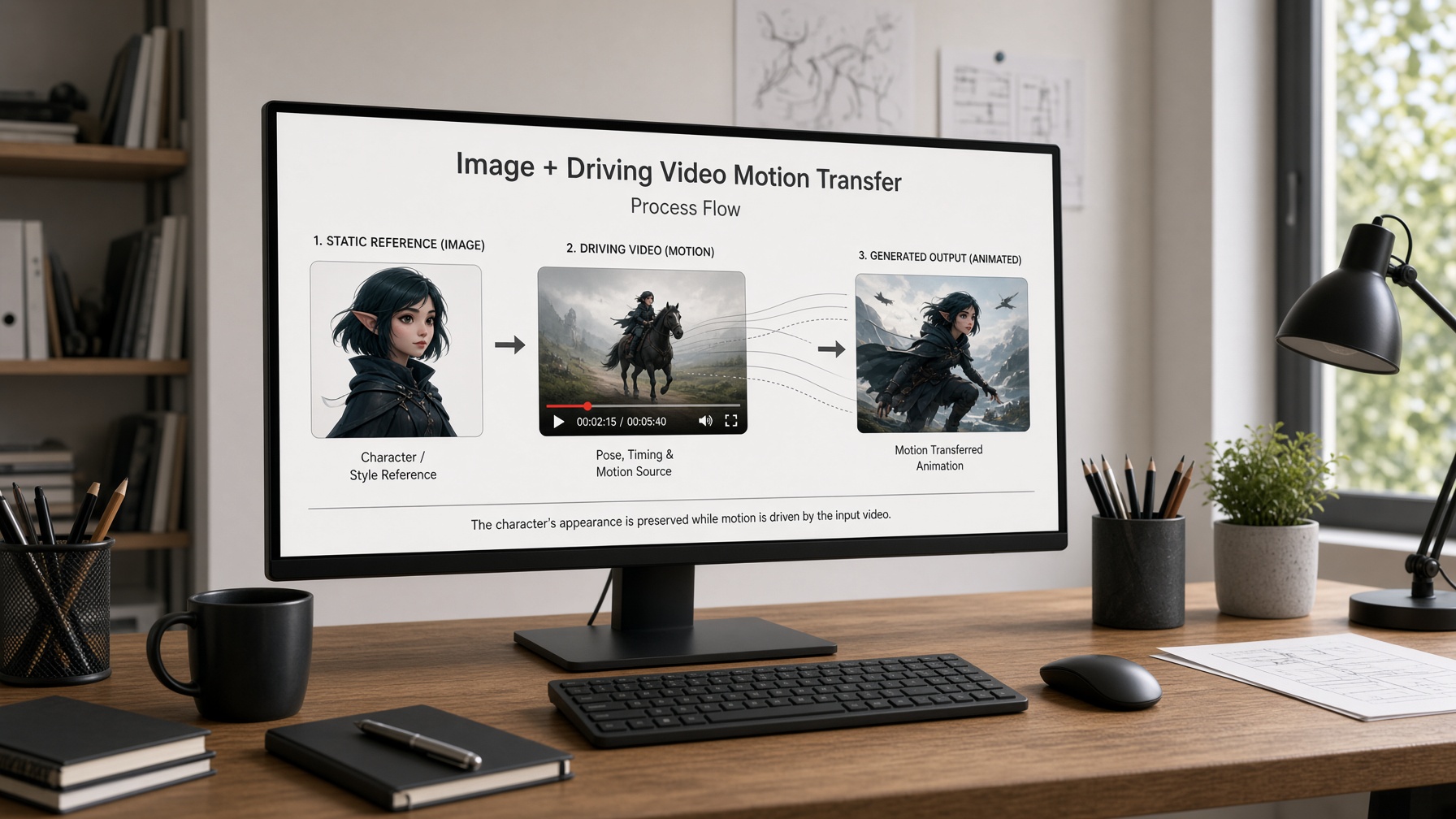
Wan Motion Control transfers motion from a driving video to a reference image using latent trajectory guidance and point trajectories. The reference image anchors character identity while the driving video supplies the motion signals. This image-plus-driving-video workflow allows precise control over character animation.
Wan Motion Control propagates motion by replicating first-frame latent features along dense point trajectories extracted from the driving video.
This Wan-Move trajectory motion tutorial shows how to use splines and point paths for precise AI video motion and camera control.
It delivers better density than ATI for Wan 2.1 models.
The animation behavior when applying motion transfer copies these trajectories to guide the model's movement.
The reference image serves as the visual anchor that keeps the character's identity consistent across the generated video.
In successful motion transfer examples, a character in a static pose receives natural walking motion from a reference video clip.
The driving video's clear full-body visibility ensures the trajectories cover the entire subject effectively.
This setup works best for moderate motion levels that maintain physical plausibility.
The catch is that complex actions or occlusions can reduce control accuracy.
Creators should prepare driving videos with minimal background interference for optimal results.
Practical implications for character animation workflows include using this method to animate existing images with specific movements.
The result is a more controlled and identity-preserving animation process.
Motion propagation occurs in latent space for efficiency.
Animation behavior activates along the point trajectories for coordinated movement.
The reference image provides the starting visual data that the model builds upon.
For example, applying a running motion from the driving video to a standing character image produces fluid leg strides.
The point trajectories ensure each body part moves in a coordinated way.
This coordination helps avoid unnatural distortions.
Honest cautions include the need for compatible shot framing between the reference image and driving video.
When angles differ significantly, the motion transfer may not align perfectly.
The workflow excels in single-subject character animations where the focus remains on one main figure.
By selecting compatible inputs, creators can minimize mismatches and maximize the quality of the final animation.
Use wan reference video and wan ai motion control to achieve these effects in the image-plus-driving-video workflow.
Preparing References for Consistent Character Animation
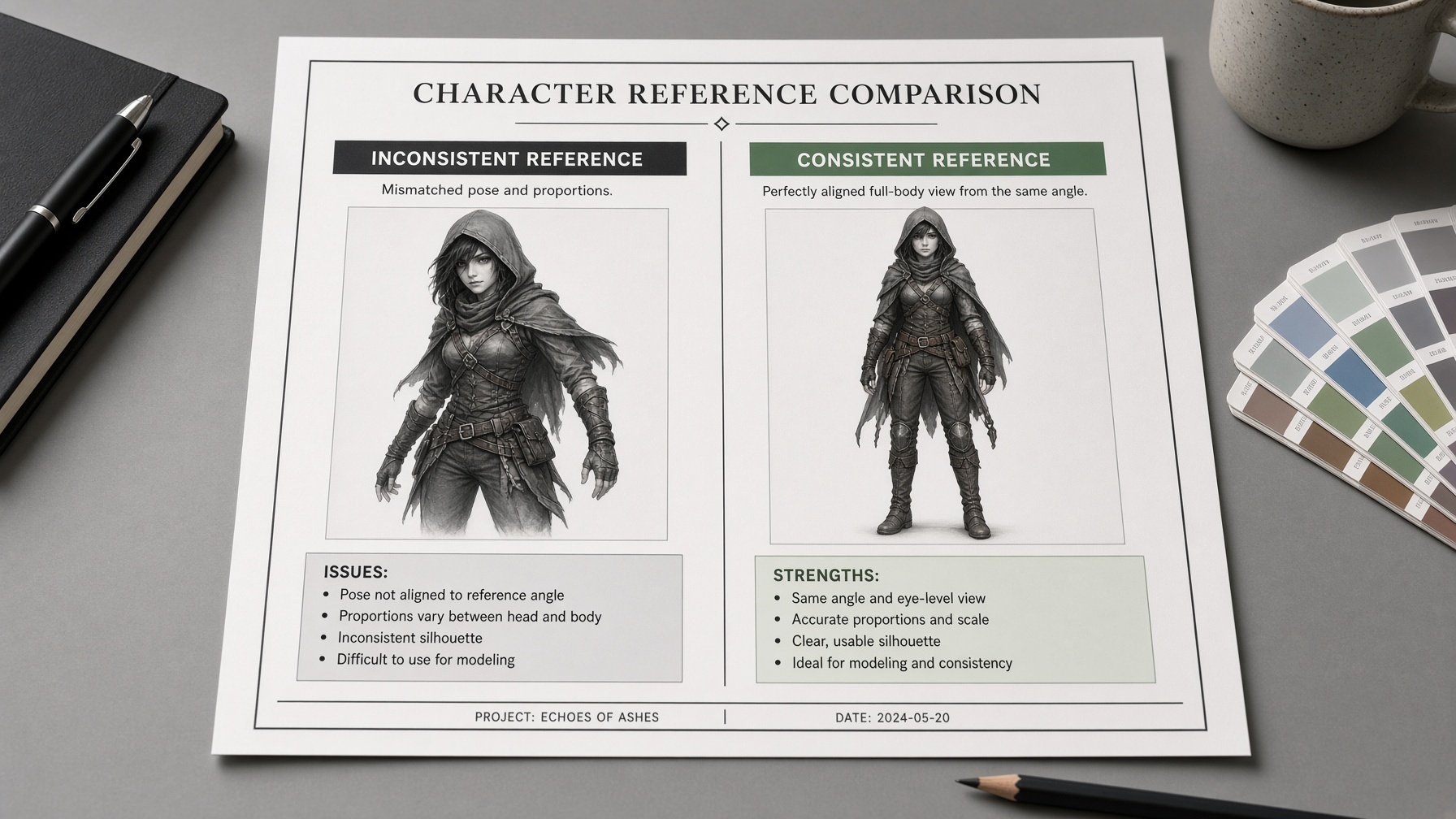
Character consistency and driving video selection are critical for Wan Motion Control to produce accurate animations. Using the same reference image across all frames preserves character identity throughout the motion transfer process. Selecting driving videos with clear full-body visibility and moderate motion minimizes pose and proportion mismatches.
The importance of the same reference image cannot be overstated.
It ensures the model maintains the character's look from the first frame to the last.
For driving video selection, choose shots with visible full-body motion and limited occlusions.
This reduces the risk of tracking errors during animation.
Practical tips for shot compatibility include matching the angle and framing as closely as possible between the reference image and driving video.
When the initial pose in the reference image aligns with the starting pose in the driving video, results improve significantly.
Honest cautions about mismatches include cases where the driving video has different proportions or poses.
These can lead to artifacts if not handled properly.
The workflow implications favor workflows with consistent inputs for best character animation quality.
By following these preparation steps, creators can achieve more reliable motion transfer using wan reference video and wan ai motion control.
The same reference image across frames is key to identity preservation.
It acts as the fixed visual base for the entire animation sequence.
Driving videos with clear full-body visibility help the trajectories cover all relevant parts.
Moderate motion keeps the animation natural and plausible.
Tips for choosing compatible shots involve selecting videos that match the character's typical pose and movement style.
This compatibility reduces the chance of proportion mismatches.
The catch is that initial pose differences can still occur even with good selection.
In those cases, the system may need additional adjustments to align the motion.
Practical examples show that full-body driving videos work best for character animation.
They provide comprehensive motion data without missing important movements.
When mismatches arise, the animation may show unnatural stretching or twisting in affected areas.
To mitigate this, creators should review the driving video for any pose changes from the reference image.
The workflow works best when both the reference image and driving video are from similar perspectives and lighting conditions.
This similarity ensures smoother integration of the motion transfer.
Use wan reference video to highlight the importance of consistent preparation in the animation process with wan ai motion control.
Handling Pose and Proportion Mismatches
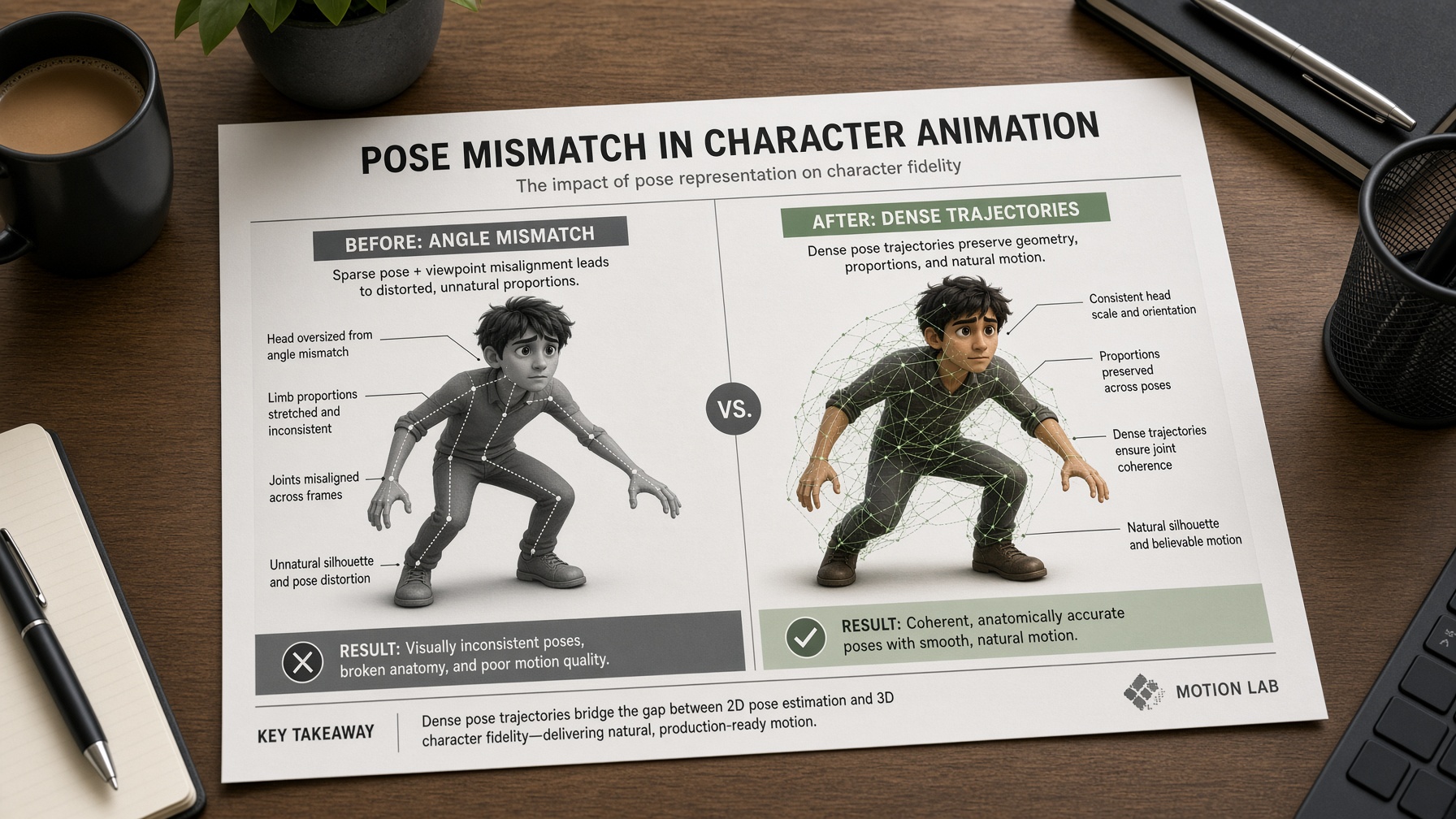
Wan Motion Control handles pose and proportion mismatches by boosting trajectory density and replicating visible tracks from the reference image. This aligns the driving video signals with the initial character pose to reduce distortions. The method preserves identity better than generic approaches when inputs have minor alignment issues.
Trajectory density controls how many points guide the motion.
Higher density creates more anchors between the reference image and driving video.
This reduces the chance of warped proportions during animation.
Visible-track replication copies only the clear segments from the driving video.
It ignores occluded or mismatched areas in the reference image.
The result stays more natural when the starting pose differs slightly.
The catch is that severe mismatches still cause artifacts.
Persistent pose differences can lead to unnatural twists or stretching.
Creators should test short clips first to check compatibility.
Practical implication for character animation:
Choose reference videos with moderate motion levels.
This gives Wan Motion Control more room to adjust without losing control.
Here's a simple example.
A character in a side pose receives walking motion from a front-view driving video.
Dense trajectories help the legs match the path.
Visible tracks ensure the upper body follows the reference proportions closely.
When mismatches arise from angle changes, the workflow still works if the subject remains fully visible.
Short reference clips with clear full-body motion improve outcomes significantly.
Single-Subject Animation Limits and Failure Modes
Wan Motion Control excels with single-subject animations that use moderate motion and minimal occlusions. It struggles with prolonged visibility loss or crowded scenes that cause tracking errors. These limits create implausible motion in complex setups.
Single-subject focus keeps the animation predictable.
The model tracks one main character reliably when the driving video shows full visibility.
This produces smoother results than multi-object cases.
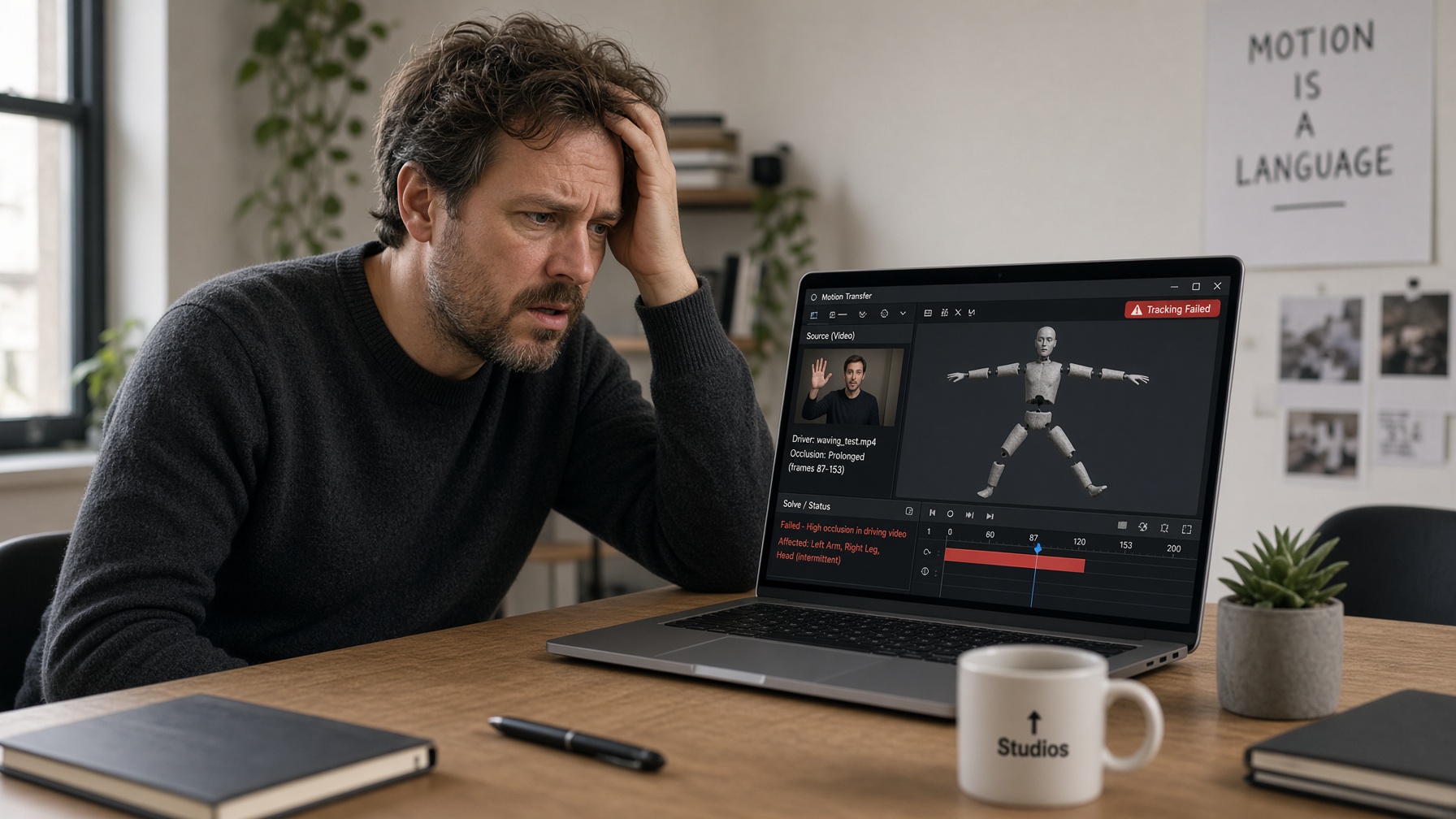
Prolonged occlusions break control.
Once a subject disappears from the driving video, trajectories vanish.
The animation loses accuracy and may revert to random motion.
Complex scenes add another challenge.
Crowded backgrounds or fast camera moves confuse the tracker.
Physical implausibility appears when motion violates gravity or logic.
The catch is that tracking errors accumulate over time.
Even minor drift leads to distorted limbs or floating objects.
Short clips with high visibility minimize these risks.
Practical mitigation includes selecting driving videos with steady camera angles.
Focus on shots where the character occupies most of the frame.
This keeps failure modes at bay during creative workflows.
Creative examples show success in simple walks or turns.
A character in a reference image receives natural strides from a clear driving video.
The single-subject limit shines here without extra interference.
Creative Use Cases and Practical Shot Recommendations
Wan Motion Control delivers the best results in creative workflows centered on reference-video motion transfer, camera control, and 3D rotations using point trajectories. It produces natural animations when you pair consistent reference images with driving videos that show clear full-body motion and minimal occlusions.
The workflow shines brightest when you transfer motion from a reference video onto a character image.
This creates cinematic effects that feel authentic and dynamic.
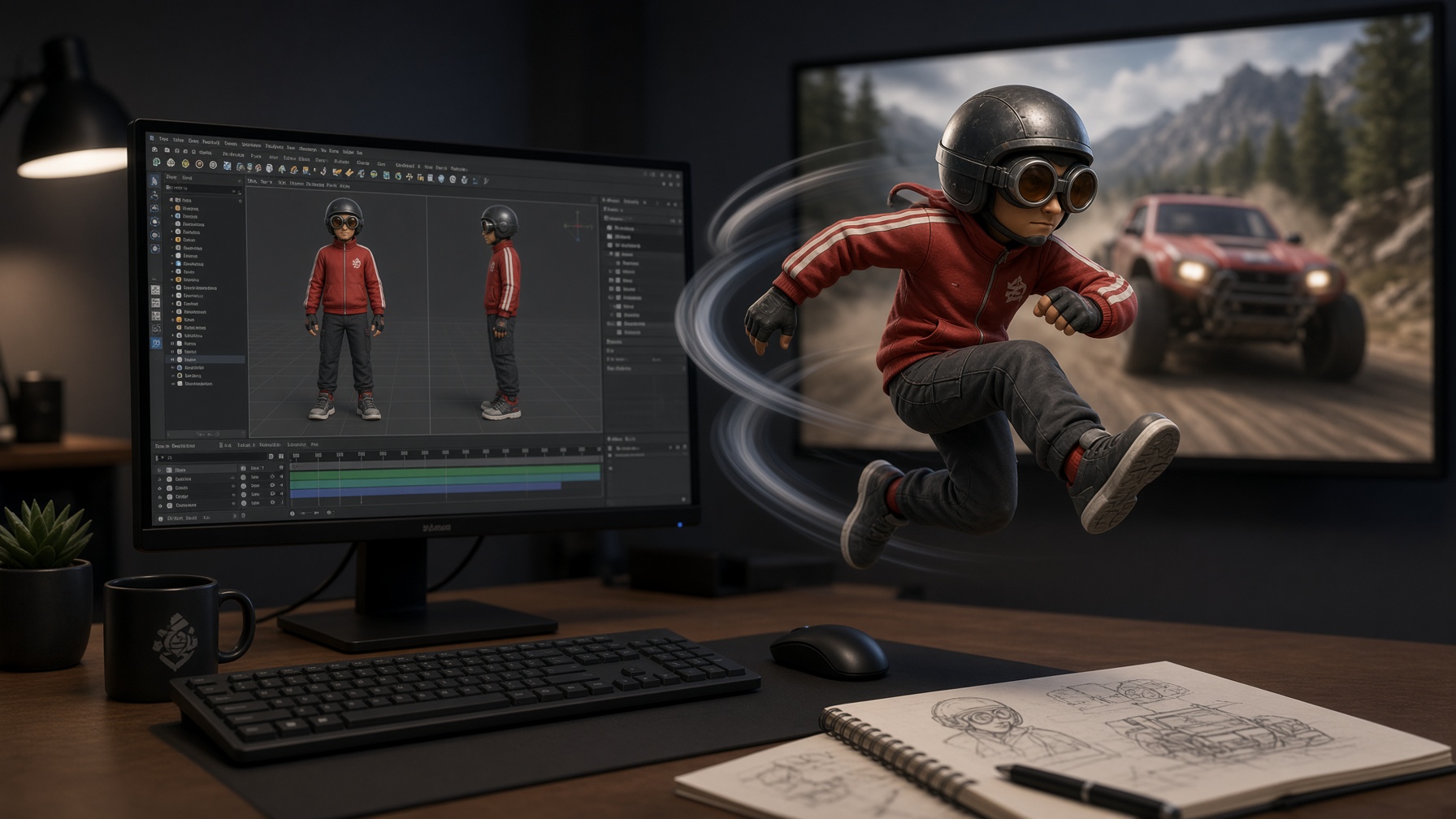
For example, take a character standing in a studio pose and overlay a running motion from a reference video.
The result looks like the character is actually moving through the scene naturally.
Choosing the right shots and images is essential for smooth motion transfer.
Select reference images with clear, full-body views and driving videos that match the camera angle closely.
This alignment ensures trajectories map accurately without distortion.
When the workflow makes most sense for character animation is in single-subject scenes with moderate motion.
It works well for quick character walks or turns where the subject stays mostly visible.
Creators benefit from this in social media clips or short animations because it keeps things simple and focused.
Practical tip: Use dense point trajectories, up to 1024, to guide the animation finely.
This gives you more control over subtle movements in the character.
The same idea applies to camera control.
You can manipulate trajectories to simulate slow pans or dynamic shots that follow the character.
This adds professional polish to your videos without complex rigging.
For 3D rotations, project depth from the reference image and transform trajectories accordingly.
It allows spinning characters in ways that feel immersive and engaging.
In creative projects, these techniques help you experiment with different motion styles.
Start with simple reference videos that have full visibility.
Then refine the character pose to fit the driving video's starting position.
Practical recommendation: Keep clips short to maintain consistency.
Focus on moderate motion levels that the model can handle gracefully.
This approach yields believable animations that stand out in creative portfolios.
Frequently Asked Questions About Wan Motion Control
How does Wan Motion Control work?
Wan Motion Control transfers realistic movement from a wan reference video onto a reference image using latent trajectory guidance and point trajectories. The reference image anchors character identity. This creates precise animations for single subjects.
What reference video works best for Wan Motion Control?
Choose driving videos with clear full-body visibility and moderate motion. Use consistent reference images across frames. This ensures better character consistency in animations.
How to prepare for Wan Motion Control?
Ensure the reference image matches the character's pose. Select driving videos with minimal occlusions. This preparation reduces mismatches and improves results.
How does Wan Motion Control handle pose mismatches?
Boost trajectory density and replicate visible tracks from the driving video. This aligns the motion signals with the reference image. Minor issues stay manageable with dense points.
What are the limits of Wan Motion Control?
Wan ai motion control excels with single-subject animations and moderate motion. It struggles with prolonged occlusions or complex scenes. Short clips minimize these risks.
Can Wan Motion Control handle multiple subjects?
It focuses on single-subject animations for best reliability. Multi-object cases require careful trajectory authoring. Crowded scenes can cause tracking errors.
When does Wan Motion Control deliver the best results?
It shines in reference-video motion transfer and camera control. Pair consistent images with driving videos showing full-body views. Creative single-subject shots work best here.
How can I choose shots for Wan Motion Control?
Select shots with clear full-body motion and minimal occlusions. Match reference images to driving video angles closely. This ensures accurate trajectory mapping.


