Fur Coat Dancer Performs in Paris Metro
Prompt
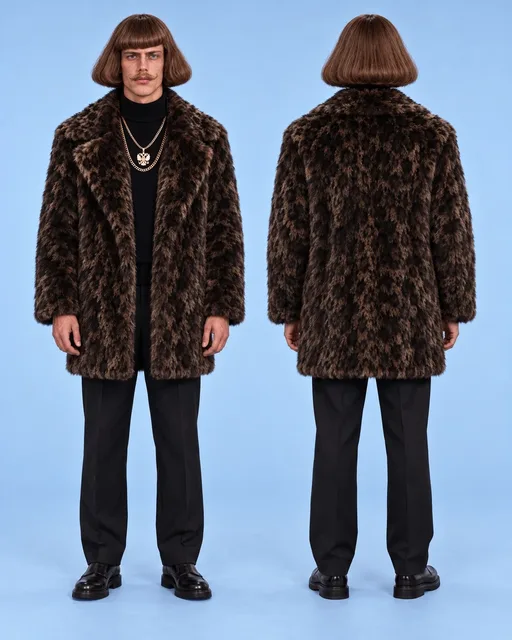
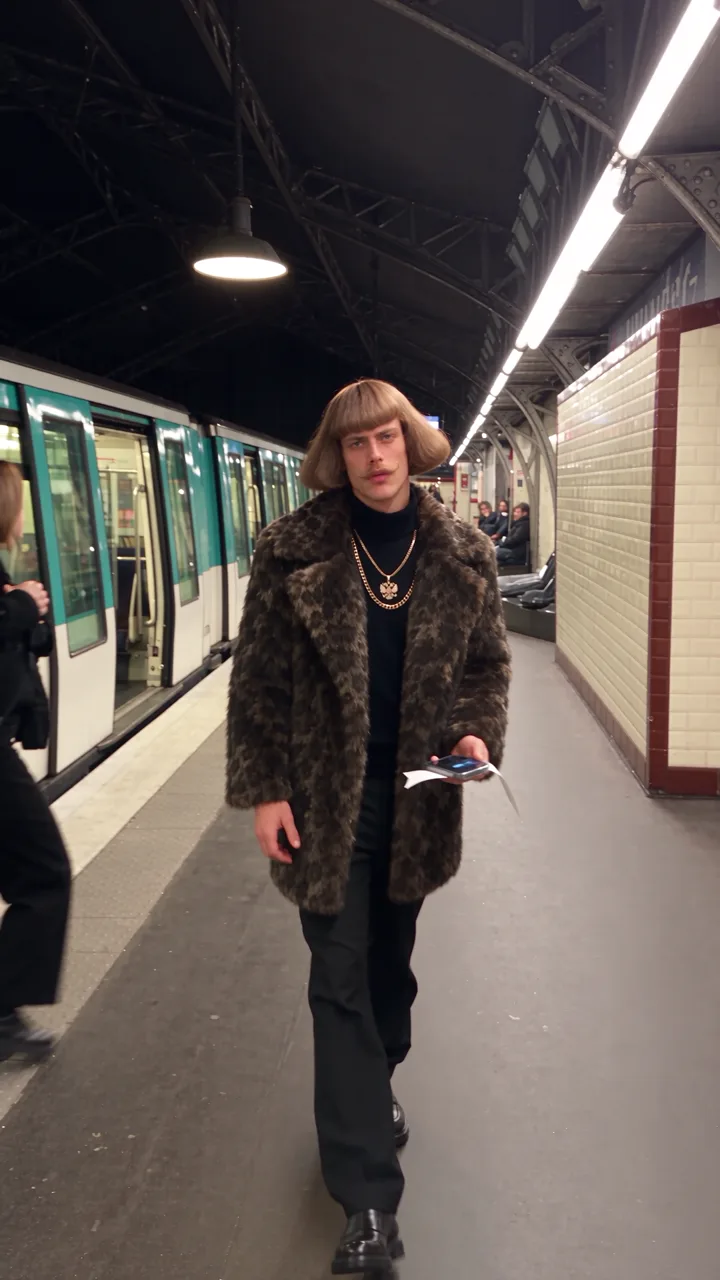
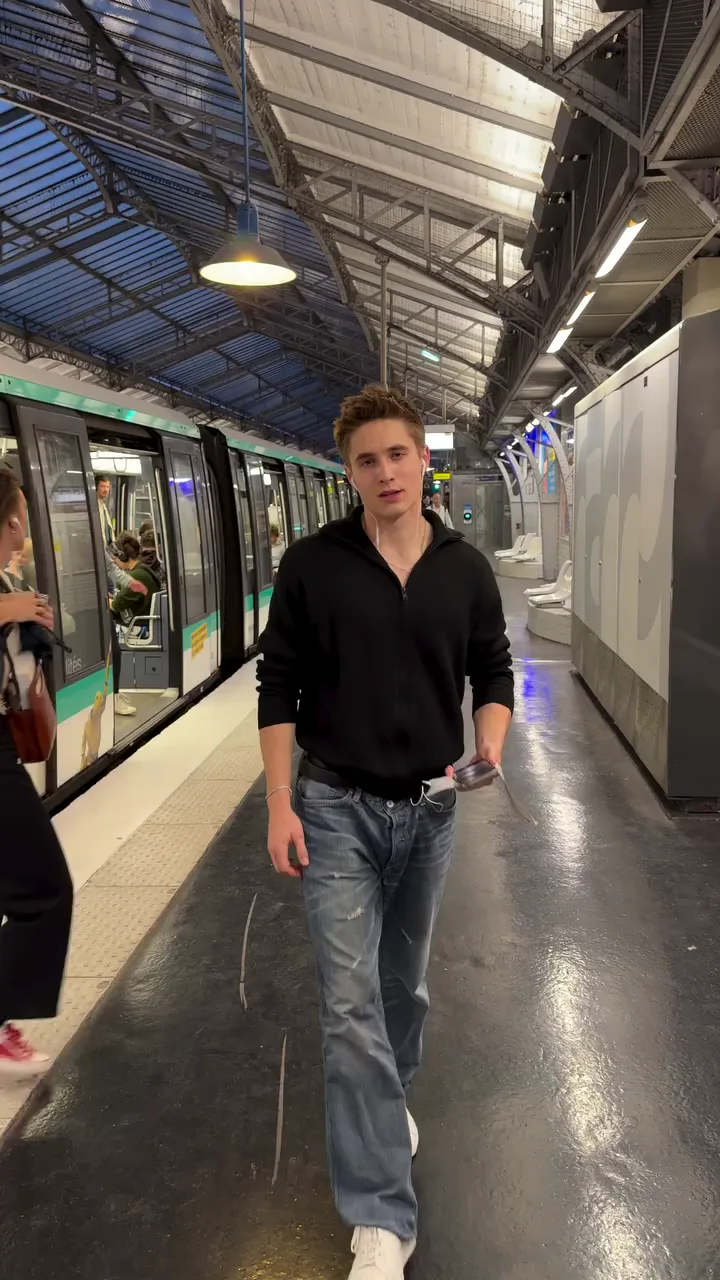
Use @Video1 as the absolute master reference for the full video. Use @Image1 as the PRIMARY FACE / IDENTITY / HAIRSTYLE reference for the replacement male character. Use @Image2 as the FULL-BODY / PHYSIQUE / BODY PROPORTIONS / CLOTHING / OVERALL APPEARANCE reference for the replacement male character. Recreate the original video as closely and faithfully as possible. Keep everything exactly the same: - same full video, - same scene structure, - same location, - same background, - same environment, - same lighting, - same camera angle, - same framing, - same camera movement, - same pacing, - same timing, - same choreography, - same gestures, - same body movement, - same head movement, - same facial-expression timing, - same transitions, - same action flow, - same original audio, - same original voice if present, - same dialogue if present, - same lip sync if present, - and same overall atmosphere. Replace ONLY the original male character with a new male character built from @Image1 and @Image2. CHARACTER IDENTITY RULE: Use @Image1 as the absolute priority reference for: - exact face, - identity, - facial structure, - eyes, - eyebrows, - nose, - lips, - jawline, - forehead, - skin tone, - exact hairstyle, - haircut, - hairline, - hair length, - hair texture, - hair volume, - hair direction, - hair color, - facial hair if present, - and overall recognizable head appearance. Use @Image2 as the priority reference for: - full-body appearance, - body shape, - physique, - shoulders, - chest, - arms, - waist, - legs, - height impression, - posture, - stance, - body proportions, - silhouette, - clothing, - outfit, - fit, - styling, - and overall full-body appearance. IMPORTANT FACE / HAIR PRIORITY RULE: @Image1 has absolute priority for: - face, - head, - identity, - hairstyle, - haircut, - hairline, - hair length, - hair texture, - hair volume, - hair color, - and all facial details. If @Image2 shows a different face, hairstyle, head shape, or hair details, ignore those differences completely. The replacement male character must look like one coherent person: - face + identity + hairstyle from @Image1, - body + physique + proportions + clothing from @Image2. GLOBAL APPEARANCE RULE: All physical appearance must come ONLY from the uploaded reference images, not from the original actor in the source video. Do NOT inherit from the original actor: - face, - facial structure, - hairstyle, - hairline, - hair color, - body shape, - physique, - proportions, - silhouette, - clothing, - or identity. Use the source video ONLY for: - movement, - performance, - timing, - gestures, - choreography, - pose flow, - camera, - framing, - scene structure, - transitions, - action flow, - background, - environment, - and object interaction. WARDROBE RULE — IMPORTANT: Do NOT use the clothing from the source video. The replacement male character must wear the clothing shown in @Image2. Preserve from @Image2: - same outfit, - same clothing type, - same fit, - same silhouette, - same styling, - same layering, - same overall wardrobe appearance. Do not copy the original actor’s clothes from @Video1. The source video controls only the movement and performance. The replacement character’s wardrobe comes from @Image2. PHONE + TAPE RULE — VERY IMPORTANT: The phone must ALREADY have a visible piece / strip of adhesive tape attached to it BEFORE the character approaches the train. While the character is holding the phone in his hand, the tape must already be physically attached to the phone. Do NOT make the character: - take out a separate piece of tape, - apply tape to the train first, - attach tape as a separate action, - or prepare the tape at the train. The tape is already attached to the phone beforehand. Preserve this state consistently: PHONE + TAPE = one prepared object before he reaches the train. The tape should look physically real and naturally attached to the back / relevant contact side of the phone. It must remain visible enough to understand that the phone already has adhesive tape attached. TRAIN ATTACHMENT ACTION — EXACT INTERACTION: When the character reaches the train, he must attach the phone using the tape that is ALREADY attached to the phone. The action must work like this: 1. He approaches the train while holding the phone with the tape already attached. 2. He brings the phone toward the train surface. 3. He simply presses / places the phone against the train. 4. The pre-attached tape makes contact with the train surface. 5. The phone sticks firmly to the train. 6. He releases the phone. 7. The phone remains attached to the moving train. 8. The train leaves with the phone still stuck to it. IMPORTANT: Do NOT show him applying the tape separately. Do NOT show him sticking tape onto the train first. Do NOT generate a new piece of tape during the action. Do NOT make the phone float or magically attach without physical contact. The attachment must be physically believable: - hand moves phone toward train, - tape side contacts train, - slight press, - release, - phone stays fixed, - train moves away with phone attached. Preserve the same general timing, pacing, framing, and emotional beat as the source video. PHONE CONSISTENCY RULE: Keep the phone stable and consistent throughout the scene: - same phone, - same size, - same orientation, - same tape, - same tape position, - same grip before attachment, - same phone after attachment. The tape must not disappear before the phone reaches the train. The tape must not change position. The phone must remain firmly attached while the train moves away. EIFFEL TOWER / TRAIN MOMENT RULE: When the train leaves carrying the phone, preserve that scene exactly in structure and timing. At that moment, keep the Eiffel Tower clearly visible and visually impressive. The Eiffel Tower must be: - beautiful, - bright, - glowing, - illuminated, - elegant, - cinematic, - visually striking, - and clearly recognizable. Do not remove the Eiffel Tower. Do not replace it. Do not obscure it. Do not make it dark or visually weak. The glowing Eiffel Tower should remain a strong cinematic landmark in the background while the train moves away with the phone attached. PERFORMANCE LOCK: The replacement male character must remain stable and consistent throughout the whole video. He must keep the exact same performance as the original male character: - same body movement, - same head movement, - same pose timing, - same gestures, - same facial-expression timing, - same position in frame, - same interaction with the environment, - same interaction with the phone, - same interaction with the train, - and same overall action rhythm. Only modify the phone/tape interaction as specified above while preserving the original scene flow. AUDIO LOCK: Preserve the ORIGINAL AUDIO from @Video1 unchanged. Keep: - original voice, - original dialogue, - original sound, - original timing, - and original synchronization. Do not generate a new voice. Do not replace the dialogue. Do not change speaking speed. Do not retime the audio. If the man speaks or mouths anything, preserve the exact mouth movement and lip-sync timing so the new face matches the original audio naturally. SCENE LOCK: Do not change the background. Do not change the location. Do not change the environment. Do not change the lighting. Do not change the camera. Do not add new shots. Do not change the duration. IMPORTANT TEXT RULE: Do not generate any subtitles, captions, text, words, letters, symbols, Chinese characters, hieroglyphs, overlays, UI elements, watermarks, labels, logos, or any on-screen graphic text of any kind at any moment in the video. Use the FULL original video. FINAL RESULT: The final result must look like the same original video, with the same: - scene, - camera, - movement, - timing, - train moment, - glowing Eiffel Tower moment, - and audio, but with: - the original male character replaced by the male character from @Image1 and @Image2, - face / identity / hairstyle from @Image1, - body / physique / proportions / clothing from @Image2, - the phone already having tape attached before he approaches the train, - the character simply pressing the taped phone onto the train, - the phone sticking to the train and remaining attached, - and the train driving away with the phone still attached. Everything else must remain unchanged.
Swap target
Person swap
Resolution
1080p
Video:
Images: