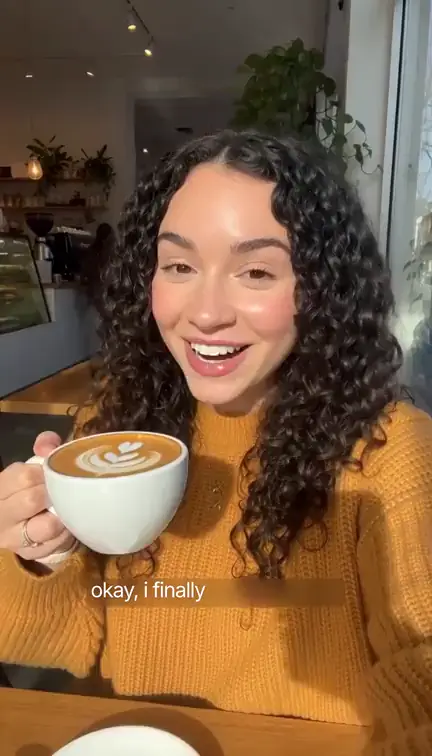
Creatide Subtitles turns the speech in your video into clean, readable captions burned into the picture. Upload a clip or pick one of your own Creatide videos, leave the spoken language on Auto-detect or set it yourself, and get a new video back with the captions on it. There is no manual typing and no timing each line by hand.
Pick from 30 caption styles, from 21 Basic styles to 9 Dynamic styles with a richer look. Place the captions at the bottom, center or top of the frame, change the shadow, font and colors if you want, and add custom words so brand names come out spelled right.
Translate and caption
Translate Video Captions into 200+ Languages and Variants
Reach viewers who do not speak your language. Choose a translation language and Subtitles translates your captions while it transcribes, so a video spoken in English can go out with Turkish, Spanish, German or French captions without a second tool. The list has 214 languages and regional variants, and Original language keeps the captions in the language that is spoken.
When it is done you download the video with the captions burned in, ready to post anywhere. Translation adds a charge per started minute of video, and the total is shown before you start.
FAQ
Subtitles, answered.
What languages does Subtitles support?
You can set the spoken language from a list of 164 languages and regional variants, or leave it on Auto-detect and the language is detected from the audio in your video. Setting it yourself is the safer choice when you already know which language is spoken.
Can I translate my captions into another language?
Yes. Choose a translation language from a list of 214 languages and regional variants. Leave it on Original language to keep the captions in the language that is spoken. Translation adds a second charge per started minute of your video.
Can I fix brand names or jargon?
Yes, with Custom words. Write one line per word in the form Word = heard 1, heard 2, for example Creatide = create tide, and the transcription uses it to spell names and jargon the way you want. You can add up to 50 lines.
Which caption styles are available?
There are 30 styles. Nine are Dynamic: Glass, Whisper, Glide 2, Fusion, Glide, Terminal, Handwritten, Backdrop and Backdrop 2. The other 21 are Basic. Glass is the default. On top of a style you can set the position (bottom, center or top), the shadow, one of eight fonts in regular or bold, and the text color. Glide also takes a key-word color.
Do I get a caption file?
No. You get one new video with the captions burned into the picture. Subtitles does not produce a separate subtitle file to download.
How many credits does it cost?
Subtitles is charged per started minute of your video, with a minimum of one minute, so the length is rounded up to the next full minute. A Dynamic style costs twice as much per minute as a Basic one, and a translation language adds a second charge per minute. The total for your video and settings is shown on the button before you start, and if captioning fails the credits for the job are refunded.
What videos can I upload?
MP4, MOV or WebM files from 1 second to 10 minutes long and up to 100 MB, or any video you made in Creatide. The video needs a spoken soundtrack, since the captions are made from the speech. A video larger than 1080p is brought down to 1080p before captioning.
Can I try it with a sample video first?
Yes. Try a sample video adds captions to a short sample clip. It is charged at the normal price, like any other video.
Explore More Tools
Discover more Creatide tools for making videos, images, music and stories.