Six studio controls. One tap each. Every image model.
A full AI photo studio next to every prompt box. Call the look, framing, lens, lighting, palette and angle with a tap, and every image model on Creatide AI shoots it like a photographer would.
Write the subject. Set up the shot. Hold that pose.
Hold that pose
← tap the clapper next to any prompt box

Editorial · 85mm portrait · Golden hour · Warm earth
Definition
Photo Studio Mode is an AI photo studio built into the prompt box. You describe the subject; you tap the lighting, lens, framing, palette and angle. Creatide AI briefs every image model like a photographer would.
Image models can produce stunning photographs, but only if the prompt reads like a photographer’s brief. Most of us write “beautiful portrait, professional lighting” and get the same glossy face every time.
Photo Studio Mode puts the studio next to the prompt: six controls you’d find on a real shoot. You keep writing the subject in your own words. The studio handles light and glass.
How does one tap speak every model’s language? That’s a little Creatide AI magic, and it stays our secret. It keeps getting better on its own, so the same tap gives you a better result over time without you changing a thing.
The empty box problem
Image models follow specifics. Vague photo words average out to the same stock look. Here’s the difference.

Every model reads this as “generic stock photo”.

A ceramicist at her wheel, late light through dusty windows. One sentence of story, six photographer decisions.
Light the set
Lighting is the difference between a snapshot and a photograph. Pick a setup and watch the lights move on the floor plan and the shadows move on the face.
The darkroom
GPT Image likes full sentences, Midjourney likes compact style terms, Flux listens closely to camera and lens. Photo Studio Mode writes the brief each model reads best.
Model-specific wording above is illustrative. Switch models and your studio setup moves with you, so you can compare models on the same shot.
Same prompt
“A boxer resting between rounds.”

Sweat, a single warm key light, the background gone soft. A portrait about exhaustion and pride.
Shot A
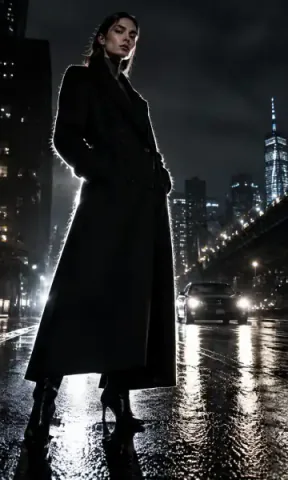
Wide and low, the whole ring in frame, the boxer outlined in hard light. A campaign shot.
Shot BContact sheet
Six setups photographers use every week. Start from one, then change a single control.

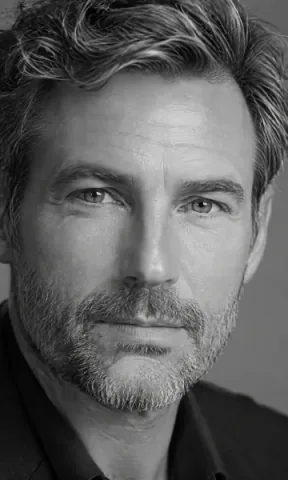
Clean, flattering, LinkedIn-to-magazine ready.

Even light, crisp edges, ready for a marketplace listing.

Morning light across a table. Cookbook energy.

Outlined in light, wide and dramatic. Poster material.

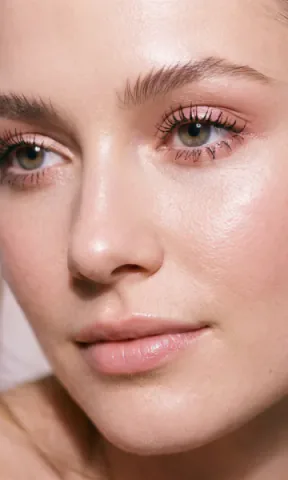
Skin, lashes, a soft shadow under the nose.

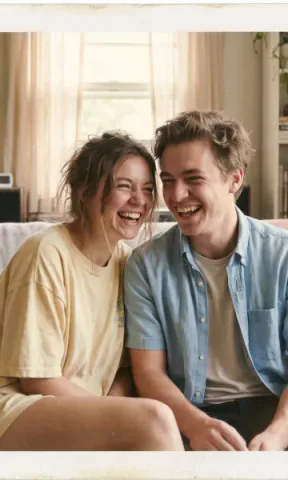
Feels like a found photo from a good summer.
The manual
Every card in Photo Studio Mode uses the real name. Here’s what the less obvious ones mean, so you know what you’re setting up.
Where to find it
Photo Studio Mode sits next to every image prompt bar on Creatide AI, including edit and reference modes.

The mini clapper lives at the right edge of every image prompt box.
Tap a card to cycle options. Leave any control uncalled to let the model decide.
Your prompt and your setup go to the model together. Export the result in up to 8K.
Who it’s for

Shoot every product in the same light, so the catalogue looks like one studio.

A consistent lighting style makes a channel recognisable at a glance.

Show the client the exact lighting and lens you’re proposing.

Get photography that matches a layout instead of designing around stock.
Stack it
Your setup isn’t a separate world. It travels with the rest of the Creatide AI engine, from first shot to final export.
Compare
You could type every photography term yourself. Here’s what changes when you don’t.
| Photo Studio Mode | Typing it all in the prompt | Prompt-helper add-ons | |
|---|---|---|---|
| What you write | The subject only | Subject plus every photo term | Subject, then a pasted block |
| Model dialects | Translated for each model | You learn each one | Usually one generic format |
| Conflicting terms | One call per control | Easy to mix two lighting styles | Common |
| Comparing models | Same setup on every model | Rewrite per model | Paste again |
| Price | Free on Creatide AI | Free, costs time | Often a separate subscription |
Tips
Photo Studio Mode does the vocabulary. These habits do the rest.
FAQ
An AI photo studio next to every image prompt box. You call the look, framing, lens, lighting, palette and angle with taps, and Creatide AI turns those calls into a brief each image model understands.
No. Your prompt stays exactly as you wrote it. Your studio setup rides alongside it, and a little Creatide AI magic does the rest.
Every image model on Creatide AI, including GPT Image, Flux, Nano Banana, Midjourney, Qwen Image, Kling Image, Seedream and Creatide AI Muse.
No. Photo Studio Mode is free to use. You pay only for the images you generate.
Yes. In edit mode, lighting, palette and look calls are the most useful: relight or regrade a photo without describing it in words.
No. Every option is a card you can tap and compare. The names are the real ones, so you’ll pick them up as you go.
Rembrandt, golden hour, chiaroscuro, silhouette, overcast soft and volumetric rays to start.
Yes. Every image on Creatide AI can be exported in 2K, 4K, 6K or 8K depending on your plan.
Yes. Director Mode does the same for video and Composer Mode for music, from the same clapper button.
A template pastes the same words into every prompt. Photo Studio Mode keeps your prompt clean, sends your setup separately and rewrites it for each model, so you can compare models on the same shot.
Yes. References keep the face or product consistent; the studio controls set how it’s lit, framed and coloured.
Yes. Save your favourite setups as a preset and bring them back in one tap, or mix a preset with custom settings for a single shot. Your setup also stays set while you work, across re-rolls and model switches, so a whole product line can share one light. Reset clears it when you want a fresh start.
Because every model reads it differently and most read it as glossy stock. A real lighting setup, lens and angle give the model concrete instructions, which is what separates a photograph from a picture.
Describe the subject. Set up the studio. Take the shot.
Free on every image model · Export up to 8K