Explore
  • VideoPopular
  • Image
  • Music
  • Story
  • Motion
  • Upscale
  • Lip Sync
  • SubtitlesNew
  • Video ExtendNew
  • Video ProducerNew
  • Agent+Popular
  • Ad HubNew
  • TakeShiftNew
  • Viral
  • Effects
  • Born Elsewhere
Pricing-65%-65% OFFUpgrade-65%-65% OFF
Log inSign upSign Up Free
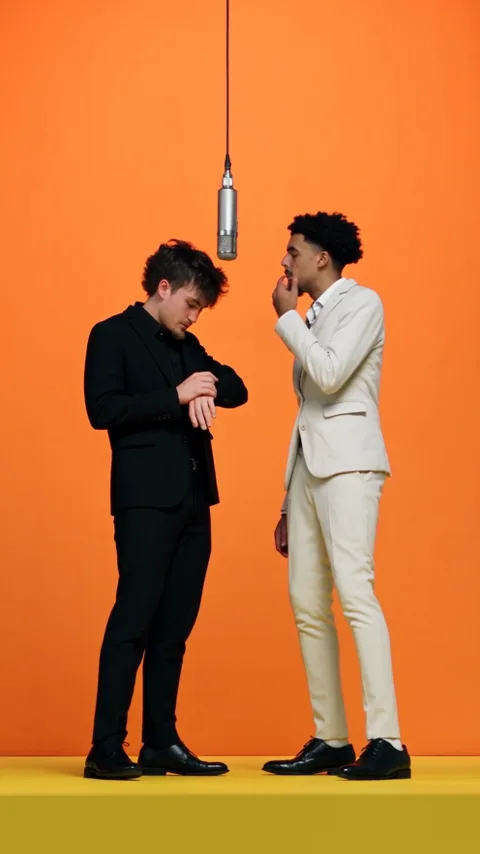
Two men in suits perform beneath a hanging silver microphone against an orange backdrop, with one in black and one in white, moving and gesturing on a yellow platform.

Two Suited Singers Perform Vibrant Duet

Prompt

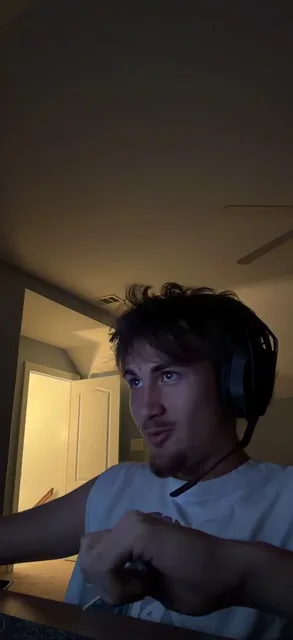
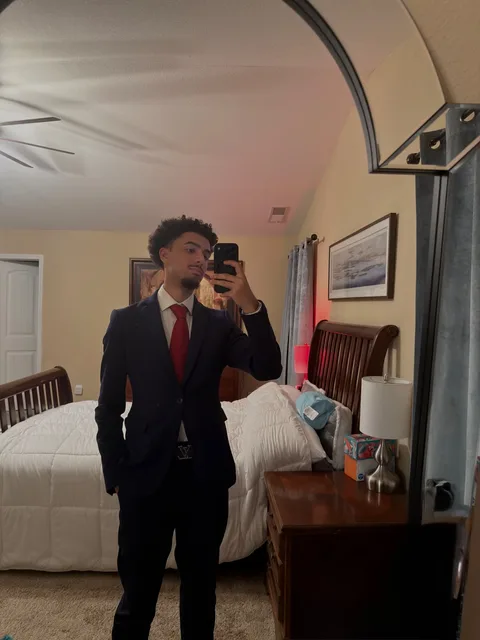
Replace the TWO original main characters in the source video with the TWO people shown in the reference images. CHARACTER 1 — LIGHT-SKINNED MAN: Replace one of the original characters with the exact light-skinned man from the reference image. Preserve his facial identity, facial structure, skin tone, eyes, nose, lips, facial hair and distinctive features. Dress him in a BLACK SUIT with a black shirt. CHARACTER 2 — DARK-SKINNED MAN: Replace the other original character with the exact dark-skinned man shown in the reference images. The two reference photos of him represent the SAME PERSON and should be used together to maintain accurate identity from different angles. Preserve his exact face, dark skin tone, facial structure, beard, hairstyle and distinctive features. Dress him in a WHITE SUIT with a white shirt. IMPORTANT CHARACTER LOCK: Light-skinned man = BLACK SUIT. Dark-skinned man = WHITE SUIT. Never swap their identities, skin tones, faces, hairstyles or outfits. Replace BOTH original characters completely while preserving the original video’s performances: same body movements, gestures, positions, interactions, choreography, timing and expressions. Preserve the original camera movement, framing, composition, lighting, background, environment and scene structure. Use the reference images primarily for facial and character identity. Do NOT copy the backgrounds or poses from the reference photographs. Maintain strong identity consistency throughout the entire video, especially during head turns, profile angles, movement, occlusion and close-ups. The final result should look as if the original scene was actually filmed with these two men: the light-skinned man naturally wearing the black suit and the dark-skinned man naturally wearing the white suit. Do not blend, morph or combine the two people. Do not change any other elements of the source video.

Swap target

Person swap

Resolution

480p

Video:
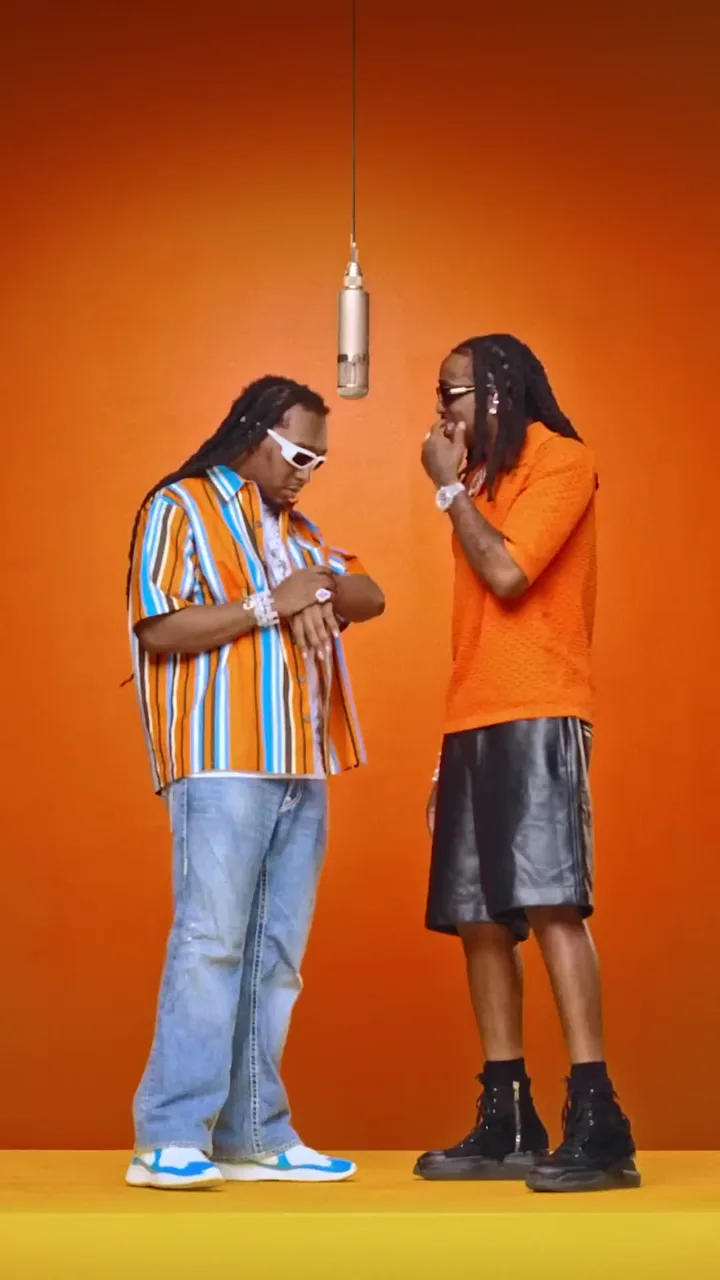
Two men with dreadlocks perform in front of an orange wall beneath a hanging silver microphone; one wears a striped shirt and jeans, the other an orange top and black leather shorts.

Images:

A young male gamer wearing a black headset and a white tank top sits in a dark room, looking off to the side with an engaged expression.
A young man in a dark suit and red tie taking a mirror selfie in a bedroom with a large bed and wooden furniture.
Regenerate

One idea.
Every model.
One finished creation.

The AI-native creative suite for video, image, music and ads.

Live support on TelegramChat with our team in real time

Create

  • Video
  • Image
  • Music
  • Story
  • Motion
  • Upscale
  • Lip Sync
  • SubtitlesNew
  • Video ExtendNew
  • Video ProducerNew
  • Agent+
  • Ad HubNew
  • TakeShiftNew
  • Viral
  • Effects
  • Born Elsewhere

Features

  • AI Video Generator
  • AI Image Generator
  • AI Music Generator
  • 2× Duration
  • 8K Output
  • Director Mode
  • Photo Studio Mode
  • Composer Mode
  • Image to Video AI
  • Text to Video AI

Video models

  • Seedance 2.5
  • Kling 4.0
  • Gemini Omni 1.2 Flash
  • Vidu Q4
  • MiniMax H3
  • PixVerse C1
  • Wan 3.0
  • Grok Video 1.5
  • FLUX.3 Video
  • All video models

Image models

  • Seedream 5.5
  • Muse Image
  • GPT Image 2.6
  • Qwen Image 3.0
  • Kling Image 4.0
  • FLUX 3 Image
  • Nano Banana 2.1
  • Grok Image 2.0
  • Ideogram 4.5
  • Z-Image
  • MiniMax H3 Image
  • All image models

Resources

  • Runway Unlimited Extension: What Creators Need to Know
  • Suno Download Limits: What Creators Need to Know
  • FLUX 3 Video Pricing: What Creators Actually Pay Per Clip
  • What is SeeDance 2.0? ByteDance's AI Video Generator
  • Browse all articles
  • Help Center
  • Prompt Guide
  • Video Prompts
  • Image Prompts
  • Music & Sound Prompts

Company

  • About
  • Pricing
  • Contact
  • Trust Center
  • Brand kit
  • Affiliate program
  • Creator Partner Program

Free tools

  • Video Compressor
  • Trim, Cut & Merge
  • Slow Motion & Speed Ramp
  • Extract Audio or Mute
  • Frame Grabber
  • Video to Text
  • Text to Speech
  • Slowed + Reverb
  • Remove Image Background
  • Image Upscaler
  • Magic Eraser
  • Image to Prompt
  • Video to Prompt
  • AI Clip Stitcher
  • Seamless Loop Maker
  • Video Background Remover
  • Color Match
  • Voice Cleaner
  • Start Frame Prep
  • All free tools

Compare

  • vs Higgsfield
  • vs Runway
  • vs Pika
  • vs Krea
  • vs Freepik AI
  • vs Leonardo AI
  • vs OpenArt
  • vs Kling AI
  • vs Artlist
  • vs BytePlus
  • vs Canva
  • vs ElevenLabs
  • vs Grok Imagine
  • vs InVideo
  • vs Picsart
  • X / Twitter
  • YouTube
  • Instagram
  • TikTok
  • Telegram
  • Facebook

All systems normal

  • Terms
  • Privacy
  • Cookie policy
  • Content policy
  • Refund policy
  • DMCA

© 2026 AIVid, LLC. All rights reserved.

HomeLibraryAgent+Profile