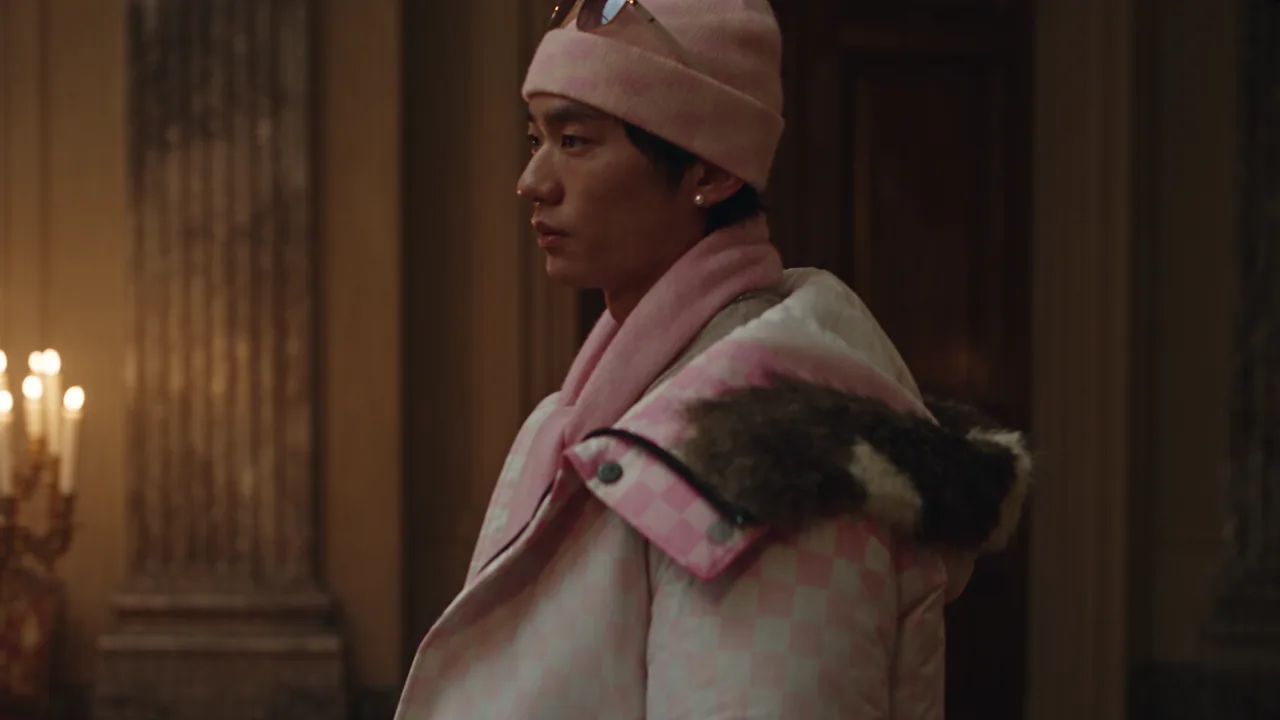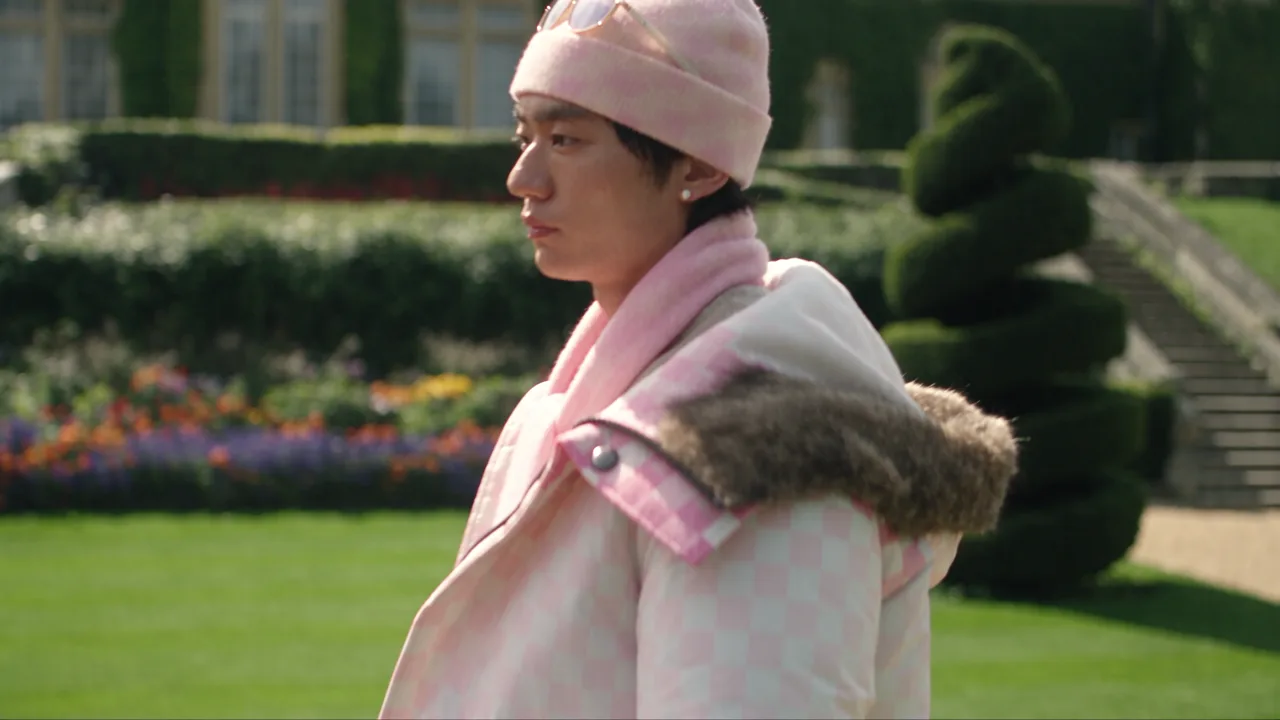
Champagne Garden Party at a Grand Estate
Prompt
TASK Edit @Video1. Replace the main performer with image 1, using his complete face, hair, skin tone, body build, pink beanie with sunglasses on its brim, pink-and-white checkered fur-collared jacket, long pink scarf, pink checkered trousers, and white boots exactly as shown in image 1. Replace the guest filming him with image 2, using her complete face, black shoulder-length hair, skin tone, body build, green zip-front top, pale pleated skirt, and cream knee-high boots from image 2; keep her black smartphone held vertically with both hands whenever she films. Replace the four surrounding party guests with image 3, image 4, image 5, and image 6, using each person’s complete visible face, hair, body build, clothing, footwear, and accessories from their respective image. Do not transfer the handbag in image 3, the fur accessory in image 5, or the pink shoulder bag in image 6. Ignore image 7, image 8, image 9, image 10, and image 11; they do not replace a clearly visible source person. Replace the complete indoor party hall with the formal mansion garden in image 12 throughout the entire video. Remove the chandeliers, interior walls, paintings, candelabras, marble bar, champagne buckets, drinkware, carpets, arched indoor doorway, chairs, and every other source interior element. Place the performer and guests at correct human scale on the visible gravel paths and closely cut lawn, with the ivy-covered mansion, curved stone staircase, flower beds, hedges, and topiary remaining behind them. Everything else stays exactly as in @Video1: every body movement, pose sequence, rhythmic gesture, performance beat, character position, camera move, framing change, hard cut, and timing. ACTIVE REFERENCES image 1 is the complete appearance and wardrobe for the main male performer. image 2 is the complete appearance and wardrobe for the woman filming the performer; retain the source black smartphone as her filming prop. image 3 is the complete appearance and wardrobe for one female guest in the surrounding crowd. image 4 is the complete appearance and wardrobe for one female guest in the surrounding crowd. image 5 is the complete appearance and wardrobe for one female guest in the surrounding crowd; do not add the fur accessory shown in her reference. image 6 is the complete appearance and wardrobe for one female guest in the surrounding crowd; do not add the pink shoulder bag shown in her reference. image 7 is not used. image 8 is not used. image 9 is not used. image 10 is not used. image 11 is not used. image 12 replaces the entire source environment with its formal outdoor mansion garden. SOURCE VIDEO @Video1 is the source video being edited. Preserve the main performer’s rhythmic walk and gestures through the gathering, his turns toward the filming guest and other guests, the filming guest holding a vertical phone toward him, the performer’s continued weaving behind guests while gesturing and performing, the camera pullback and pan through the crowd, and the final hard cut to the symmetrical wide performance shot where he bounces and opens both arms toward the camera. SHOT-BY-SHOT GUIDE Shot 1 (0-7.7s): Keep the medium moving tracking and panning view as it follows the main performer from center-right through the midground toward center. image 1 moves upright along the pale gravel path beside the lawn, beginning in three-quarter profile and turning between profile and frontal poses while rhythmically bouncing his shoulders, punching his fists, pointing forward, and performing toward the camera and nearby guests. His pink beanie, sunglasses, scarf, jacket, trousers, and boots remain consistent. image 2 stands in the left midground facing right toward him, smiling toward her phone display and holding the black smartphone vertically at chest height with both hands as she tracks him. Place image 3, image 4, image 5, and image 6 around the path edges and lawn in the left and right midground, keeping their crowd positions and small reactions to the performer. Everyone has firm foot contact with the gravel path or grass. Keep the group’s depth and foreground overlap while showing the clipped lawn, flower beds, hedges, topiary, stone stairway, and ivy-covered mansion from image 12. Do not show the source marble table, ice bucket, glasses, paintings, candelabras, walls, carpet, or indoor bar. Shot 2 (7.7-10.1s): Keep the hard cut and the wide, symmetrical frontal composition. image 1 stands centered in the midground on the broad gravel path facing directly into the camera, rhythmically bouncing in place, lifting and spreading both arms wide, and ending in the same open-armed, proud stance. Keep his direct, animated performance expression and the original timing of the held wide-arm finish. Place image 3 and image 4 on opposite sides in the background near the lawn and flower beds, preserving the balanced crowd arrangement; keep any other visible guests at the path edges with the same source-side positions. Frame the curved ston
Swap target
Person swap
Video: