Explore
  • VideoPopular
  • Image
  • Music
  • Story
  • Motion
  • Upscale
  • Lip Sync
  • MinniesNew
  • SubtitlesNew
  • Video ExtendNew
  • Video ProducerNew
  • Agent+Popular
  • Ad HubNew
  • TakeShiftNew
  • 3D HubNew
  • Viral
  • Effects
  • Born Elsewhere
Pricing-65%-65% OFFUpgrade-65%-65% OFF
Log inSign upSign Up Free

One idea.
Every model.
One finished creation.

The AI-native creative suite for video, image, music and ads.

Live support on TelegramChat with our team in real time

Create

  • Video
  • Image
  • Music
  • Story
  • Motion
  • Upscale
  • Lip Sync
  • MinniesNew
  • SubtitlesNew
  • Video ExtendNew
  • Video ProducerNew
  • Agent+
  • Ad HubNew
  • TakeShiftNew
  • 3D HubNew
  • Viral
  • Effects
  • Born Elsewhere

Features

  • AI Video Generator
  • AI Image Generator
  • AI Music Generator
  • 2× Duration
  • 8K Output
  • Director Mode
  • Photo Studio Mode
  • Composer Mode
  • Image to Video AI
  • Text to Video AI
  • Agent+

Video models

  • Seedance 2.5
  • Kling 4.0
  • Gemini Omni 1.2 Flash
  • Vidu Q4
  • MiniMax H3
  • PixVerse C1
  • Wan 3.0
  • Grok Video 1.5
  • FLUX.3 Video
  • MAGI-2
  • All video models

Image models

  • Seedream 5.5
  • Muse Image
  • GPT Image 2.6
  • Qwen Image 3.0
  • Kling Image 4.0
  • FLUX 3 Image
  • Nano Banana 2.1
  • Grok Image 2.0
  • Ideogram 4.5
  • Z-Image
  • MiniMax H3 Image
  • All image models

Resources

  • Runway Unlimited Extension: What Creators Need to Know
  • Suno Download Limits: What Creators Need to Know
  • FLUX 3 Video Pricing: What Creators Actually Pay Per Clip
  • What is SeeDance 2.0? ByteDance's AI Video Generator
  • Browse all articles
  • Help Center
  • Prompt Guide
  • Video Prompts
  • Image Prompts
  • Music & Sound Prompts

Company

  • About
  • Pricing
  • Contact
  • Trust Center
  • Brand kit
  • Affiliate program
  • Creator Partner Program

Free tools

  • Video Compressor
  • Trim, Cut & Merge
  • Slow Motion & Speed Ramp
  • Extract Audio or Mute
  • Frame Grabber
  • Video to Text
  • Text to Speech
  • Slowed + Reverb
  • Remove Image Background
  • Image Upscaler
  • Magic Eraser
  • Image to Prompt
  • Video to Prompt
  • AI Clip Stitcher
  • Seamless Loop Maker
  • Video Background Remover
  • Color Match
  • Voice Cleaner
  • Start Frame Prep
  • All free tools

Compare

  • vs Higgsfield
  • vs Runway
  • vs Pika
  • vs Krea
  • vs Freepik AI
  • vs Leonardo AI
  • vs OpenArt
  • vs Kling AI
  • vs Artlist
  • vs BytePlus
  • vs Canva
  • vs ElevenLabs
  • vs Grok Imagine
  • vs InVideo
  • vs Picsart
  • X / Twitter
  • YouTube
  • Instagram
  • TikTok
  • Telegram
  • Facebook

All systems normal

  • Terms
  • Privacy
  • Cookie policy
  • Content policy
  • Refund policy
  • DMCA

© 2026 AIVid, LLC. All rights reserved.

  1. Creatide.ai
  2. /
  3. Minnies
  4. /
  5. Tiny Zoo

Tiny ZooAI tiny animal generator · pocket-sized and real-looking

A dragon the size of a coffee bean, an elephant on your keyboard, an owl on your fingertip. Macro-lens realism, true scale.
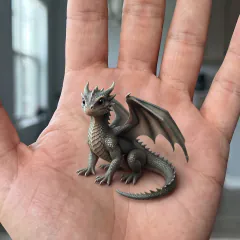
MinniePhoto → Image≈ 15 s– credits
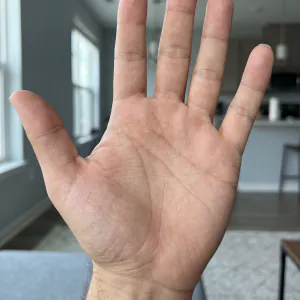
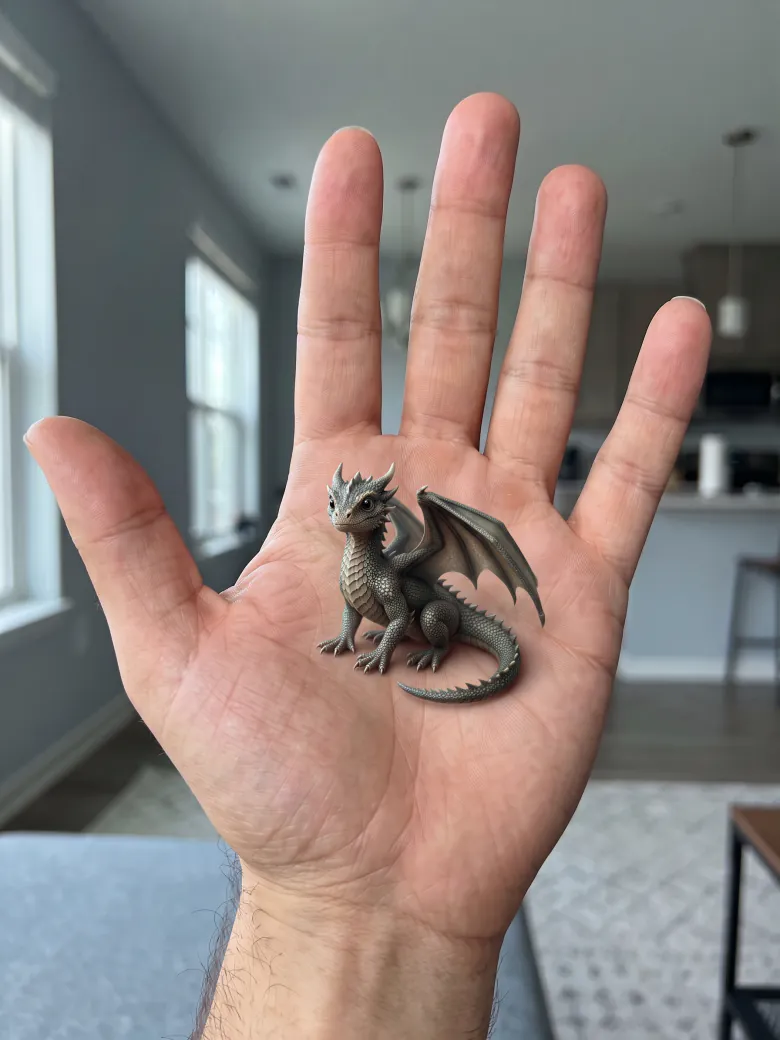
A thumb-sized green dragon sitting on an open palm, macro photo with a softly blurred backgroundExample resultThe sample photo: an open palm, close upBefore
Drop a photo of a hand or a spotOpen palm, desk, cup rim, a plant leaf. Close-up and sharp works best.
Your file
Your photo Hand, desk, plant, cup: where it lives
Creature
Size
Doing
Cost – credits · ≈ 15 s

In short

What is an AI tiny animal generator?

An AI tiny animal generator places miniature creatures into real photos. Tiny Zoo reads the scale and light of your photo and renders a thumb-sized dragon, owl or elephant with macro-lens focus and a real contact shadow.

Input
Photo
Output
Image
Time
about 15 s
Cost
– credits

True scale

Measured in millimetres. Tiny, but alive.

An AI tiny animal generator lives or dies on scale. Too big and it looks like a toy, too small and it gets lost. Try it on this page: pick a creature and a surface, then drag the size and watch the macro focus follow it.
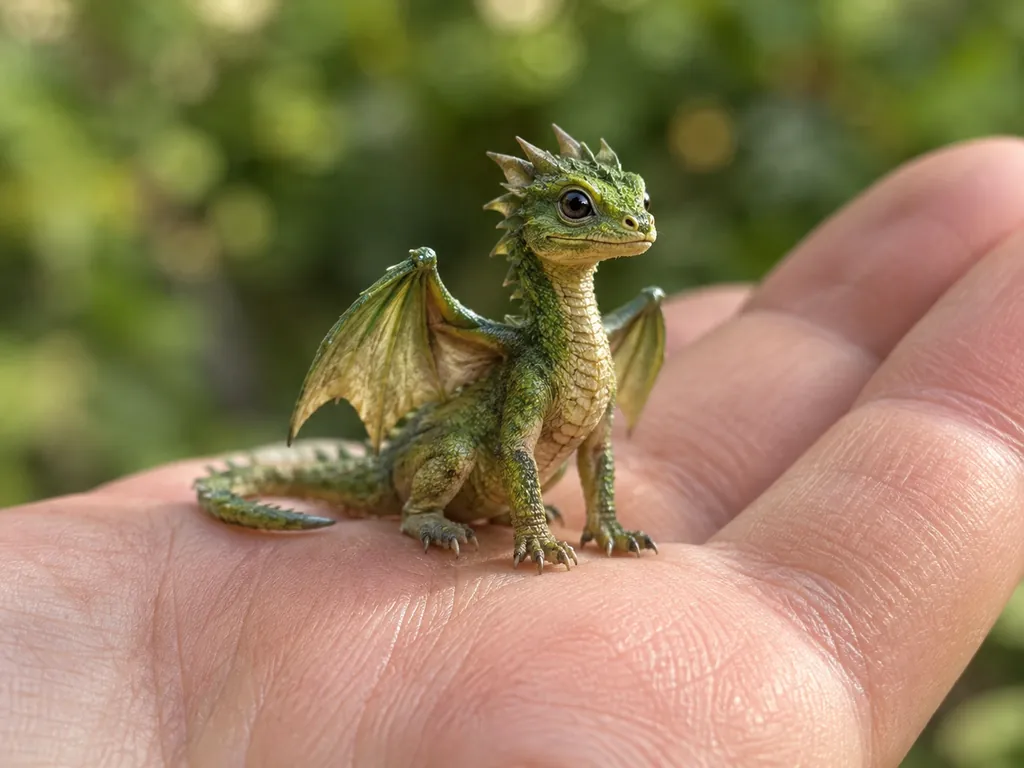
A tiny creature on a real surface25 mm
Creature
Surface
Mood
Size 25 mm · thumb
beanthumbmug

How it works

Pick a creature. Shrink it.

open-hand.jpg · 3024 × 4032✓ added
Creature
DragonElephantOwlAxolotlFoxWhale
Size
Coffee beanThumbMug
✓ Done

Pasted vs placed

Four details that sell the size.

A sticker of a dragon does not fool anyone. Turn on each detail the AI tiny animal generator adds and watch the same creature go from pasted to placed.
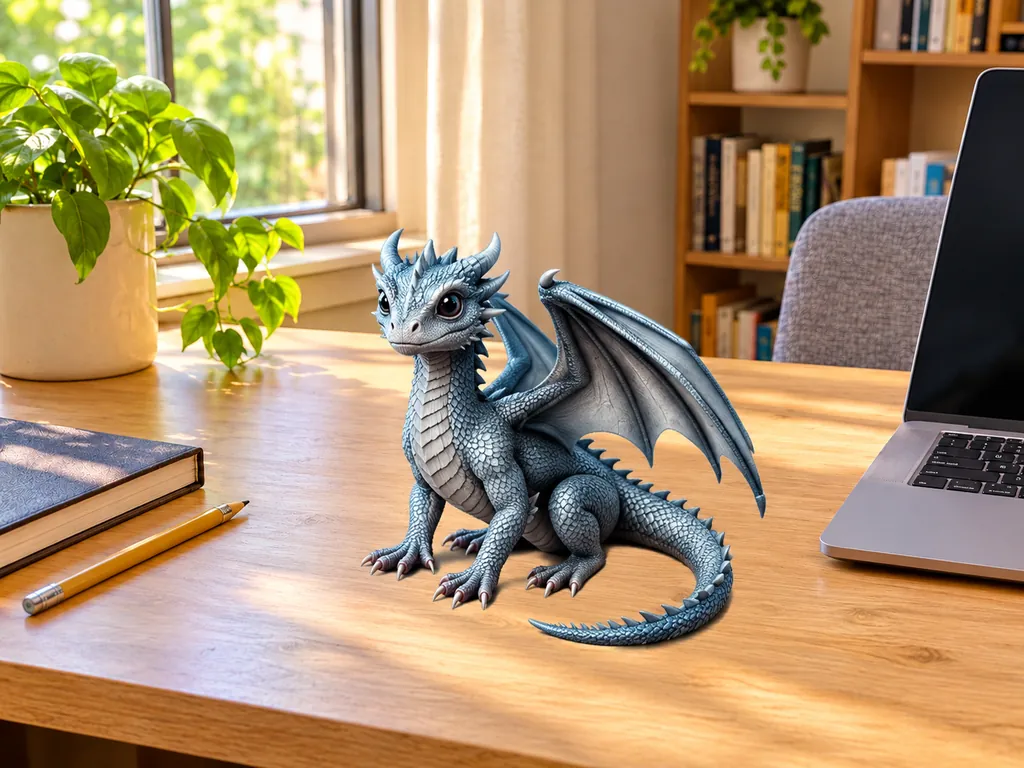
Tiny creature with realism details toggled
Looks real0 / 4

Deep dive

How the AI tiny animal generator fakes scale

01

Scale comes from the surface

The brain judges size from what is around an object: skin creases, wood grain, the rim of a mug. Tiny Zoo keeps that texture sharp right where the creature sits, so its size reads instantly. It also matches the creature’s fur or scales to the same level of detail.

02

Macro lens physics

Real macro photos have razor-thin focus, soft backgrounds and a slight glow around edges. Tiny Zoo renders with those properties. Without them, a tiny creature looks like a sticker; with them, it looks photographed through a lens an inch away.

03

Light and shadow seal it

The creature is lit by the same light as your photo, from the same direction. It casts a small, soft shadow on your palm or the desk, and reflects a little of the surface colour. That contact shadow is the single most important detail for believability.

Ideas

Small creatures, big engagement

Recipes

Settings that just work

Three AI tiny animal generator recipes for the shots we see most. Tap one to load its creature, size and pose into Tiny Zoo at the top of the page.

Preview

The palm dragon

DragonThumbSleeping

Curled up in an open hand, tail wrapped around a finger. The classic viral shot.
Preview

Desk elephant

ElephantCoffee beanPlaying

A tiny elephant on the keyboard, trunk on the space bar.
Preview

Mug owl

OwlMugSitting

Perched on the rim of your morning coffee, steam behind it.

The honest comparison

By hand vs Tiny Zoo

A believable tiny creature by hand means a 3D model or a hand-painted composite, plus matching the light, the shadow and the lens blur. The AI tiny animal generator does it in about 15 seconds.

How many creatures this month?10creatures
160

By-hand time is a typical estimate of 5 h per creature.

By hand≈ 50 h
Tiny Zoo≈ 3 min
Time saved 50 hCredits –
What it takesBy handTiny Zoo
Method3D model, macro compositeOne photo
TimeHours of compositingAbout 15 seconds
RealismDepends on the artistMacro focus and contact shadows
VarietyOne creature per projectSix creatures, three sizes
CostVFX rates– credits

Better results

Tiny, but believable

Before you run · tick them off0 / 3
Ready. Good input in, good result out.
Skip
  • ✕Use wide room shots. The creature gets lost.
  • ✕Expect real animal species to behave like pets.
  • ✕Use photos of other people's hands without asking.
Input 1 photoCreatures 6Sizes Bean · thumb · mugOutput 3:4 image, 2K

Plans

Tiny Zoo is in every plan.

Starter

Fits you
–Tiny Zoo creatures / mo
1,000 credits / mo · – credits per creature
$19.90$14.99/ month, billed yearly
Get Starter

Studio

MOST POPULARFits you
–Tiny Zoo creatures / mo
2,600 credits / mo · – credits per creature
$61.90$30.83/ month, billed yearly
Get Studio

Omni Creator

BEST VALUEFits you
–Tiny Zoo creatures / mo
4,200 credits / mo · – credits per creature
$101.90$45.83/ month, billed yearly
Get Omni Creator
Failed run? Credits back automaticallyCommercial use on paid plansCancel anytime

FAQ

Questions about Tiny Zoo

How does the AI tiny animal generator make it look real?

It reads the scale and light of your photo, then renders the creature as if shot with a macro lens: shallow focus, tiny shadows and a hint of the surface texture around its feet.

Can I pick any animal?

Six creatures are tuned for the best results: dragon, elephant, owl, axolotl, fox and whale.

Can it be on my pet?

Yes. A tiny owl on a dog’s head is a classic. Use a close-up pet photo.

How much does it cost?

The credits for a run are shown on the button before you start. If a run fails, nothing is charged and the credits go back to your balance.

Can I make it move?

Yes. Send the result to Image to Video and the creature can blink, stretch or curl up in a short clip.

Which size looks most real?

Thumb size. Coffee bean is cute but harder to read; mug size starts to look like a toy.

Does it work outdoors?

Yes. A tiny fox on a leaf or a pocket whale above a puddle works well with soft daylight.

Why is the background blurry?

Macro lenses have very shallow focus. The blur is what makes the creature look tiny and real.

Can I put several creatures in one photo?

Run Tiny Zoo again on the result to add a second creature. Two or three tiny animals interacting on a desk make great carousel posts.

Do the creatures look like toys?

No, they are rendered as living animals with fur, feathers or scales at macro detail. Pick Plush Me if you want the toy look.

Can I use Tiny Zoo results commercially?

Yes. On paid plans the images you make are yours to use in ads, client work and products. Only upload material you own or have permission to use.

Who can see what I upload?

Only you. Uploads and results live in your private History, are never posted anywhere for you, and can be deleted at any time.

More Minnies

Keep the run going

All Minnies
UnbotheredStay calm while the chaos escalates.Twelve WorldsYou, in twelve game genres.

Minnies · included in every plan

Hold something tiny.

Pocket-sized creatures on anything. Tiny Zoo comes with every Creatide AI plan.
Shrink one See plans