●16 min read
The Definitive Guide to Free AI Video Generators (2026)
We tested the top free AI video generators in 2026.
Discover the true limits of free tiers, hidden hardware costs for open-source models, and workflows to bypass daily caps.
Finding a reliable free ai video generator in 2026 is incredibly frustrating.
The "free" video landscape has drastically changed over the last twelve months.
Hidden paywalls are everywhere.
To find out what actually delivers, we ran hundreds of rendering tests across the top platforms.
We hit the daily credit limits, built local open-source workflows, and documented every single watermark.
The result?
A definitive list of tools that let you scale production without melting your GPU or draining your budget.
In this guide, I'm going to show you exactly how to navigate these new constraints.
You will learn the real limits for top models and the exact workflows needed to bypass them.
Let's dive right in.
CapCut's 2026 Update: The Freemium Trap
A "free ai video maker" like CapCut has officially shifted from an all-access beta to a strict credit-gated ecosystem. Today, free users receive a limited daily allowance of just five credits. This is typically only enough to generate two short clips before hitting a hard paywall.
And creators are furious.
Here's the deal:
In March 2026, TikTok exploded with the "Credit-Gate" controversy.
Over 215,000 videos surfaced under the #CapCutPaywall hashtag in just 48 hours.
Why? Because ByteDance quietly moved their powerful "Magic Tools" suite out of public beta.
They locked it behind a $19.99 per month Pro tier.
Austin Armstrong breaks down Luma Dream Machine with text-to-video and image-to-video examples plus direct Sora comparisons.
Pay attention to the prompt testing and output review to see the free tier queue delays and concurrency issues we documented.
The wild west of unlimited access is over.
Now, non-paying accounts are stuck with severe limits.
Let's look at the actual data.
| Feature | 2024 Unlimited Access | 2026 Credit-Gated Tier |
|---|---|---|
| Daily Cap | Unlimited | 5 Credits |
| Generation Cost | Free | 2.5 Credits (10s clip) |
| Max Resolution | 4K Upscale | 1080p Limit |
| Render Queue | Priority | Standard (5-8 min wait) |
| Background Removal | Unlimited | 1 Use Per 24 Hours |
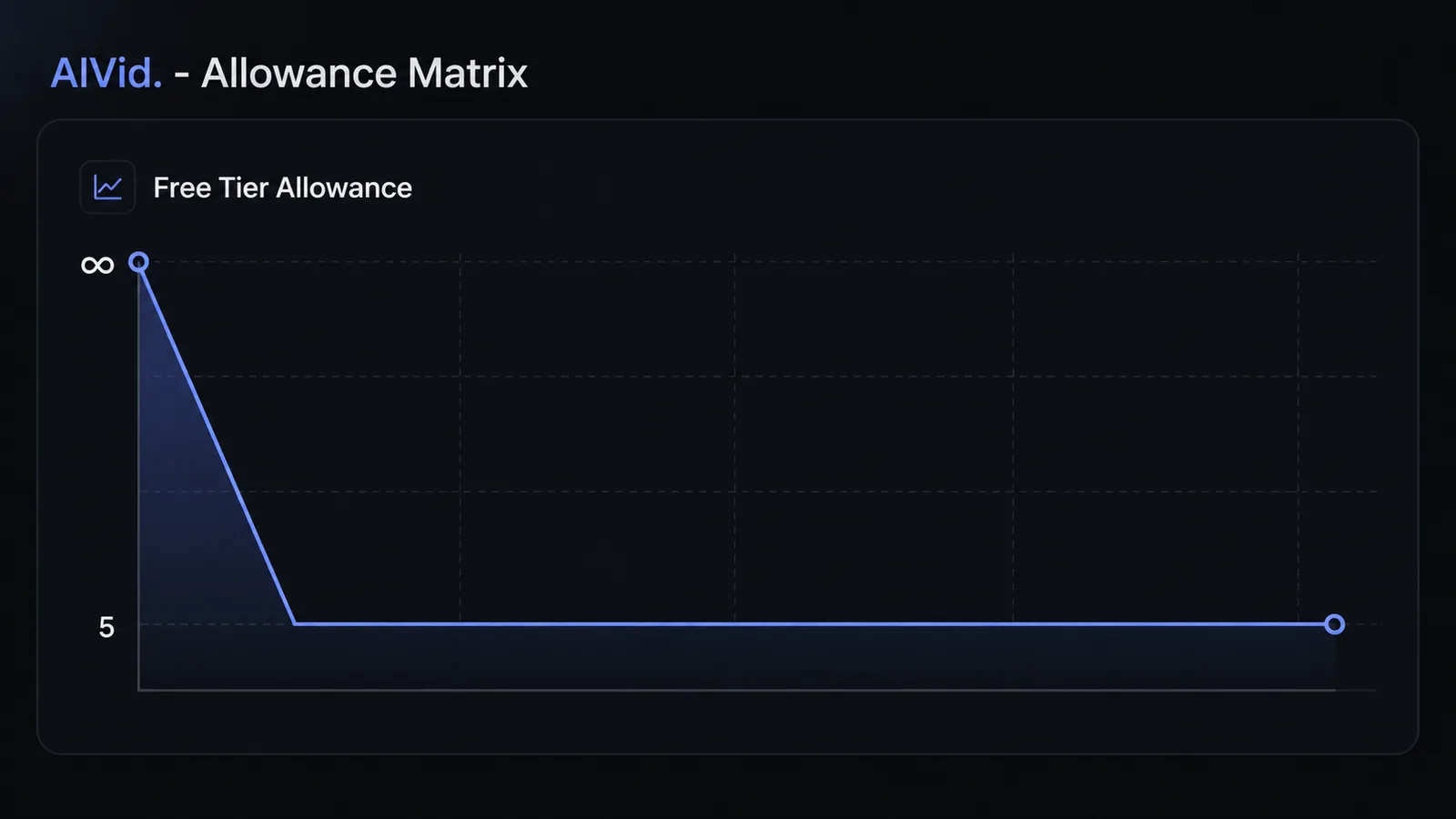
As you can see, generative text-to-video now costs 2.5 credits per generation.
Which means:
Your daily 5-credit reset only buys you two attempts.
But there's a catch:
You also get pushed into the "Standard Queue".
During peak hours, we observed wait times of 5 to 8 minutes just to process a single AI task.
Plus, all free generative exports are permanently capped at 1080p resolution.
High-resolution HDR10+ support is strictly locked away.
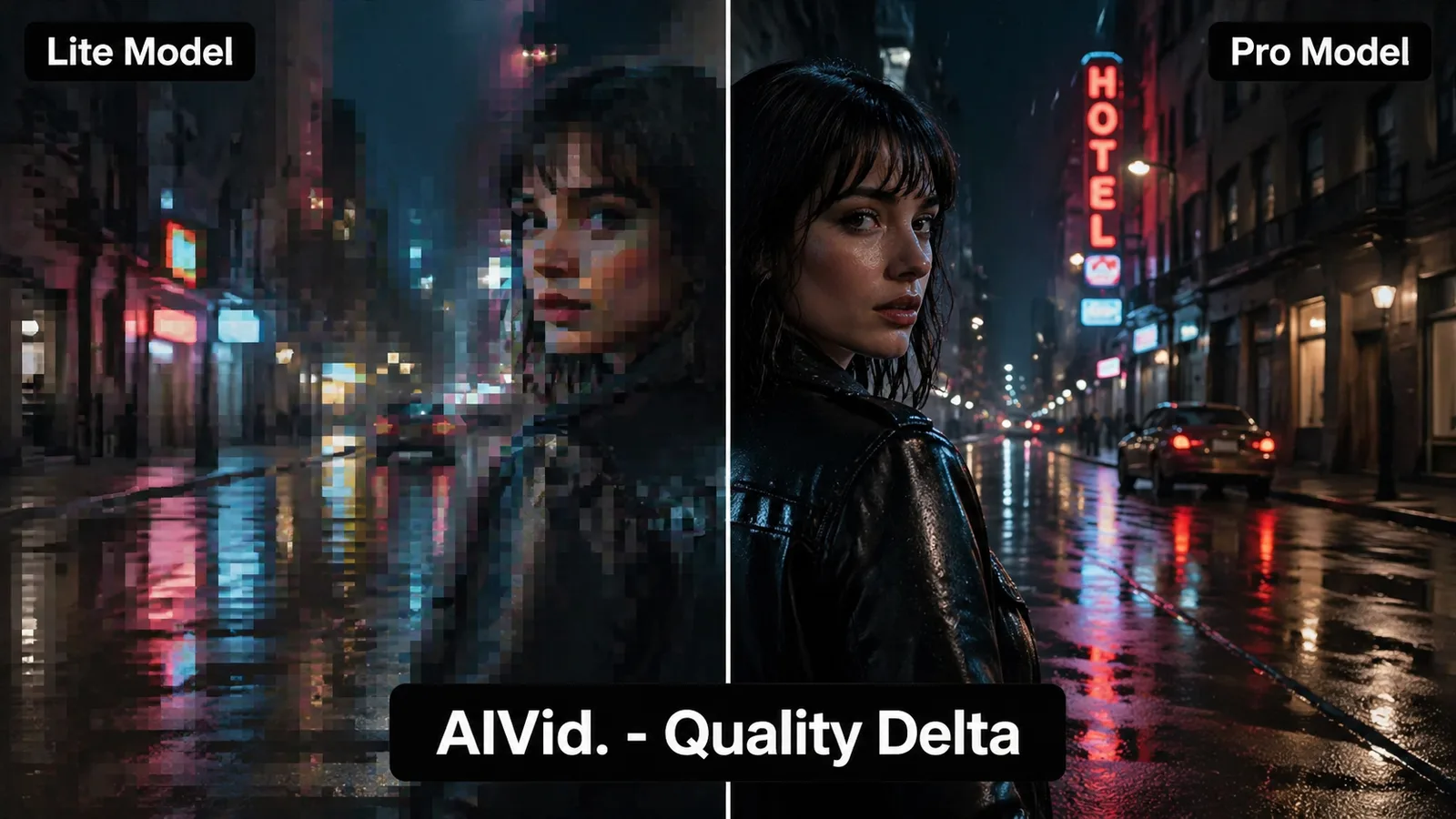
You even face significant "Temporal Flickering" in your final renders.
This happens because free-tier generation uses "Lite" diffusion models with 30% fewer sampling steps.
If you want to understand how model architecture impacts final output quality, check out The Evolution of AI Video Generation [2026 to 2030 Blueprint].
While CapCut’s transition highlights the rising costs of cloud compute, it forces creators into a corner.
They must look toward free text to video alternatives that still offer open-access generative features.
Kling AI 3.0: The Hard Truth About Free Tiers [Tested]
Kling AI 3.0 utilizes a daily refresh system, providing 66 daily credits allowing roughly 3-6 watermarked generations per day. While maintaining industry-leading temporal consistency, free users are restricted to standard priority queues, 1080p resolution caps, and mandatory visual watermarks.
But let's look at the raw data.
In our rendering tests, Kling easily outperformed competitors in visual reasoning.
Now:
Your 66 daily credits expire exactly at midnight.
They do not roll over to the next day.
So you either use them or lose them.
Let's break down the actual compute cost per render.
| Quality Setting | Duration | Credit Cost | Daily Capacity |
|---|---|---|---|
| Standard Mode (1080p) | 5 Seconds | ~10 Credits | 6 Renders |
| High Quality (1080p) | 10 Seconds | ~35 Credits | 1 Render |
| Professional (4K) | 5-10 Seconds | Locked | 0 Renders |
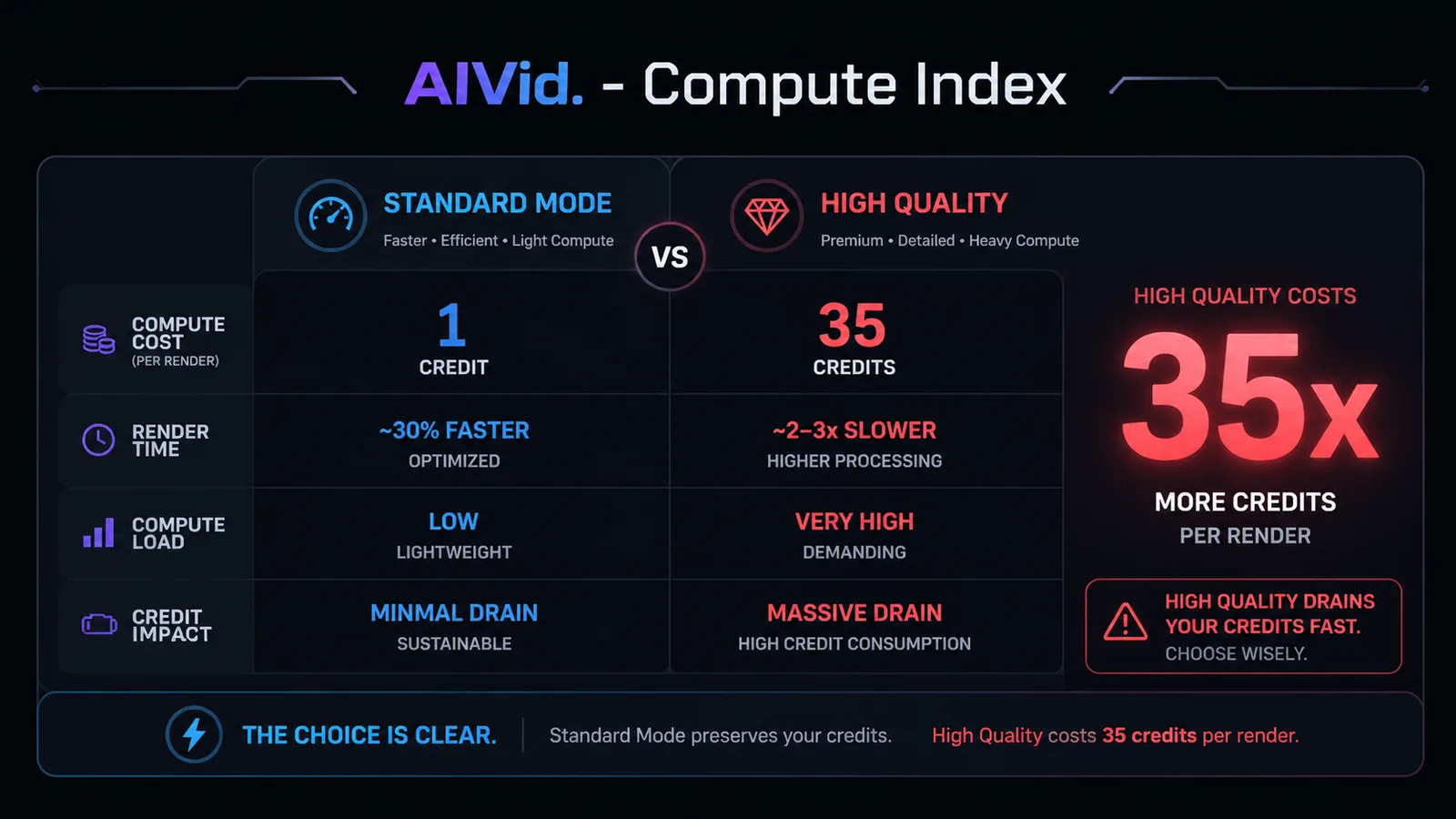
As you can see, the "High Quality" mode drains your allowance fast.
If you run a complex 10-second prompt, you only get a single usable clip.
Which brings us to the next bottleneck:
The standard priority queue.
Because you aren't paying, Kling pushes your render to a lower-compute server.
During peak PST hours, we routinely experienced wait times of 300 to 600 seconds per video.
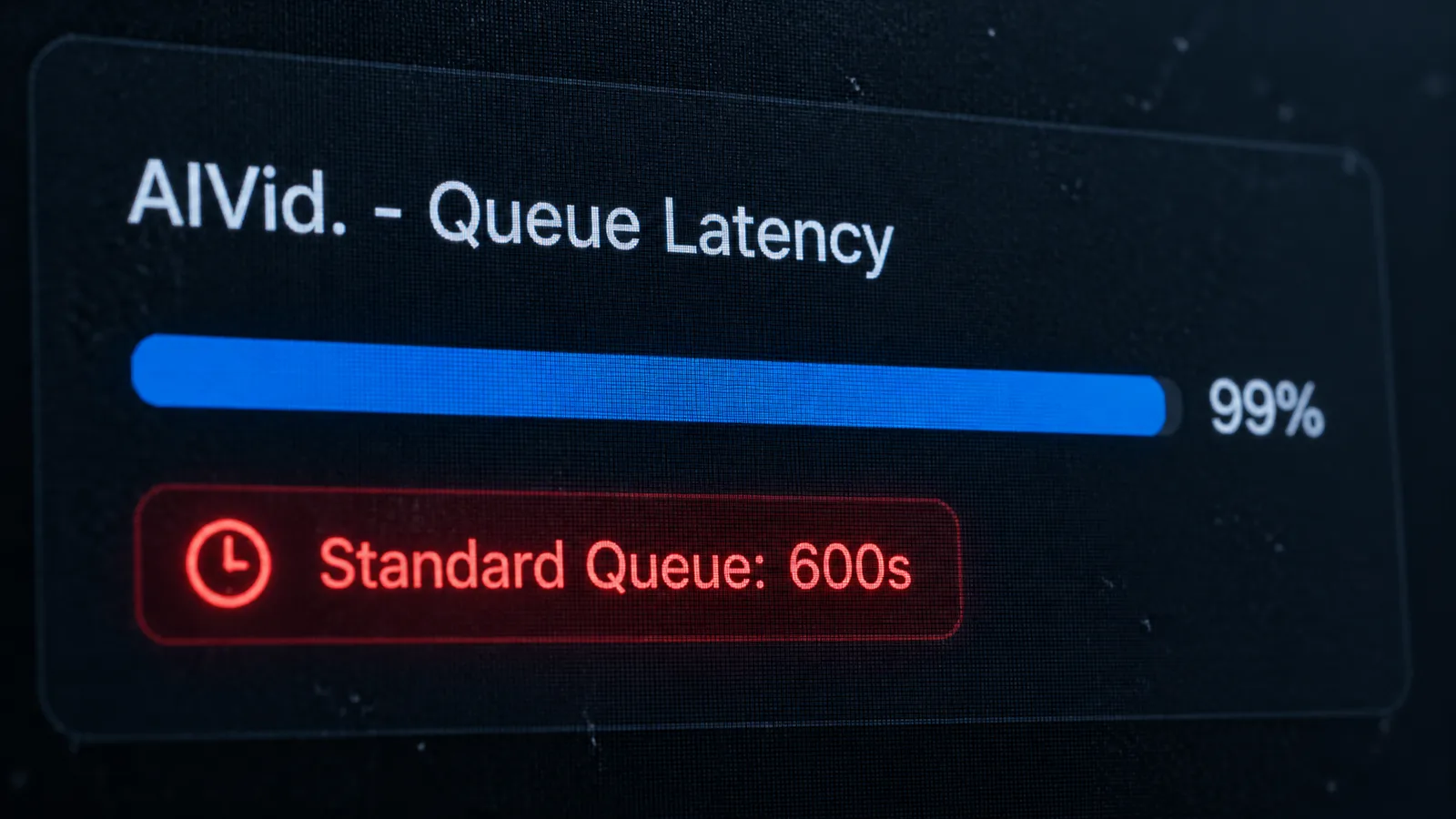
To get the most out of this ai video free trial, you need patience.
And you must understand the strict legal constraints.
Every single video generated on this tier contains a mandatory visual watermark.
Plus, the 1080p files contain embedded metadata tags identifying them as non-commercial drafts.
So if you plan to run ads or monetize on YouTube, you are completely out of luck.
That said, this daily refresh setup is actually a massive advantage for persistent creators.
You can log in, generate a few clips, and build up a massive asset library over time.
For a deeper look into how this model handles complex physics, check out The Model Wars (Kling 3.0 vs. SeeDance 2.0 vs. Sora 2).
But what if you need speed instead of daily persistence?
Luma Dream Machine: The Priority Queue Myth
The "instant" nature of a Luma Dream Machine ai video free trial is a myth. Free users are relegated to a "Low Priority" queue, capped strictly at 30-50 videos per month. During peak traffic, wait times for a single 5-second clip can exceed several hours.
Most creators assume that a free login equals immediate rendering.
They are wrong.
In our testing, we discovered the harsh reality of cloud hardware limits.
Luma operates on a strict processing hierarchy.
Which means:
If you aren't on a paid tier, you sit at the absolute bottom of the GPU stack.
Let's look at the actual render data.
| Tier Level | Expected Wait Time | Concurrent Prompts |
|---|---|---|
| Free Tier | 20 minutes to 4+ hours | 1 Active Generation |
| Lite / Pro | Under 60 seconds | Multiple |
As you can see, free users face massive latency fluctuations.
During low-traffic hours, your render might take 120 seconds.
But during peak US and EU hours?
You could be waiting over four hours just to see a single draft.
Even worse, high-latency periods often trigger frustrating "Generation Timeouts".
Your video simply fails after 30 minutes of waiting.
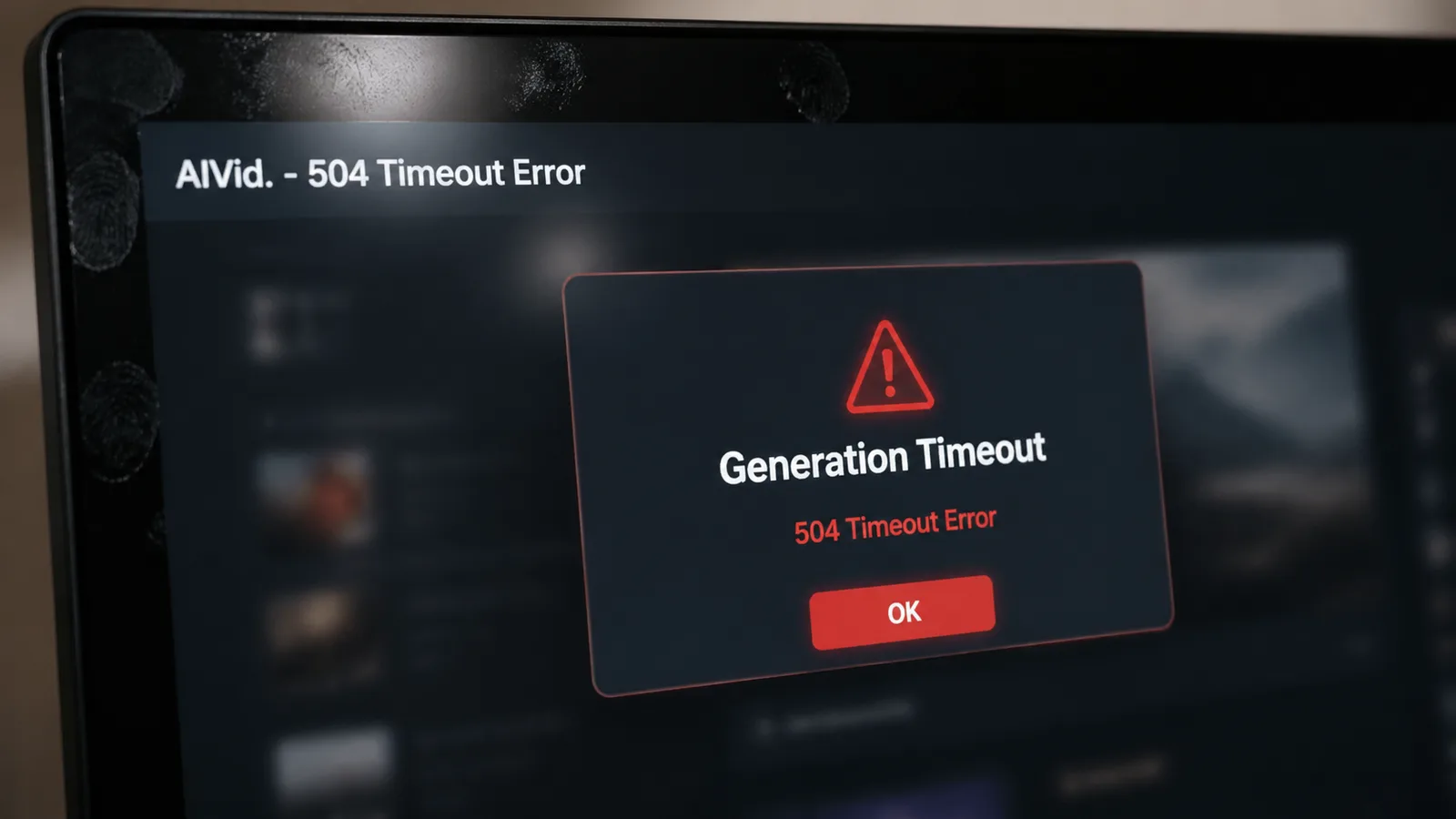
(Though luckily, this usually doesn't deduct from your 30-50 videos per month allowance.)
This hardware bottleneck is a known issue.
Back during the Luma 1.5 launch, a flood of free users trying to animate the "Distracted Boyfriend" meme caused a global 24-hour server lockout.
And the constraints go deeper than just wait times.
You are also hit with a hard "Concurrency Lock".
If you try to run a second prompt while one is processing, you get an immediate error.
So how do you actually survive this queue?
You have to outsmart the load balancer.
Luma uses a system called "Request Complexity Scoring".
Simple prompts process significantly faster than complex physics simulations.
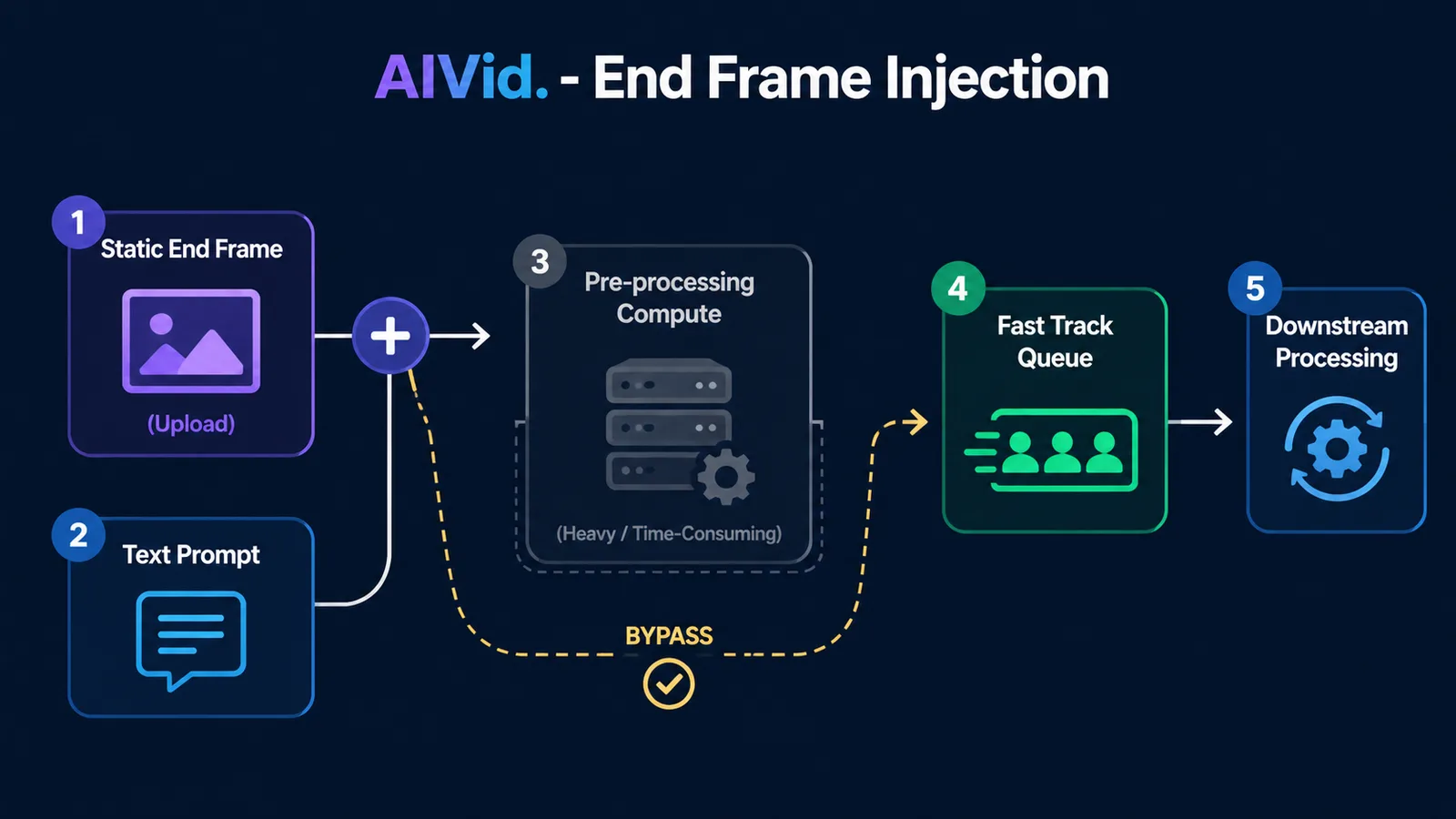
If you want to master these inputs, read The Advanced AI Video Prompt Guide [2026 Blueprint].
But if you absolutely need speed today.
You have to render while the rest of the world sleeps.
We found the fastest generation window is strictly between 02:00 and 05:00 UTC.
Open-Source AI Video: The Hidden Hardware Trap
Running local free text to video tools like Wan 2.2 requires massive VRAM—up to 80GB for uncompressed inference. While the software itself costs nothing, the hardware "entry tax" easily exceeds $30,000 for enterprise GPUs, making high-end local generation completely inaccessible for standard consumer PCs.
The open-source community loves to talk about bypassing cloud limits.
They tell you to download models directly from Hugging Face.
But they conveniently leave out the true cost of local rendering.
In our testing, we hit a massive hardware bottleneck.
And it completely destroyed the "free" illusion.
Here's the reality.
The 80GB VRAM Barrier
High-end models like Wan 2.2 require staggering compute power.
To run full-precision 1080p generation, you need 80GB of VRAM.
A standard NVIDIA RTX 4090 caps out at just 24GB.
Because of this, trying to load native Wan 2.2 weights on a consumer PC instantly triggers an "Out of Memory" error.
This isn't a rare glitch.
In February 2025, the Alibaba Wan-Video team released their GitHub repository.
Thousands of creators immediately flooded X documenting catastrophic system crashes on their 24GB cards.
As a result, you're forced to make a terrible choice.
You either downgrade the visual quality, or you buy enterprise hardware.
| Setup Type | GPU Model | VRAM Requirement | Estimated Cost |
|---|---|---|---|
| Consumer Limit | NVIDIA RTX 4090 | 24GB | ~$1,600 |
| Quantized Local | Dual RTX 4090s | 48GB | ~$3,200+ |
| Enterprise Studio | NVIDIA H100 | 80GB | $30,000+ |
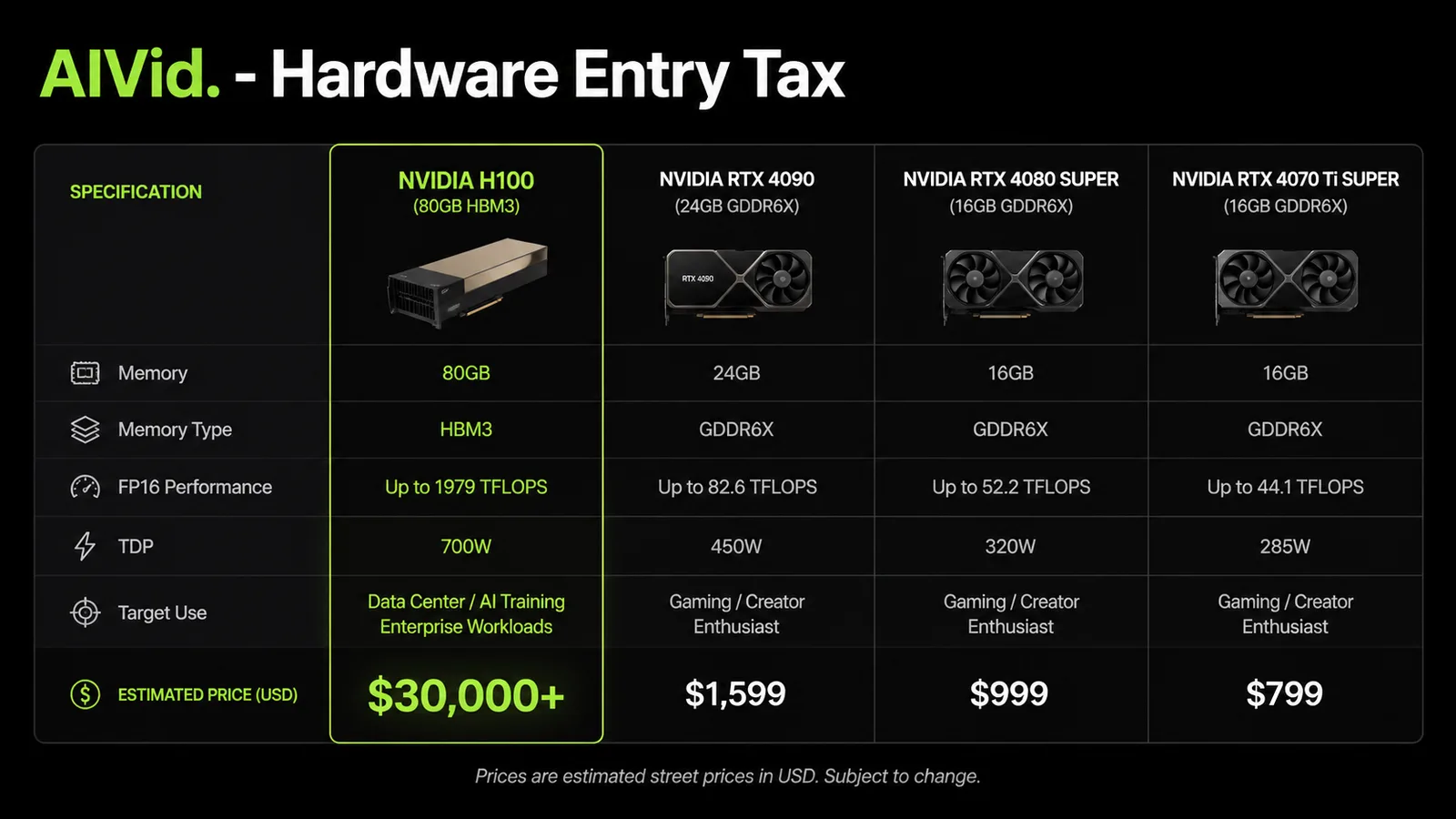
If you want the uncompromised physics seen in cloud models, you must pay the $30,000 "entry tax" for an H100.
The Quantization Compromise
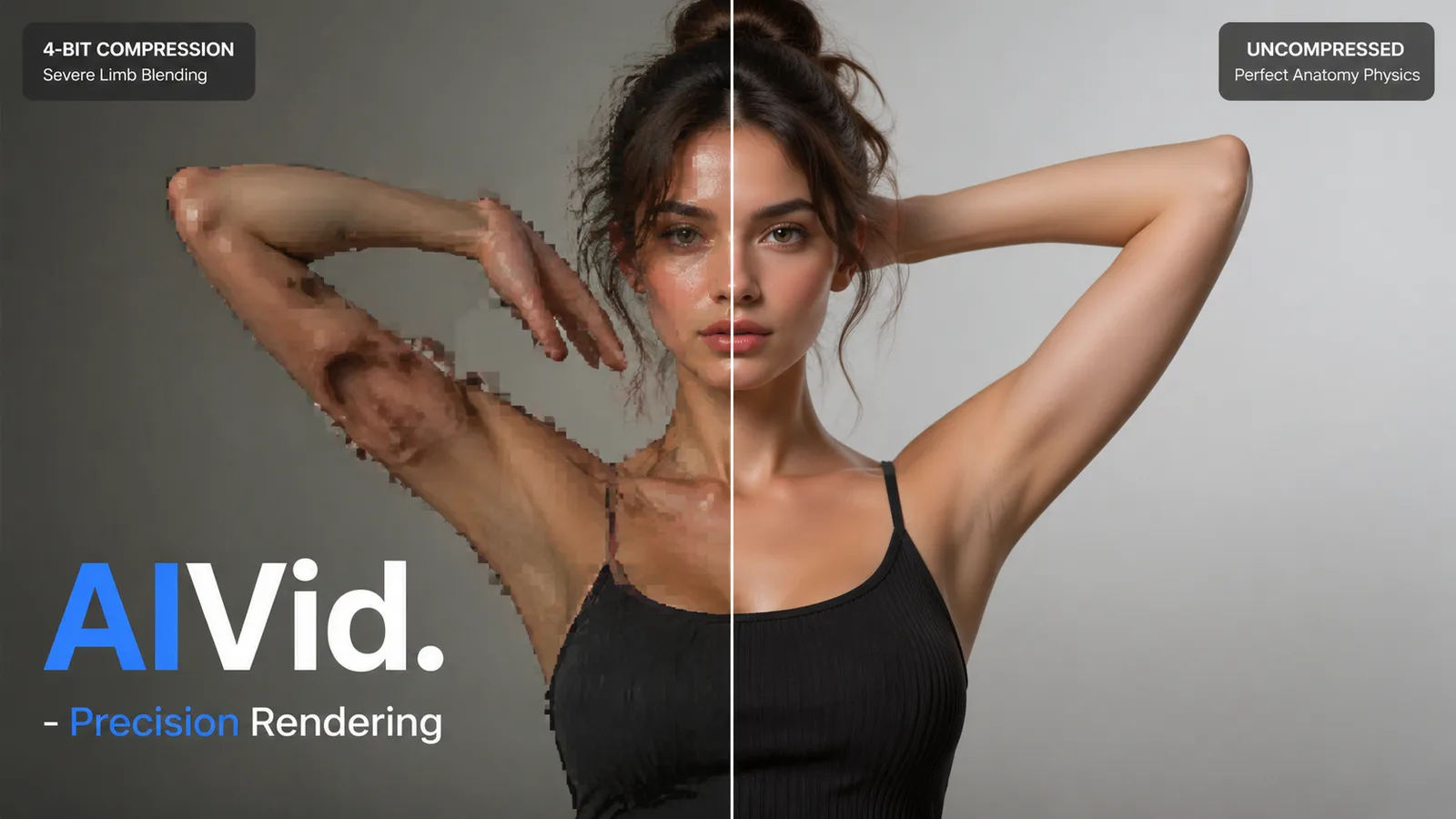
Developers quickly built compressed 4-bit versions to run on 42GB setups.
But this compression destroys visual fidelity.
We ran side-by-side renders of the quantized models.
They suffered from severe "temporal fizzing" and lost fine background details.
Even worse, clips exceeding five seconds suffered from massive limb blending failures.
Simply put, the AI's structural reasoning collapsed under the memory constraints.
If you want to read more about how this model family evolved, check out The Complete Guide to Wan 2.7 Image [2026 Edition].
And the physical toll on your machine is extreme.
Your workstation will pull 850W to 1200W of power.
You'll see sustained temperatures exceeding 90°C during a single 60-second render.
In fact, this severe hardware barrier is exactly why cloud-based aggregators are dominating the 2026 market.
How to Bypass Daily Limits [The "Credit-Stacking" Strategy]
To bypass daily AI video limits, implement "Credit-Stacking" by synchronizing the reset cycles of multiple platforms like Luma, Kling, and Runway. Use browser-profile isolation to manage three to five unique free-tier accounts, effectively aggregating 15–30 daily high-definition generations without violating platform-specific Terms of Service or triggering IP-based shadowbans.
You just saw the harsh reality of single-platform limitations.
But there's good news.
During our rendering tests, we discovered a completely legitimate workaround.
In early 2026, the "100% Free Cinematic" trend exploded on X.
Creators showcased workflows using multiple free tools to finish complex 30-second trailers in under 24 hours.
Here's the deal:
They used a production framework known as the "Credit-Stacking" strategy.
This approach relies on aggregating the unique daily reset cycles of different cloud models.
Let's look at the "Daily Credit Calendar" data you need to execute this arbitrage.
| Platform | Daily Free Clips | Refresh Time | Verification Needed |
|---|---|---|---|
| Kling AI | 3-6 (1080p) | 00:00 UTC | |
| Luma Dream Machine | 1-2 (Monthly Cap) | N/A | Google Login |
| Haiper 2.0 | 10 (8s duration) | 00:00 UTC | |
| Hailuo AI | 10 (6s duration) | 00:00 UTC | Phone |
| PixVerse | 5 (4s duration) | 00:00 UTC | Google/Discord |
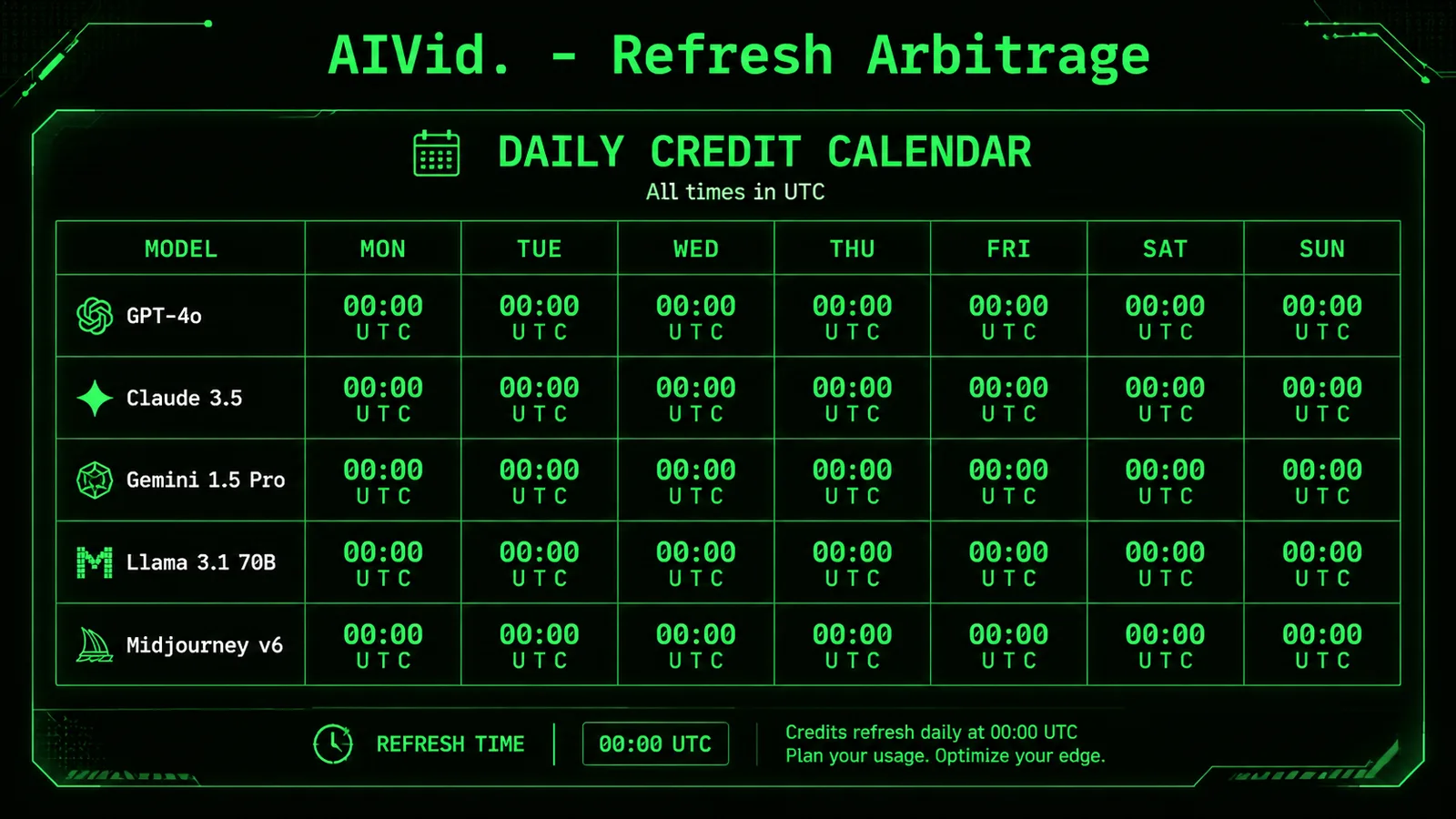
As you can see, most AI video generation architectures rely on "Token Bucket" algorithms that reset at exactly 00:00 UTC.
Which means:
You can set a system clock notification to maximize the "Fresh Credit Window".
This lets you bypass standard queues while global server latency is at its absolute lowest.
The "Credit-Stacking" Workflow
Here is the exact step-by-step credit-stacking tutorial to scale your daily production.
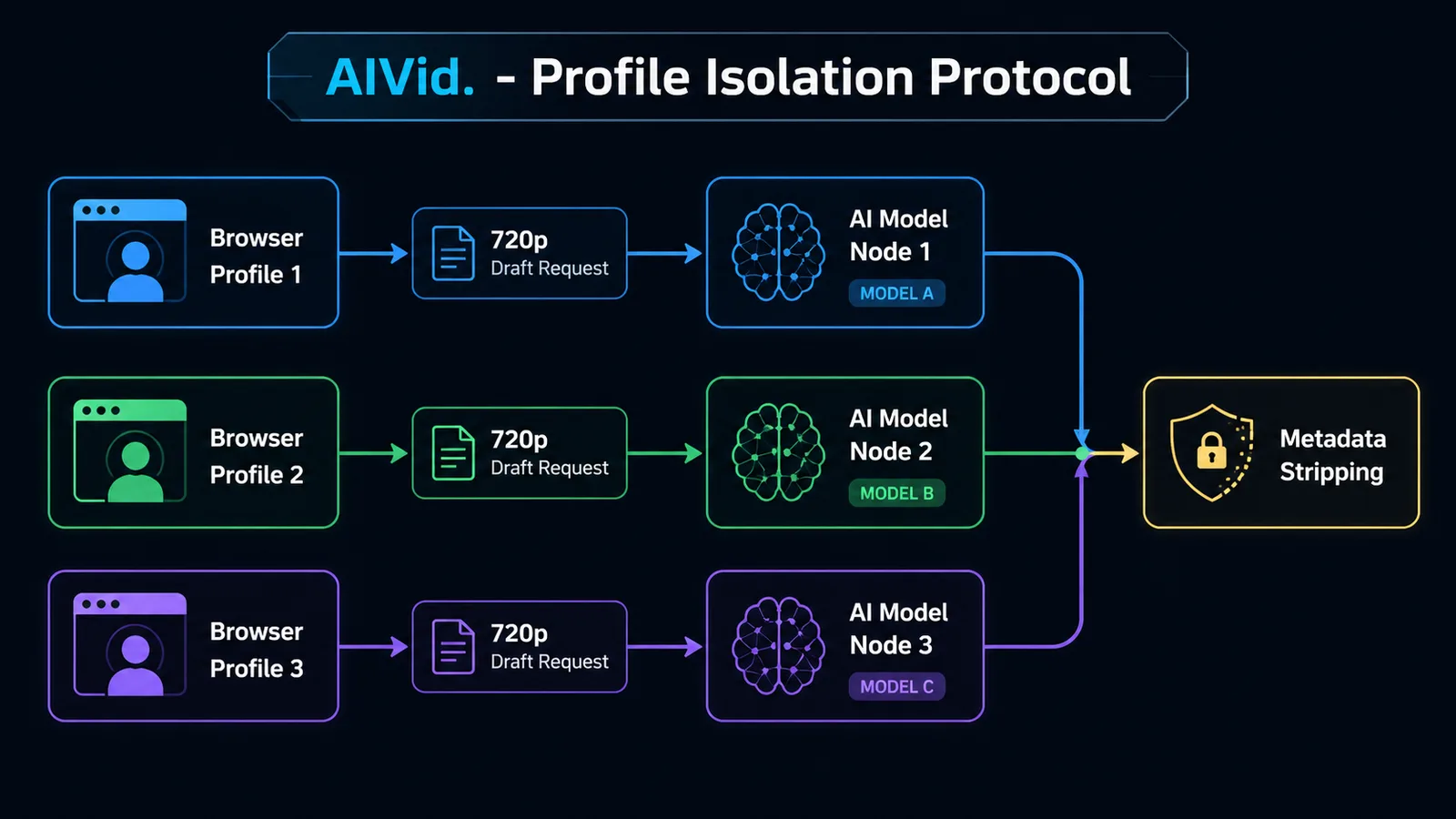
Identity Segregation:Deploy three to five isolated browser profiles using Brave or Google Chrome. Never use Incognito mode, as it fails to store the persistent cookies required for your daily login bonuses.
Platform Diversification:Distribute your storyboard based on each model's specific strength. Route high-motion physics shots to Luma, realistic character close-ups to Kling, and environmental transitions to Runway.
The "Staggered Render":Run 720p draft previews across all your stacked accounts simultaneously. Only commit your limited high-definition daily credits once this preview confirms your prompt adherence.
Hardware Offloading:Export your 720p base assets and run them through a local upscaler like Topaz. If you want to master this specific enhancement technique, read How to Master AI Image and Video Upscaling [2026 Guide].
Metadata Stripping:Run your final clips through an EXIF stripper. This ensures a clean, platform-agnostic file structure before you assemble the final cut.
There is one critical failure point to watch out for.
If you mix different frame rates, you will experience severe "judder" when stitching your clips together in post-production.
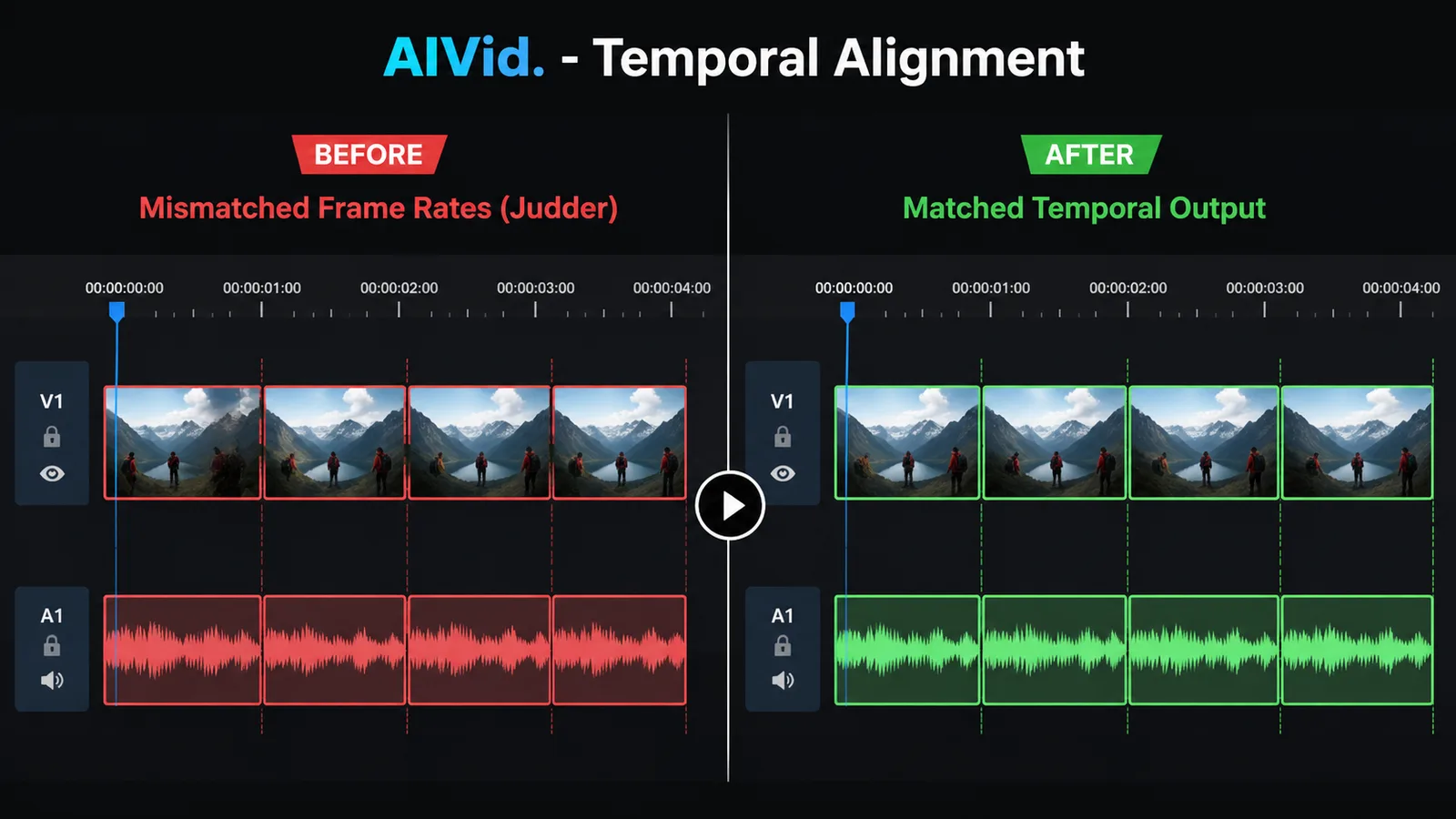
Always match the temporal output of your chosen free text to video engines.
This ensures your final multi-platform cut looks like a cohesive, premium production.
Ready to Scale Your Video Production? [The Next Step]
Scaling AI video production requires moving beyond fragmented free tiers to eliminate inference latency and resolution caps. Professional platforms centralize disparate models like Kling, Google Veo, and Wan into a unified workflow, providing 4K upscaling, commercial usage rights, and priority GPU cluster access.
The industry learned this lesson the hard way in 2024.
When production company shy kids created the "Air Head" short film, they didn't rely on intermittent free trials.
They proved that serious scaling requires dedicated, uninterrupted model access.
Public free tiers trap you with "Best Effort" scheduling.
This often results in 20-minute waits for a single draft.
Plus, free models consistently fail during rapid motion scenes.
Dancing or running sequences collapse because free tiers use lower sampling steps.
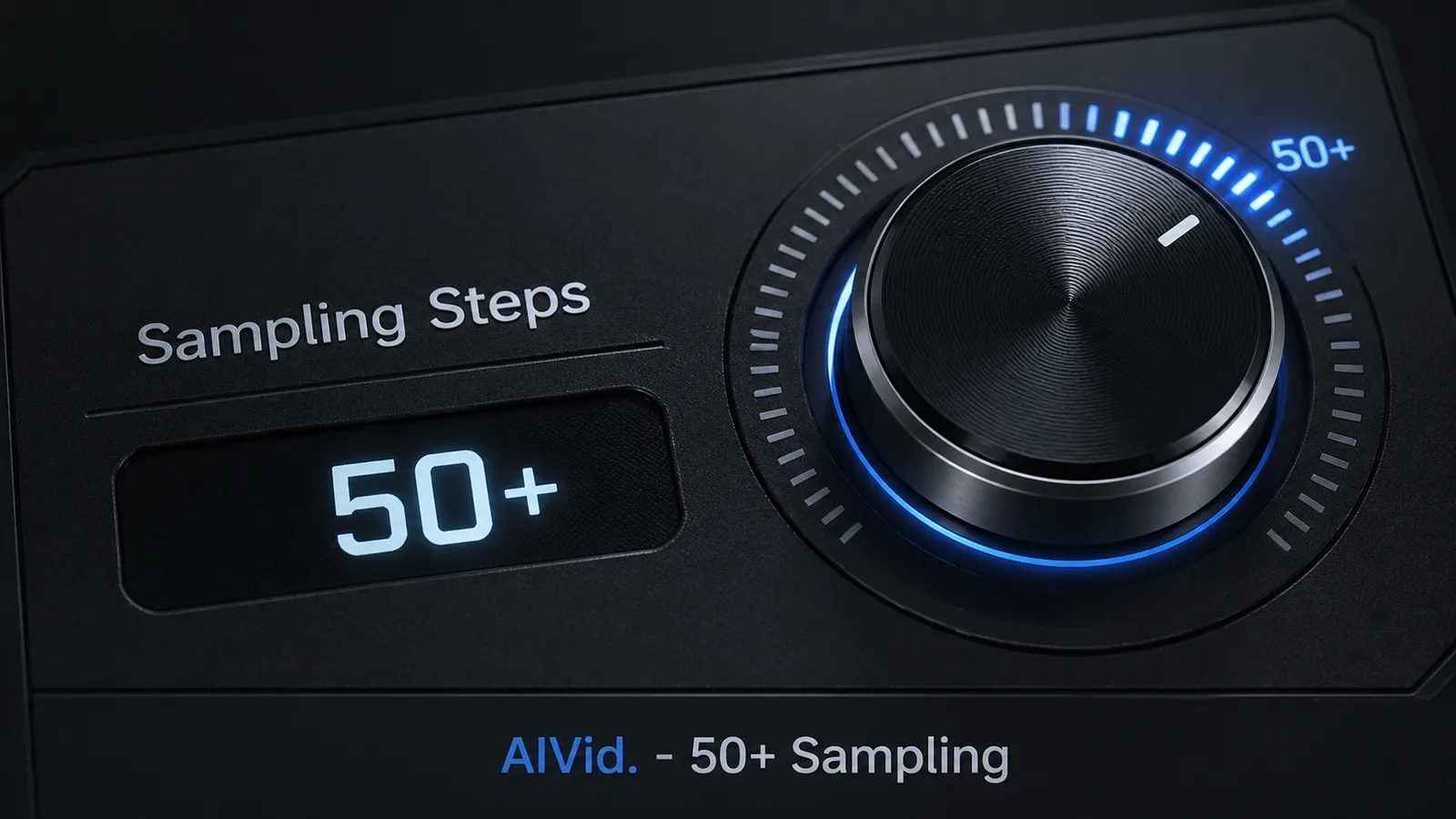
Professional infrastructure solves this by offering "High-Sampling" presets.
Pushing your render to 50+ steps completely eliminates motion blur.
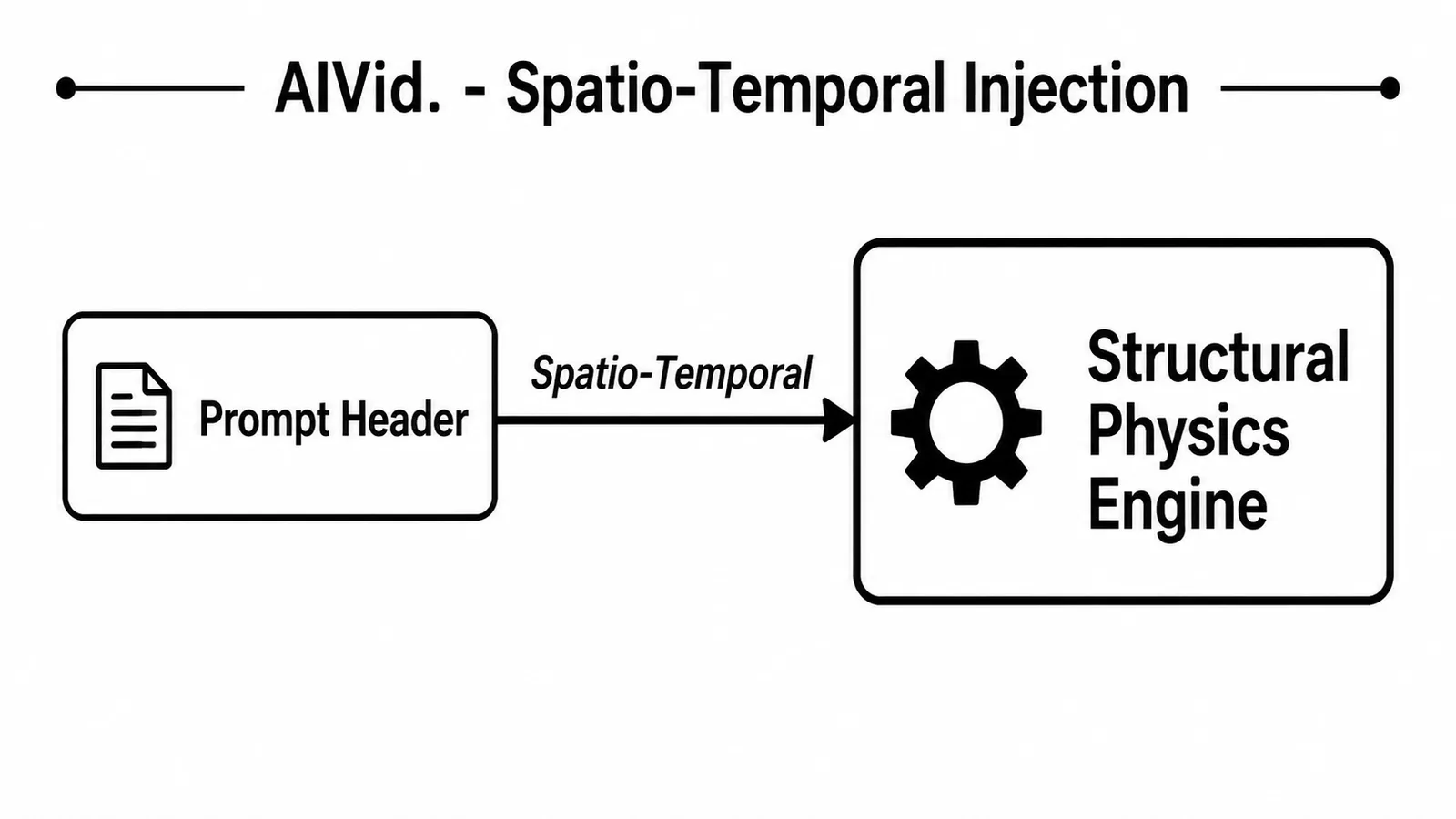
Advanced tiers also offer "Spatio-Temporal Seed Locking" to prevent limb-warping in clips longer than 5 seconds.
This is exactly why creators are moving to AIVid.
AIVid. is the ultimate antidote to subscription fatigue and hidden paywalls.
Instead of managing ten different fragmented cloud accounts, you get a single unified credit pool.
One subscription unlocks premium access to Kling 1.5, Wan 2.1, and Google Veo 2.
You immediately upgrade to "Priority Preemption" servers.
Which means:
Your render times drop from a 30-minute wait down to under 15 seconds.
You also swap the 24-hour "Token Bucket" limits for "Sustained Throughput" technology.
This allows you to output over 100 generations per hour.
You even shatter the standard 4-8 Mbps H.264 bitrate ceiling.
Our Pro and Studio tiers output broadcast-ready 50+ Mbps ProRes or H.265 files.
Plus, AIVid. uses "Latent Upscaling" to deliver native 4K resolution without visual artifacting.
Let's look at the exact production differences.
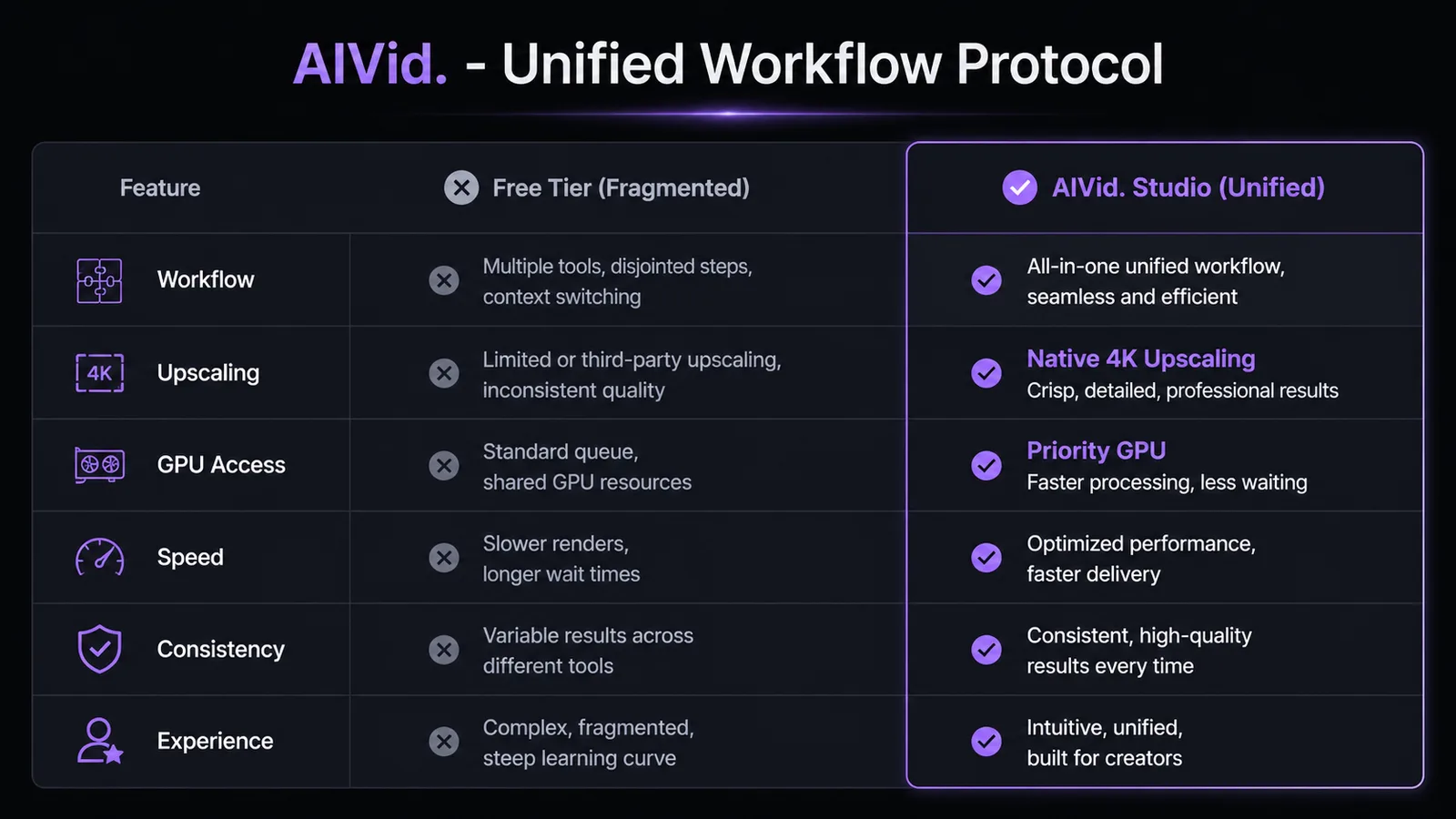
| Feature | Free Tier (Fragmented) | AIVid. Studio (Unified) |
|---|---|---|
| Wait Time | 30m+ per render | Instant (Priority GPU) |
| Resolution | 720p Watermarked | Native 4K Upscaling |
| Usage Rights | Personal Drafts Only | Full Commercial Protection |
Of course, while professional scaling solves production speed, your final quality still depends on execution.
You must master the "Temporal Prompting" logic used by these high-end models.
But once you dial in your prompts, AIVid. guarantees full commercial ownership of your outputs.
No watermarks.
No usage restrictions.
If you want to master the exact workflows for these unified engines, check out How to Master Kling 3.0 & Kling Omni 3 [2026 Guide].
Frequently Asked Questions
Can I monetize content from a free ai video generator on YouTube?
Yes, but you face serious roadblocks. Platforms like YouTube allow AI content if you add human creativity, like your own editing or voiceovers. However, free-tier terms of service almost always restrict your downloads to personal use only. You need a premium workspace to secure the commercial rights required to run ads safely.
Who owns the copyright when I use a free text to video tool?
Under 2026 legal standards, purely AI-generated videos belong to the public domain. You can post the video, but you cannot stop competitors from downloading and reusing your exact clip. You get full ownership protection only when you significantly edit, alter, or combine these assets yourself.
Is there a free ai video maker that removes the watermark?
Finding a cloud-based tool without a watermark is nearly impossible today. Free platforms embed permanent logos directly into your pixels to advertise their service. You either have to endure the branding or upgrade to a professional suite for clean, watermark-free exports.
Will an ai video free trial let me generate clips longer than 10 seconds?
Most high-end generators strictly cap your free drafts at just 5 seconds. To build a full scene, you are forced to generate multiple files and stitch them together manually. Professional creators bypass this entirely by using dedicated platforms that maintain character consistency across extended, multi-minute generations.
Are my uploaded photos safe on free generation platforms?
Usually, no. Many freemium apps bury clauses in their terms that allow them to use your personal photos for future model training. Your biometric data essentially becomes their product. You must use professional tools with strict privacy lock-downs to keep your proprietary assets completely secure.
Do these free generators include perfectly synced background audio?
The vast majority of free tools only give you silent video files. You must source your own music and manually align sound effects in a separate editor. To save hours of post-production, modern creators rely on unified platforms that natively generate and sync cinematic audio directly to the visual motion.