●13 min read
What Is Google Veo 3.1? The Definitive Guide to DeepMind's Cinematic Engine
Google Veo 3.1 is a 1080p text-to-video model that natively generates synchronized audio and hyper-realistic physics.
Learn how to master its professional camera controls and bypass the 8-second rendering limit.
Enter Google Veo 3.1. It's the 1080p text-to-video powerhouse that finally nails native, synchronized audio.
You type a text prompt.
You get hyper-realistic motion paired with perfectly timed sound effects, background music, and dialogue.
It sounds like a Hollywood post-production pipeline.
But it's entirely generated from text.
The physics are mind-blowing. Fluids behave naturally, and lighting interacts with surfaces exactly how you'd expect in the real world.
Google built this model to genuinely understand cinematic language.
It respects your framing, lens choices, and lighting directions with absolute precision.
There's just one massive catch.
Accessing professional-grade AI video generation tools usually requires juggling multiple enterprise cloud subscriptions.
You end up bleeding cash across different platforms.
And your workflow turns into a chaotic mess.
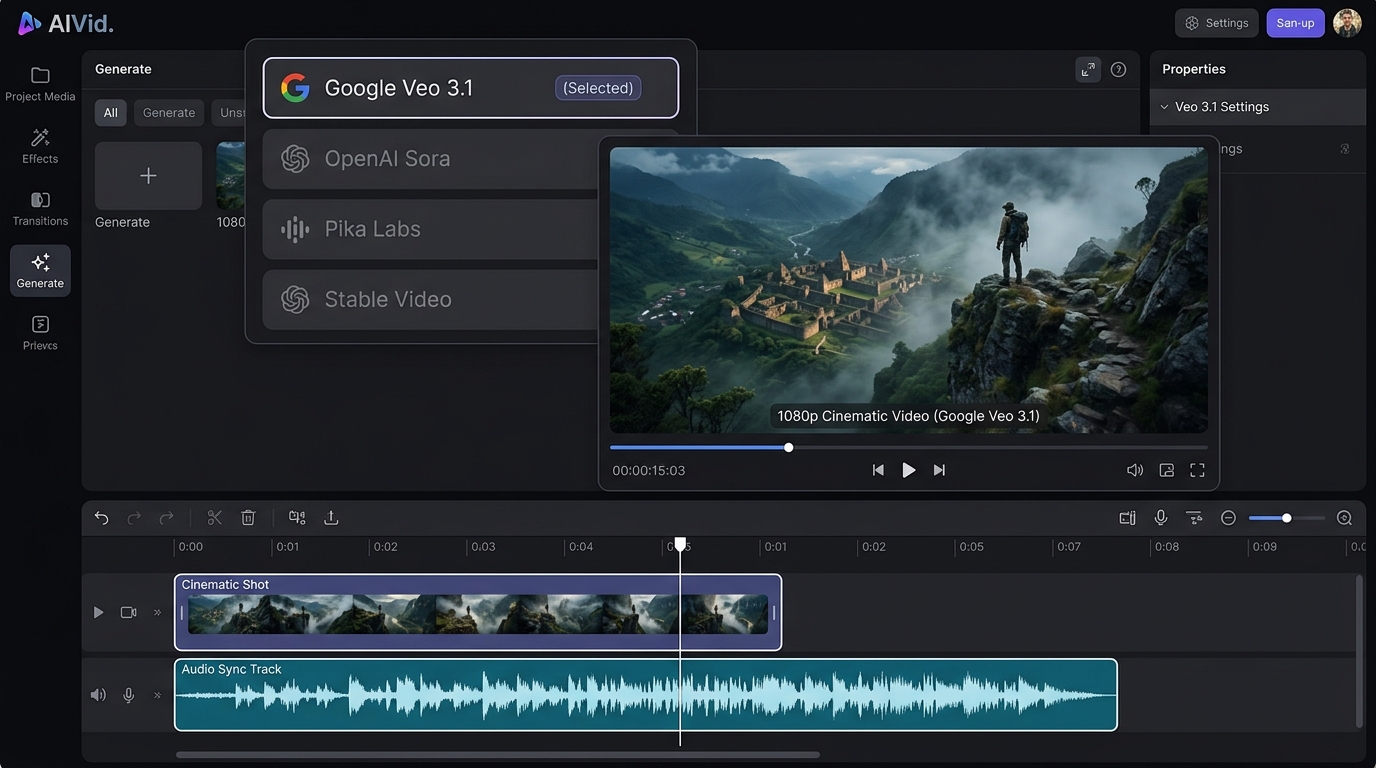
That's exactly why we built AIVid. It's a unified creative engine designed to centralize these powerful generative models.
You get direct access to Google Veo 3.1 without the subscription headache. One credit pool covers your entire creative pipeline.
No jumping between confusing cloud interfaces. Just pure, directorial control.
Whether you're a professional filmmaker, a marketing agency, or an independent creator, this tool gives you a massive unfair advantage.
In this guide, I'm going to show you EXACTLY how to master this cinematic engine.
We'll cover everything from native audio synchronization to locking down your exact start and end frames.
You'll also learn how to dictate advanced camera movements like a seasoned director.
Let's dive right in.
1. The Autonomous Director: How Google Veo 3.1 Changes AI Video
Google Veo 3.1 is a 1080p text-to-video model built by Google AI that natively generates synchronized audio alongside cinematic visuals, acting as an autonomous AI director rather than a standard editor.
This official Google demo shows how Veo 3 generates synchronized dialogue and sound effects natively with the video.
The old workflow required generating silent clips, hunting for stock tracks, and manually layering sound effects.
You used to spend hours just syncing a single door slam.
That approach is officially dead. During his May 2025 presentation, Demis Hassabis revealed the secret behind this shift.
Google AI relies on a proprietary Latent Diffusion Transformer to eliminate the post-production bottleneck.
It analyzes the visual data and synthesizes corresponding sound in real-time.
You get crisp 48kHz stereo audio natively baked into your final file.
Footsteps crunch on gravel, actors speak actual dialogue, and cinematic scores swell exactly when the action peaks.
This autonomous behavior is powered by deep integration with the Gemini LLM.
Gemini processes your text prompts with hyper-specific natural language understanding.
It doesn't just read your words. It interprets your directorial intent.
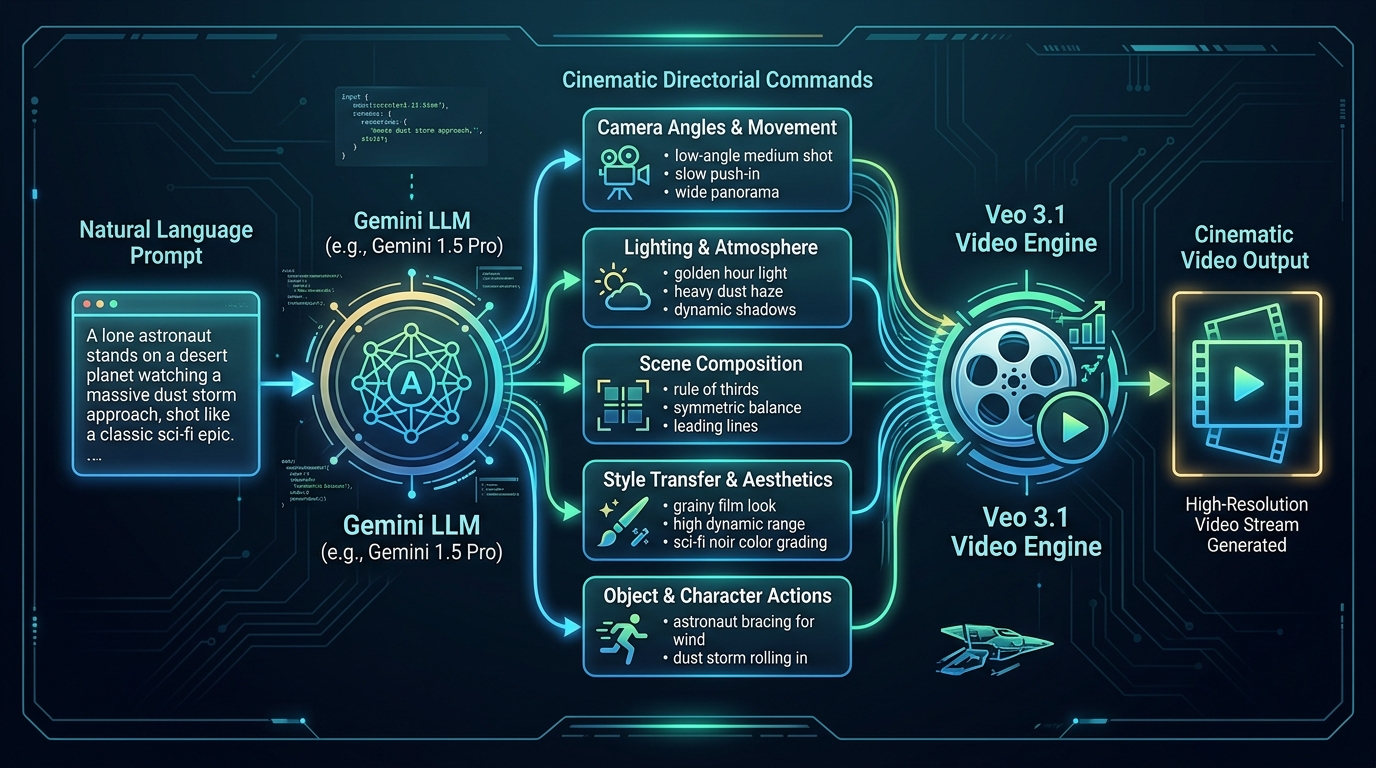
You can feed the engine a reference image and lock in exact start and end frames. From there, you dictate advanced camera movements like whip pans or slow tracking shots.
And you aren't locked into traditional widescreen formats. The model natively supports a social-ready 9:16 aspect ratio without awkward subject cropping.
But how does it compare to other industry heavyweights? Here is the exact breakdown of Veo 3.1 versus Kling 3.0.
Google Veo 3.1:Prioritizes pure cinematic realism and autonomous audio generation for hyper-realistic 1080p shots.
Kling 3.0:Focuses on strict narrative coherence and maintaining character logic across complex, long-form sequences.
If you need a standalone masterpiece, you use Veo. If you need a persistent character across multiple scenes, you switch to Kling.
2. Under the Hood: Native Audio and Physics Simulation
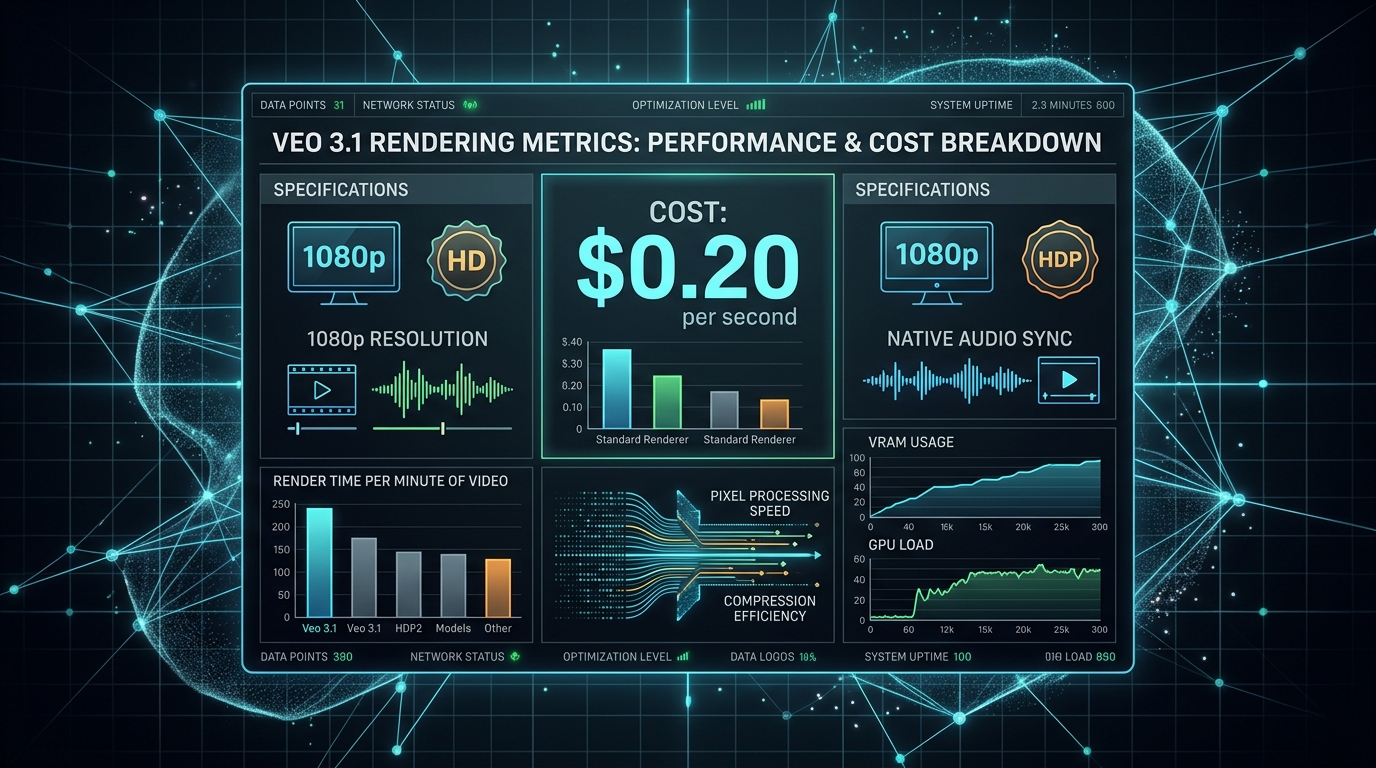
Veo 3.1 generates context-aware audio, including spoken dialogue and foley effects, directly within the video rendering pipeline at roughly $0.20 per second for high-fidelity 8-second clips.
But how do you actually control it?
The secret lies in your prompt structure.
To trigger specific sound effects, you just use brackets. Like this:[heavy footsteps on wet gravel]or[distant police sirens].
The audio engine reads these brackets as direct foley commands.
If you want to master text-to-video with audio, you need to treat the prompt like a script. You isolate the sound design entirely from your visual descriptions.
The model mathematically aligns the soundwave generation with the exact frame of visual impact.
Now let's talk about the built-in physics simulator.
Other platforms are trying to catch up to this level of spatial awareness. For example, the new Wan 2.7 Release: The Multimodal AI Director [March 2026 Specs] is attempting similar multimodal feats.
But Google VEO remains unmatched when it comes to temporal stability.
When you use advanced 3D camera prompts (like "crane shot moving through a dense forest"), older AI models usually break down. You'd see massive temporal artifacts and warping around the edges of the frame.
DeepMind solved this by embedding a rigid-body physics engine directly into the diffusion process.
So when your camera pans rapidly, the geometry of the scene stays locked in place.
Here's the exact technical breakdown of what this engine outputs:
| Feature | Specification |
|---|---|
| Base Resolution | Native 1080p |
| Upscaling | Built-in 4K upscaling support |
| Frame Rate | Native 24/30 FPS (with 60 FPS interpolation) |
| Generation Cost | ~$0.20 per second |
| Max Clip Length | 8 seconds (extendable) |
This test video evaluates Veo 3.1 performance, limitations, and direct comparisons with other leading AI video models.
This makes cinematic AI video significantly more predictable.
You get a broadcast-ready file straight from the prompt, with no external frame interpolation software required.
3. The 9:16 Social Revolution: Full-Frame Vertical Video
Google Veo 3.1 eliminates awkward cropping by generating native full-frame 9:16 vertical videos optimized specifically for TikTok, YouTube Shorts, and Instagram Reels directly from your text prompts.
Google VEO locks in true vertical framing from the very first pixel.
A January 2026 report from Mashable proved why this matters for digital advertising.
They found that top agencies slashed their AI video generation timelines by 60% using this exact format.
This speed is critical right now. It's especially vital with the rapid rise of Meta's 'Vibes' platform demanding massive volumes of hyper-specific vertical content.
You don't just get a center-cut wide shot. You get cinematic AI video designed natively for phone screens.
Characters stay perfectly centered. Backgrounds stretch naturally up and down to fill the frame.
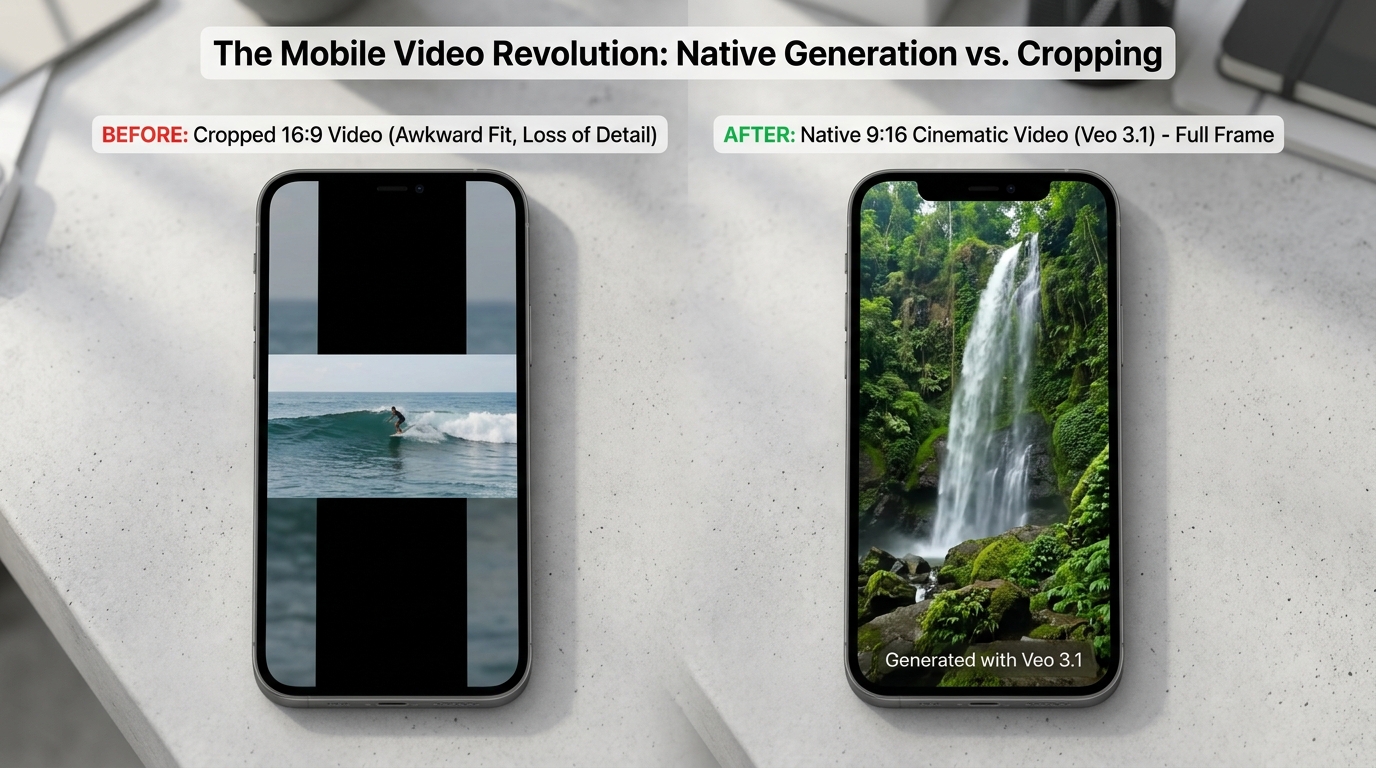
It gives your team total AI directorial control over the mobile viewing experience.
When evaluating Veo 3.1 vs Kling 3.0 for social media campaigns, Veo's native 9:16 spatial awareness makes it the obvious choice for marketers.
Here is what this native vertical pipeline actually delivers for a modern agency:
Zero Post-Cropping:Subjects never slide out of frame because the model respects the 9:16 boundaries.
Budget Efficiency:At just $0.15/sec for compute cost, teams generate dozens of ad variations instantly.
Built-in Security:SynthID watermarking embeds an invisible digital signature directly into the pixels to track asset origins.
Brands can easily prove their content provenance without ruining the visual aesthetic. There's no need to render multiple versions for different apps.
This is the new standard for text-to-video with audio on social platforms. You finally have a tool built specifically for the endless scroll.
4. Google Veo 3.1 vs Kling 3.0: Which Engine Wins in 2026?
While Kling 3.0 excels in multi-shot narrative coherence, Google Veo 3.1 dominates in cinematic realism, strict lip-sync accuracy, and maintaining precise lighting coherence across complex architectural scenes.
Think of Veo as a premium enterprise autonomous director.
It interprets the physical constraints of a scene without needing constant hand-holding.
Kling, on the other hand, operates more like an intelligent editor.
It's built around a unique 3-subject coreference locking mechanism.
This lets you keep multiple characters visually identical across strict 3-15 second multi-shot limits.
If you're building a short film with tight continuity, Kling keeps your actors from morphing between cuts.
But for raw, standalone visual fidelity, Veo easily takes the crown.
Recent FAL.AI benchmark data confirms this exact performance divide.
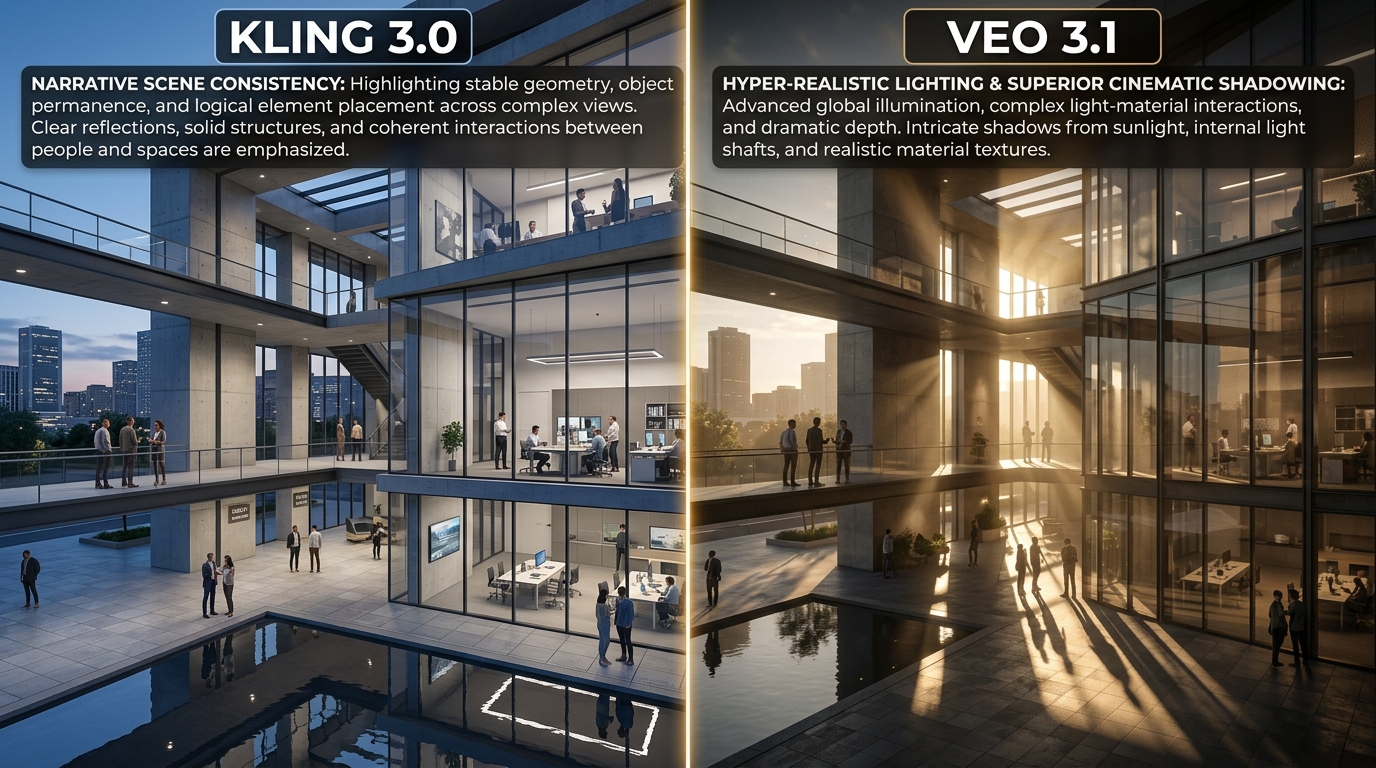
DeepMind's engine consistently outscores its rivals in photorealism and dynamic range.
It natively defaults to a 'late 90s art house' color grading for most cinematic AI video prompts.
You get deep shadows, organic film grain, and rich textures instantly.
This gives you massive AI directorial control over the final mood of your shot.
You don't need external color correction tools to fix plastic-looking outputs.
Here's the exact Veo 3.1 vs Kling 3.0 breakdown:
| Feature | Google Veo 3.1 | Kling 3.0 |
|---|---|---|
| Design Philosophy | Autonomous Director | Intelligent Editor |
| Visual Quality | ✅ FAL.AI Benchmark Winner | ❌ Flat Digital Output |
| Color Profile | ✅ 'Late 90s Art House' Grading | ❌ Standard Contrast |
| Character Continuity | ❌ Slight Drift Over Time | ✅ 3-Subject Coreference Locking |
| Sequence Limits | ✅ Continuous Fluid Motion | ✅ 3-15 Second Multi-Shot Limits |
Both platforms give modern creators ridiculous amounts of power.
Your choice simply depends on whether you prioritize standalone beauty or strict sequential logic.
5. The 3-Step Process for Directing Veo 3.1 Like a Pro
To maximize Google Veo 3.1, you must use precise cinematic language and leverage Gemini for prompt pre-processing before rendering your 8-second clips to ensure spatial coherence.
This is the exact workflow adopted by top-tier Hollywood creatives.
In fact, Donald Glover and his creative studio Gilga integrated this specific model into their production pipeline.
They use it to rapidly storyboard complex sequences and generate final-pixel establishing shots without a massive crew.
Here is the three-step blueprint to replicate their exact directorial control.
Step 1: Prompt Pre-Processing With Gemini
Raw ideas fail in high-end diffusion models.
You need to speak in strict cinematic syntax to get professional results.
If you have seen how What is Midjourney? [2026 Data & Review] handles static lighting, you know that rigid prompt structure is everything.
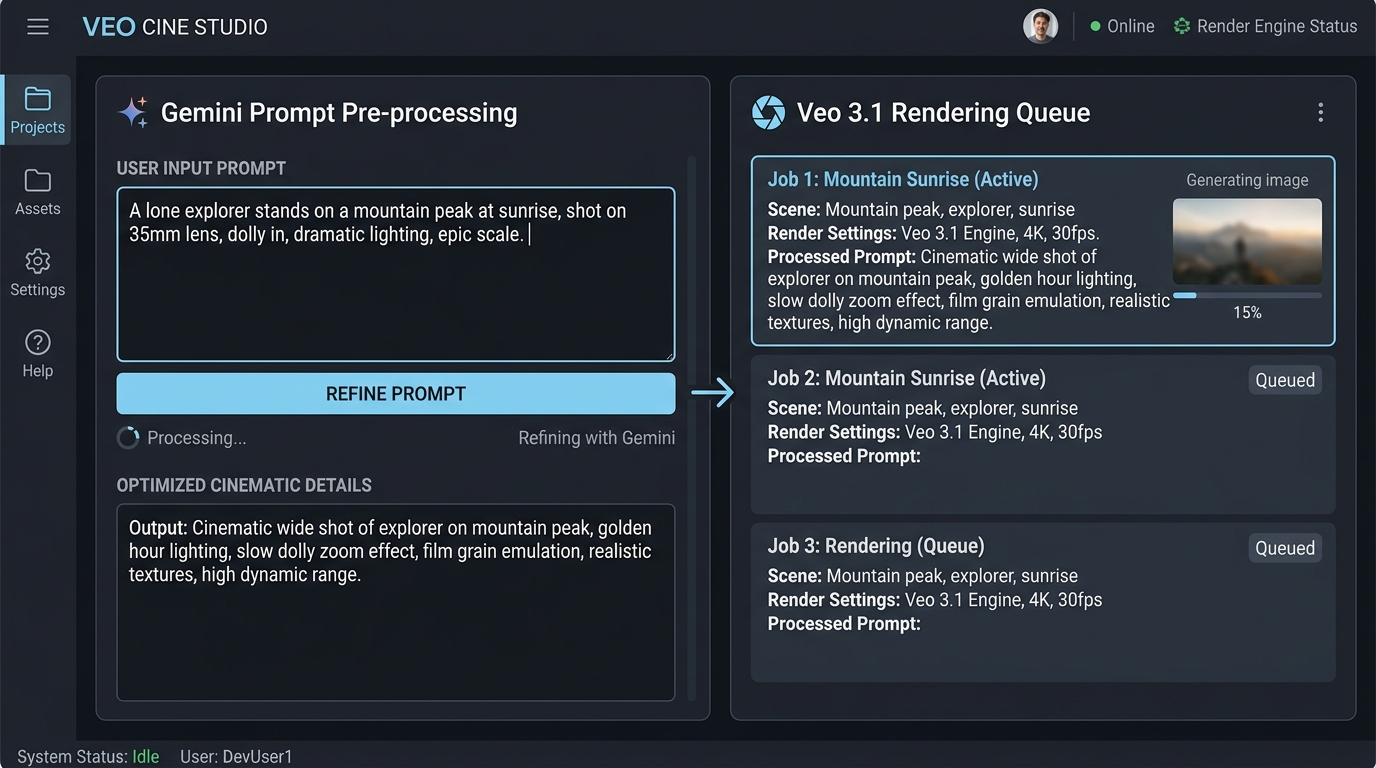
So before you render anything, feed your concept into Gemini.
This instantly translates amateur text into a professional shot list.
Step 2: Dictate the Z-Axis
We already know this engine respects basic framing.
But to extract true cinematic depth, you need to command the Z-axis.
Avoid generic movement words like "move forward".
Instead, command a "slow dolly push" or a "shallow rack focus from foreground to background."
This forces the underlying transformer to calculate real 3D volume.
Step 3: The 8-Second Evaluation
The model defaults to outputting an 8-second clip.
Do not immediately try to extend the timeline.
First, scrub through the footage to verify absolute spatial coherence.
Check if the lighting reflects accurately on moving textures as the camera dollies.
If the geometry holds up, you can safely prompt the engine to generate the next block of the sequence.
6. Frequently Asked Questions About Google Veo 3.1
Google Veo 3.1 is accessed via Google Cloud Vertex AI or third-party platforms, operating at a base cost of $0.20 per second for standard mode generations. It requires asynchronous operations for video rendering and strict exponential backoff protocols.
How do I handle '429 RESOURCE_EXHAUSTED' errors?
When pushing heavy AI video generation workflows, you'll inevitably hit API ceilings.
Google Cloud enforces strict requests-per-minute (RPM) limits on this model.
If you blast the server with too many concurrent prompts, you'll immediately trigger a '429 RESOURCE_EXHAUSTED' error.
Your entire production pipeline will grind to a halt.
To fix this, you must implement exponential backoff with jitter in your API calls.
This staggers your retry requests automatically so your cinematic AI video renders don't fail mid-batch.
What is the cost difference between render modes?
You already know standard rendering costs $0.20 per second.
But there's a cheaper tier built specifically for rapid prototyping.
Fast mode drops the price to just $0.15 per second.
This is perfect for testing complex text-to-video with audio prompts before committing your budget to final-pixel exports.
Can I generate photorealistic human faces?
Yes, but there's a massive compliance hurdle.
Google VEO restricts hyper-realistic human subject generation by default to prevent deepfakes.
If your agency needs to render real people, you have to pass an enterprise manual approval process.
Google's safety team requires strict identity verification and legal consent forms before granting that level of AI directorial control.
What are the exact API limits?
Here is the exact API limit data for production environments.
(Note: When evaluating Veo 3.1 vs Kling 3.0, you'll find Google's rate limits are significantly stricter for enterprise scaling).
| Model ID | RPM Limits | Base Cost Per Second |
|---|---|---|
veo-3.1-standard | 10 RPM | $0.20/sec |
veo-3.1-fast | 30 RPM | $0.15/sec |
Frequently Asked Questions
How do I access Google Veo 3.1?
Google Veo 3.1 is available via Google Cloud Vertex AI or select third-party platforms. You typically start with a Vertex AI account to unlock video generation features and set up your API keys or workspace.
What is the pricing for Google Veo 3.1?
Standard mode generations cost $0.20 per second. Render times involve asynchronous operations, so factor in queue wait times and the need for exponential backoff when scaling requests.
How do I handle 429 RESOURCE_EXHAUSTED errors?
These errors appear when you hit API rate limits during heavy video generation. Implement strict request-per-second controls and exponential backoff to stay within Google Cloud quotas.
What prompting techniques maximize Veo 3.1 results?
Use precise cinematic language and preprocess prompts with Gemini for better spatial coherence. Keep clips to 8 seconds and specify lighting, motion, and lip-sync details explicitly for Hollywood-level control.
How does Veo 3.1 compare to Kling 3.0?
Veo 3.1 leads in cinematic realism, strict lip-sync accuracy, and lighting coherence across complex scenes. Kling 3.0 excels at multi-shot narrative coherence when you need stronger story flow over extended sequences.
Can I use Veo 3.1 for commercial projects?
Verify your usage against Google Cloud terms for commercial applications. Generated assets may require review for ownership and resale rights depending on your contract.
What clip lengths and formats does Veo 3.1 support?
It handles 8-second clips with asynchronous rendering. Check Vertex AI documentation for supported resolutions and output formats to match your downstream editing pipeline.