Explore
  • VideoPopular
  • Image
  • Music
  • Story
  • Motion
  • Upscale
  • Lip Sync
  • MinniesNew
  • SubtitlesNew
  • Video ExtendNew
  • Video ProducerNew
  • Agent+Popular
  • Ad HubNew
  • TakeShiftNew
  • 3D HubNew
  • Viral
  • Effects
  • Born Elsewhere
Pricing-65%-65% OFFUpgrade-65%-65% OFF
Log inSign upSign Up Free

One idea.
Every model.
One finished creation.

The AI-native creative suite for video, image, music and ads.

Live support on TelegramChat with our team in real time

Create

  • Video
  • Image
  • Music
  • Story
  • Motion
  • Upscale
  • Lip Sync
  • MinniesNew
  • SubtitlesNew
  • Video ExtendNew
  • Video ProducerNew
  • Agent+
  • Ad HubNew
  • TakeShiftNew
  • 3D HubNew
  • Viral
  • Effects
  • Born Elsewhere

Features

  • AI Video Generator
  • AI Image Generator
  • AI Music Generator
  • 2× Duration
  • 8K Output
  • Director Mode
  • Photo Studio Mode
  • Composer Mode
  • Image to Video AI
  • Text to Video AI
  • Agent+

Video models

  • Seedance 2.5
  • Kling 4.0
  • Gemini Omni 1.2 Flash
  • Vidu Q4
  • MiniMax H3
  • PixVerse C1
  • Wan 3.0
  • Grok Video 1.5
  • FLUX.3 Video
  • MAGI-2
  • All video models

Image models

  • Seedream 5.5
  • Muse Image
  • GPT Image 2.6
  • Qwen Image 3.0
  • Kling Image 4.0
  • FLUX 3 Image
  • Nano Banana 2.1
  • Grok Image 2.0
  • Ideogram 4.5
  • Z-Image
  • MiniMax H3 Image
  • All image models

Resources

  • Runway Unlimited Extension: What Creators Need to Know
  • Suno Download Limits: What Creators Need to Know
  • FLUX 3 Video Pricing: What Creators Actually Pay Per Clip
  • What is SeeDance 2.0? ByteDance's AI Video Generator
  • Browse all articles
  • Help Center
  • Prompt Guide
  • Video Prompts
  • Image Prompts
  • Music & Sound Prompts

Company

  • About
  • Pricing
  • Contact
  • Trust Center
  • Brand kit
  • Affiliate program
  • Creator Partner Program

Free tools

  • Video Compressor
  • Trim, Cut & Merge
  • Slow Motion & Speed Ramp
  • Extract Audio or Mute
  • Frame Grabber
  • Video to Text
  • Text to Speech
  • Slowed + Reverb
  • Remove Image Background
  • Image Upscaler
  • Magic Eraser
  • Image to Prompt
  • Video to Prompt
  • AI Clip Stitcher
  • Seamless Loop Maker
  • Video Background Remover
  • Color Match
  • Voice Cleaner
  • Start Frame Prep
  • All free tools

Compare

  • vs Higgsfield
  • vs Runway
  • vs Pika
  • vs Krea
  • vs Freepik AI
  • vs Leonardo AI
  • vs OpenArt
  • vs Kling AI
  • vs Artlist
  • vs BytePlus
  • vs Canva
  • vs ElevenLabs
  • vs Grok Imagine
  • vs InVideo
  • vs Picsart
  • X / Twitter
  • YouTube
  • Instagram
  • TikTok
  • Telegram
  • Facebook

All systems normal

  • Terms
  • Privacy
  • Cookie policy
  • Content policy
  • Refund policy
  • DMCA

© 2026 AIVid, LLC. All rights reserved.

  1. Creatide.ai
  2. /
  3. Minnies
  4. /
  5. Look Book

Look BookAI style transfer · steal the vibe, keep the photo

Saw a photo with the perfect mood? Give Look Book that reference and your shot. It copies the colour, grain and contrast, not the content.
MinniePhoto + reference → Photo≈ 10 s– credits
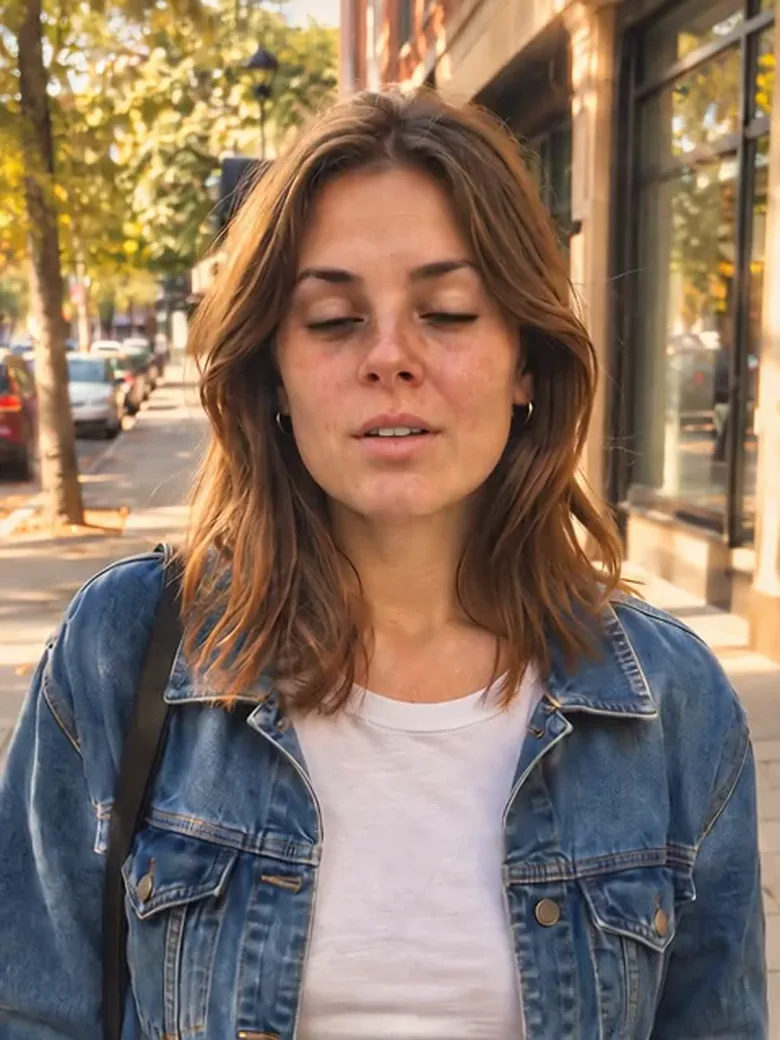
A street portrait regraded with a warm 35 mm film look and fine grain
Example resultThe sample photo: a woman on a sunny city sidewalkBefore
Drop the photo to restyleAdd a reference photo too, or pick a ready-made style.
Your file
Your photo The one to restyle
Style reference OPTIONALOptional · any photo with the mood you want
Style
Amount
A hint80%All in
Cost – credits · ≈ 10 s

In short

What is an AI style transfer?

AI style transfer copies the look of one image onto another. Look Book reads the colour palette, grain, contrast and mood of a reference and applies them to your photo while your subject and composition stay the same.

Input
Photo + reference
Output
Photo
Time
about 10 s
Cost
– credits

Steal the vibe

Same photo. Six different moods.

AI style transfer moves the look, not the content. Pick a style and drag the line: the room, the window and the person stay exactly where they were, while colour, contrast, grain and mood change. The amount slider decides how far it goes.
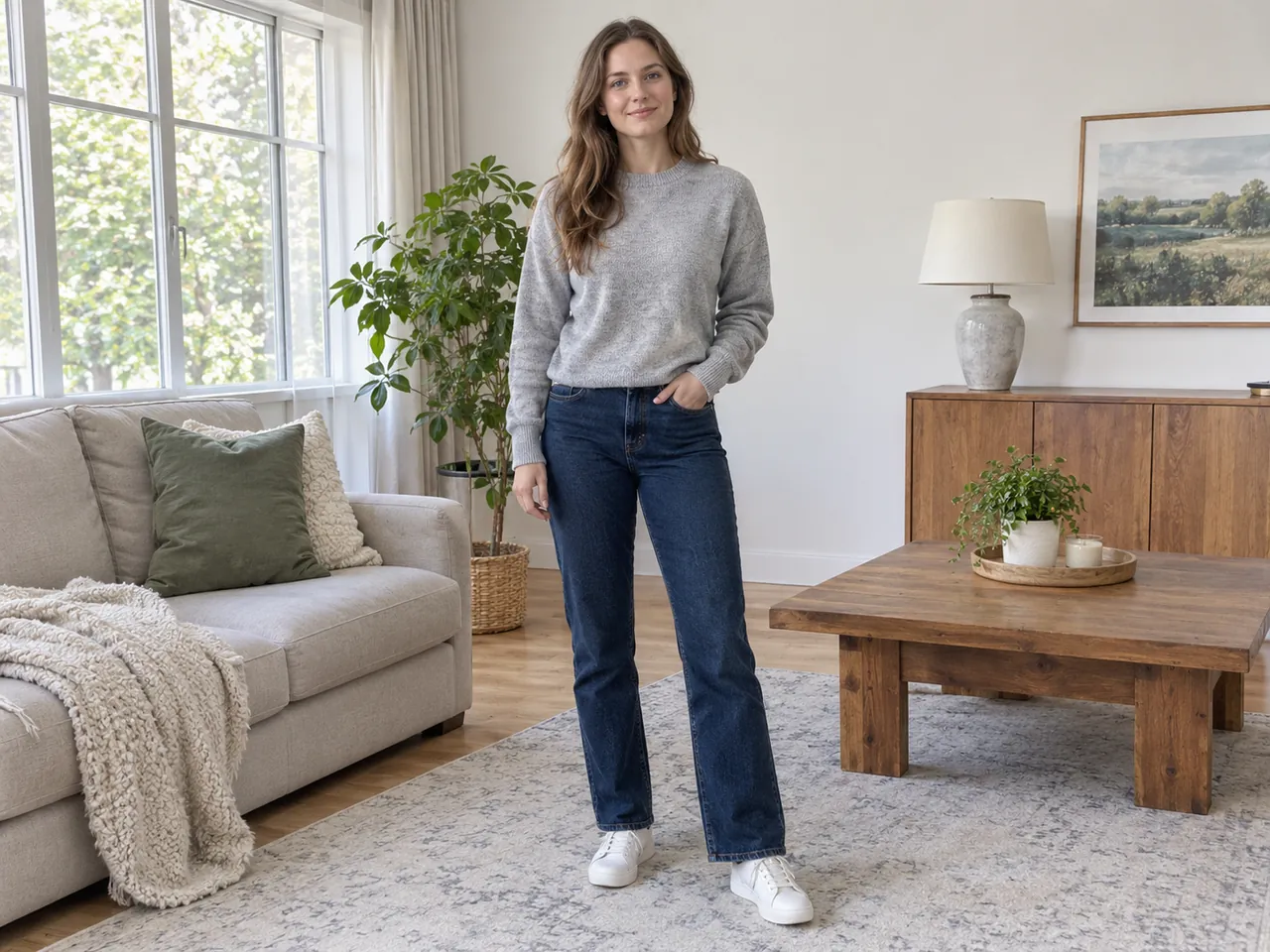
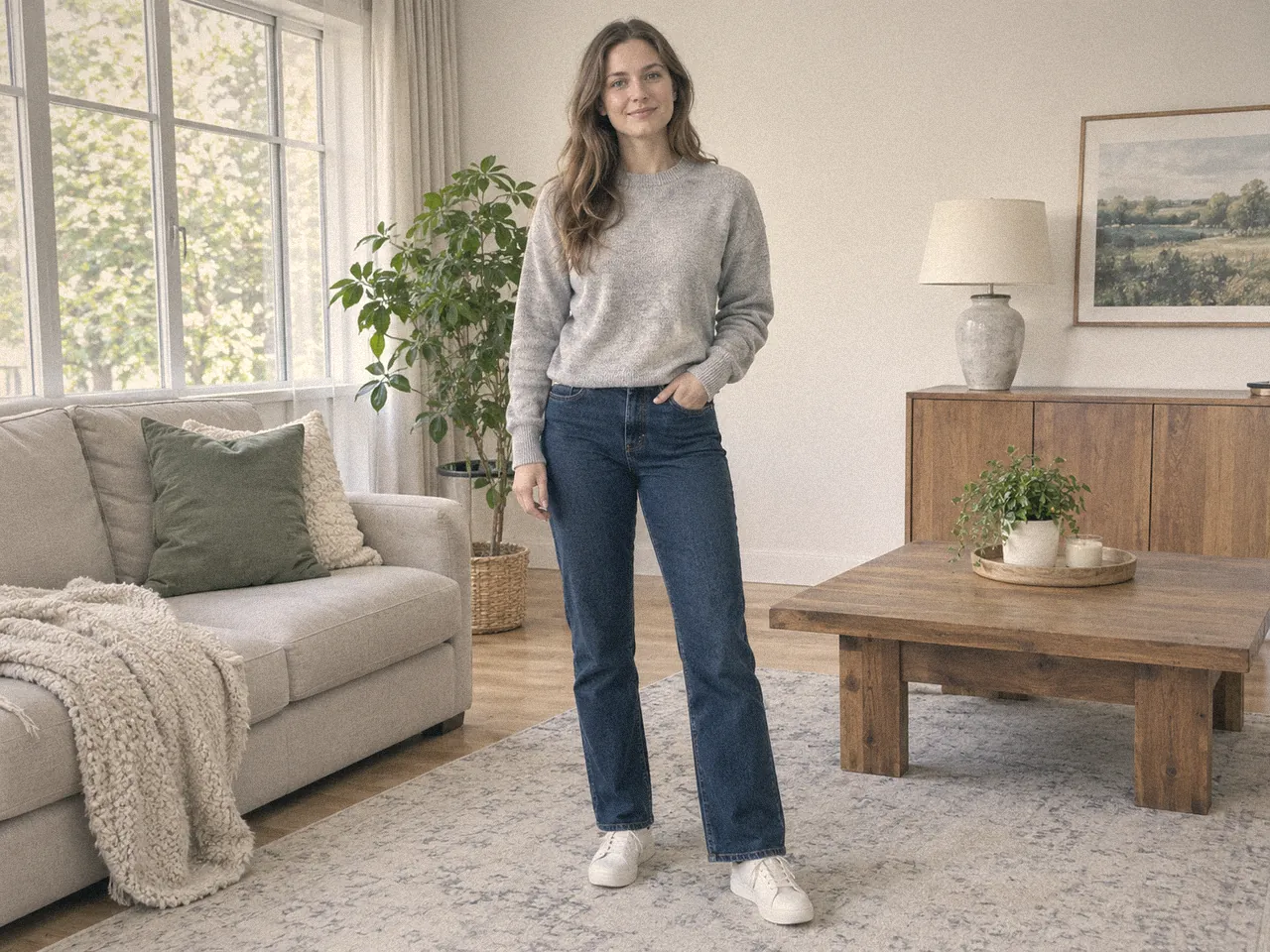
OriginalFilm 35
Amount80%

How it works

Borrow a mood, keep your photo

cafe-portrait.jpg · 2048 × 2730✓ added
Style
Film 35Cyber nightPastelNoirVividFrom my reference
✓ Done

Under the hood

The look, taken apart.

Look Book does not copy pixels. It reads a handful of things from the reference and rebuilds them on your photo. On this page they are sliders: load a style to see its recipe, then push any of them yourself.

Warmth+0.36
Contrast0.92
Saturation0.88
Lifted blacks0.08
Shadow tint0.22
Grain0.35

Deep dive

What AI style transfer actually copies

01

Six things, not pixels

Look Book reads six properties from the reference: the colour palette, contrast, how black the blacks are, the warmth of highlights, the tint of shadows and the grain. It rebuilds those on your photo. No objects, faces or text move over, which is why your composition stays intact.

02

Skin stays human

Strong looks can turn skin green, grey or orange. Look Book protects skin tones while it grades everything else, so a teal-and-orange film look still leaves faces believable. If you want an extreme look on skin too, push Amount to 100%.

03

Build a signature look

Pick one reference you love and run it across a whole shoot. A consistent grade is what makes a feed or a portfolio feel like one body of work. Save the reference in your History and reuse it next month to keep the look going.

Ideas

One look, everywhere

Recipes

Settings that just work

Three AI style transfer recipes we reach for most. Tap one to load its style and amount into Look Book at the top of the page.

Preview

Film look feed

Film 3580%

Warm highlights, soft contrast, fine grain. Makes phone photos feel like they came from a film camera.
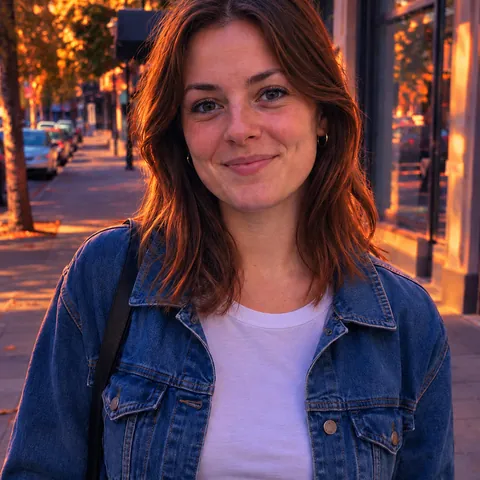
Preview

Match a moodboard

From my reference100%

Use the client’s favourite pin as the reference. Every photo in the delivery takes on that look.
Preview

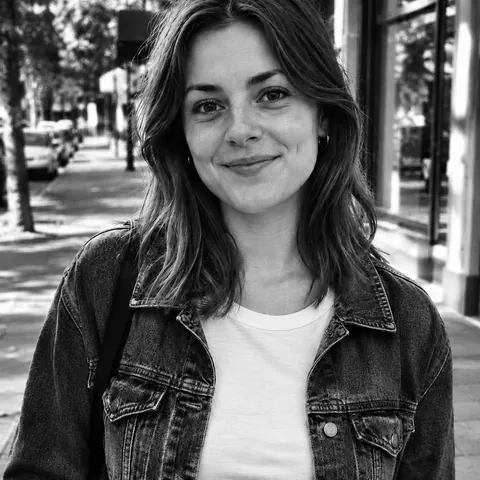
Moody portrait

Noir70%

High-contrast black and white with deep blacks. Timeless for headshots and covers.

The honest comparison

By hand vs Look Book

Matching a look by hand means curves, HSL tweaks, split toning and grain, photo by photo, until the set agrees. AI style transfer does it in about 10 seconds a photo.

How many photos this month?10photos
1200

By-hand time is a typical estimate of 45 min per photo.

By hand≈ 7.5 h
Look Book≈ 2 min
Time saved 7.5 hCredits –
What it takesBy handLook Book
MethodDial in curves and HSL by eyeRead the reference, apply the look
Time10–20 minutes per lookAbout 10 seconds
ConsistencyDrifts between editsSame reference, same look
SkillColour grading experiencePick a reference
CostPreset packs– credits

Better results

Steal smart

Before you run · tick them off0 / 3
Ready. Good input in, good result out.
Skip
  • ✕Use a reference that is mostly one flat colour.
  • ✕Expect objects from the reference to appear. Only the look moves.
  • ✕Pass off someone else's photo as your own work.
Inputs Photo + optional referencePresets 5Output 3:4 · 2KResult 1 image per run

Plans

Look Book is in every plan.

Starter

Fits you
–Look Book photos / mo
1,000 credits / mo · – credits per photo
$19.90$14.99/ month, billed yearly
Get Starter

Studio

MOST POPULARFits you
–Look Book photos / mo
2,600 credits / mo · – credits per photo
$61.90$30.83/ month, billed yearly
Get Studio

Omni Creator

BEST VALUEFits you
–Look Book photos / mo
4,200 credits / mo · – credits per photo
$101.90$45.83/ month, billed yearly
Get Omni Creator
Failed run? Credits back automaticallyCommercial use on paid plansCancel anytime

FAQ

Questions about Look Book

What is AI style transfer?

It copies the visual style of one image onto another. Look Book moves colour, grain, contrast and tonal mood from a reference to your photo while keeping your subject and composition.

Does it copy the content of the reference?

No. Only the look. No objects, people or text move across.

Can I apply one look to a whole shoot?

One photo per run. Use the same reference and Amount for every photo and the whole shoot takes on the same look.

How many credits?

The credits for a run are shown on the button before you start. If a run fails, nothing is charged and the credits go back to your balance.

Can I download the look as a preset?

Not yet. Save the reference in your History and reuse it for future runs to get the same result.

Does it work on video?

Look Book works on photos. Grade a key frame, then animate it with Image to Video.

Which references work best?

Photos with a clear, confident palette: a film still, a fashion editorial, a sunset street shot. Flat, single-colour images or heavily cropped screenshots give Look Book too little to read.

Is copying a look allowed?

A colour grade or a mood is not something anyone owns, so borrowing a palette is fair game. Copying someone’s actual photo is not: Look Book only moves the look, and your own subject and composition stay yours.

Can I use Look Book results commercially?

Yes. On paid plans the images you make are yours to use in ads, client work and products. Only upload material you own or have permission to use.

Who can see what I upload?

Only you. Uploads and results live in your private History, are never posted anywhere for you, and can be deleted at any time.

Does AI style transfer change what is in the photo?

No. Look Book only moves the look: colour, contrast, grain and mood. AI style transfer here never moves, adds or removes objects, so your subject and composition stay exactly the same.

More Minnies

Keep the run going

All Minnies
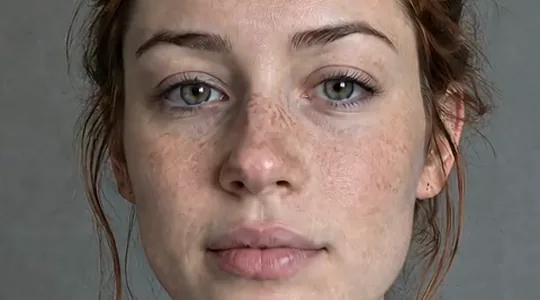
True SkinRetouch skin, keep the texture.

Minnies · included in every plan

Steal the vibe. Keep the photo.

Any reference, any photo. Look Book comes with every Creatide AI plan.
Apply the look See plans