Explore
  • VideoPopular
  • Image
  • Music
  • Story
  • Motion
  • Upscale
  • Lip Sync
  • MinniesNew
  • SubtitlesNew
  • Video ExtendNew
  • Video ProducerNew
  • Agent+Popular
  • Ad HubNew
  • TakeShiftNew
  • 3D HubNew
  • Viral
  • Effects
  • Born Elsewhere
Pricing-65%-65% OFFUpgrade-65%-65% OFF
Log inSign upSign Up Free

One idea.
Every model.
One finished creation.

The AI-native creative suite for video, image, music and ads.

Live support on TelegramChat with our team in real time

Create

  • Video
  • Image
  • Music
  • Story
  • Motion
  • Upscale
  • Lip Sync
  • MinniesNew
  • SubtitlesNew
  • Video ExtendNew
  • Video ProducerNew
  • Agent+
  • Ad HubNew
  • TakeShiftNew
  • 3D HubNew
  • Viral
  • Effects
  • Born Elsewhere

Features

  • AI Video Generator
  • AI Image Generator
  • AI Music Generator
  • 2× Duration
  • 8K Output
  • Director Mode
  • Photo Studio Mode
  • Composer Mode
  • Image to Video AI
  • Text to Video AI
  • Agent+

Video models

  • Seedance 2.5
  • Kling 4.0
  • Gemini Omni 1.2 Flash
  • Vidu Q4
  • MiniMax H3
  • PixVerse C1
  • Wan 3.0
  • Grok Video 1.5
  • FLUX.3 Video
  • MAGI-2
  • All video models

Image models

  • Seedream 5.5
  • Muse Image
  • GPT Image 2.6
  • Qwen Image 3.0
  • Kling Image 4.0
  • FLUX 3 Image
  • Nano Banana 2.1
  • Grok Image 2.0
  • Ideogram 4.5
  • Z-Image
  • MiniMax H3 Image
  • All image models

Resources

  • Runway Unlimited Extension: What Creators Need to Know
  • Suno Download Limits: What Creators Need to Know
  • FLUX 3 Video Pricing: What Creators Actually Pay Per Clip
  • What is SeeDance 2.0? ByteDance's AI Video Generator
  • Browse all articles
  • Help Center
  • Prompt Guide
  • Video Prompts
  • Image Prompts
  • Music & Sound Prompts

Company

  • About
  • Pricing
  • Contact
  • Trust Center
  • Brand kit
  • Affiliate program
  • Creator Partner Program

Free tools

  • Video Compressor
  • Trim, Cut & Merge
  • Slow Motion & Speed Ramp
  • Extract Audio or Mute
  • Frame Grabber
  • Video to Text
  • Text to Speech
  • Slowed + Reverb
  • Remove Image Background
  • Image Upscaler
  • Magic Eraser
  • Image to Prompt
  • Video to Prompt
  • AI Clip Stitcher
  • Seamless Loop Maker
  • Video Background Remover
  • Color Match
  • Voice Cleaner
  • Start Frame Prep
  • All free tools

Compare

  • vs Higgsfield
  • vs Runway
  • vs Pika
  • vs Krea
  • vs Freepik AI
  • vs Leonardo AI
  • vs OpenArt
  • vs Kling AI
  • vs Artlist
  • vs BytePlus
  • vs Canva
  • vs ElevenLabs
  • vs Grok Imagine
  • vs InVideo
  • vs Picsart
  • X / Twitter
  • YouTube
  • Instagram
  • TikTok
  • Telegram
  • Facebook

All systems normal

  • Terms
  • Privacy
  • Cookie policy
  • Content policy
  • Refund policy
  • DMCA

© 2026 AIVid, LLC. All rights reserved.

  1. Creatide.ai
  2. /
  3. Minnies
  4. /
  5. True Skin

True SkinAI skin enhancer · real texture, no plastic

Clears blemishes, evens tone and softens harsh light. Keeps pores, freckles, moles and the face you actually have.
MinniePhoto → Photo≈ 12 s– credits
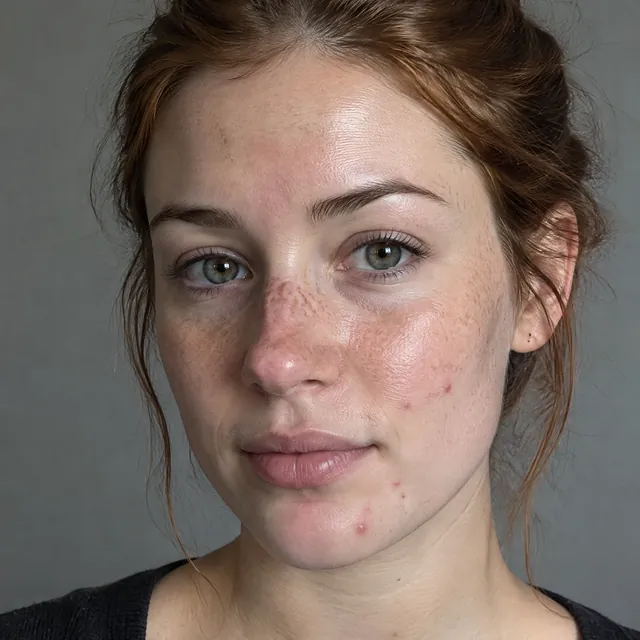
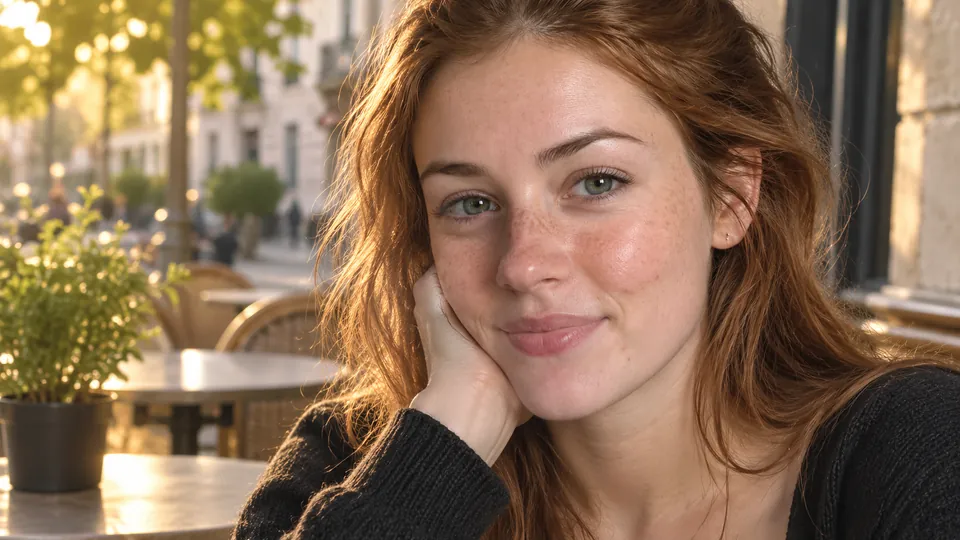
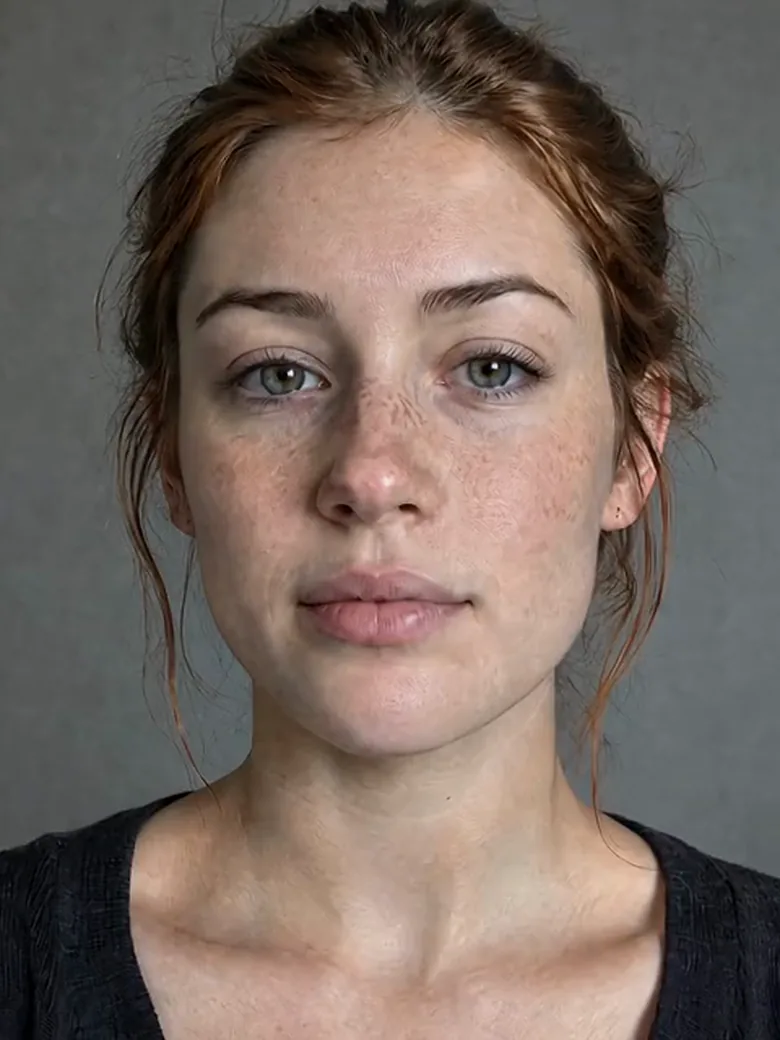
A freckled portrait retouched: blemishes and redness gone, pores and freckles kept
Example resultThe sample photo: a freckled portrait with blemishes and a shiny foreheadBefore
Drop a portraitPhone selfies, headshots, wedding photos. Full resolution gives the best texture.
Your file
Portrait Face visible, any light
Strength
Cost – credits · ≈ 12 s

In short

What is an AI skin enhancer?

An AI skin enhancer retouches skin in a photo automatically. True Skin clears blemishes, evens tone and calms shine at pore level while keeping texture, freckles and face shape exactly as they are.

Input
Photo
Output
Photo
Time
about 12 s
Cost
– credits

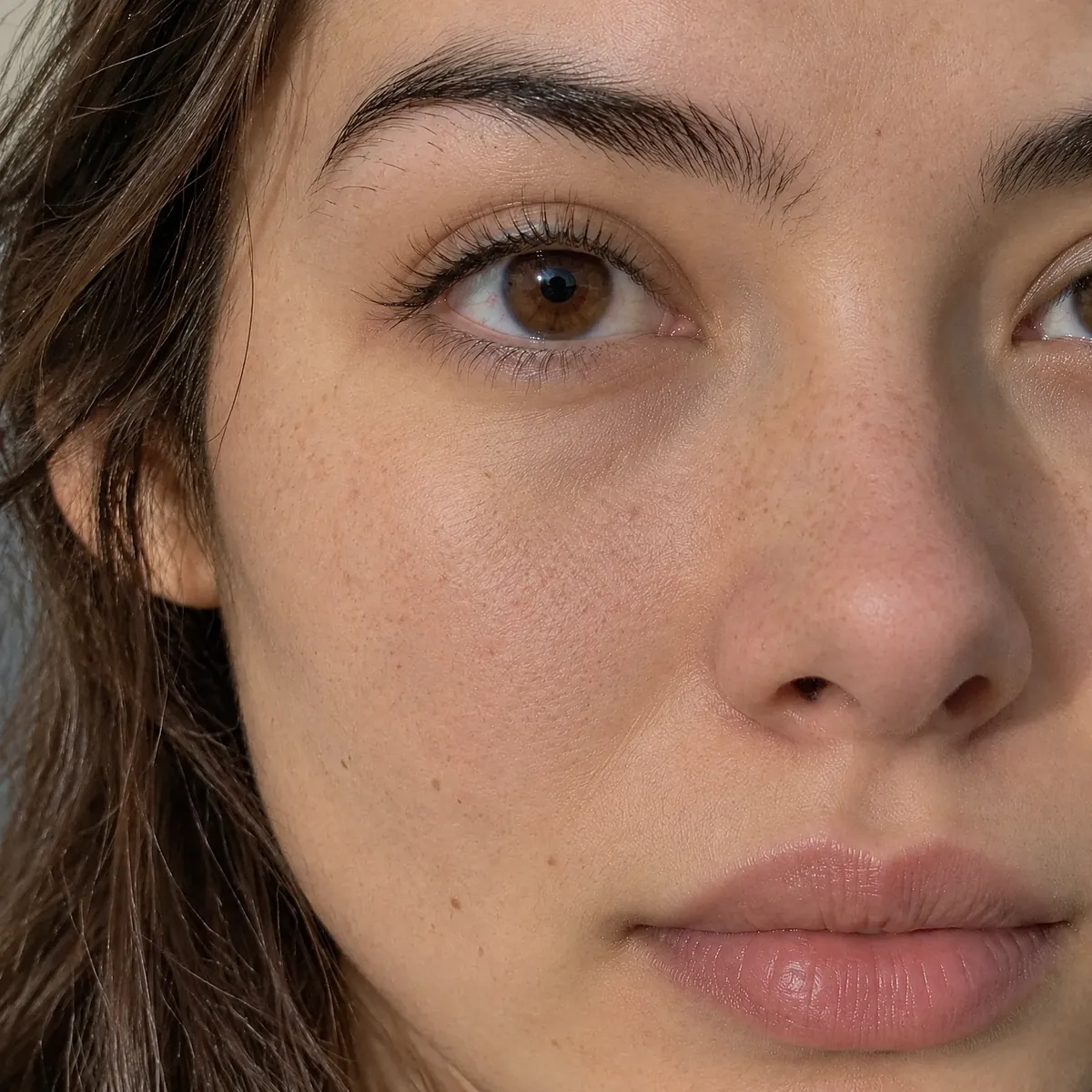
At 400% zoom

Pores stay. Problems go.

Drag the line to compare, and move the loupe to look closer. A good AI skin enhancer removes the spot, the redness and the ring-light shine, then stops. Under the loupe you should still find pores, freckles and the mole you have had since you were ten.
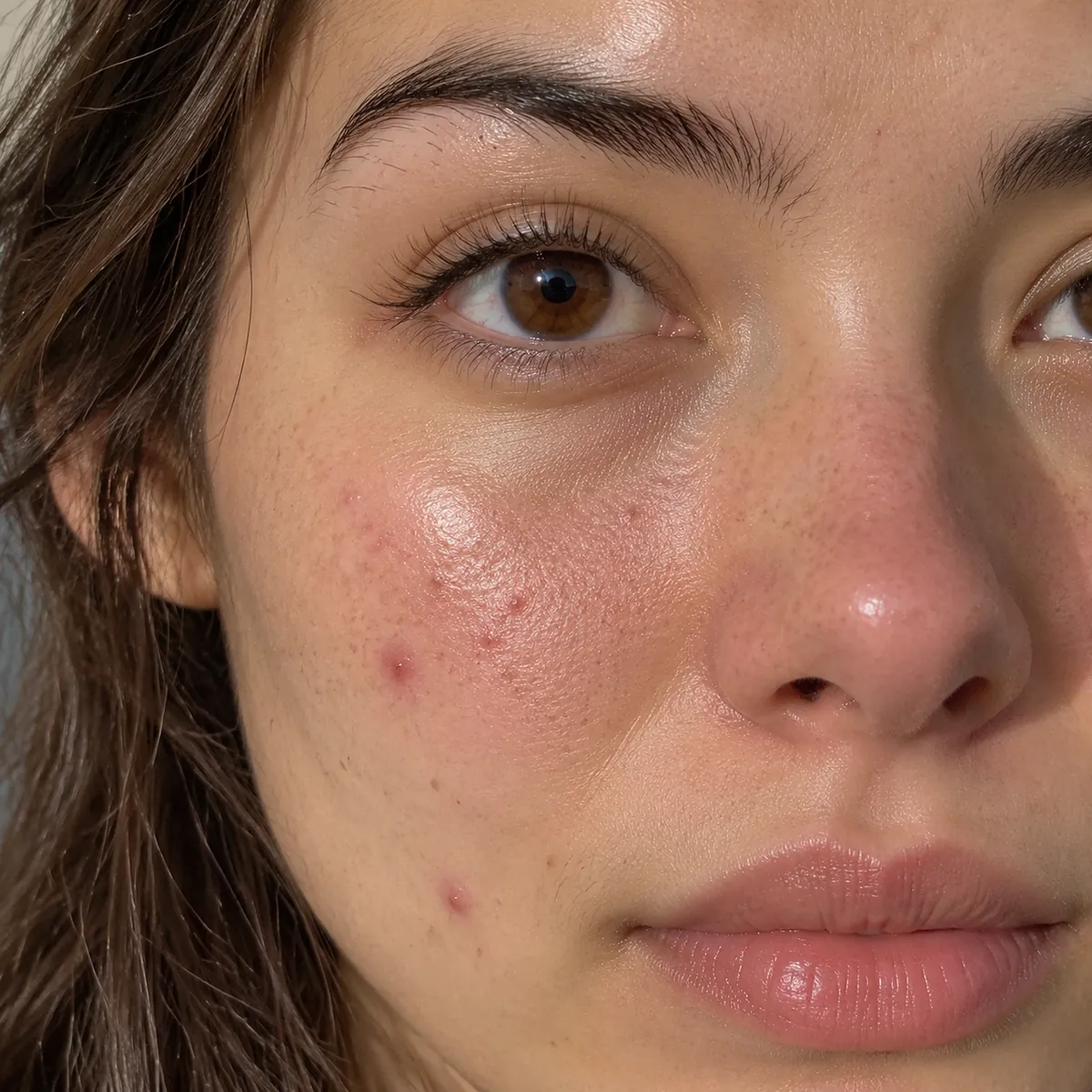
BeforeTrue Skin
400%

How it works

Retouch in one tap

portrait-raw.jpg · 3024 × 4032✓ added
Strength
NaturalBalancedPolished
✓ Done

The plastic test

Push it too far and skin turns to plastic.

Most retouch apps have one slider and no brakes. Slide past Polished to see what happens when an AI skin enhancer keeps going: pores melt, light goes flat and the face stops looking real. True Skin's strongest setting stops before that line.

Skin close-up at the chosen retouch strengthPlastic zone
Texture kept100%
Spots removed68%
NaturalBalancedPolishedPlastic · other apps

Balanced. Spots and redness gone, pores and freckles untouched.

Deep dive

What a good AI skin enhancer leaves alone

01

Temporary versus permanent

True Skin separates what changes day to day from what makes you you. Spots, redness, shine and uneven patches are temporary, so they go. Pores, freckles, moles, scars and laugh lines are part of the face, so they stay unless you switch them off. That split is why results look like a good day, not a filter.

02

Strength levels, explained

Natural removes only obvious blemishes and calms shine; use it for editorial work and close-ups. Balanced also evens tone and softens light, which suits social posts and profile photos. Polished adds a smoother finish for beauty and product campaigns, but still keeps visible texture at full zoom.

03

Grain is part of the trick

Most retouching looks fake because the skin becomes smoother than the rest of the photo. True Skin keeps grain that matches your camera, so the retouched area has the same noise as the background. Zoom in close and the face still belongs to the picture.

Ideas

Retouching without the uncanny

Recipes

Settings that just work

Three AI skin enhancer recipes for the photos people fix most. Tap one to load its strength and toggles into True Skin at the top of the page.

Preview

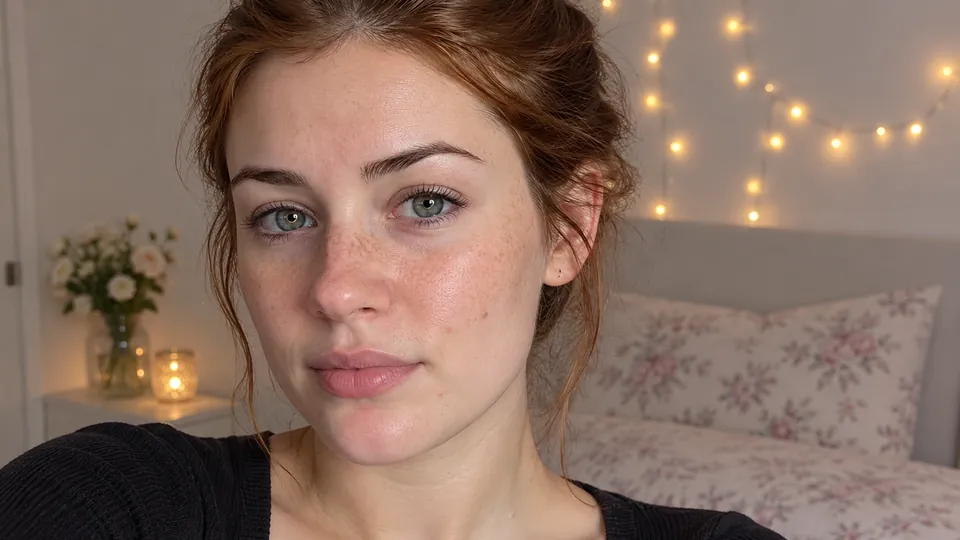
Dating profile

NaturalFreckles on

Fresh and honest. People will recognise you on the first date, which is the whole point.
Preview

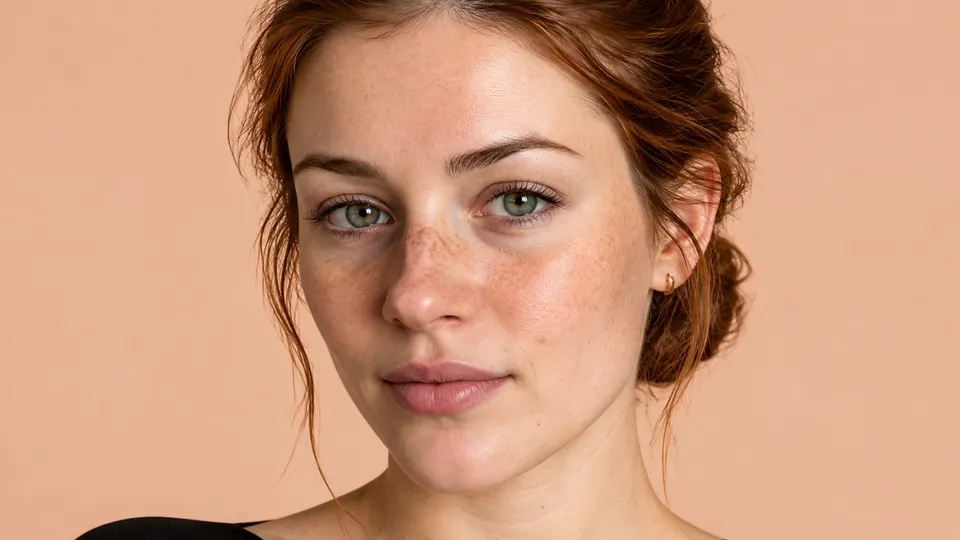
Ring-light rescue

BalancedTame shine on

Calms forehead hot spots and evens the tone that cheap LEDs flatten. Ideal for creator thumbnails.
Preview

Beauty campaign

PolishedFreckles on

Smoother finish for product imagery while keeping visible texture under close inspection.

The honest comparison

By hand vs True Skin

Frequency separation, healing brush, dodge and burn: retouching skin properly by hand is slow work. The AI skin enhancer does the same careful pass in about 12 seconds.

How many portraits this month?10portraits
1150

By-hand time is a typical estimate of 45 min per portrait.

By hand≈ 7.5 h
True Skin≈ 2 min
Time saved 7.5 hCredits –
What it takesBy handTrue Skin
Time15–30 minutes per portraitAbout 12 seconds
SkillFrequency separation, dodge and burnPick a strength
TextureEasy to over-smoothKept at pore level
RepeatRedone by eye, photo by photoSame settings, every run
CostRetoucher fees– credits

Better results

Skin that still looks like skin

Before you run · tick them off0 / 3
Ready. Good input in, good result out.
Skip
  • ✕Run it twice on the same photo.
  • ✕Use it to change age, weight or features.
  • ✕Retouch other people without their okay.
Input JPG · PNG · WEBPFaces Up to 6 per photoOutput 2K · same aspect ratioResult 1 image per run

Plans

True Skin is in every plan.

Starter

Fits you
–True Skin portraits / mo
1,000 credits / mo · – credits per portrait
$19.90$14.99/ month, billed yearly
Get Starter

Studio

MOST POPULARFits you
–True Skin portraits / mo
2,600 credits / mo · – credits per portrait
$61.90$30.83/ month, billed yearly
Get Studio

Omni Creator

BEST VALUEFits you
–True Skin portraits / mo
4,200 credits / mo · – credits per portrait
$101.90$45.83/ month, billed yearly
Get Omni Creator
Failed run? Credits back automaticallyCommercial use on paid plansCancel anytime

FAQ

Questions about True Skin

What makes this AI skin enhancer different from a beauty filter?

Filters blur everything. True Skin retouches at pore level: it removes temporary things like spots and shine, and keeps texture, freckles and moles. The result reads as a good day, not a filter.

Does it change face shape or age?

No. True Skin only touches skin tone and texture. Face shape, eyes, lips and age stay exactly as they are.

Does it work on all skin tones?

Yes. It keeps your undertone and does not lighten or warm the skin. If you see a shift, tell us, we treat it as a bug.

What does it cost?

The credits for a run are shown on the button before you start, for up to six faces per image. If a run fails, nothing is charged and the credits go back to your balance.

Can I retouch a whole wedding gallery?

One photo per run. Retouch one shot, check the strength, then run the rest of the set with the same settings.

Does it remove tattoos or scars?

No. Those stay. True Skin only works on temporary marks unless you turn off Keep freckles and moles.

Can I undo the retouch later?

Yes. Your original photo stays untouched in History next to the result, so you can go back, change the strength and run it again at any time.

Can I use True Skin results commercially?

Yes. On paid plans the images you make are yours to use in ads, client work and products. Only upload material you own or have permission to use.

Who can see what I upload?

Only you. Uploads and results live in your private History, are never posted anywhere for you, and can be deleted at any time.

What makes a good AI skin enhancer?

It fixes what a good retoucher would fix, spots, redness, harsh shine, and leaves texture alone. If you zoom in and cannot find a single pore, the AI skin enhancer went too far. True Skin is tuned to stop before that point.

More Minnies

Keep the run going

All Minnies
Look BookCopy the mood of any reference photo.

Minnies · included in every plan

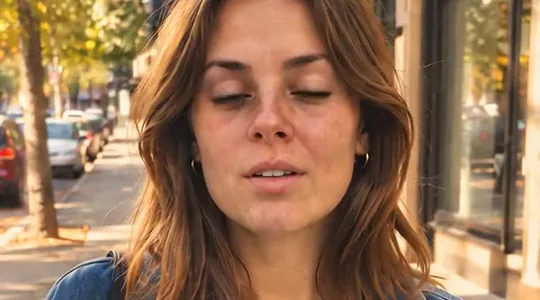
Your face. Better day.

Pore-level retouching in seconds. True Skin comes with every Creatide AI plan.
Enhance skin See plans