Explore
  • VideoPopular
  • Image
  • Music
  • Story
  • Motion
  • Upscale
  • Lip Sync
  • MinniesNew
  • SubtitlesNew
  • Video ExtendNew
  • Video ProducerNew
  • Agent+Popular
  • Ad HubNew
  • TakeShiftNew
  • 3D HubNew
  • Viral
  • Effects
  • Born Elsewhere
Pricing-65%-65% OFFUpgrade-65%-65% OFF
Log inSign upSign Up Free

One idea.
Every model.
One finished creation.

The AI-native creative suite for video, image, music and ads.

Live support on TelegramChat with our team in real time

Create

  • Video
  • Image
  • Music
  • Story
  • Motion
  • Upscale
  • Lip Sync
  • MinniesNew
  • SubtitlesNew
  • Video ExtendNew
  • Video ProducerNew
  • Agent+
  • Ad HubNew
  • TakeShiftNew
  • 3D HubNew
  • Viral
  • Effects
  • Born Elsewhere

Features

  • AI Video Generator
  • AI Image Generator
  • AI Music Generator
  • 2× Duration
  • 8K Output
  • Director Mode
  • Photo Studio Mode
  • Composer Mode
  • Image to Video AI
  • Text to Video AI
  • Agent+

Video models

  • Seedance 2.5
  • Kling 4.0
  • Gemini Omni 1.2 Flash
  • Vidu Q4
  • MiniMax H3
  • PixVerse C1
  • Wan 3.0
  • Grok Video 1.5
  • FLUX.3 Video
  • MAGI-2
  • All video models

Image models

  • Seedream 5.5
  • Muse Image
  • GPT Image 2.6
  • Qwen Image 3.0
  • Kling Image 4.0
  • FLUX 3 Image
  • Nano Banana 2.1
  • Grok Image 2.0
  • Ideogram 4.5
  • Z-Image
  • MiniMax H3 Image
  • All image models

Resources

  • Runway Unlimited Extension: What Creators Need to Know
  • Suno Download Limits: What Creators Need to Know
  • FLUX 3 Video Pricing: What Creators Actually Pay Per Clip
  • What is SeeDance 2.0? ByteDance's AI Video Generator
  • Browse all articles
  • Help Center
  • Prompt Guide
  • Video Prompts
  • Image Prompts
  • Music & Sound Prompts

Company

  • About
  • Pricing
  • Contact
  • Trust Center
  • Brand kit
  • Affiliate program
  • Creator Partner Program

Free tools

  • Video Compressor
  • Trim, Cut & Merge
  • Slow Motion & Speed Ramp
  • Extract Audio or Mute
  • Frame Grabber
  • Video to Text
  • Text to Speech
  • Slowed + Reverb
  • Remove Image Background
  • Image Upscaler
  • Magic Eraser
  • Image to Prompt
  • Video to Prompt
  • AI Clip Stitcher
  • Seamless Loop Maker
  • Video Background Remover
  • Color Match
  • Voice Cleaner
  • Start Frame Prep
  • All free tools

Compare

  • vs Higgsfield
  • vs Runway
  • vs Pika
  • vs Krea
  • vs Freepik AI
  • vs Leonardo AI
  • vs OpenArt
  • vs Kling AI
  • vs Artlist
  • vs BytePlus
  • vs Canva
  • vs ElevenLabs
  • vs Grok Imagine
  • vs InVideo
  • vs Picsart
  • X / Twitter
  • YouTube
  • Instagram
  • TikTok
  • Telegram
  • Facebook

All systems normal

  • Terms
  • Privacy
  • Cookie policy
  • Content policy
  • Refund policy
  • DMCA

© 2026 AIVid, LLC. All rights reserved.

  1. Creatide.ai
  2. /
  3. Minnies
  4. /
  5. Open World

Open WorldAI game cover art generator · you, on the box

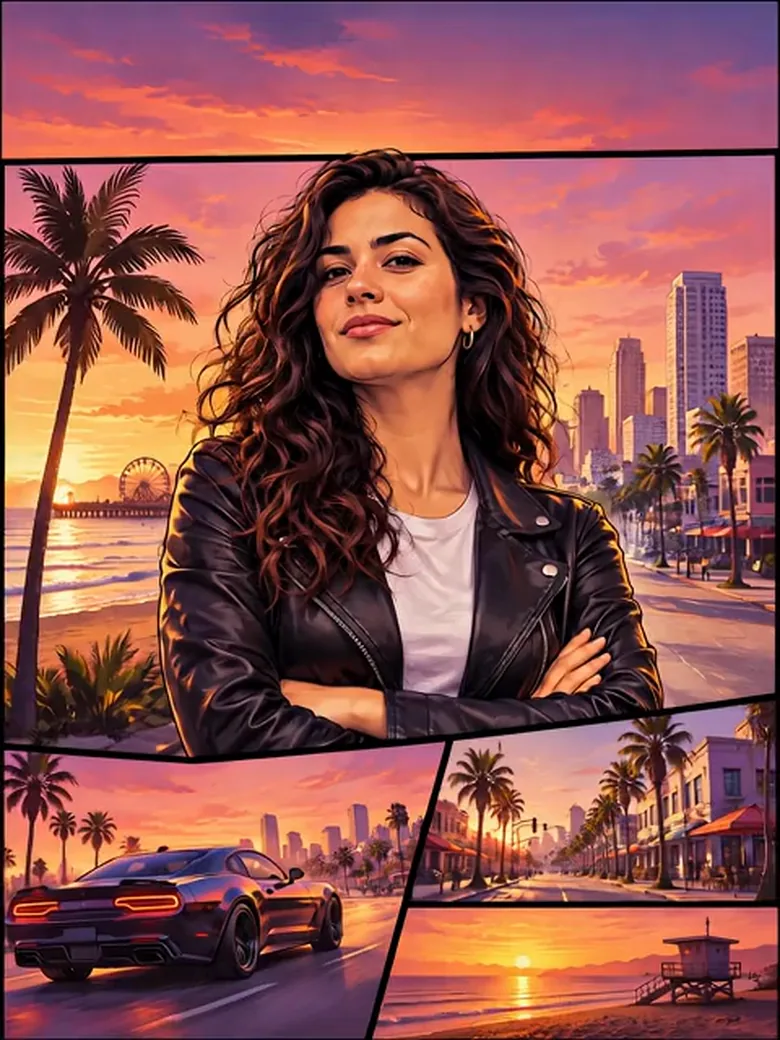
You on the box art of an open-world game that does not exist yet. Panel collage, sunset skyline, a bold title of your choosing.
MinniePhoto → Cover≈ 25 s– credits
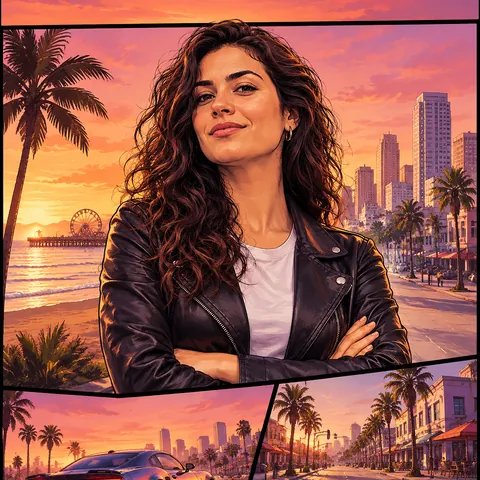
A painted open-world game cover collage with the person as the lead on a sunset coast
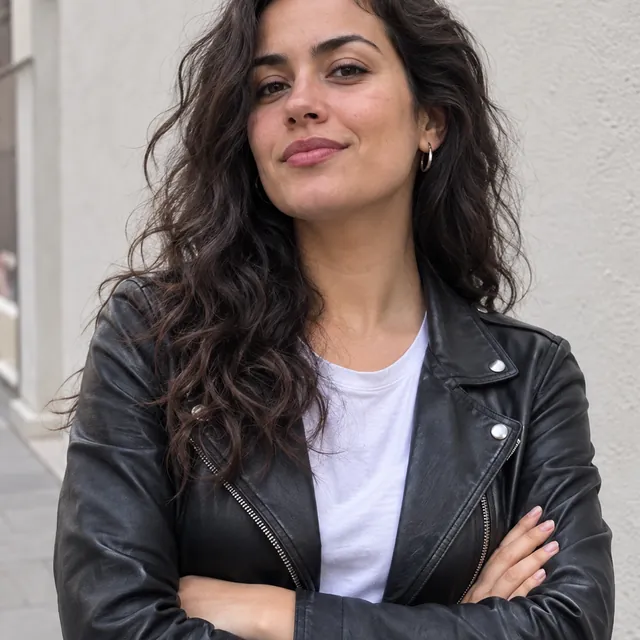
Example resultThe sample photo: a confident woman with arms crossedBefore
Drop your photoA confident pose: arms crossed, looking over a shoulder, leaning on something.
Your file
Your photo Upper body, strong pose helps
City mood
Game title
0 / 18
Layout
Cost – credits · ≈ 25 s

In short

What is a game cover art generator?

A game cover art generator creates box-art style artwork. Open World repaints your photo in the painted open-world style, places you in a city panel collage and sets your own game title on top, without using any real game’s branding.

Input
Photo
Output
Cover
Time
about 25 s
Cost
– credits

Box art anatomy

Five panels and a title. Yours, not a real game’s.

A game cover art generator works when the layout is right: you in the hero panel, a city that sets the mood, a couple of action panels and two bold words on top. Type your title, pick a city and a layout, and switch on the anatomy to see what each part does.
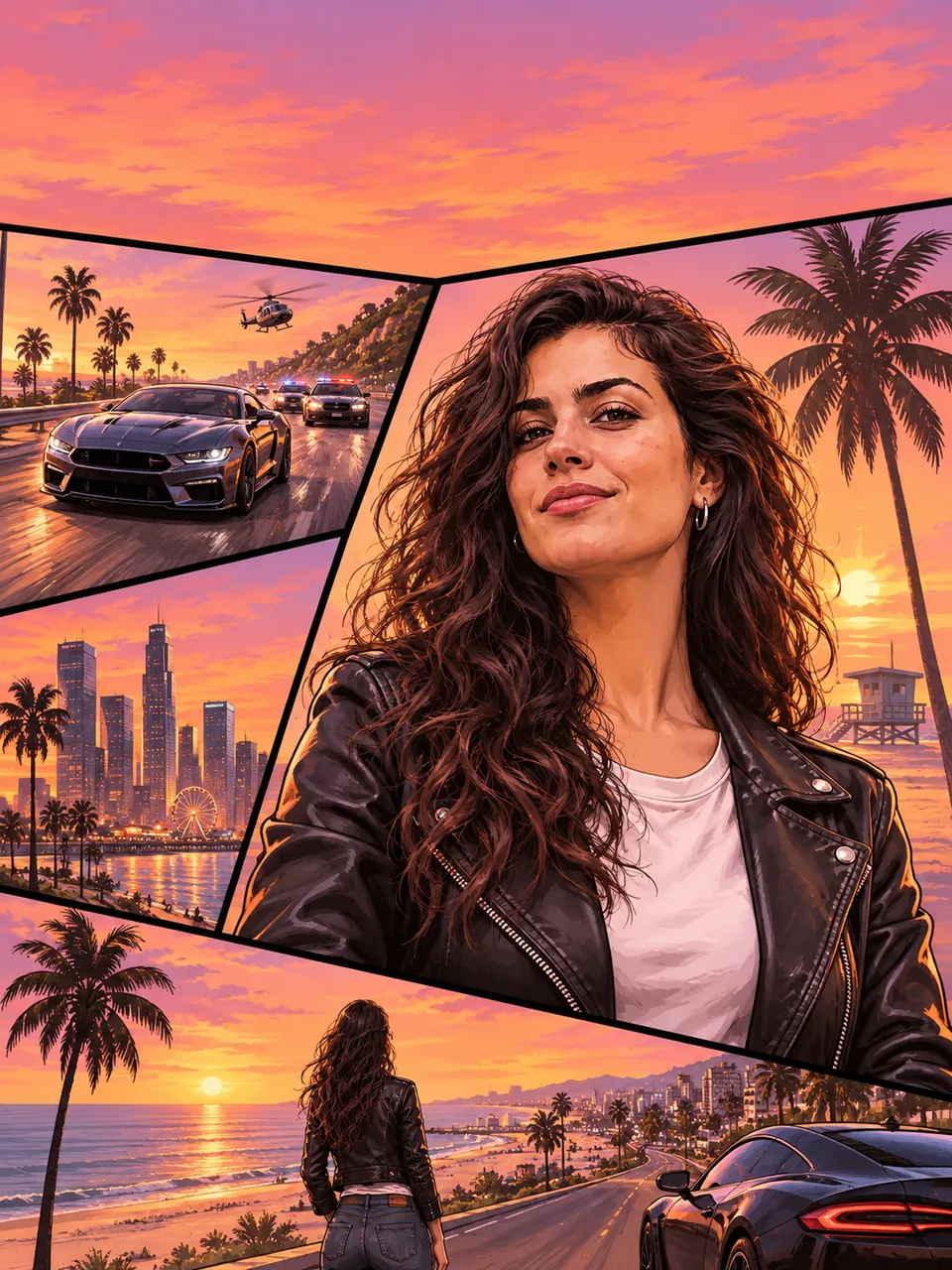
Your game coverCORAL DRIVE
City
Layout

How it works

Your face. Your box art.

rooftop-pose.jpg · 1536 × 2048✓ added
City mood
Sunset coastNeon nightDesert town
Layout
Panel collageSingle hero
✓ Done

The paint-over

Photo in. Box art out.

Open-world covers are painted, not photographed. Drag through five steps from a snapshot to an illustration that still looks like you.
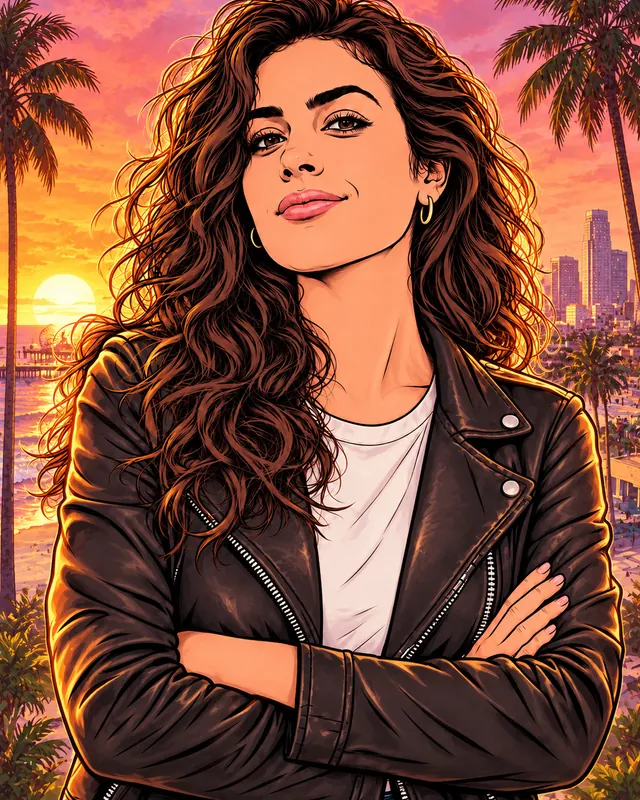
Step 5, Painted light: sunset sky, rim light and the coastal city behind
Step 5 of 5

Deep dive

How the game cover art generator paints you in

01

The painted look

Open-world box art is usually painted, not photographed: strong outlines, smooth shading, saturated light. Open World repaints your photo in that style, keeping your face and pose. The result reads like illustration, which is what makes it feel like a game cover instead of an edited photo.

02

Panels tell a story

The collage layout splits the cover into scenes: you in the hero panel, then a skyline, a car, a sunset street. The grid of thin black borders is the genre’s signature. Single hero drops the panels for one big, cinematic image when you want a poster instead.

03

The title does the rest

A short, bold title in condensed caps sits at the top, like a real case. Two words work best. Open World never adds publisher logos or age ratings, so the cover stays original and safe to share.

Ideas

Covers people actually share

Recipes

Settings that just work

Three game cover art generator recipes for the covers we see most. Tap one to load its city and layout into Open World at the top of the page.

Preview

Birthday gift

Sunset coastPanel collageTheir name as title

The most shared setup. Print it, frame it, done.
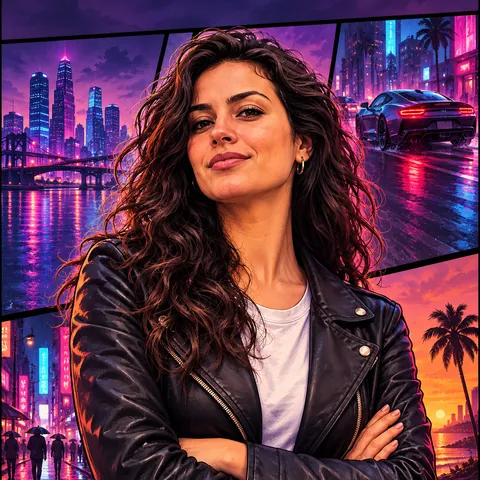
Preview

Mixtape cover

Neon nightSingle hero

Moody, cinematic, works as square art when cropped.
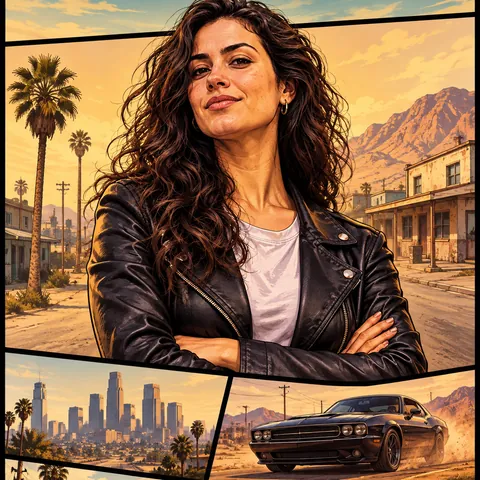
Preview

Road trip memory

Desert townPanel collage

Turn trip photos into the cover of your own adventure.

The honest comparison

By hand vs Open World

A painted cover by hand means commissioning an illustrator for the portrait, the panels and the lettering. The game cover art generator does all of it from one photo in about 25 seconds.

How many covers this month?10covers
130

By-hand time is a typical estimate of 10 h per cover.

By hand≈ 100 h
Open World≈ 4 min
Time saved 100 hCredits –
What it takesBy handOpen World
ArtistCommission a painted coverOne run
TimeOne to three weeksAbout 25 seconds
StyleDepends on the artistGenre-accurate painted look
ChangesPaid revisionsChange mood, run again
CostCommission fees– credits

Better results

A cover worth pre-ordering

Before you run · tick them off0 / 3
Ready. Good input in, good result out.
Skip
  • ✕Use real game titles, logos or rating badges.
  • ✕Put other people on the cover without asking.
  • ✕Expect real places or brands in the city.
Input 1 photoMoods 3Layouts Collage · heroOutput 3:4 cover, 2K

Plans

Open World is in every plan.

Starter

Fits you
–Open World covers / mo
1,000 credits / mo · – credits per cover
$19.90$14.99/ month, billed yearly
Get Starter

Studio

MOST POPULARFits you
–Open World covers / mo
2,600 credits / mo · – credits per cover
$61.90$30.83/ month, billed yearly
Get Studio

Omni Creator

BEST VALUEFits you
–Open World covers / mo
4,200 credits / mo · – credits per cover
$101.90$45.83/ month, billed yearly
Get Omni Creator
Failed run? Credits back automaticallyCommercial use on paid plansCancel anytime

FAQ

Questions about Open World

What does the game cover art generator make?

A painted, box-art style cover with you as the main character, set in an open-world city, with your own title. Open World does it from one photo.

Will it look like a specific game?

It follows the open-world genre: painted characters, sunset cities, panel collages. It never uses real titles, logos, characters or rating badges.

Can I add friends?

Open World is built around one lead: you, in the hero panel. A photo of one person makes the best cover.

How much does it cost?

The credits for a run are shown on the button before you start. If a run fails, nothing is charged and the credits go back to your balance.

Can I print it?

Yes. Download the 2K cover and print it as a poster or a fake game case insert.

Can I change the title after?

Not yet. The title is part of the finished cover. To change it, run Open World again with the new title.

What makes a good cover pose?

Arms crossed, looking over a shoulder, leaning on a car or a wall. Poses that feel like the character has somewhere to be.

Can I make a horizontal version?

Not yet. Open World makes a 3:4 cover, the shape of a game case.

Which photo works best?

A sharp, well-lit photo where your upper body is visible and you are doing something: leaning, walking, looking away. Static passport-style photos make flat covers.

Can I use Open World results commercially?

Yes. On paid plans the images you make are yours to use in ads, client work and products. Only upload material you own or have permission to use.

Who can see what I upload?

Only you. Uploads and results live in your private History, are never posted anywhere for you, and can be deleted at any time.

Will the game cover art generator copy a real game’s logo?

No. It uses the genre’s layout and painted style, but the title is always yours and no publisher logos, age ratings or real game names are added. That keeps the cover original and safe to print or share.

More Minnies

Keep the run going

All Minnies
Twelve WorldsYou as a character in twelve game genres.
Plush MeTurn anyone or anything into a plush toy.

Minnies · included in every plan

Pre-order yourself.

Box art starring you. Open World comes with every Creatide AI plan.
Print the cover See plans