Explore
  • VideoPopular
  • Image
  • Music
  • Story
  • Motion
  • Upscale
  • Lip Sync
  • MinniesNew
  • SubtitlesNew
  • Video ExtendNew
  • Video ProducerNew
  • Agent+Popular
  • Ad HubNew
  • TakeShiftNew
  • 3D HubNew
  • Viral
  • Effects
  • Born Elsewhere
Pricing-65%-65% OFFUpgrade-65%-65% OFF
Log inSign upSign Up Free

One idea.
Every model.
One finished creation.

The AI-native creative suite for video, image, music and ads.

Live support on TelegramChat with our team in real time

Create

  • Video
  • Image
  • Music
  • Story
  • Motion
  • Upscale
  • Lip Sync
  • MinniesNew
  • SubtitlesNew
  • Video ExtendNew
  • Video ProducerNew
  • Agent+
  • Ad HubNew
  • TakeShiftNew
  • 3D HubNew
  • Viral
  • Effects
  • Born Elsewhere

Features

  • AI Video Generator
  • AI Image Generator
  • AI Music Generator
  • 2× Duration
  • 8K Output
  • Director Mode
  • Photo Studio Mode
  • Composer Mode
  • Image to Video AI
  • Text to Video AI
  • Agent+

Video models

  • Seedance 2.5
  • Kling 4.0
  • Gemini Omni 1.2 Flash
  • Vidu Q4
  • MiniMax H3
  • PixVerse C1
  • Wan 3.0
  • Grok Video 1.5
  • FLUX.3 Video
  • MAGI-2
  • All video models

Image models

  • Seedream 5.5
  • Muse Image
  • GPT Image 2.6
  • Qwen Image 3.0
  • Kling Image 4.0
  • FLUX 3 Image
  • Nano Banana 2.1
  • Grok Image 2.0
  • Ideogram 4.5
  • Z-Image
  • MiniMax H3 Image
  • All image models

Resources

  • Runway Unlimited Extension: What Creators Need to Know
  • Suno Download Limits: What Creators Need to Know
  • FLUX 3 Video Pricing: What Creators Actually Pay Per Clip
  • What is SeeDance 2.0? ByteDance's AI Video Generator
  • Browse all articles
  • Help Center
  • Prompt Guide
  • Video Prompts
  • Image Prompts
  • Music & Sound Prompts

Company

  • About
  • Pricing
  • Contact
  • Trust Center
  • Brand kit
  • Affiliate program
  • Creator Partner Program

Free tools

  • Video Compressor
  • Trim, Cut & Merge
  • Slow Motion & Speed Ramp
  • Extract Audio or Mute
  • Frame Grabber
  • Video to Text
  • Text to Speech
  • Slowed + Reverb
  • Remove Image Background
  • Image Upscaler
  • Magic Eraser
  • Image to Prompt
  • Video to Prompt
  • AI Clip Stitcher
  • Seamless Loop Maker
  • Video Background Remover
  • Color Match
  • Voice Cleaner
  • Start Frame Prep
  • All free tools

Compare

  • vs Higgsfield
  • vs Runway
  • vs Pika
  • vs Krea
  • vs Freepik AI
  • vs Leonardo AI
  • vs OpenArt
  • vs Kling AI
  • vs Artlist
  • vs BytePlus
  • vs Canva
  • vs ElevenLabs
  • vs Grok Imagine
  • vs InVideo
  • vs Picsart
  • X / Twitter
  • YouTube
  • Instagram
  • TikTok
  • Telegram
  • Facebook

All systems normal

  • Terms
  • Privacy
  • Cookie policy
  • Content policy
  • Refund policy
  • DMCA

© 2026 AIVid, LLC. All rights reserved.

  1. Creatide.ai
  2. /
  3. Minnies
  4. /
  5. Studio Headshot

Studio HeadshotAI headshot generator · studio quality from a selfie

A casual selfie in, a studio headshot out. Clean backdrop, flattering light, sharp wardrobe, still unmistakably you.
MinnieSelfie → 4 headshots≈ 35 s– credits
Example resultBefore
Drop a selfieDaylight, face the camera, no sunglasses. Phone photos are perfect.
Your file
Your selfie Face the camera, shoulders in frame
Backdrop
Wardrobe
Crop
Cost – credits · ≈ 35 s
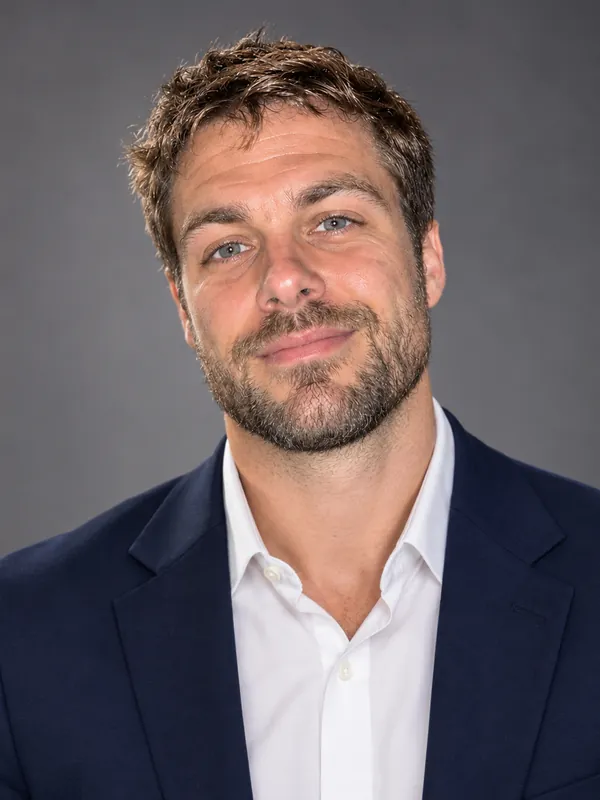
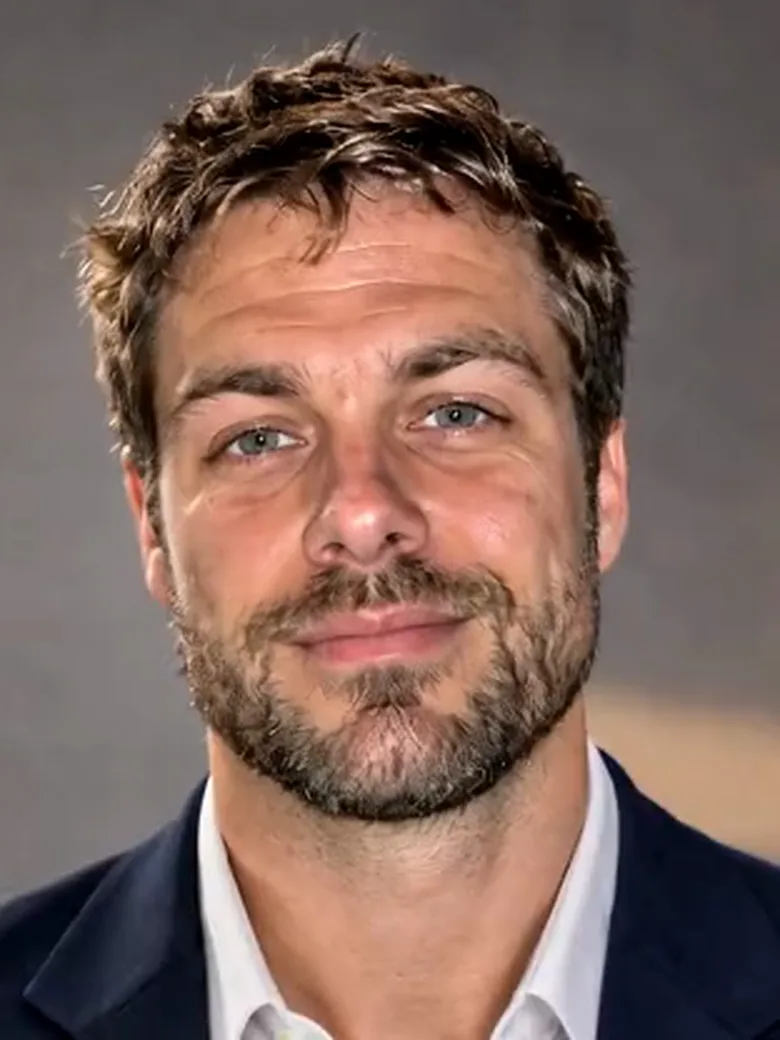
A studio headshot of a man in a navy blazer and white shirt on a grey backdrop
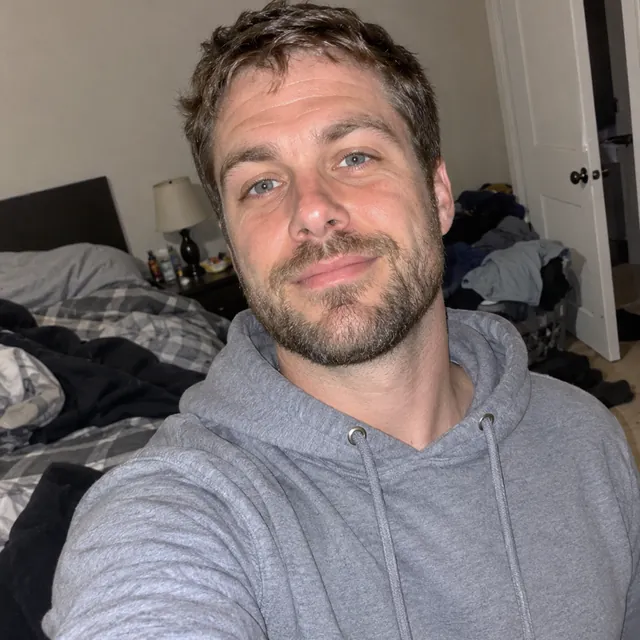
The sample selfie: a man in a grey hoodie taken at arm's length in a bedroom

In short

What is an AI headshot generator?

An AI headshot generator turns an everyday photo into a professional portrait. Studio Headshot keeps your facial features as they are, adds studio light, a clean backdrop and sharp wardrobe, and returns four takes cropped for profiles, CVs or websites.

Input
Selfie
Output
4 headshots
Time
about 35 s
Cost
– credits

The matrix

Four backdrops, three wardrobes, one face.

An AI headshot generator should change everything around you and nothing about you. Pick a cell to see the take, then the crop for where it will live. The face, the smile and the features are the same in all twelve.
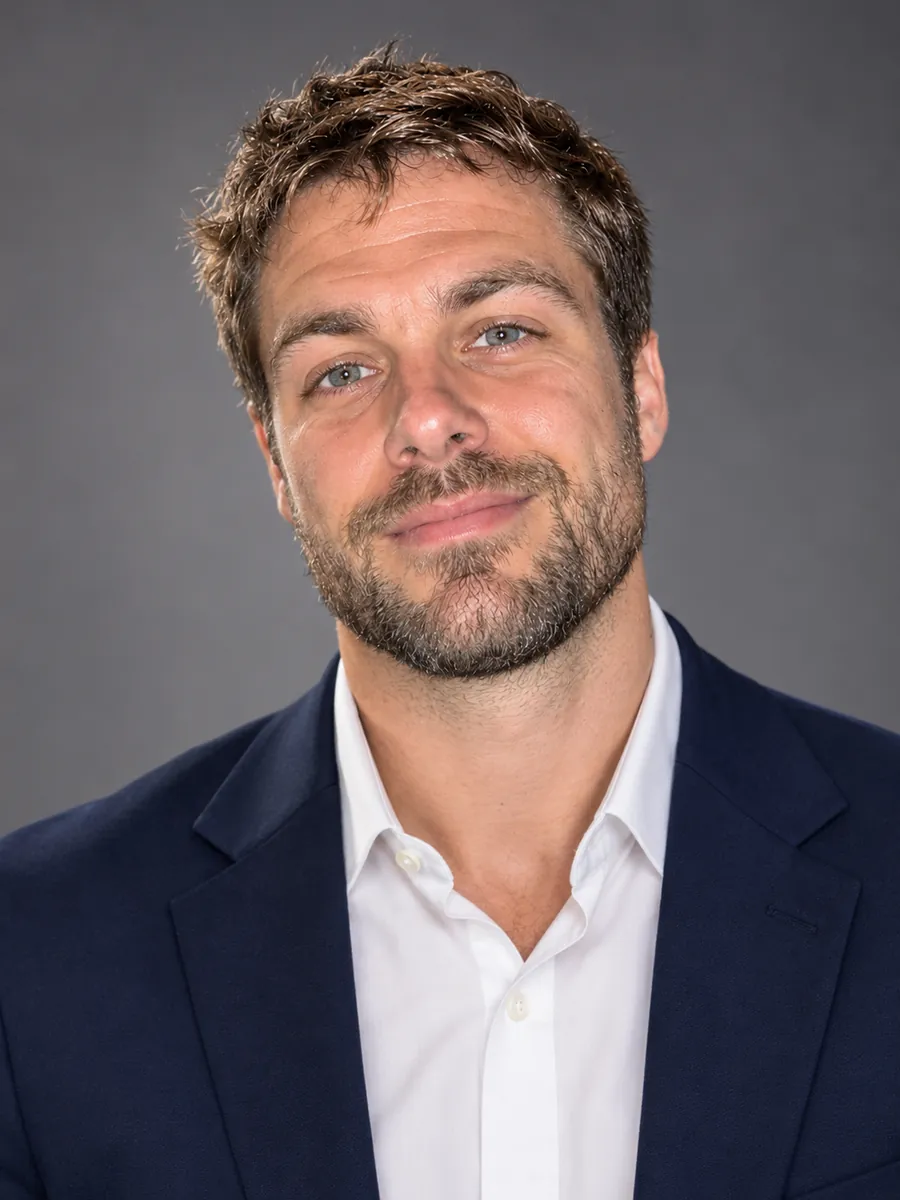
BlazerShirtKnit
Studio greyClean whiteOffice blurDeep navy
Headshot preview: Studio grey · BlazerStudio grey · Blazer

How it works

From selfie to studio in 35 seconds

garden-selfie.jpg · 3024 × 4032✓ added
Backdrop
Studio greyClean whiteOffice blurDeep navy
Wardrobe
BlazerShirtKnitKeep mine
✓ Done

Selfie to studio

Four things change. You do not.

Switch each step on to see what Studio Headshot actually does to a casual selfie. It is the same four jobs a photographer, a stylist and a retoucher would do, in about 35 seconds.
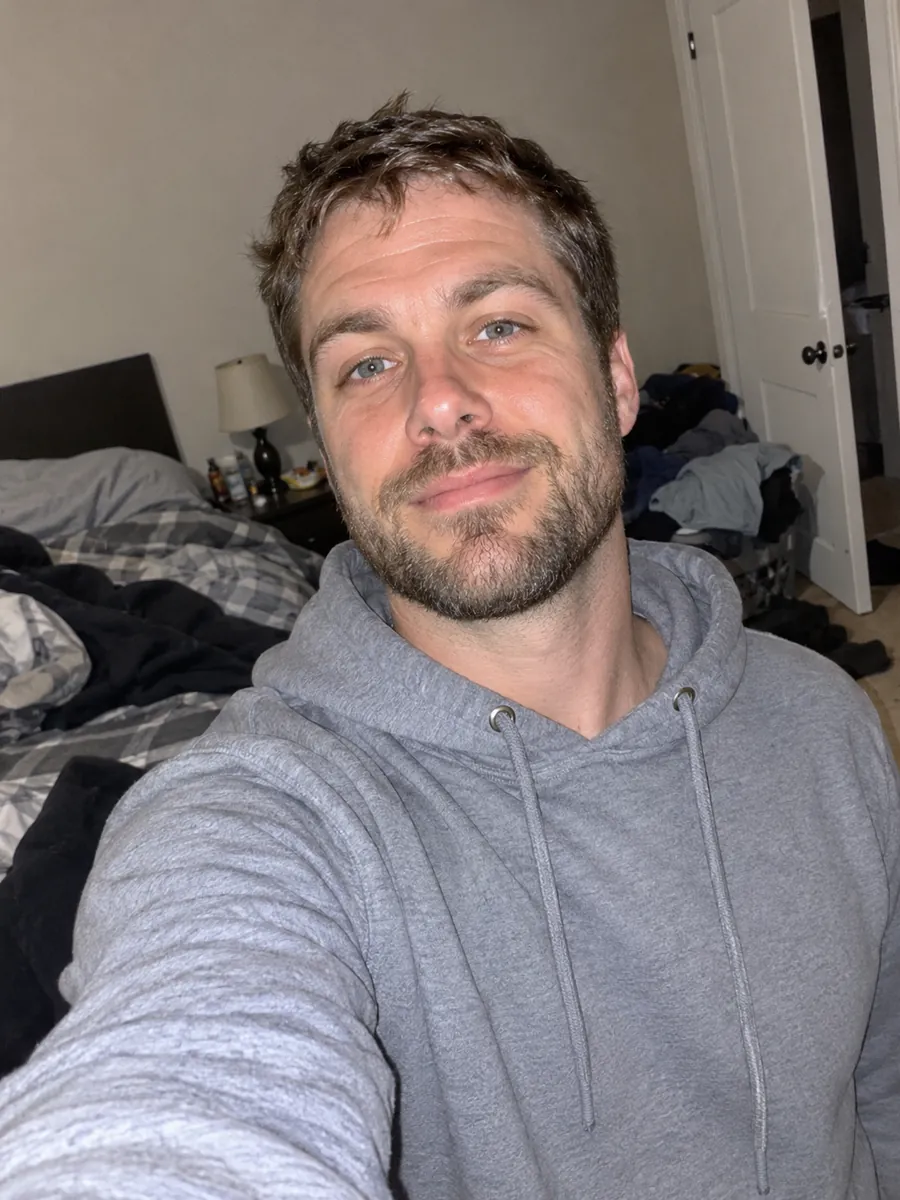
Selfie being turned into a studio headshot

Deep dive

Inside the AI headshot generator

01

Identity first

Your face proportions, eye shape, skin tone and hairline stay the same in every take. That is why the takes vary in light and pose but never drift into someone who looks like your cousin.

02

The studio is simulated

The look of a headshot studio comes from three things: a large soft key light, a subtle fill and a clean backdrop with gentle falloff. Studio Headshot rebuilds that setup around you. The light wraps your face the way a big softbox would, and the backdrop gets the slight vignette photographers add.

03

Crops for real places

Profile photos show as circles, so 1:1 keeps your face centred with room around it. CVs use a 3:4 frame with shoulders visible. Website team pages usually want 4:5 with a little more body. Picking the crop up front saves you from awkward re-cropping later.

Ideas

Where your headshot works

Recipes

Settings that just work

Three AI headshot generator recipes for the places people need a photo most. Tap one to load its backdrop, wardrobe and crop into Studio Headshot at the top of the page, with a sample selfie ready.

Preview

LinkedIn classic

Studio greyBlazerProfile 1:1

The safe, professional default. Works for almost any industry and reads well at thumbnail size.
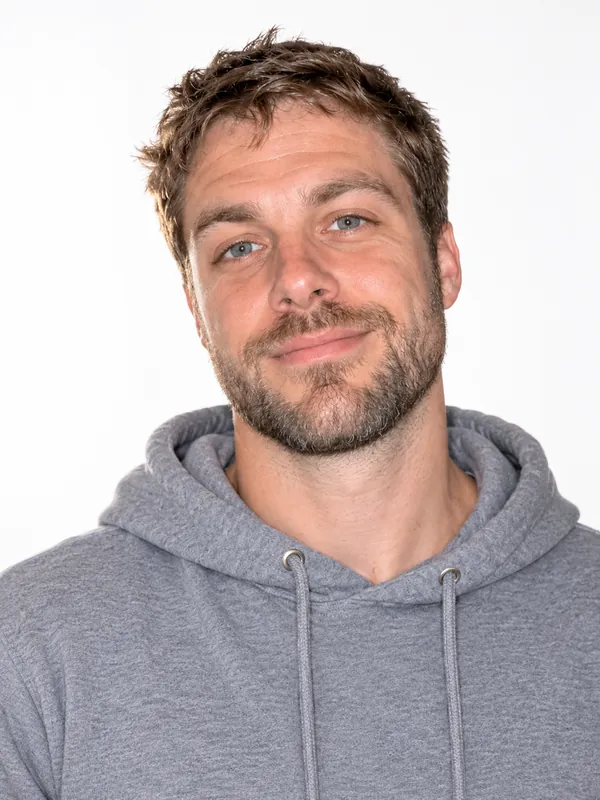
Preview

Startup team page

Clean whiteKeep mineWebsite 4:5

Relaxed and consistent. Everyone keeps their own outfit, the backdrop ties the page together.
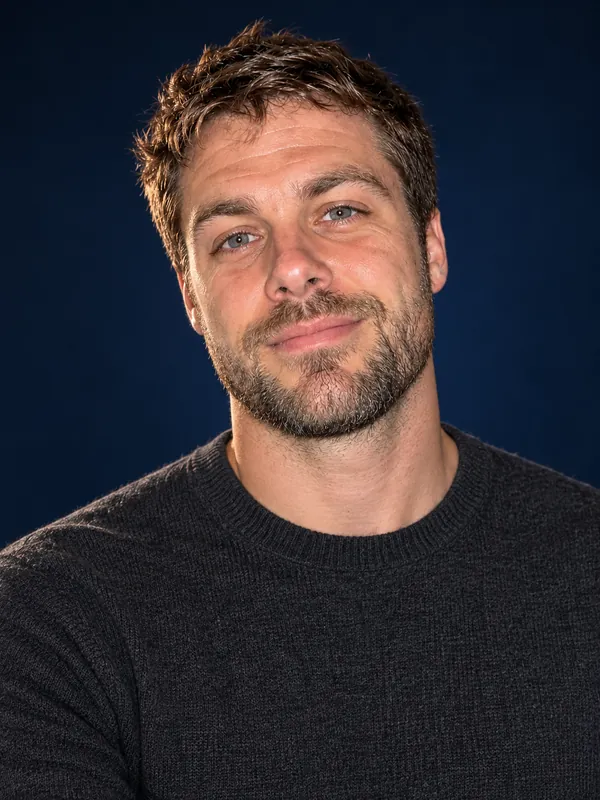
Preview

Creative director

Deep navyKnitCV 3:4

Darker, warmer, more personality. Good for creative roles and speaker bios.

The honest comparison

By hand vs Studio Headshot

A studio headshot means booking a photographer, travelling, sitting and waiting for edits. The AI headshot generator returns four takes from a selfie in about 35 seconds.

How many headshot sessions this month?10headshot sessions
150

By-hand time is a typical estimate of 2 h per headshot session.

By hand≈ 20 h
Studio Headshot≈ 6 min
Time saved 20 hCredits –
What it takesBy handStudio Headshot
CostPhotographer session fee– credits
TimeBooking, travel, a week for editsAbout 35 seconds
ConsistencyDifferent studios, different looksSame settings for the whole team
RetakesBook againRun again
Remote staffTravel or mismatched photosEveryone uploads a selfie

Better results

Headshots that still look like you

Before you run · tick them off0 / 3
Ready. Good input in, good result out.
Skip
  • ✕Upload group photos or photos with sunglasses.
  • ✕Use beauty-filtered selfies. The filter gets locked in.
  • ✕Make headshots of colleagues without asking them.
Input 1 selfieTakes 4 per runCrops 1:1 · 3:4 · 4:5Output Up to 2K

Plans

Studio Headshot is in every plan.

Starter

Fits you
–Studio Headshot sessions / mo
1,000 credits / mo · – credits per session
$19.90$14.99/ month, billed yearly
Get Starter

Studio

MOST POPULARFits you
–Studio Headshot sessions / mo
2,600 credits / mo · – credits per session
$61.90$30.83/ month, billed yearly
Get Studio

Omni Creator

BEST VALUEFits you
–Studio Headshot sessions / mo
4,200 credits / mo · – credits per session
$101.90$45.83/ month, billed yearly
Get Omni Creator
Failed run? Credits back automaticallyCommercial use on paid plansCancel anytime

FAQ

Questions about Studio Headshot

How realistic is the AI headshot generator?

Your facial features stay the same in every take; only the light, backdrop, wardrobe and framing change. The goal is a photo your colleagues recognise instantly, not a model version of you.

Do I need to upload many photos?

No. One good selfie is enough. Some headshot tools ask for 15 photos to train a model; Studio Headshot works per photo and returns results in about 35 seconds.

Can a company make headshots for the whole team?

Yes. Each person uploads their own selfie with the same backdrop and wardrobe settings, and the team page finally matches.

How much does it cost?

The credits for four takes are shown on the button before you start.

Can I use it for passport or ID photos?

No. Official photos must be unedited camera photos. Use Studio Headshot for professional profiles, not documents.

What makes a good selfie for this?

Soft daylight from a window in front of you, the phone at eye level and about an arm’s length away, a neutral expression or a small smile, and nothing covering your face. Glasses are fine if they do not reflect the light.

Can I use Studio Headshot results commercially?

Yes. On paid plans the images you make are yours to use in ads, client work and products. Only upload material you own or have permission to use.

Who can see what I upload?

Only you. Uploads and results live in your private History, are never posted anywhere for you, and can be deleted at any time.

Will the AI headshot generator change my face?

No. Your facial features stay the same in every take; only the light, backdrop, wardrobe and crop change around them. If a take does not look like you, run it again: it costs the same credits and you keep the best one.

More Minnies

Keep the run going

All Minnies
Cast SwapPut your character into any scene.
Twelve WorldsYou as a character in twelve game genres.

Minnies · included in every plan

Look hired already.

Studio headshots from one selfie. Studio Headshot comes with every Creatide AI plan.
Make my headshots See plans