Explore
  • VideoPopular
  • Image
  • Music
  • Story
  • Motion
  • Upscale
  • Lip Sync
  • MinniesNew
  • SubtitlesNew
  • Video ExtendNew
  • Video ProducerNew
  • Agent+Popular
  • Ad HubNew
  • TakeShiftNew
  • 3D HubNew
  • Viral
  • Viral Clipper
  • Effects
  • Born Elsewhere
Pricing-65%-65% OFFUpgrade-65%-65% OFF
Log inSign upSign Up Free
-65%-65% OFF
-65%-65% OFF
Explore
  • VideoPopular
  • Image
  • Music
  • Story
  • Motion
  • Upscale
  • Lip Sync
  • MinniesNew
  • SubtitlesNew
  • Video ExtendNew
  • Video ProducerNew
  • Agent+Popular
  • Ad HubNew
  • TakeShiftNew
  • 3D HubNew
  • Viral
  • Effects
  • Born Elsewhere

One idea.
Every model.
One finished creation.

The AI-native creative suite for video, image, music and ads.

Live support on TelegramChat with our team in real time

Create

  • Video
  • Image
  • Music
  • Story
  • Motion
  • Upscale
  • Lip Sync
  • MinniesNew
  • SubtitlesNew
  • Video ExtendNew
  • Video ProducerNew
  • Agent+
  • Ad HubNew
  • TakeShiftNew
  • 3D HubNew
  • Viral
  • Effects
  • Born Elsewhere

Features

  • AI Video Generator
  • AI Image Generator
  • AI Music Generator
  • 2× Duration
  • 8K Output
  • Director Mode
  • Photo Studio Mode
  • Composer Mode
  • Image to Video AI
  • Text to Video AI
  • Agent+

Video models

  • Seedance 2.5
  • Kling 4.0
  • Gemini Omni 1.2 Flash
  • Vidu Q4
  • MiniMax H3
  • PixVerse C1
  • Wan 3.0
  • Grok Video 1.5
  • FLUX.3 Video
  • MAGI-2
  • All video models

Image models

  • Seedream 5.5
  • Muse Image
  • GPT Image 2.6
  • Qwen Image 3.0
  • Kling Image 4.0
  • FLUX 3 Image
  • Nano Banana 2.1
  • Grok Image 2.0
  • Ideogram 4.5
  • Z-Image
  • MiniMax H3 Image
  • All image models

Resources

  • Runway Unlimited Extension: What Creators Need to Know
  • Suno Download Limits: What Creators Need to Know
  • FLUX 3 Video Pricing: What Creators Actually Pay Per Clip
  • What is SeeDance 2.0? ByteDance's AI Video Generator
  • Browse all articles
  • Help Center
  • Prompt Guide
  • Video Prompts
  • Image Prompts
  • Music & Sound Prompts

Company

  • About
  • Pricing
  • Contact
  • Trust Center
  • Brand kit
  • Affiliate program
  • Creator Partner Program

Free tools

  • Video Compressor
  • Trim, Cut & Merge
  • Slow Motion & Speed Ramp
  • Extract Audio or Mute
  • Frame Grabber
  • Video to Text
  • Text to Speech
  • Slowed + Reverb
  • X / Twitter
  • YouTube
  • Instagram
  • TikTok
  • Telegram
  • Facebook

All systems normal

  • Terms
  • Privacy
  • Cookie policy
  • Content policy
  • Refund policy
  • DMCA

© 2026 AIVid, LLC. All rights reserved.

  • Remove Image Background
  • Image Upscaler
  • Magic Eraser
  • Image to Prompt
  • Video to Prompt
  • AI Clip Stitcher
  • Seamless Loop Maker
  • Video Background Remover
  • Color Match
  • Voice Cleaner
  • Start Frame Prep
  • All free tools
  • Compare

    • vs Higgsfield
    • vs Runway
    • vs Pika
    • vs Krea
    • vs Freepik AI
    • vs Leonardo AI
    • vs OpenArt
    • vs Kling AI
    • vs Artlist
    • vs BytePlus
    • vs Canva
    • vs ElevenLabs
    • vs Grok Imagine
    • vs InVideo
    • vs Picsart
    1. Creatide.ai
    2. /
    3. Minnies
    4. /
    5. Cast Swap

    Cast SwapAI character swap · your character, any scene

    Take a scene you love and recast it. Your character steps into the pose, the light and the shadows of the original.
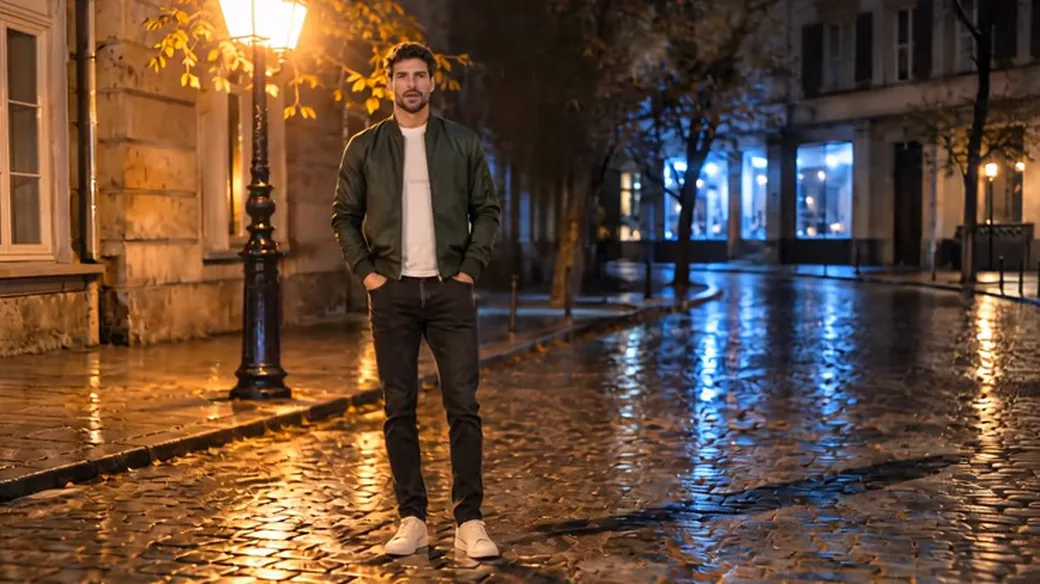
    MinnieScene + character → Image≈ 25 s– credits
    A man in a green bomber jacket standing under a street lamp on a wet night street, in the place of the original woman
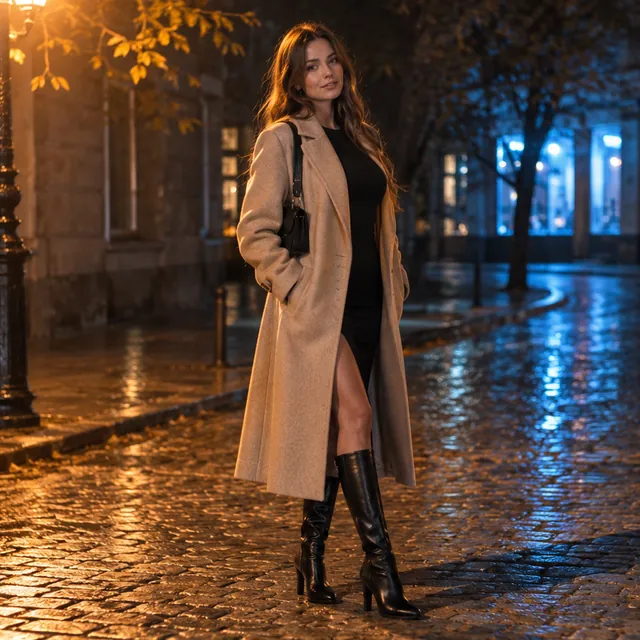
    Example resultThe sample scene: a woman in a beige coat under a street lamp on a wet night streetBefore
    Drop the sceneThen add your character. Stills from films, games or your own shoots work.
    Your file
    Scene A shot with one person to replace
    Your character Full body or portrait, clear outfit
    Keep from the scene
    Style
    Cost – credits · ≈ 25 s

    In short

    What is an AI character swap?

    AI character swap replaces the person in a scene with a different character. Cast Swap keeps the scene’s pose, scale, light and shadows, so your character looks like they were there when the image was made.

    Input
    Scene + character
    Output
    Image
    Time
    about 25 s
    Cost
    – credits

    Recast it

    Same street, same lamp, new lead.

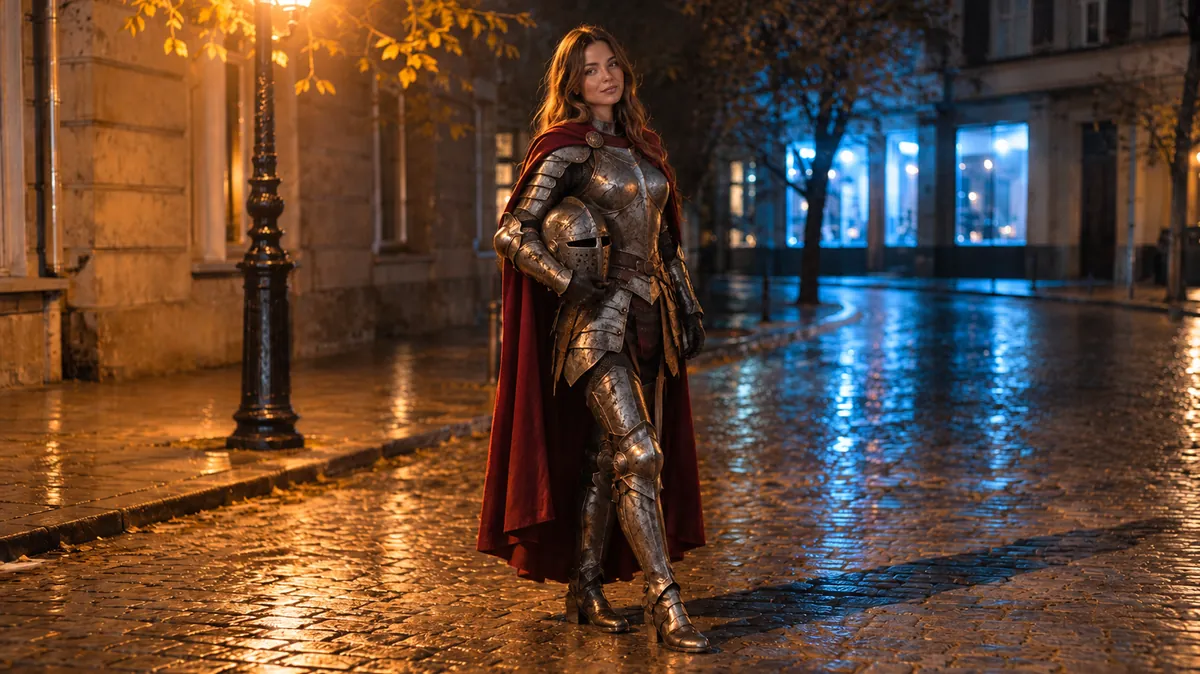
    AI character swap keeps the scene and changes who is in it. Pick a character and watch them step into the woman’s place under the street lamp: same pose, same height in frame, same orange light on one side and the same long shadow on the wet road.
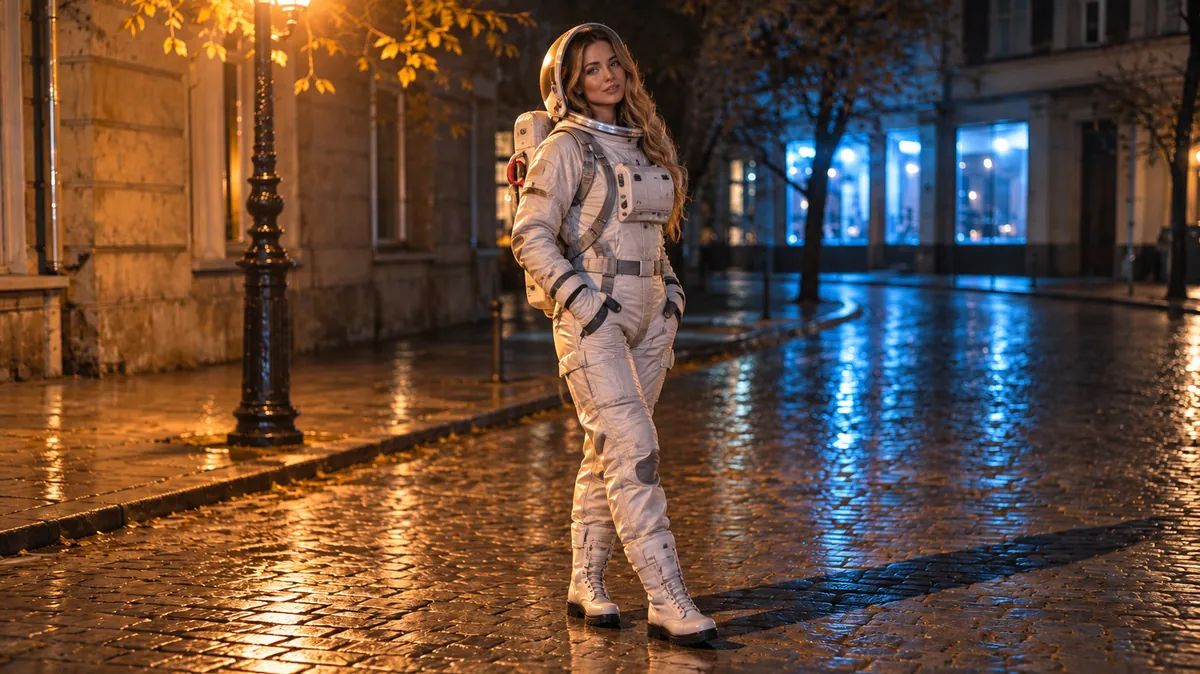
    Night street scene with the recast character
    Keep from the scene
    • Posematched
    • Scalematched
    • Lightmatched
    • Shadowmatched
    • Grainmatched
    • Outfitfrom the character

    How it works

    Same scene, new lead

    night-street.jpg · 1920 × 1080✓ added
    Keep from the scene
    PosePose + clothesOnly the place
    Style
    Match the sceneMatch my character
    ✓ Done

    The continuity check

    Break one thing and the recast falls apart.

    Script supervisors check continuity between shots. An AI character swap has to check it inside one frame. Break each rule below to see why Cast Swap matches it before it hands you the image.

    Light exampleMatched
    Light

    Light comes from the lamp, like everything else.

    Scale exampleMatched
    Scale

    Height in frame matches the person who was there.

    Shadow exampleMatched
    Shadow

    Shadow and reflection land on the wet road.

    Grain exampleMatched
    Grain

    Same grain and softness as the rest of the frame.

    Deep dive

    How AI character swap keeps a scene believable

    01

    Pose and depth come first

    Cast Swap reads where the original person stands in 3D: how far from the camera, how the body turns, where the feet touch the ground. Your character is placed into that exact space, which keeps scale right. A character that floats or is the wrong size is the first thing viewers notice.

    02

    Light belongs to the scene

    Once your character is in place, the scene’s light is applied to them. A street lamp from the left lights the left cheek; a neon sign tints the jacket. With Recast shadows on, a new shadow falls on the ground and in reflections, matching the shape of your character instead of the old one.

    03

    Consistency across many images

    Use the same character reference every time and your hero stays recognisable across a whole comic, campaign or storyboard. Keep the same reference file and reuse it. Changing references mid-project is the fastest way to lose consistency.

    Ideas

    Consistent characters, endless scenes

    Recipes

    Settings that just work

    Three AI character swap recipes for the projects people bring most. Tap one to load what to keep and which style to match into Cast Swap at the top of the page, with sample images ready.
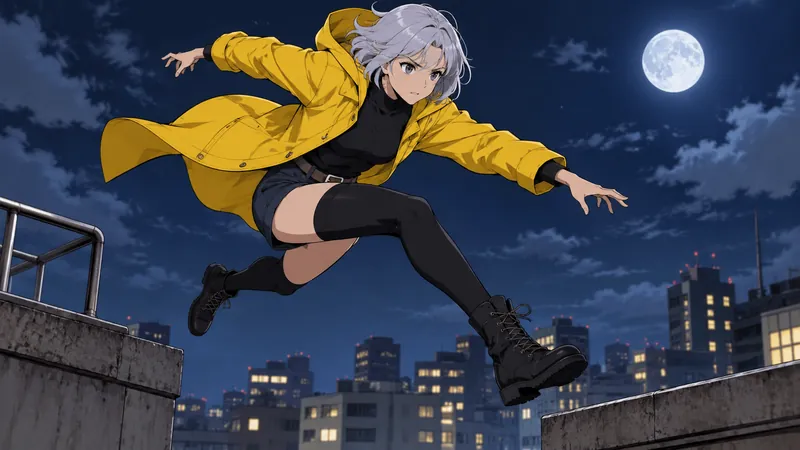
    Preview

    Comic panel

    PoseMatch my character

    Borrow a dynamic pose from a reference image and keep your illustrated style. Great for action panels.
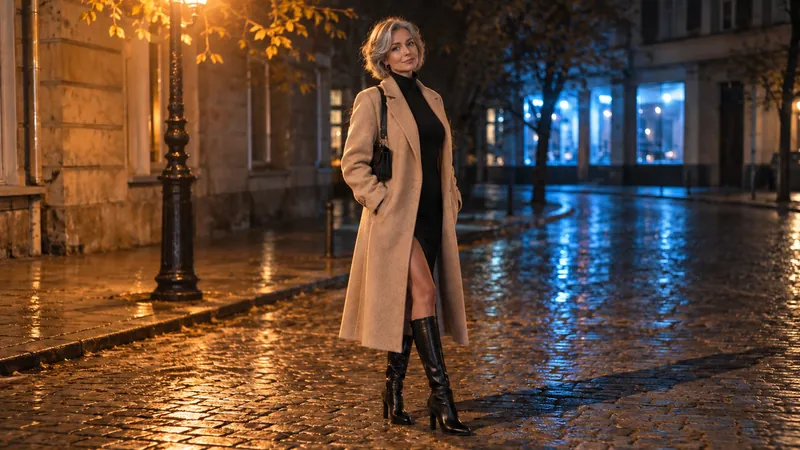
    Preview

    Film still recast

    Pose + clothesMatch the sceneShadows on

    Your actor in a cinematic reference frame, lit and dressed like the original. Perfect for pitch decks.
    Preview

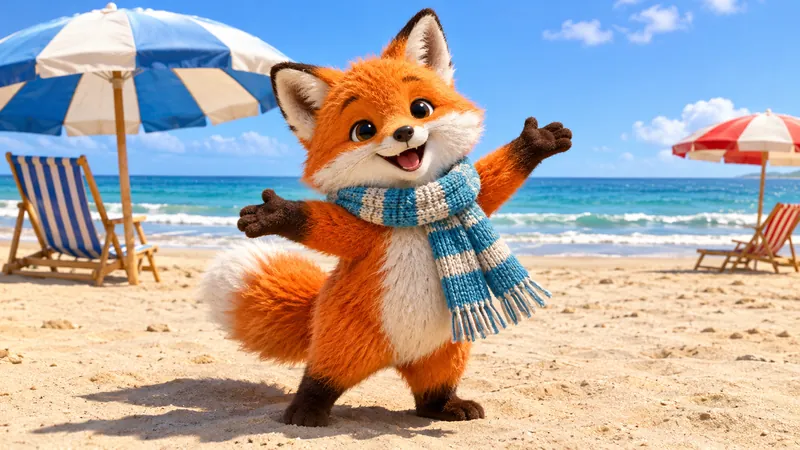
    Mascot season

    Only the placeMatch my character

    Keep the setting and invent a new pose for the mascot. One mascot, twelve seasonal scenes.

    The honest comparison

    By hand vs Cast Swap

    Recasting a scene by hand means painting the new character in, matching the light, drawing the shadows and adding grain. AI character swap does it in about 25 seconds.

    How many recasts this month?10recasts
    160

    By-hand time is a typical estimate of 3 h per recast.

    By hand≈ 30 h
    Cast Swap≈ 4 min
    Time saved 30 hCredits –
    What it takesBy handCast Swap
    MethodCut out, paste, paint shadowsOne run
    Time1–3 hours per sceneAbout 25 seconds
    Light matchBy eyeRead from the scene
    ConsistencyDepends on the artist’s daySame reference, same character
    CostIllustrator rates– credits

    Better results

    A recast that belongs in the scene

    Before you run · tick them off0 / 3
    Ready. Good input in, good result out.
    Skip
    • ✕Use real people as the character without permission.
    • ✕Pick scenes where the person is tiny or half hidden.
    • ✕Mix a photo scene with a sketchy character and expect photoreal.
    Inputs Scene + characterPeople 1 per runOutput Up to 2KResult 1 image per run

    Plans

    Cast Swap is in every plan.

    Starter

    Fits you
    –Cast Swap recasts / mo
    1,000 credits / mo · – credits per recast
    $19.90$14.99/ month, billed yearly
    Get Starter

    Studio

    MOST POPULARFits you
    –Cast Swap recasts / mo
    2,600 credits / mo · – credits per recast
    $61.90$30.83/ month, billed yearly
    Get Studio

    Omni Creator

    BEST VALUEFits you
    –Cast Swap recasts / mo
    4,200 credits / mo · – credits per recast
    $101.90$45.83/ month, billed yearly
    Get Omni Creator
    Failed run? Credits back automaticallyCommercial use on paid plansCancel anytime

    FAQ

    Questions about Cast Swap

    What is an AI character swap?

    It replaces the person in a scene with a different character while keeping the scene: pose, framing, light and shadows. Cast Swap is built for keeping one character consistent across many images.

    Can my character be illustrated?

    Yes. Choose Match my character to keep the illustration style, or Match the scene to render your character in the scene’s style.

    Can I use a real person as the character?

    Only yourself, or someone who agreed. Public figures are blocked.

    How much does it cost?

    The credits for a run are shown on the button before you start. If a run fails, nothing is charged and the credits go back to your balance.

    Does the original clothing carry over?

    Pick Pose + clothes to keep the outfit from the scene, or Pose to dress the character in their own outfit.

    Can I recast video?

    Cast Swap works on still images. Recast a key frame, then animate it with Image to Video.

    Why does my character look too small or too big?

    Cast Swap matches the size of the person it replaces. If the proportions look off, pick a scene where the original person is a similar build to your character.

    Can I use Cast Swap results commercially?

    Yes. On paid plans the images you make are yours to use in ads, client work and products. Only upload material you own or have permission to use.

    Who can see what I upload?

    Only you. Uploads and results live in your private History, are never posted anywhere for you, and can be deleted at any time.

    What is the difference between AI character swap and face swap?

    Face swap changes only the face. AI character swap replaces the whole person, body, outfit and all, with a different character, while keeping the scene’s pose, scale, light and shadows.

    More Minnies

    Keep the run going

    All Minnies
    Studio HeadshotTurn a selfie into a studio headshot.
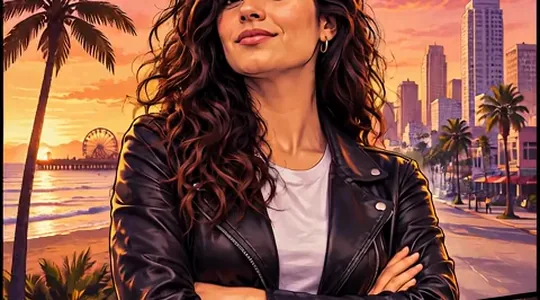
    Open WorldStar on the cover of a game that does not exist.
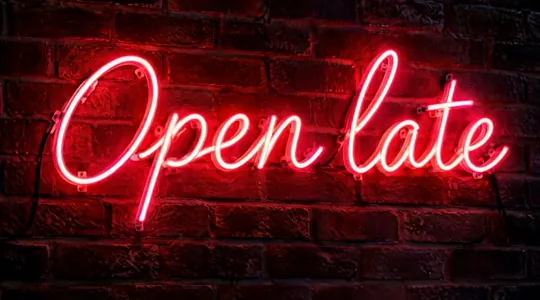
    Sign MakerYour words on a neon, chalk or wood sign.

    Minnies · included in every plan

    Your character. Every scene.

    Recast any image in 25 seconds. Cast Swap comes with every Creatide AI plan.
    Recast the scene See plans