Explore
  • VideoPopular
  • Image
  • Music
  • Story
  • Motion
  • Upscale
  • Lip Sync
  • MinniesNew
  • SubtitlesNew
  • Video ExtendNew
  • Video ProducerNew
  • Agent+Popular
  • Ad HubNew
  • TakeShiftNew
  • 3D HubNew
  • Viral
  • Effects
  • Born Elsewhere
Pricing-65%-65% OFFUpgrade-65%-65% OFF
Log inSign upSign Up Free

One idea.
Every model.
One finished creation.

The AI-native creative suite for video, image, music and ads.

Live support on TelegramChat with our team in real time

Create

  • Video
  • Image
  • Music
  • Story
  • Motion
  • Upscale
  • Lip Sync
  • MinniesNew
  • SubtitlesNew
  • Video ExtendNew
  • Video ProducerNew
  • Agent+
  • Ad HubNew
  • TakeShiftNew
  • 3D HubNew
  • Viral
  • Effects
  • Born Elsewhere

Features

  • AI Video Generator
  • AI Image Generator
  • AI Music Generator
  • 2× Duration
  • 8K Output
  • Director Mode
  • Photo Studio Mode
  • Composer Mode
  • Image to Video AI
  • Text to Video AI
  • Agent+

Video models

  • Seedance 2.5
  • Kling 4.0
  • Gemini Omni 1.2 Flash
  • Vidu Q4
  • MiniMax H3
  • PixVerse C1
  • Wan 3.0
  • Grok Video 1.5
  • FLUX.3 Video
  • MAGI-2
  • All video models

Image models

  • Seedream 5.5
  • Muse Image
  • GPT Image 2.6
  • Qwen Image 3.0
  • Kling Image 4.0
  • FLUX 3 Image
  • Nano Banana 2.1
  • Grok Image 2.0
  • Ideogram 4.5
  • Z-Image
  • MiniMax H3 Image
  • All image models

Resources

  • Runway Unlimited Extension: What Creators Need to Know
  • Suno Download Limits: What Creators Need to Know
  • FLUX 3 Video Pricing: What Creators Actually Pay Per Clip
  • What is SeeDance 2.0? ByteDance's AI Video Generator
  • Browse all articles
  • Help Center
  • Prompt Guide
  • Video Prompts
  • Image Prompts
  • Music & Sound Prompts

Company

  • About
  • Pricing
  • Contact
  • Trust Center
  • Brand kit
  • Affiliate program
  • Creator Partner Program

Free tools

  • Video Compressor
  • Trim, Cut & Merge
  • Slow Motion & Speed Ramp
  • Extract Audio or Mute
  • Frame Grabber
  • Video to Text
  • Text to Speech
  • Slowed + Reverb
  • Remove Image Background
  • Image Upscaler
  • Magic Eraser
  • Image to Prompt
  • Video to Prompt
  • AI Clip Stitcher
  • Seamless Loop Maker
  • Video Background Remover
  • Color Match
  • Voice Cleaner
  • Start Frame Prep
  • All free tools

Compare

  • vs Higgsfield
  • vs Runway
  • vs Pika
  • vs Krea
  • vs Freepik AI
  • vs Leonardo AI
  • vs OpenArt
  • vs Kling AI
  • vs Artlist
  • vs BytePlus
  • vs Canva
  • vs ElevenLabs
  • vs Grok Imagine
  • vs InVideo
  • vs Picsart
  • X / Twitter
  • YouTube
  • Instagram
  • TikTok
  • Telegram
  • Facebook

All systems normal

  • Terms
  • Privacy
  • Cookie policy
  • Content policy
  • Refund policy
  • DMCA

© 2026 AIVid, LLC. All rights reserved.

  1. Creatide.ai
  2. /
  3. Minnies
  4. /
  5. Teardown

TeardownAI exploded view animation · every part, floating

Upload a product. Teardown pulls it apart in mid-air, layer by layer. The engineering-ad look in one run.
MinnieProduct photo → Video≈ 70 s– credits
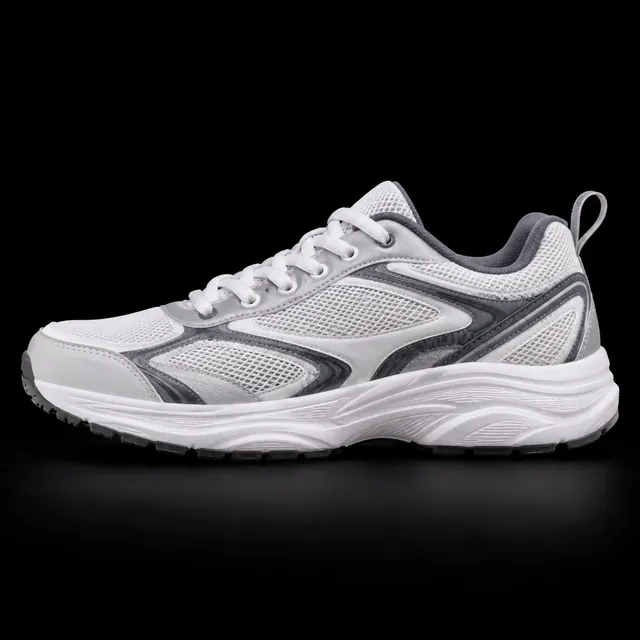
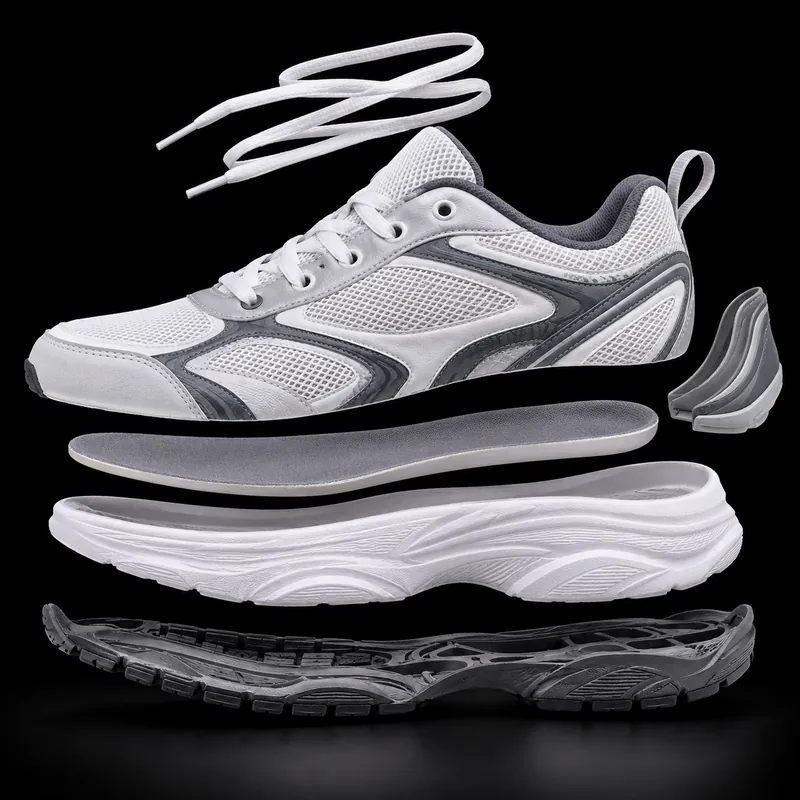
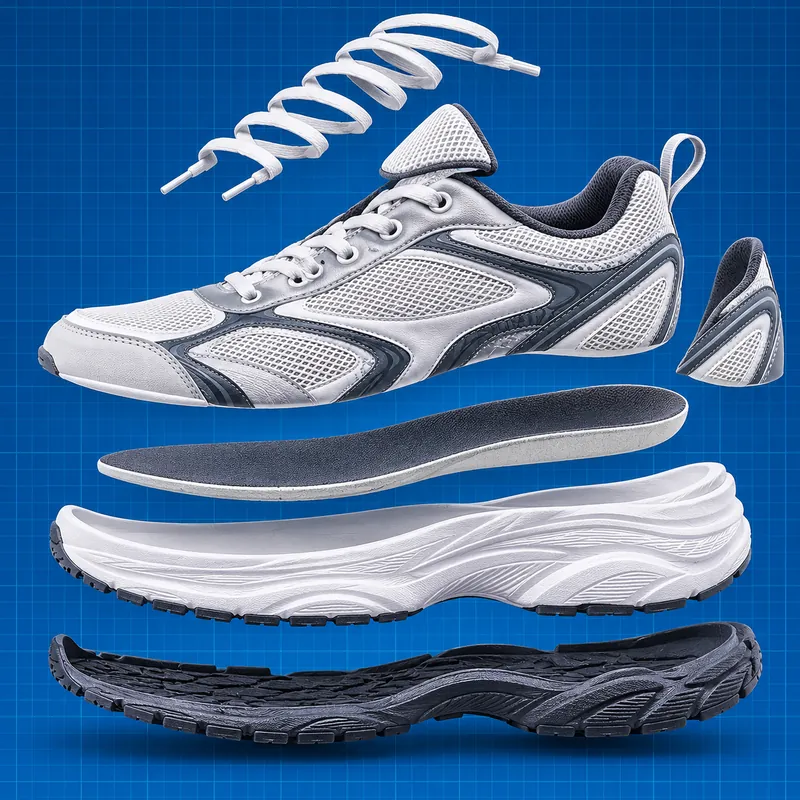
A white and grey running sneaker pulled apart in mid-air, every layer floating in order on a black studio backdrop
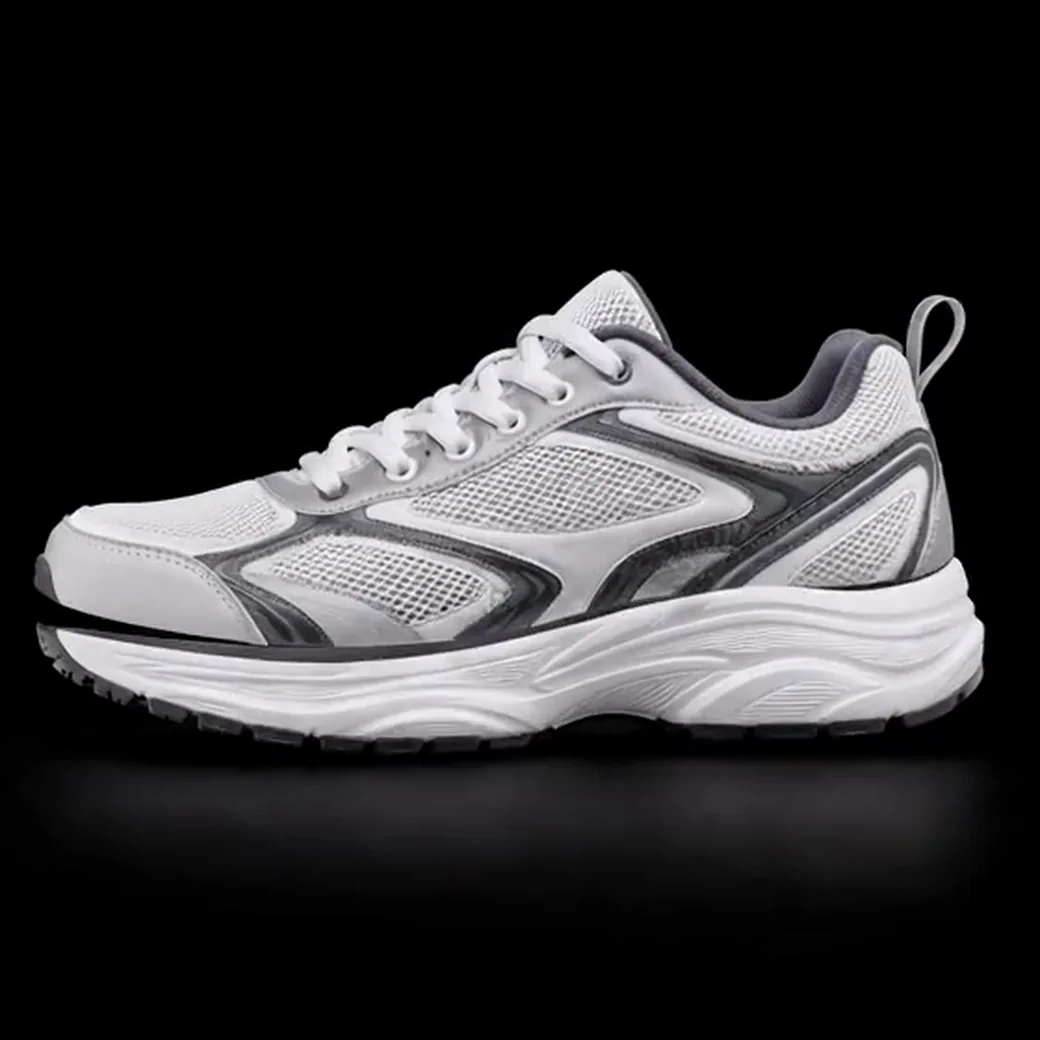
Example resultThe sample photo: a white and grey running sneaker from the side on a black studio backdropBefore
Drop a product photoShoes, gadgets, bottles, watches. One product, clean background.
Your file
Product photo One product, clean background
Motion
Backdrop
Cost – credits · ≈ 70 s

In short

What is an AI exploded view animation?

An AI exploded view animation shows a product separating into its parts in mid-air. Teardown builds one from a single product photo: it infers the layers and moves each part along its assembly axis.

Input
Product photo
Output
Video
Time
about 70 s
Cost
– credits

Exploded, with callouts

Pull it apart. Layer by layer.

An AI exploded view animation works out which parts sit on top of which, then moves each one along the same axis it was built on. Drag the slider to pull this sneaker apart layer by layer, pick a motion and a backdrop, and switch the callouts on or off.
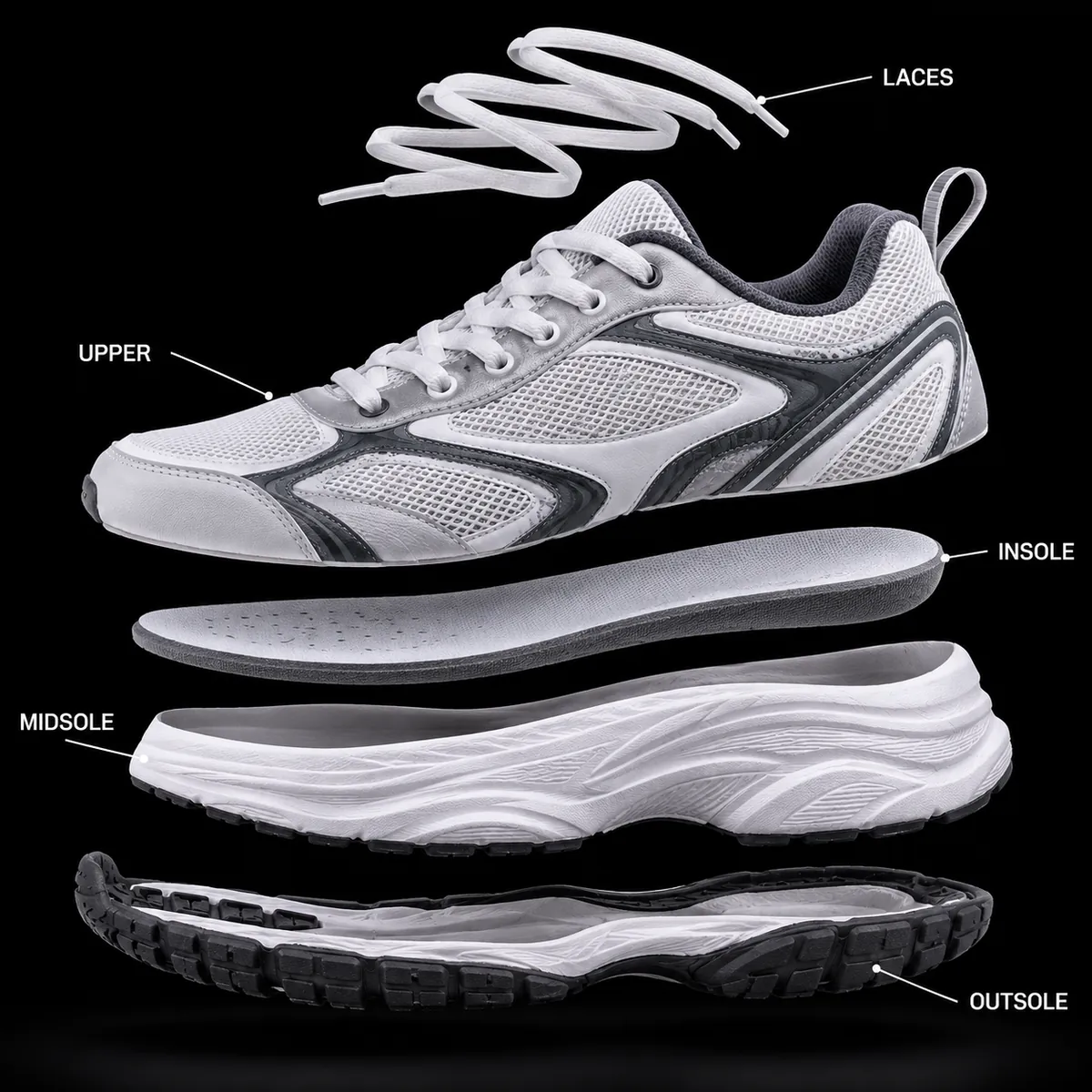
A running sneaker pulled apart into its layers, black studio backdropExplode
Explode
Motion
Backdrop

How it works

Pull it apart, layer by layer

runner-01.png · 2048 × 2048✓ added
Motion
ExplodeSlow drift
Backdrop
Black studioWhite studioBlueprint
✓ Done

Not just sneakers

Phones, burgers, watches. Anything with layers.

If you can name the parts, Teardown can pull them apart. Pick a product to see the order it plans before it animates: what comes off first, how far each part travels and what it is called.

A phone pulled apart into its parts in mid-air
  1. GlassCeramic shield
  2. Display6.1 in OLED
  3. FrameAluminium, matte
  4. Battery4,000 mAh
  5. Logic boardChip, cameras, radios
  6. Back glassFrosted, wireless charging

Deep dive

How an AI exploded view animation is planned

01

Guessing the layers

Teardown studies the outside of your product and infers a sensible inside. A sneaker becomes upper, lining, insole, midsole and outsole. Headphones become band, cushions, drivers and shells. The guess is based on how products like yours are usually built, which is why results look convincing without being blueprints.

02

Planning the path

Parts do not fly off randomly. Each piece moves along the axis it would be assembled on, outer parts first, with spacing that keeps them readable. The camera holds still or drifts slowly so the eye can follow.

03

Styling the stage

Black studio feels premium and dramatic. White studio suits beauty and e-commerce. Blueprint adds a grid and a cool tint for tech and engineering stories. Part labels draws thin callout lines with neutral names onto the frame, so the video works as an explainer without voice-over; check the spelling before you post.

Ideas

Show what it is made of

Recipes

Settings that just work

Three AI exploded view animation recipes for the launches we see most. Tap one to load its motion, backdrop and labels into Teardown at the top of the page, with a sample product photo ready.

Preview

Sneaker drop

ExplodeBlack studioLabels off

The classic launch shot. Parts float out and hang in place, every layer in view.
Preview

Gadget explainer

ExplodeBlueprintLabels on

Every layer labelled and spaced out. Check the label spelling, then it is ready for a product page or a pitch.

Preview

Burger hero

Slow driftWhite studio

Bun, patty, cheese and greens hover in a slow stack. Pure appetite appeal.

The honest comparison

By hand vs Teardown

A real exploded view means a 3D model of every part, keyframes for each one and hours of rendering. The AI exploded view animation builds one from a single product photo.

How many animations this month?10animations
130

By-hand time is a typical estimate of 8 h per animation.

By hand≈ 80 h
Teardown≈ 12 min
Time saved 80 hCredits –
What it takesBy handTeardown
Method3D model, rigging, renderOne product photo
TimeDays with a 3D artistAbout 70 seconds
Skill3D animationPick a motion
CostStudio rates– credits
VariationsRe-render each oneChange backdrop, run again

Better results

Teardowns that look engineered

Before you run · tick them off0 / 3
Ready. Good input in, good result out.
Skip
  • ✕Expect the real internal parts of a specific device.
  • ✕Use photos with several products.
  • ✕Use it to make claims about materials you cannot back up.
Input 1 product photoLength 6 sFrame 1:1Output 1:1 · 6 s · upscale to 8K

Plans

Teardown is in every plan.

Starter

Fits you
–Teardown animations / mo
1,000 credits / mo · – credits per animation
$19.90$14.99/ month, billed yearly
Get Starter

Studio

MOST POPULARFits you
–Teardown animations / mo
2,600 credits / mo · – credits per animation
$61.90$30.83/ month, billed yearly
Get Studio

Omni Creator

BEST VALUEFits you
–Teardown animations / mo
4,200 credits / mo · – credits per animation
$101.90$45.83/ month, billed yearly
Get Omni Creator
Failed run? Credits back automaticallyCommercial use on paid plansCancel anytime

FAQ

Questions about Teardown

What is an AI exploded view animation?

It is a video where a product comes apart in mid-air so every part is visible in order. Teardown creates it from one product photo, guessing the layers and parts a product like yours would have.

Are the parts accurate?

They are plausible, not engineering drawings. For a real teardown, label the actual parts yourself in your editor.

Does it work on food and cosmetics?

Yes. Burgers separate into layers, skincare jars into lid, cream and base. Ingredient shots are some of the most shared results.

How much does it cost?

The credits for an animation are shown on the button before you start. If a run fails, nothing is charged and the credits go back to your balance.

Can I add my logo?

Add the logo in your editor on the final frame, or include it in the product photo so it stays on the shell.

Can I get a still image too?

Yes. Grab any frame with Frame Grabber for the product page.

What makes a product good for this?

Products with visible layers: shoes, headphones, watches, burgers, cocktails, packaging. A smooth stone gives the model nothing to separate.

Can I use it in paid ads?

Yes, on paid plans. Because the inner parts are imagined, avoid using the animation to make specific technical claims, such as battery size or materials, unless they match the real product.

Can I use Teardown results commercially?

Yes. On paid plans the clips you make are yours to use in ads, client work and products. Only upload material you own or have permission to use.

Who can see what I upload?

Only you. Uploads and results live in your private History, are never posted anywhere for you, and can be deleted at any time.

Does the AI exploded view animation show the real inside of my product?

It shows a believable version based on what the photo and the product type suggest. For engineering accuracy, label the real parts yourself in your editor.

More Minnies

Keep the run going

All Minnies
Cast SwapPut your character into any scene.

Minnies · included in every plan

Show what is inside.

Exploded views from one photo. Teardown comes with every Creatide AI plan.

Tear it down See plans