Explore
  • VideoPopular
  • Image
  • Music
  • Story
  • Motion
  • Upscale
  • Lip Sync
  • MinniesNew
  • SubtitlesNew
  • Video ExtendNew
  • Video ProducerNew
  • Agent+Popular
  • Ad HubNew
  • TakeShiftNew
  • 3D HubNew
  • Viral
  • Effects
  • Born Elsewhere
Pricing-65%-65% OFFUpgrade-65%-65% OFF
Log inSign upSign Up Free

One idea.
Every model.
One finished creation.

The AI-native creative suite for video, image, music and ads.

Live support on TelegramChat with our team in real time

Create

  • Video
  • Image
  • Music
  • Story
  • Motion
  • Upscale
  • Lip Sync
  • MinniesNew
  • SubtitlesNew
  • Video ExtendNew
  • Video ProducerNew
  • Agent+
  • Ad HubNew
  • TakeShiftNew
  • 3D HubNew
  • Viral
  • Effects
  • Born Elsewhere

Features

  • AI Video Generator
  • AI Image Generator
  • AI Music Generator
  • 2× Duration
  • 8K Output
  • Director Mode
  • Photo Studio Mode
  • Composer Mode
  • Image to Video AI
  • Text to Video AI
  • Agent+

Video models

  • Seedance 2.5
  • Kling 4.0
  • Gemini Omni 1.2 Flash
  • Vidu Q4
  • MiniMax H3
  • PixVerse C1
  • Wan 3.0
  • Grok Video 1.5
  • FLUX.3 Video
  • MAGI-2
  • All video models

Image models

  • Seedream 5.5
  • Muse Image
  • GPT Image 2.6
  • Qwen Image 3.0
  • Kling Image 4.0
  • FLUX 3 Image
  • Nano Banana 2.1
  • Grok Image 2.0
  • Ideogram 4.5
  • Z-Image
  • MiniMax H3 Image
  • All image models

Resources

  • Runway Unlimited Extension: What Creators Need to Know
  • Suno Download Limits: What Creators Need to Know
  • FLUX 3 Video Pricing: What Creators Actually Pay Per Clip
  • What is SeeDance 2.0? ByteDance's AI Video Generator
  • Browse all articles
  • Help Center
  • Prompt Guide
  • Video Prompts
  • Image Prompts
  • Music & Sound Prompts

Company

  • About
  • Pricing
  • Contact
  • Trust Center
  • Brand kit
  • Affiliate program
  • Creator Partner Program

Free tools

  • Video Compressor
  • Trim, Cut & Merge
  • Slow Motion & Speed Ramp
  • Extract Audio or Mute
  • Frame Grabber
  • Video to Text
  • Text to Speech
  • Slowed + Reverb
  • Remove Image Background
  • Image Upscaler
  • Magic Eraser
  • Image to Prompt
  • Video to Prompt
  • AI Clip Stitcher
  • Seamless Loop Maker
  • Video Background Remover
  • Color Match
  • Voice Cleaner
  • Start Frame Prep
  • All free tools

Compare

  • vs Higgsfield
  • vs Runway
  • vs Pika
  • vs Krea
  • vs Freepik AI
  • vs Leonardo AI
  • vs OpenArt
  • vs Kling AI
  • vs Artlist
  • vs BytePlus
  • vs Canva
  • vs ElevenLabs
  • vs Grok Imagine
  • vs InVideo
  • vs Picsart
  • X / Twitter
  • YouTube
  • Instagram
  • TikTok
  • Telegram
  • Facebook

All systems normal

  • Terms
  • Privacy
  • Cookie policy
  • Content policy
  • Refund policy
  • DMCA

© 2026 AIVid, LLC. All rights reserved.

  1. Creatide.ai
  2. /
  3. Minnies
  4. /
  5. Face Swap

Face SwapAI face swap · your face, their lighting

Put your face into any scene: a poster, a period costume, a dream holiday. Light, angle and skin tone match the target photo.

MinnieFace + photo → Photo≈ 10 s– credits
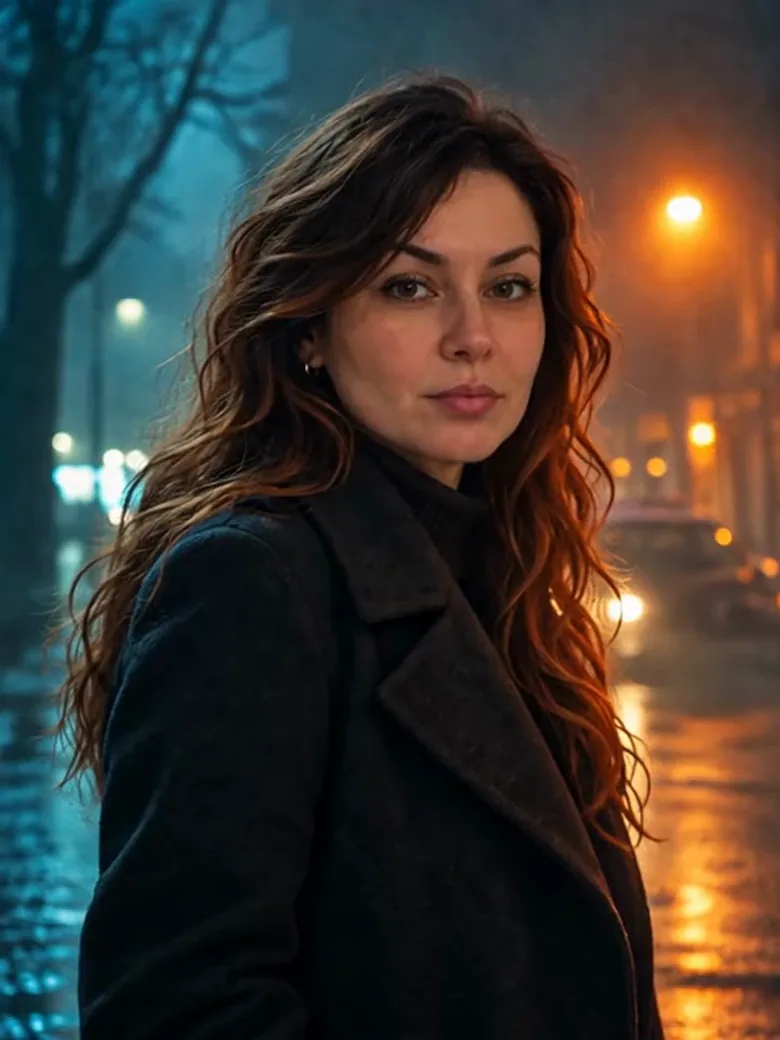
Example resultBefore
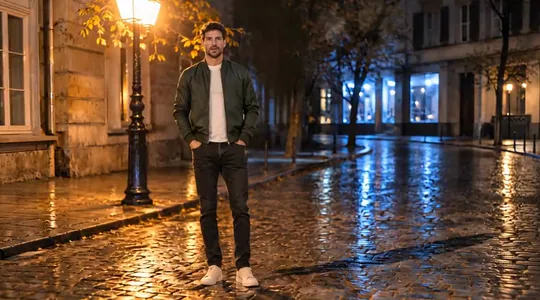
Drop your face photoOne person, eyes visible, nothing covering the face.
Your file
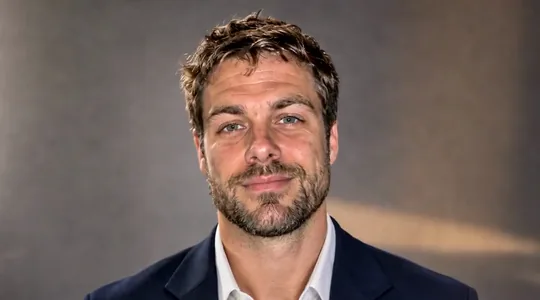
Face photo Clear, front-facing, one person
Target photo The scene to put the face into
Hair
Cost – credits · ≈ 10 s

Confirm you have permission to use this face
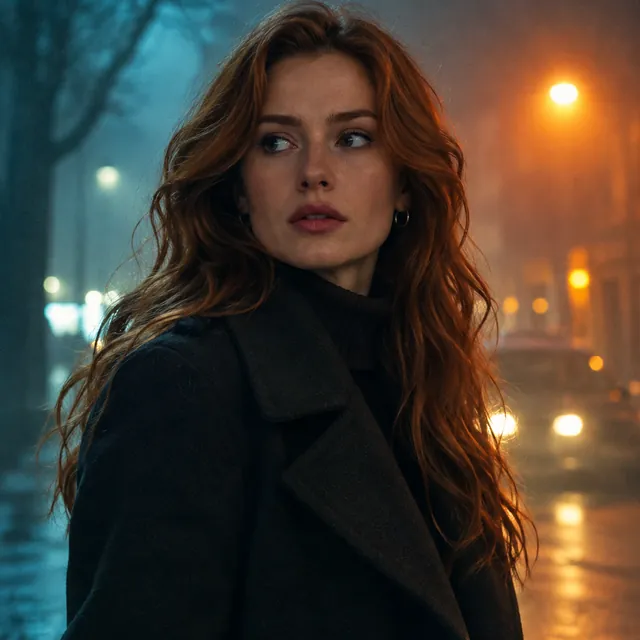
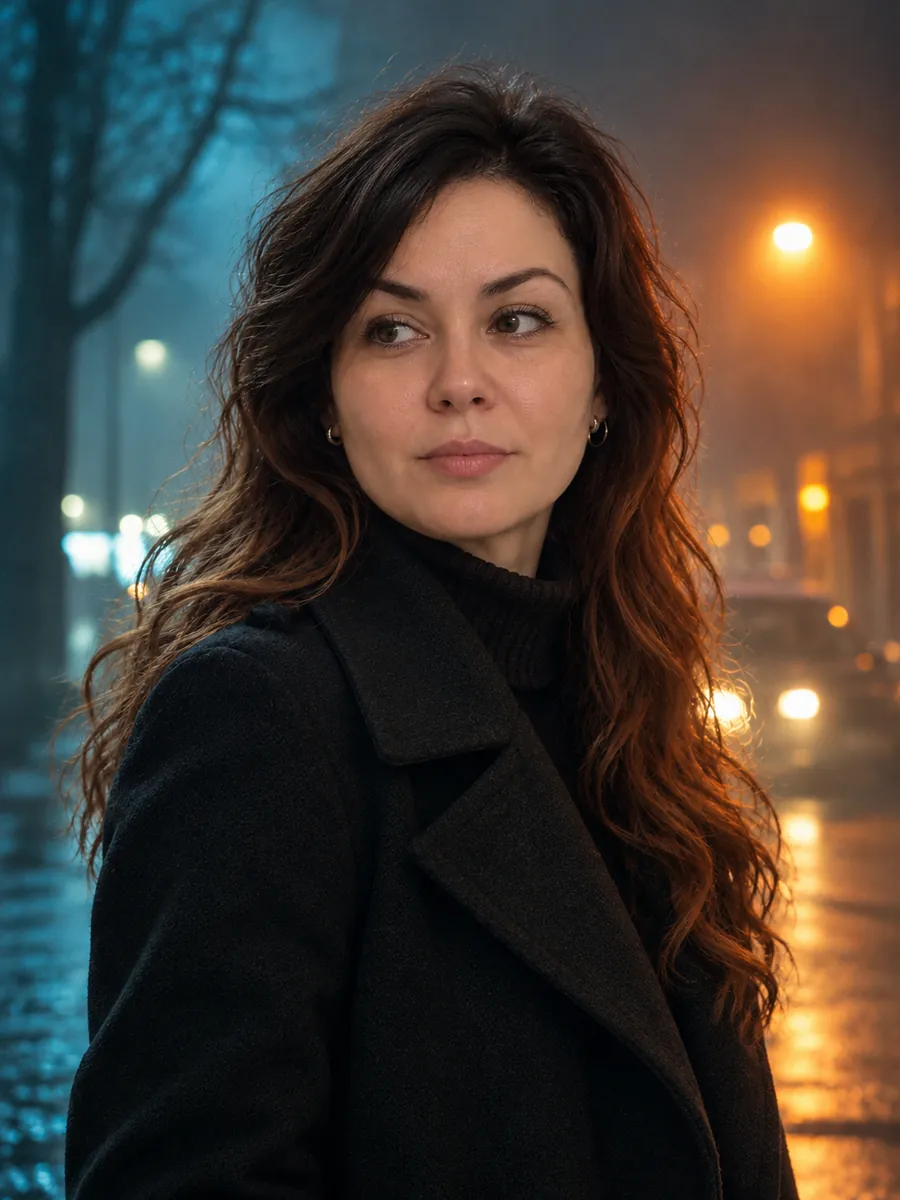
A woman with long wavy hair in a black coat on a rainy riverside at night, lit like a film poster
The sample target: the film poster before the swap

In short

What is an AI face swap?

An AI face swap replaces the face in one photo with a face from another. Face Swap aligns your face to the target pose, matches its light and skin tone, and only runs on faces you have permission to use.

Input
Face + photo
Output
Photo
Time
about 10 s
Cost
– credits

Under the skin

A good swap is mostly matching.

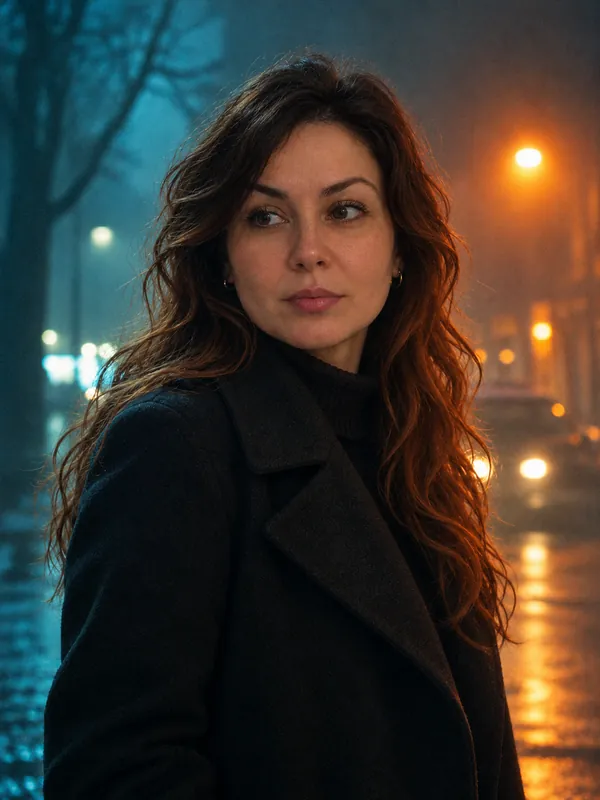
An AI face swap is four quiet jobs done in a row. Scrub through them below: your flat, front-lit selfie goes into a moody film poster and comes out lit, toned and grained like it was shot on the day.
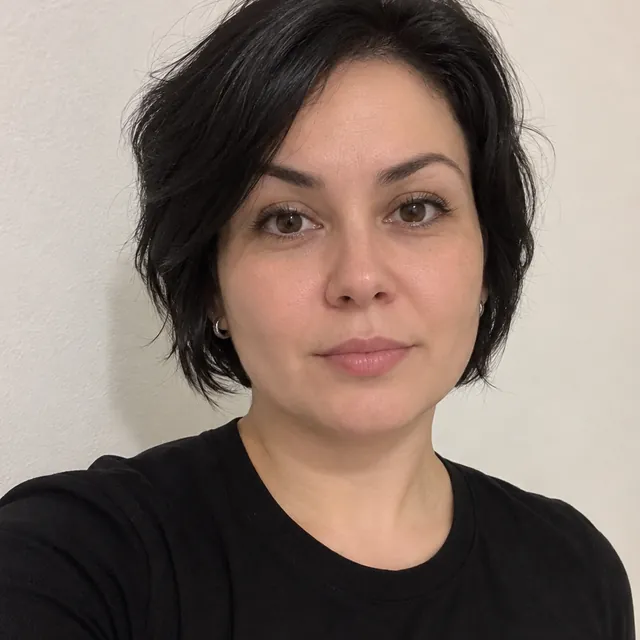
Your face photo: a flat, front-lit selfie of a woman with short dark hairYour face
→
The film poster at step 1, find the face01 · Find the face

Your face is found in the selfie and turned to the pose of the target photo.

How it works

Two photos. One new you.

my-face.jpg · 1200 × 1600✓ added
Hair
Keep target hairBring my hair
✓ Done

House rules

Consent is built in.

A responsible AI face swap knows when to say no. Answer these four the way you would before a real swap and see what Face Swap does. The permission tick in the app is required before every run.

Whose face is it?
Is either photo of a politician or celebrity?
Is anyone in either photo under 18?
What is it for?
?Answer the four questions

Face Swap checks for public figures and anyone under 18 on every run, and a failed check never costs credits.

Deep dive

How a responsible AI face swap works

01

It maps, then matches

Your face lands in the target photo with its pose, light and skin tone, so the swap looks like it belongs to the scene, not pasted on.

02

Hair changes the person

Keep target hair when the costume or character matters, like a period wig or a helmet. Bring my hair when you want people to recognise you instantly. Hair is one of the strongest identity signals, often stronger than the face itself at small sizes.

03

Consent is part of the product

Face Swap only runs when you confirm permission. Public figures and anyone under 18 are blocked on every run. These limits are not there to slow you down; they keep the tool usable for everyone.

Ideas

Swaps people actually ask for

Recipes

Settings that just work

Three AI face swap recipes for the jobs people bring most, all with permission. Tap one to load its hair setting into Face Swap at the top of the page, with sample photos ready.

Preview

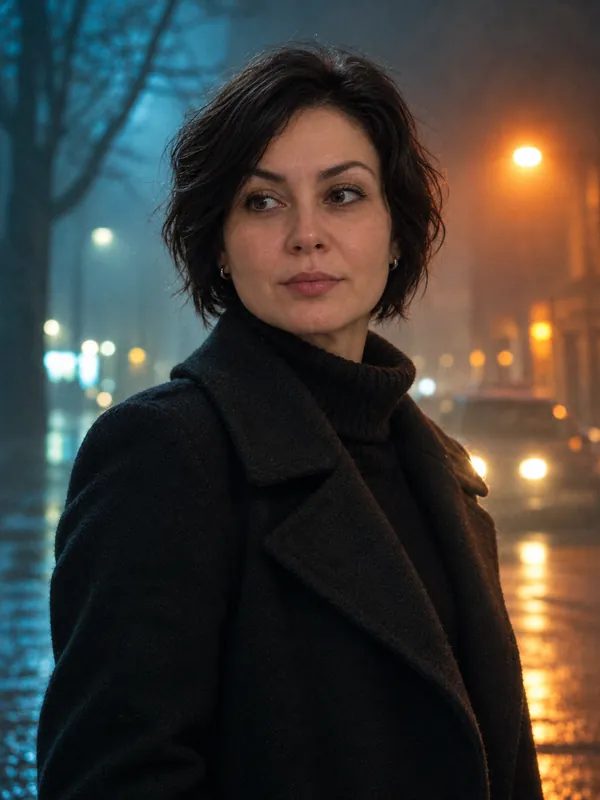
Poster star

Keep target hair

Drop your face into a movie-style poster for a birthday gift or a channel banner. The poster’s dramatic light carries over to your face.
Preview

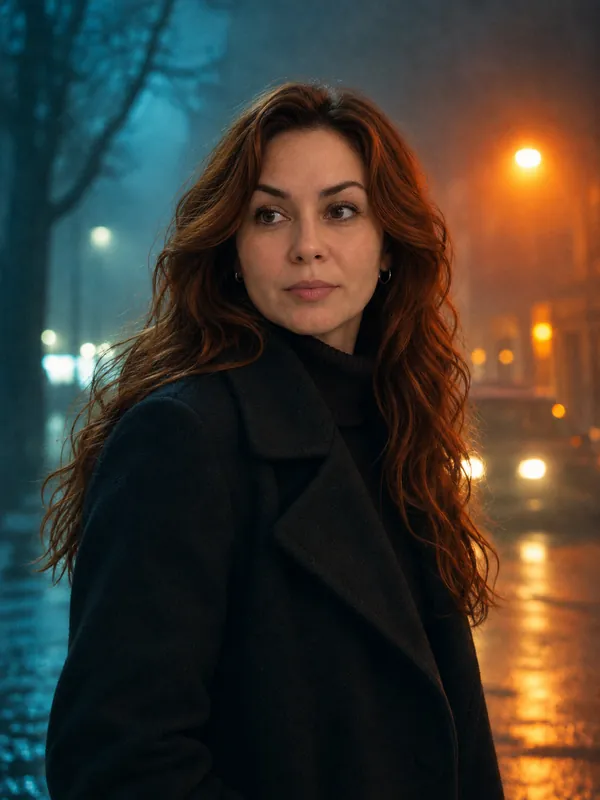
Costume preview

Bring my hair

See yourself in a costume before you buy it. Bringing your own hair keeps you instantly recognisable.
Preview

Consented ad set

Keep target hair

Shoot one model, swap them into five scenes with their written approval. A campaign without five location days.

The honest comparison

By hand vs Face Swap

Swapping a face by hand means masking, warping, colour matching and painting the edges until nobody can tell. The AI face swap does the matching while you wait.

How many swaps this month?10swaps
1150

By-hand time is a typical estimate of 1 h per swap.

By hand≈ 10 h
Face Swap≈ 2 min
Time saved 10 hCredits –
What it takesBy handFace Swap
Time1–2 hours of masking and blendingWhile you wait
Light matchPainted by handMatched to the target photo
SkillAdvanced compositingTwo uploads
SafeguardsNonePermission check, public figures blocked
CostRetoucher time– credits

Better results

Swaps that do not look pasted

Before you run · tick them off0 / 2
Ready. Good input in, good result out.
Skip
  • ✕Swap faces of people who did not agree.
  • ✕Use it to impersonate or mislead anyone.
  • ✕Use sunglasses, masks or heavy filters on the face photo.
Inputs Face + targetFaces 1 per runResult 1 image per runRule Permission required

Plans

Face Swap is in every plan.

Starter

Fits you
–Face Swap swaps / mo
1,000 credits / mo · – credits per swap
$19.90$14.99/ month, billed yearly
Get Starter

Studio

MOST POPULARFits you
–Face Swap swaps / mo
2,600 credits / mo · – credits per swap
$61.90$30.83/ month, billed yearly
Get Studio

Omni Creator

BEST VALUEFits you
–Face Swap swaps / mo
4,200 credits / mo · – credits per swap
$101.90$45.83/ month, billed yearly
Get Omni Creator
Failed run? Credits back automaticallyCommercial use on paid plansCancel anytime

FAQ

Questions about Face Swap

Is an AI face swap legal?

Using your own face, or a face whose owner agreed, for fun, creative work or consented ads is generally fine. Using someone else without permission, or to deceive people, can break the law in many countries and always breaks Face Swap’s rules. This is not legal advice: check the rules where you publish.

Why do I have to tick the permission box?

Because the face belongs to a person. The box is a reminder. You can report misuse from any result.

Can I swap faces of celebrities or politicians?

No. Public figures are blocked.

How much does it cost?

{credits} credits per swap.

Does it work on group photos?

Use a photo with one clear face for the best result.

Why does my swap look slightly off?

Usually the angles differ. A face photo looking straight ahead will not fit a target in strict profile. Try a face photo turned the same way.

Can I use Face Swap results commercially?

Yes. On paid plans the images you make are yours to use in ads, client work and products. Only upload material you own or have permission to use.

Who can see what I upload?

Only you. Uploads and results live in your private History, are never posted anywhere for you, and can be deleted at any time.

More Minnies

Keep the run going

All Minnies
Studio HeadshotTurn a selfie into a studio headshot.
Cast SwapPut your character into any scene.

Minnies · included in every plan

Your face. Any scene. Your call.

Fast, realistic and built on consent. Face Swap comes with every Creatide AI plan.
Swap the face See plans