Explore
  • VideoPopular
  • Image
  • Music
  • Story
  • Motion
  • Upscale
  • Lip Sync
  • MinniesNew
  • SubtitlesNew
  • Video ExtendNew
  • Video ProducerNew
  • Agent+Popular
  • Ad HubNew
  • TakeShiftNew
  • 3D HubNew
  • Viral
  • Effects
  • Born Elsewhere
Pricing-65%-65% OFFUpgrade-65%-65% OFF
Log inSign upSign Up Free

One idea.
Every model.
One finished creation.

The AI-native creative suite for video, image, music and ads.

Live support on TelegramChat with our team in real time

Create

  • Video
  • Image
  • Music
  • Story
  • Motion
  • Upscale
  • Lip Sync
  • MinniesNew
  • SubtitlesNew
  • Video ExtendNew
  • Video ProducerNew
  • Agent+
  • Ad HubNew
  • TakeShiftNew
  • 3D HubNew
  • Viral
  • Effects
  • Born Elsewhere

Features

  • AI Video Generator
  • AI Image Generator
  • AI Music Generator
  • 2× Duration
  • 8K Output
  • Director Mode
  • Photo Studio Mode
  • Composer Mode
  • Image to Video AI
  • Text to Video AI
  • Agent+

Video models

  • Seedance 2.5
  • Kling 4.0
  • Gemini Omni 1.2 Flash
  • Vidu Q4
  • MiniMax H3
  • PixVerse C1
  • Wan 3.0
  • Grok Video 1.5
  • FLUX.3 Video
  • MAGI-2
  • All video models

Image models

  • Seedream 5.5
  • Muse Image
  • GPT Image 2.6
  • Qwen Image 3.0
  • Kling Image 4.0
  • FLUX 3 Image
  • Nano Banana 2.1
  • Grok Image 2.0
  • Ideogram 4.5
  • Z-Image
  • MiniMax H3 Image
  • All image models

Resources

  • Runway Unlimited Extension: What Creators Need to Know
  • Suno Download Limits: What Creators Need to Know
  • FLUX 3 Video Pricing: What Creators Actually Pay Per Clip
  • What is SeeDance 2.0? ByteDance's AI Video Generator
  • Browse all articles
  • Help Center
  • Prompt Guide
  • Video Prompts
  • Image Prompts
  • Music & Sound Prompts

Company

  • About
  • Pricing
  • Contact
  • Trust Center
  • Brand kit
  • Affiliate program
  • Creator Partner Program

Free tools

  • Video Compressor
  • Trim, Cut & Merge
  • Slow Motion & Speed Ramp
  • Extract Audio or Mute
  • Frame Grabber
  • Video to Text
  • Text to Speech
  • Slowed + Reverb
  • Remove Image Background
  • Image Upscaler
  • Magic Eraser
  • Image to Prompt
  • Video to Prompt
  • AI Clip Stitcher
  • Seamless Loop Maker
  • Video Background Remover
  • Color Match
  • Voice Cleaner
  • Start Frame Prep
  • All free tools

Compare

  • vs Higgsfield
  • vs Runway
  • vs Pika
  • vs Krea
  • vs Freepik AI
  • vs Leonardo AI
  • vs OpenArt
  • vs Kling AI
  • vs Artlist
  • vs BytePlus
  • vs Canva
  • vs ElevenLabs
  • vs Grok Imagine
  • vs InVideo
  • vs Picsart
  • X / Twitter
  • YouTube
  • Instagram
  • TikTok
  • Telegram
  • Facebook

All systems normal

  • Terms
  • Privacy
  • Cookie policy
  • Content policy
  • Refund policy
  • DMCA

© 2026 AIVid, LLC. All rights reserved.

  1. Creatide.ai
  2. /
  3. Minnies
  4. /
  5. Retro Broadcast

Retro BroadcastAI retro TV show generator · you, on air in 1989

You, on a TV show that aired decades ago. Studio set, scanlines, lower thirds and studio sound, from one photo.
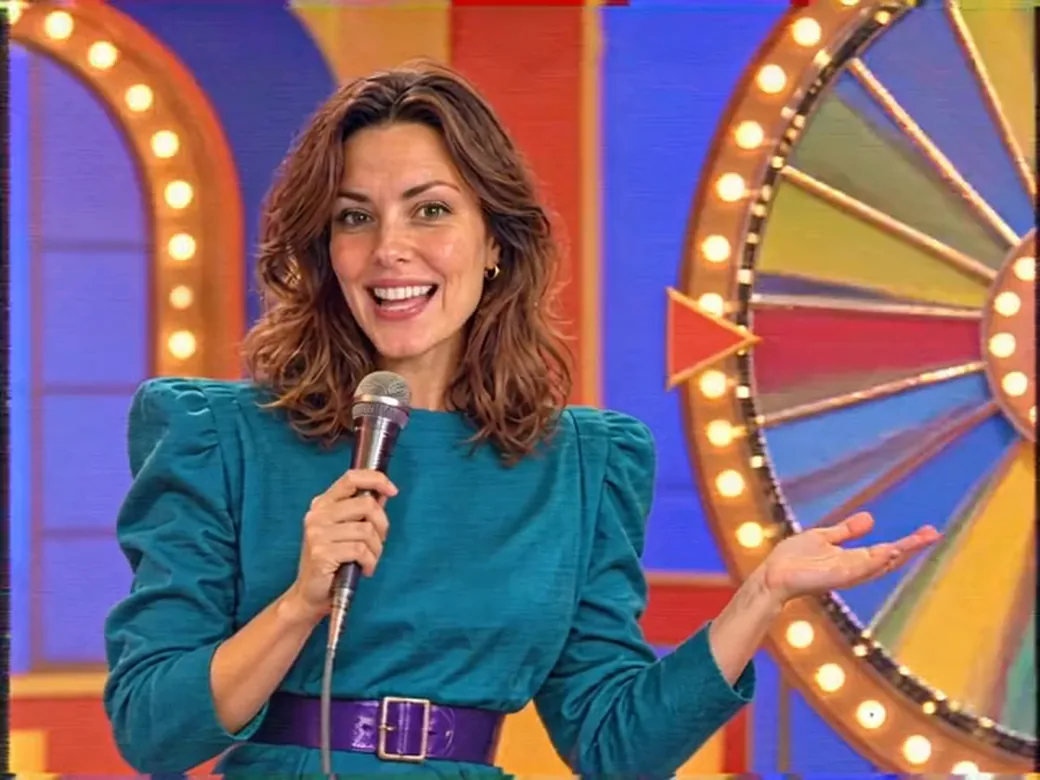
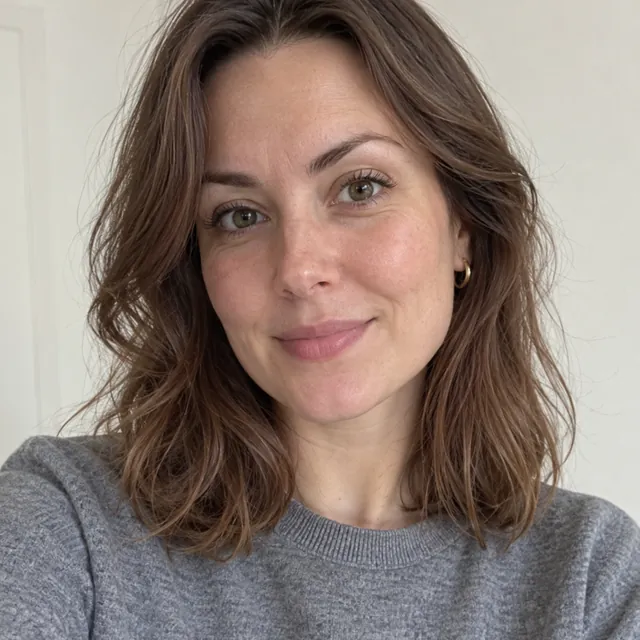
MinniePhoto → Video≈ 60 s– credits
Example resultBefore
Drop your photoFace the camera, shoulders in frame. Big smiles read best on old TV.
Your file
Your photo Face and shoulders visible
Show
Era
Lower third
0 / 40
Cost – credits · ≈ 60 s
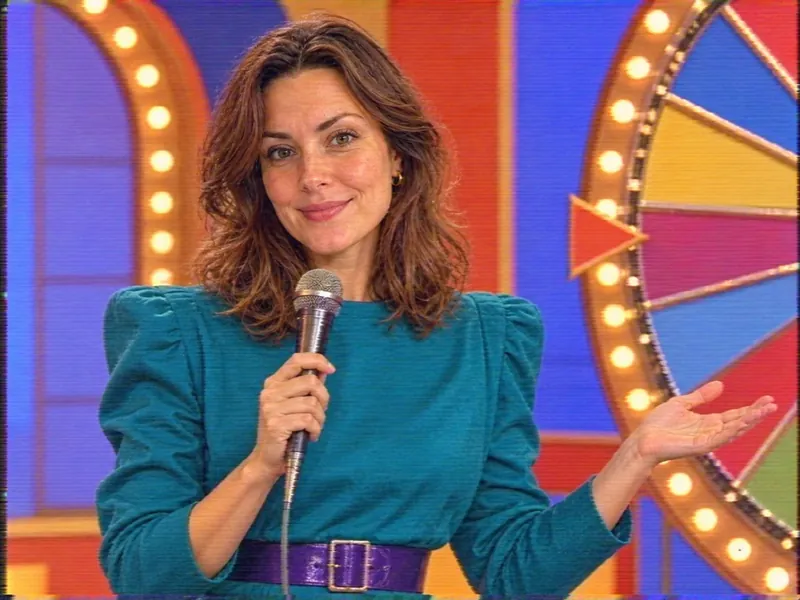
A woman with wavy brown hair hosting a 1980s TV game show beside a prize wheel and flashing bulbs, with scanlines and tape colour
The sample photo: a woman with shoulder-length brown hair in a grey sweater, face and shoulders, plain indoor background

In short

What is an AI retro TV show generator?

An AI retro TV show generator places you in a clip styled like an old broadcast. Retro Broadcast builds an original studio set, dresses you for the era and adds scanlines, tape texture, graphics and period sound.

Input
Photo
Output
Video
Time
about 60 s
Cost
– credits

Signal check

Old TV is six things. Switch them off.

An AI retro TV show generator does not just lay a VHS filter on top. It rebuilds what made old broadcasts look like old broadcasts. Turn each ingredient off to see what it adds, type your own name into the lower third and change the decade.
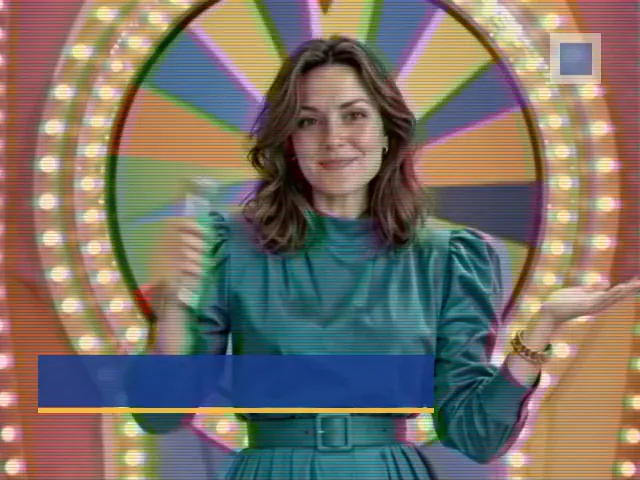
A host on a 1980s TV game show set with a prize wheel and flashing bulbs
ALEX MORGANTonight’s host

How it works

Tune in to yourself

me-yellow-wall.jpg · 1536 × 2048✓ added
Show
Game showLate nightEvening newsWeatherInfomercialAerobics
Era
80s90sEarly 2000s
✓ Done

Channel surf

Six shows. Pick up the remote.

Every show in Retro Broadcast has its own original set, wardrobe and graphics. Flick through the channels to see where you could end up, from a game show to a 7 a.m. workout.
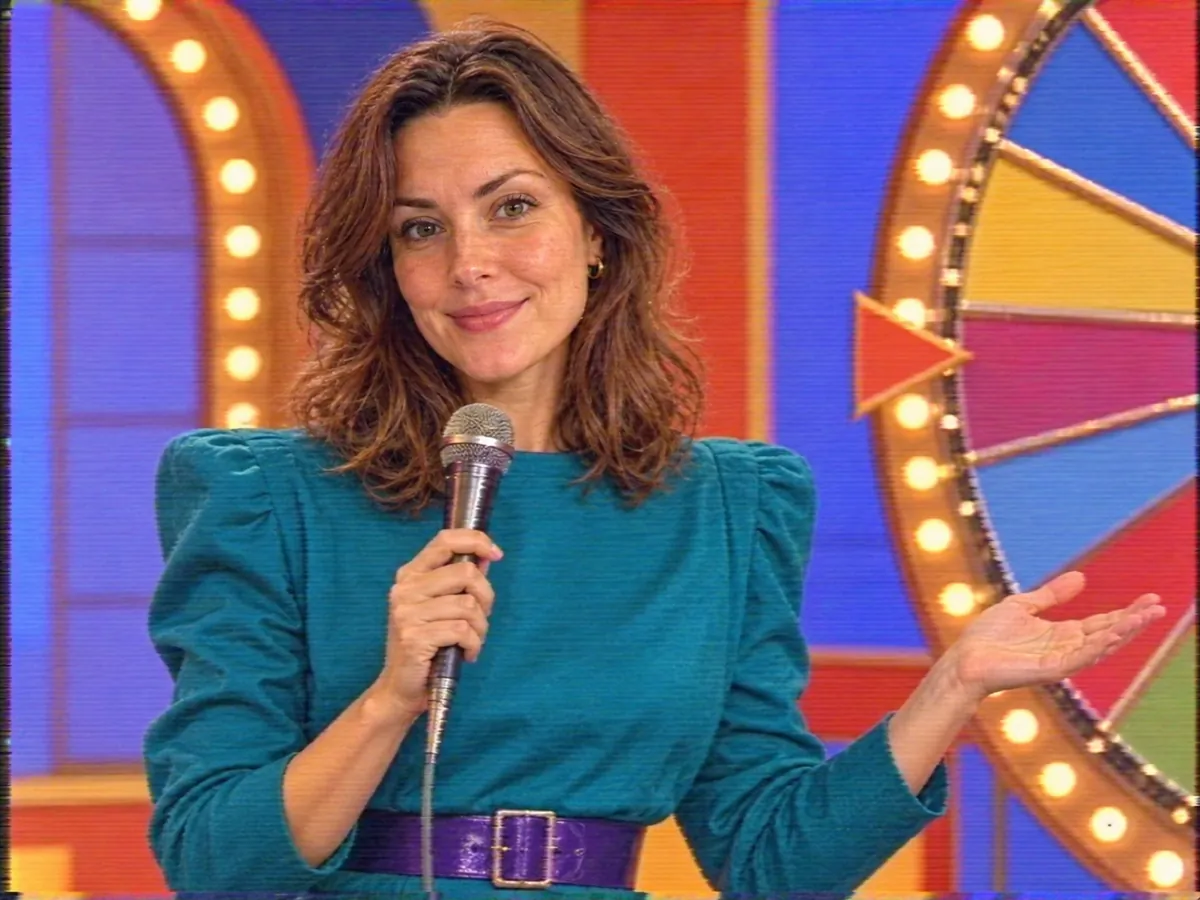
A host on a retro TV game show set
CH 1 · Spin the Wheel

Game show

Bulbs, buzzers and a big wheel. The host is very excited about a toaster.

Deep dive

How the AI retro TV show generator fakes the tape

01

The set does the talking

Each show type has a set people recognise instantly: the glowing game show podium, the late-night desk with a city backdrop, the news desk with a globe, the weather map. Retro Broadcast builds an original version of that set and places you in it, dressed and lit like the era.

02

Tape is a texture

Old broadcasts look the way they do because of limitations: low resolution, scanlines, colour bleeding past edges, slight wobble when the tape stretched. Those are added on purpose, in era-specific amounts. The 80s get the heaviest bleed, the early 2000s get cleaner picture and harsher digital graphics.

03

Graphics and sound finish it

Lower thirds, channel corners and a game board appear with typography from the period. Sound matters as much: a studio audience, a news sting or a cheesy synth bed tells the brain what decade it is before the eyes do.

Ideas

Nostalgia that gets shared

Recipes

Settings that just work

Three AI retro TV show generator recipes for the clips people make most. Tap one to load its show, era and lower third into Retro Broadcast at the top of the page, with a sample photo ready.

Preview

Birthday game show

Game show80sLower third

Big smile, gold podium, an audience that goes wild. The most shared Retro Broadcast setup.
Preview

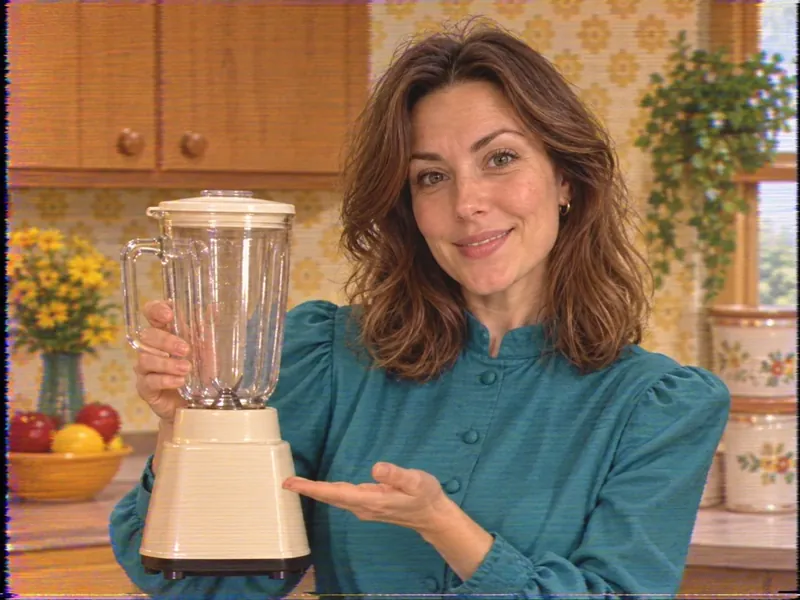
Founder infomercial

Infomercial90s

Your product, sold with the energy of a 2 a.m. TV ad. Great for a playful launch.
Preview

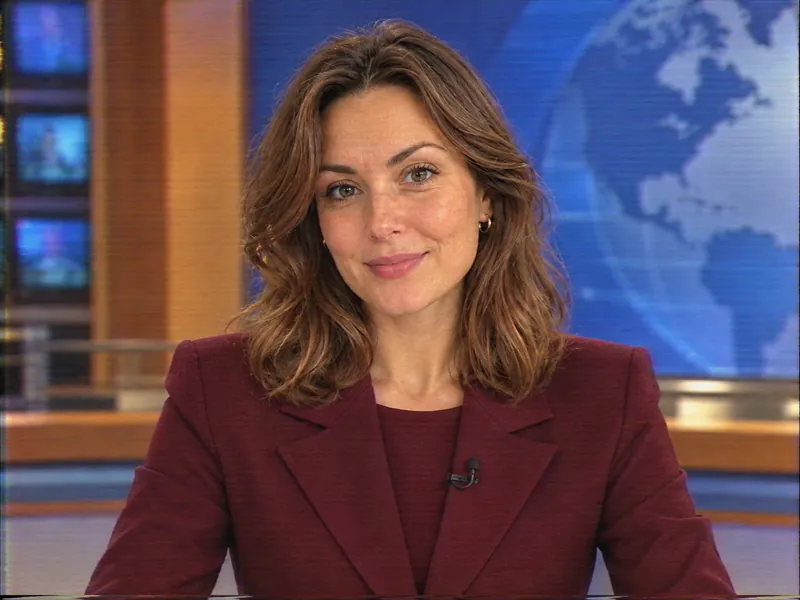
Event intro anchor

Evening newsEarly 2000sLower third

Introduce every speaker as a news anchor. Clean enough for a big screen.

The honest comparison

By hand vs Retro Broadcast

Faking an old broadcast properly means a built set, period wardrobe, graphics and hours of tape effects in an editor. The AI retro TV show generator does it from one photo.

How many clips this month?10clips
130

By-hand time is a typical estimate of 6 h per clip.

By hand≈ 60 h
Retro Broadcast≈ 10 min
Time saved 60 hCredits –
What it takesBy handRetro Broadcast
SetBuild or rent a studioGenerated, era-correct
WardrobeThrift-store huntingStyled for the era
LookVHS filters that look fakeTape texture in era-specific amounts
TimeA shoot dayAbout 60 seconds
CostStudio, props, editor– credits

Better results

Make it feel like tape

Before you run · tick them off0 / 3
Ready. Good input in, good result out.
Skip
  • ✕Use real TV show names or logos in the lower third.
  • ✕Put other people on air without asking them.
  • ✕Expect perfectly sharp output. The softness is the point.
Input 1 photoShows 6Eras 80s · 90s · 2000sOutput 4:3 · 8 s with sound

Plans

Retro Broadcast is in every plan.

Starter

Fits you
–Retro Broadcast clips / mo
1,000 credits / mo · – credits per clip
$19.90$14.99/ month, billed yearly
Get Starter

Studio

MOST POPULARFits you
–Retro Broadcast clips / mo
2,600 credits / mo · – credits per clip
$61.90$30.83/ month, billed yearly
Get Studio

Omni Creator

BEST VALUEFits you
–Retro Broadcast clips / mo
4,200 credits / mo · – credits per clip
$101.90$45.83/ month, billed yearly
Get Omni Creator
Failed run? Credits back automaticallyCommercial use on paid plansCancel anytime

FAQ

Questions about Retro Broadcast

What is an AI retro TV show generator?

It puts you into a scene styled like an old television broadcast: studio set, period clothes and hair, scanlines, tape wobble, graphics and sound. Retro Broadcast does it from one photo in about a minute.

Are these real TV shows?

No. Every set, logo and graphic is original and generic, made to feel like the era without copying any real programme.

Can I make it 9:16?

The broadcast frame is 4:3 for authenticity.

How much does it cost?

The credits for a clip are shown on the button before you start. If a run fails, nothing is charged and the credits go back to your balance.

Does it add sound?

Yes. Each show has period sound: a studio audience, a news sting, a weather synth bed or an aerobics beat.

Can I put two people on air?

Upload a photo with two people side by side. Retro Broadcast places both at the desk or on the stage.

Why is the picture soft?

Old TV was soft. Scanlines, colour bleed and a little blur are what make it feel like tape. Pick Early 2000s if you want a cleaner picture.

Can I use Retro Broadcast results commercially?

Yes. On paid plans the clips you make are yours to use in ads, client work and products. Only upload material you own or have permission to use.

Who can see what I upload?

Only you. Uploads and results live in your private History, are never posted anywhere for you, and can be deleted at any time.

Are the shows in the AI retro TV show generator real?

No. Every set, show name and graphic is original, styled on the general look of each decade. The AI retro TV show generator never copies a real programme, channel logo or presenter.

More Minnies

Keep the run going

All Minnies
Outfit ReelOne photo, six outfits, a quick cut every couple of seconds.
SpotlightHeadline a stadium stage from one photo.
TeardownPull any product apart in mid-air.
Open WorldStar on the cover of a game that does not exist.

Minnies · included in every plan

You, live, in 1989.

Six shows, three eras, one photo. Retro Broadcast comes with every Creatide AI plan.
Go on air See plans