Explore
  • VideoPopular
  • Image
  • Music
  • Story
  • Motion
  • Upscale
  • Lip Sync
  • MinniesNew
  • SubtitlesNew
  • Video ExtendNew
  • Video ProducerNew
  • Agent+Popular
  • Ad HubNew
  • TakeShiftNew
  • 3D HubNew
  • Viral
  • Effects
  • Born Elsewhere
Pricing-65%-65% OFFUpgrade-65%-65% OFF
Log inSign upSign Up Free

One idea.
Every model.
One finished creation.

The AI-native creative suite for video, image, music and ads.

Live support on TelegramChat with our team in real time

Create

  • Video
  • Image
  • Music
  • Story
  • Motion
  • Upscale
  • Lip Sync
  • MinniesNew
  • SubtitlesNew
  • Video ExtendNew
  • Video ProducerNew
  • Agent+
  • Ad HubNew
  • TakeShiftNew
  • 3D HubNew
  • Viral
  • Effects
  • Born Elsewhere

Features

  • AI Video Generator
  • AI Image Generator
  • AI Music Generator
  • 2× Duration
  • 8K Output
  • Director Mode
  • Photo Studio Mode
  • Composer Mode
  • Image to Video AI
  • Text to Video AI
  • Agent+

Video models

  • Seedance 2.5
  • Kling 4.0
  • Gemini Omni 1.2 Flash
  • Vidu Q4
  • MiniMax H3
  • PixVerse C1
  • Wan 3.0
  • Grok Video 1.5
  • FLUX.3 Video
  • MAGI-2
  • All video models

Image models

  • Seedream 5.5
  • Muse Image
  • GPT Image 2.6
  • Qwen Image 3.0
  • Kling Image 4.0
  • FLUX 3 Image
  • Nano Banana 2.1
  • Grok Image 2.0
  • Ideogram 4.5
  • Z-Image
  • MiniMax H3 Image
  • All image models

Resources

  • Runway Unlimited Extension: What Creators Need to Know
  • Suno Download Limits: What Creators Need to Know
  • FLUX 3 Video Pricing: What Creators Actually Pay Per Clip
  • What is SeeDance 2.0? ByteDance's AI Video Generator
  • Browse all articles
  • Help Center
  • Prompt Guide
  • Video Prompts
  • Image Prompts
  • Music & Sound Prompts

Company

  • About
  • Pricing
  • Contact
  • Trust Center
  • Brand kit
  • Affiliate program
  • Creator Partner Program

Free tools

  • Video Compressor
  • Trim, Cut & Merge
  • Slow Motion & Speed Ramp
  • Extract Audio or Mute
  • Frame Grabber
  • Video to Text
  • Text to Speech
  • Slowed + Reverb
  • Remove Image Background
  • Image Upscaler
  • Magic Eraser
  • Image to Prompt
  • Video to Prompt
  • AI Clip Stitcher
  • Seamless Loop Maker
  • Video Background Remover
  • Color Match
  • Voice Cleaner
  • Start Frame Prep
  • All free tools

Compare

  • vs Higgsfield
  • vs Runway
  • vs Pika
  • vs Krea
  • vs Freepik AI
  • vs Leonardo AI
  • vs OpenArt
  • vs Kling AI
  • vs Artlist
  • vs BytePlus
  • vs Canva
  • vs ElevenLabs
  • vs Grok Imagine
  • vs InVideo
  • vs Picsart
  • X / Twitter
  • YouTube
  • Instagram
  • TikTok
  • Telegram
  • Facebook

All systems normal

  • Terms
  • Privacy
  • Cookie policy
  • Content policy
  • Refund policy
  • DMCA

© 2026 AIVid, LLC. All rights reserved.

  1. Creatide.ai
  2. /
  3. Minnies
  4. /
  5. Retro Paint

Retro PaintAI doodle generator · 90s paint-program style

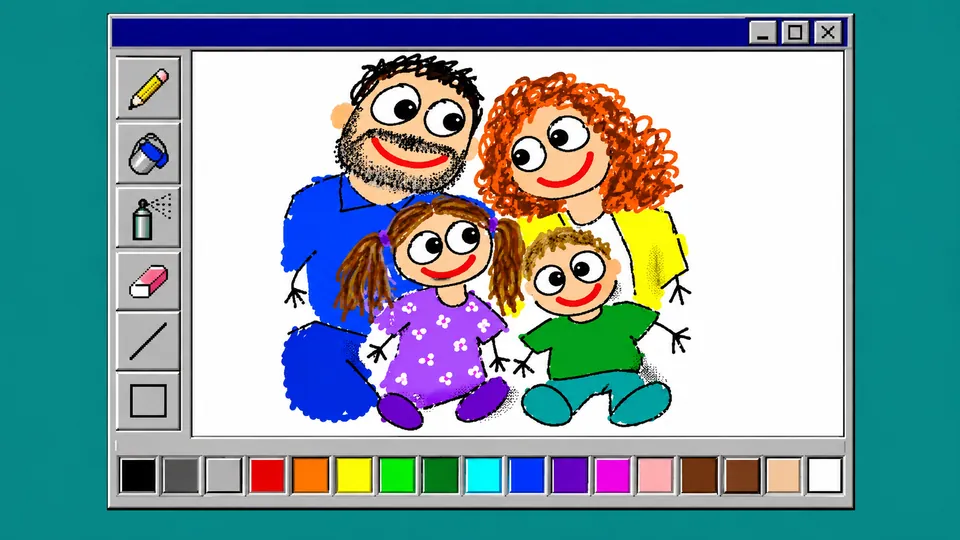
Turn any photo into a gloriously bad mouse drawing from a 1998 paint program. Flat colours, wobbly outlines, spray-can shading.
MinniePhoto → Image≈ 8 s– credits
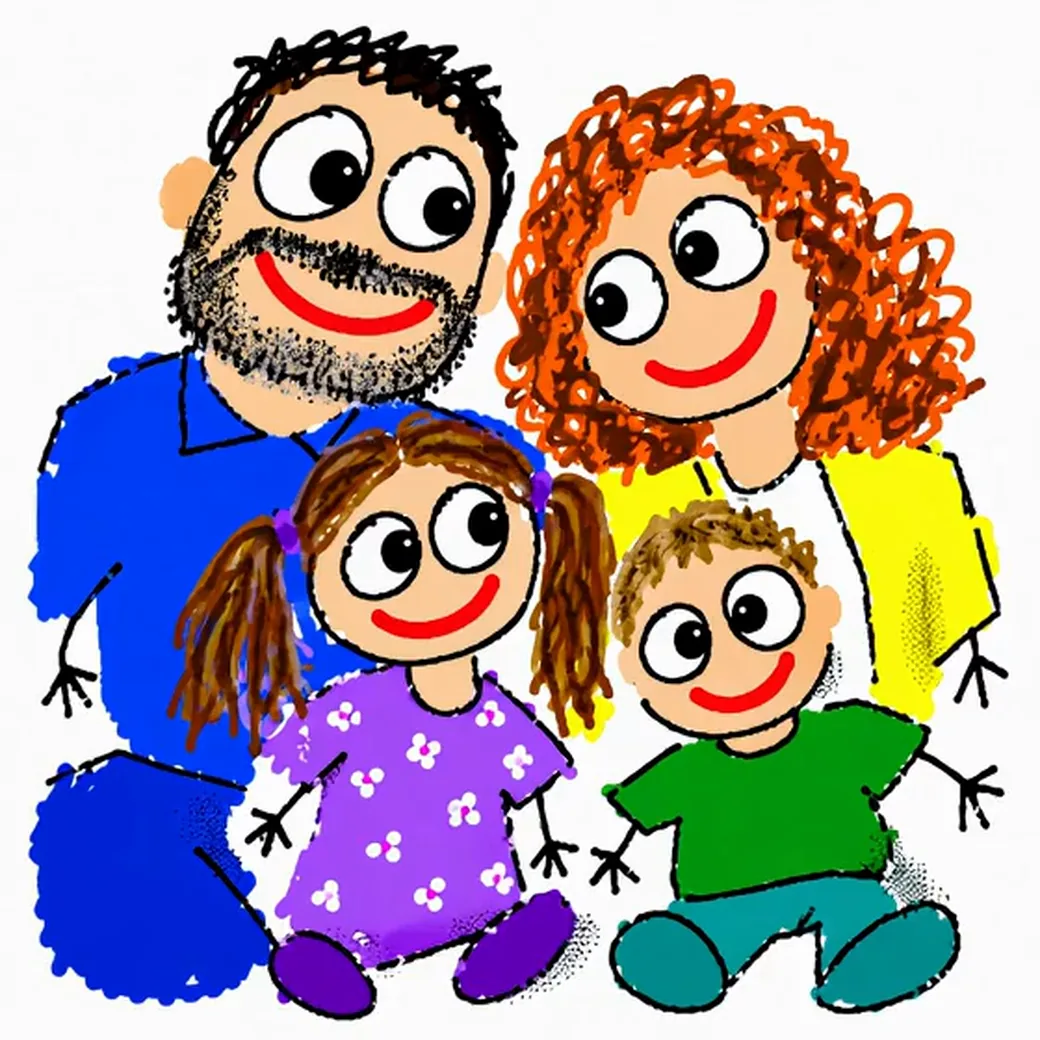
A family of four redrawn as a wobbly, flat-colour retro paint program doodle
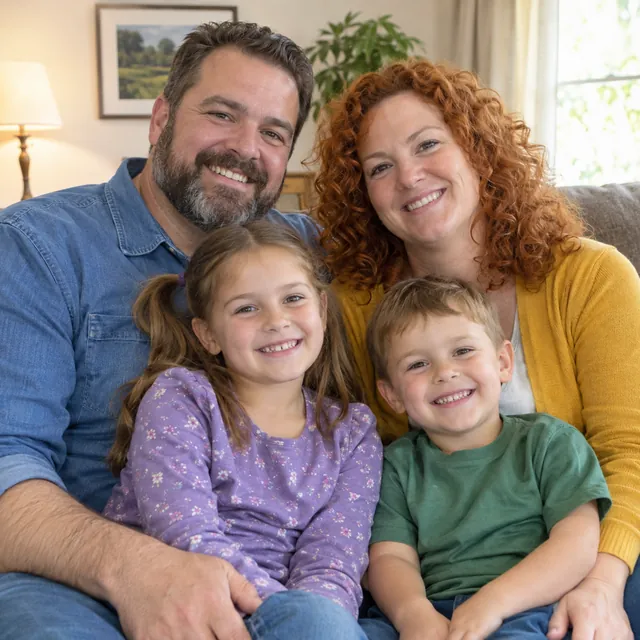
Example resultThe sample photo: a family of four on a sofaBefore
Drop any photoThe more serious the photo, the funnier the doodle.
Your file
Photo Anything: people, pets, food, places
Skill level
Palette
Cost – credits · ≈ 8 s

In short

What is an AI doodle generator?

An AI doodle generator turns a photo into a simple hand-drawn style picture. Retro Paint redraws your photo like a 90s paint-program mouse drawing, with shaky outlines, flat bucket fills, spray shading and a tiny palette.

Input
Photo
Output
Image
Time
about 8 s
Cost
– credits

Window open

Sixteen colours and a shaky mouse.

An AI doodle generator should not just blur your photo. Retro Paint redraws it the way you drew in a 90s paint program: wobbly outlines, flat bucket fills and spray-can shading. Pick a skill level to redraw the portrait, then grab a tool and add your own touches.

masterpiece.bmp · Retro Paint_□×
FileEditViewImageColorsHelp
Pencil160, 120
Skill level
Palette

How it works

Draw it like it is 1998

beach-selfie.jpg · 2048 × 2048✓ added
Skill level
Age 7TryingWeirdly good
Palette
16 coloursWildMono
✓ Done

Hang it up

Every masterpiece deserves a wall.

Everything the AI doodle generator draws is made to be shown off. Here is the doodle you just made, displayed where doodles belong. Pick a spot. Anything you add above shows up here too.

Deep dive

How the AI doodle generator draws badly on purpose

01

Shaky lines on purpose

Mouse drawings wobble because a mouse is a terrible pen. Retro Paint traces your photo’s main shapes and adds that wobble, plus the little overshoots and gaps where the bucket fill leaks out. Getting the badness right is harder than it sounds; random noise just looks broken.

02

A tiny palette

Old paint programs offered a handful of loud colours. Skin becomes one flat peach, sky becomes one flat cyan, shadows become spray-can dots. The limited palette is what triggers the nostalgia and makes the doodle instantly readable as a joke.

03

Skill level is the dial

Age 7 simplifies everything into blobs and stick limbs with huge eyes. Trying keeps proportions roughly right with obvious struggle. Weirdly good is clean enough to be a style, which suits avatars and brand posts that want charm without chaos.

Ideas

Bad art, great posts

Recipes

Settings that just work

Three AI doodle generator recipes for the laughs we see most. Tap one to load its skill level, palette and window into Retro Paint at the top of the page.

Preview

Family portrait

Age 716 coloursWindow on

The fridge-door classic. Print it as a gift and watch the reactions.
Preview

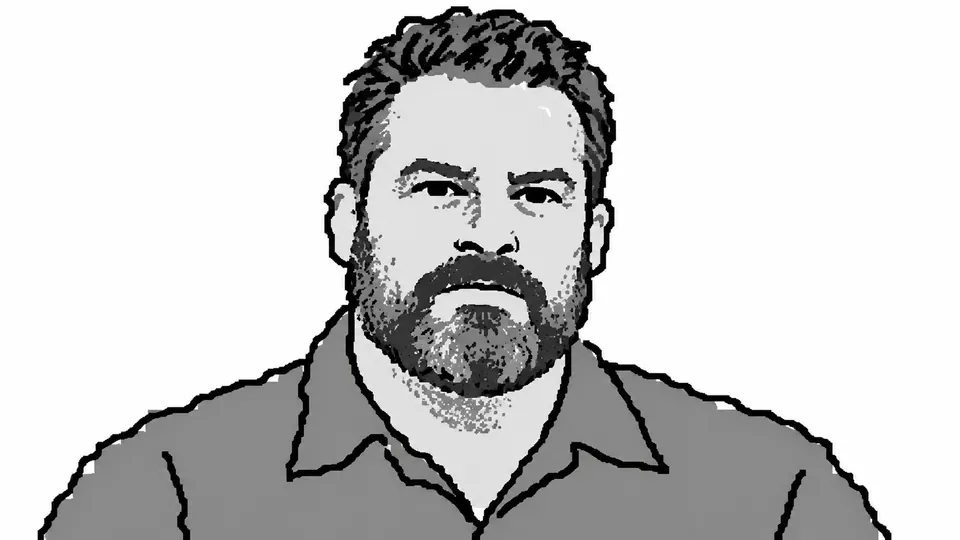
Serious headshot

TryingMono

Your corporate photo, redrawn in shaky black and white. Perfect for an about page joke.
Preview

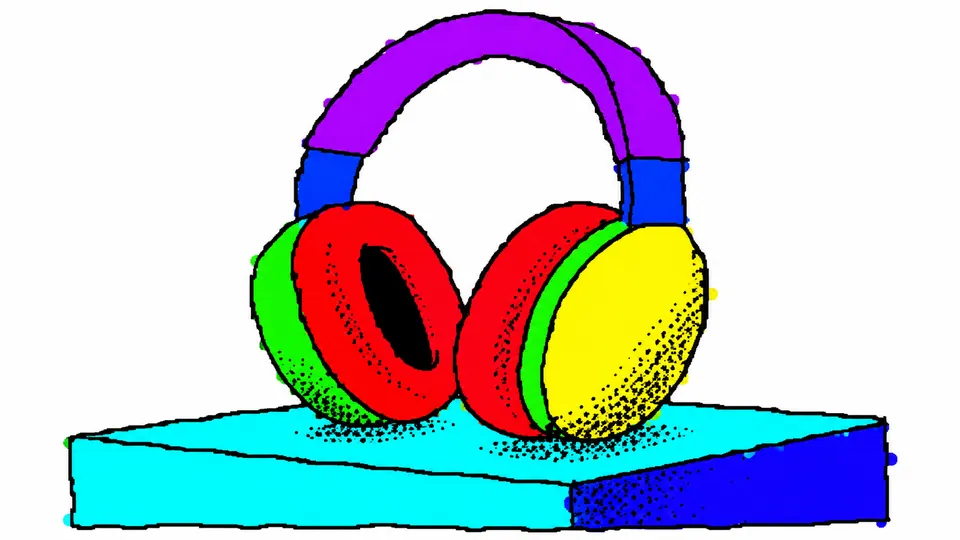
Product parody

Weirdly goodWild

A polished product, redrawn with loud random colours. Great for April Fools.

The honest comparison

By hand vs Retro Paint

A convincing bad drawing by hand takes longer than you think: the wobble, the flat fills and the spray shading all have to look accidental. The AI doodle generator does it in about 8 seconds.

How many doodles this month?10doodles
1100

By-hand time is a typical estimate of 1 h per doodle.

By hand≈ 10 h
Retro Paint≈ 1 min
Time saved 10 hCredits –
What it takesBy handRetro Paint
MethodOpen an old paint app, sufferUpload a photo
Time20 minutes of wobblingAbout 8 seconds
BadnessAccidentalCalibrated
PaletteWhatever you clickAuthentic 16 colours or wild
CostYour dignity– credits

Better results

Perfectly imperfect

Before you run · tick them off0 / 3
Ready. Good input in, good result out.
Skip
  • ✕Expect fine detail. The charm is in what gets lost.
  • ✕Use real software logos in your posts.
  • ✕Draw other people for mockery without asking.
Input 1 photoSkill levels 3Palettes 16 · wild · monoOutput 1:1 · PNG

Plans

Retro Paint is in every plan.

Starter

Fits you
–Retro Paint doodles / mo
1,000 credits / mo · – credits per doodle
$19.90$14.99/ month, billed yearly
Get Starter

Studio

MOST POPULARFits you
–Retro Paint doodles / mo
2,600 credits / mo · – credits per doodle
$61.90$30.83/ month, billed yearly
Get Studio

Omni Creator

BEST VALUEFits you
–Retro Paint doodles / mo
4,200 credits / mo · – credits per doodle
$101.90$45.83/ month, billed yearly
Get Omni Creator
Failed run? Credits back automaticallyCommercial use on paid plansCancel anytime

FAQ

Questions about Retro Paint

What does the AI doodle generator do?

It redraws your photo the way someone would with a mouse in an old paint program: shaky outlines, flat bucket fills, spray-can shading and a limited palette. Retro Paint makes it look hand-made and charmingly bad on purpose.

Is this a real old program?

No. The window, toolbar and palette are original designs inspired by 90s paint software, with no real logos or names.

Can I make it look good instead?

Pick Weirdly good for a cleaner drawing that still has the retro charm.

How much does it cost?

The credits for a run are shown on the button before you start. If a run fails, nothing is charged and the credits go back to your balance.

Can I download without the window?

Turn Show the window off for just the drawing on a white canvas.

Can I animate it?

Yes. Send the doodle to Image to Video for a wobbly line-boil effect, like a hand-drawn cartoon.

Does it work on group photos?

Yes, and the results are often the funniest. Each person gets their own wobbly outline and flat fill.

Which palette should I choose?

16 colours is the most authentic. Wild randomises the colours for chaos. Mono gives a black-and-white sketch.

Is the output a real BMP file?

You get a PNG. The .bmp name in the window title is just part of the joke.

Does it keep people recognisable?

At Trying and Weirdly good, yes: hair, glasses and clothing colours carry over. At Age 7, recognition comes mostly from colours and hairstyle, which is part of the fun.

Can I use Retro Paint results commercially?

Yes. On paid plans the images you make are yours to use in ads, client work and products. Only upload material you own or have permission to use.

Who can see what I upload?

Only you. Uploads and results live in your private History, are never posted anywhere for you, and can be deleted at any time.

More Minnies

Keep the run going

All Minnies
Tiny ZooPut a tiny creature on your fingertip.
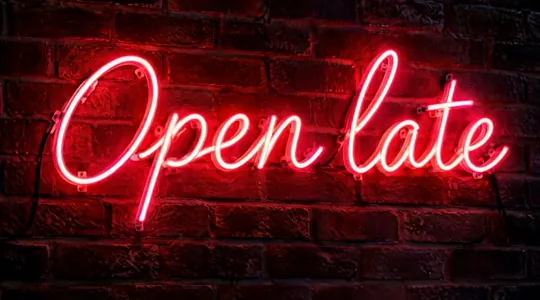
Sign MakerYour words on a neon, chalk or wood sign.
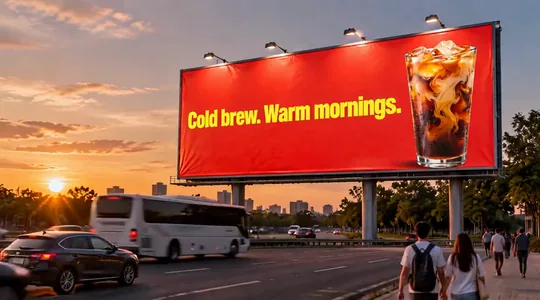
BillboardPut your ad on a real-looking billboard.

Minnies · included in every plan

Make it beautifully bad.

90s paint doodles from any photo. Retro Paint comes with every Creatide AI plan.
Draw it badly See plans