Explore
  • VideoPopular
  • Image
  • Music
  • Story
  • Motion
  • Upscale
  • Lip Sync
  • MinniesNew
  • SubtitlesNew
  • Video ExtendNew
  • Video ProducerNew
  • Agent+Popular
  • Ad HubNew
  • TakeShiftNew
  • 3D HubNew
  • Viral
  • Viral Clipper
  • Effects
  • Born Elsewhere
Pricing-65%-65% OFFUpgrade-65%-65% OFF
Log inSign upSign Up Free
-65%-65% OFF
-65%-65% OFF
Explore
  • VideoPopular
  • Image
  • Music
  • Story
  • Motion
  • Upscale
  • Lip Sync
  • MinniesNew
  • SubtitlesNew
  • Video ExtendNew
  • Video ProducerNew
  • Agent+Popular
  • Ad HubNew
  • TakeShiftNew
  • 3D HubNew
  • Viral
  • Effects
  • Born Elsewhere

One idea.
Every model.
One finished creation.

The AI-native creative suite for video, image, music and ads.

Live support on TelegramChat with our team in real time

Create

  • Video
  • Image
  • Music
  • Story
  • Motion
  • Upscale
  • Lip Sync
  • MinniesNew
  • SubtitlesNew
  • Video ExtendNew
  • Video ProducerNew
  • Agent+
  • Ad HubNew
  • TakeShiftNew
  • 3D HubNew
  • Viral
  • Effects
  • Born Elsewhere

Features

  • AI Video Generator
  • AI Image Generator
  • AI Music Generator
  • 2× Duration
  • 8K Output
  • Director Mode
  • Photo Studio Mode
  • Composer Mode
  • Image to Video AI
  • Text to Video AI
  • Agent+

Video models

  • Seedance 2.5
  • Kling 4.0
  • Gemini Omni 1.2 Flash
  • Vidu Q4
  • MiniMax H3
  • PixVerse C1
  • Wan 3.0
  • Grok Video 1.5
  • FLUX.3 Video
  • MAGI-2
  • All video models

Image models

  • Seedream 5.5
  • Muse Image
  • GPT Image 2.6
  • Qwen Image 3.0
  • Kling Image 4.0
  • FLUX 3 Image
  • Nano Banana 2.1
  • Grok Image 2.0
  • Ideogram 4.5
  • Z-Image
  • MiniMax H3 Image
  • All image models

Resources

  • Runway Unlimited Extension: What Creators Need to Know
  • Suno Download Limits: What Creators Need to Know
  • FLUX 3 Video Pricing: What Creators Actually Pay Per Clip
  • What is SeeDance 2.0? ByteDance's AI Video Generator
  • Browse all articles
  • Help Center
  • Prompt Guide
  • Video Prompts
  • Image Prompts
  • Music & Sound Prompts

Company

  • About
  • Pricing
  • Contact
  • Trust Center
  • Brand kit
  • Affiliate program
  • Creator Partner Program

Free tools

  • Video Compressor
  • Trim, Cut & Merge
  • Slow Motion & Speed Ramp
  • Extract Audio or Mute
  • Frame Grabber
  • Video to Text
  • Text to Speech
  • Slowed + Reverb
  • X / Twitter
  • YouTube
  • Instagram
  • TikTok
  • Telegram
  • Facebook

All systems normal

  • Terms
  • Privacy
  • Cookie policy
  • Content policy
  • Refund policy
  • DMCA

© 2026 AIVid, LLC. All rights reserved.

  • Remove Image Background
  • Image Upscaler
  • Magic Eraser
  • Image to Prompt
  • Video to Prompt
  • AI Clip Stitcher
  • Seamless Loop Maker
  • Video Background Remover
  • Color Match
  • Voice Cleaner
  • Start Frame Prep
  • All free tools
  • Compare

    • vs Higgsfield
    • vs Runway
    • vs Pika
    • vs Krea
    • vs Freepik AI
    • vs Leonardo AI
    • vs OpenArt
    • vs Kling AI
    • vs Artlist
    • vs BytePlus
    • vs Canva
    • vs ElevenLabs
    • vs Grok Imagine
    • vs InVideo
    • vs Picsart
    1. Creatide.ai
    2. /
    3. Minnies
    4. /
    5. Wear This

    Wear ThisAI outfit changer · try the exact piece on

    Your photo plus a garment photo. Wear This puts that exact piece on you, with the folds, fit and shadows it would really have.
    MinniePhoto + garment → Photo≈ 20 s– credits
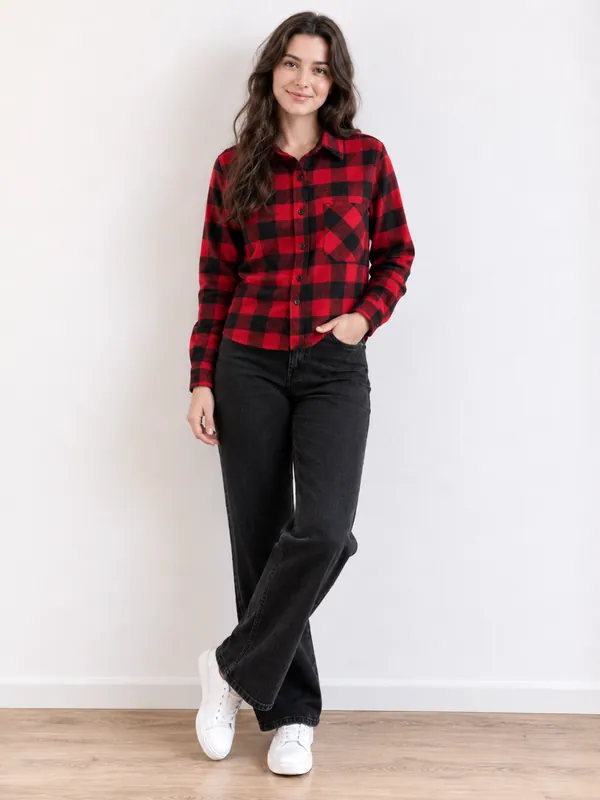
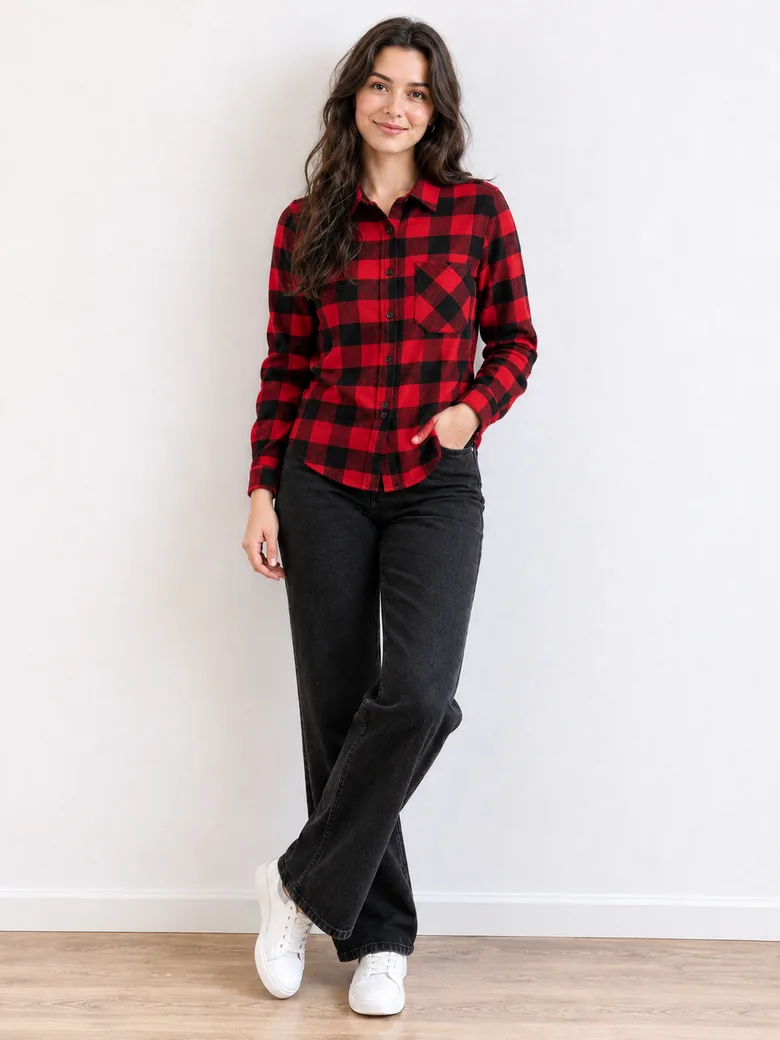
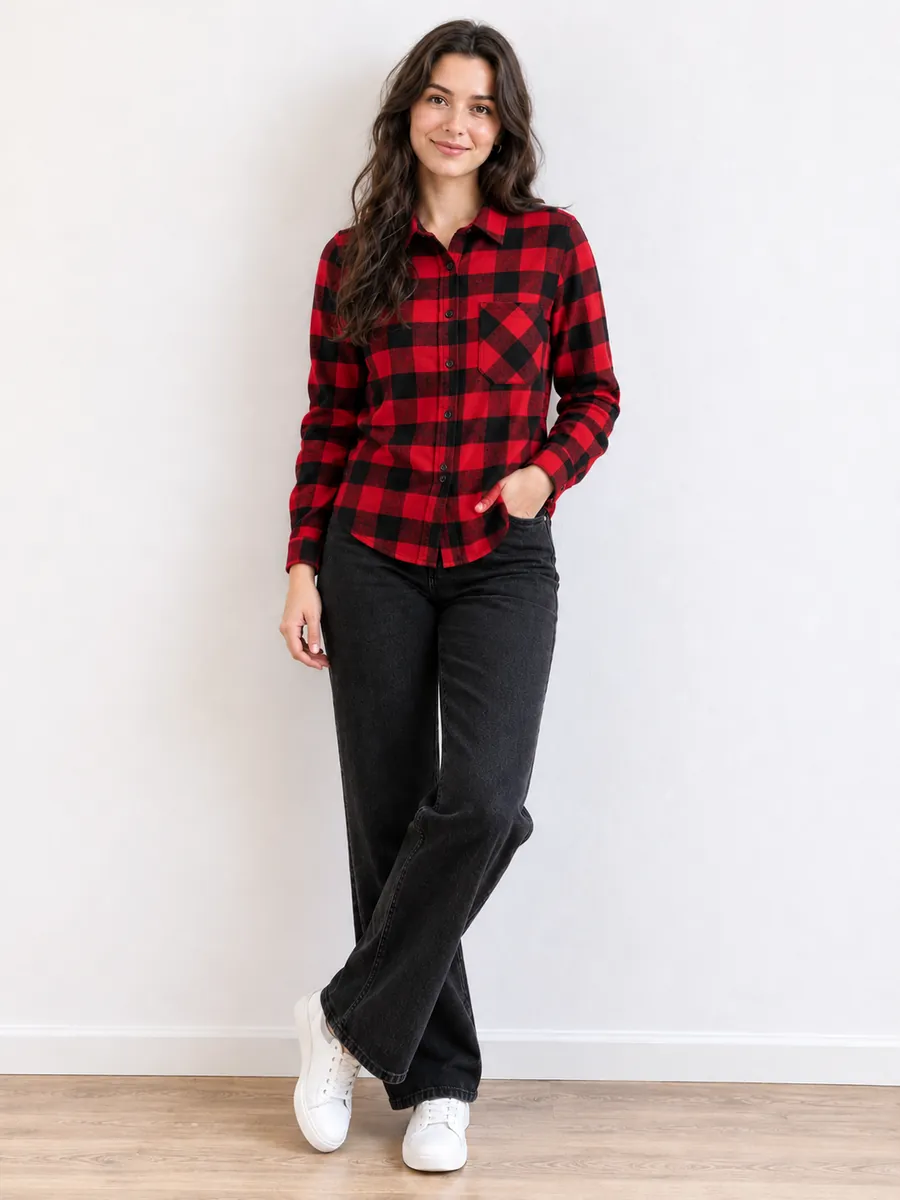
    A woman in a red and black plaid overshirt and black jeans against a white wall
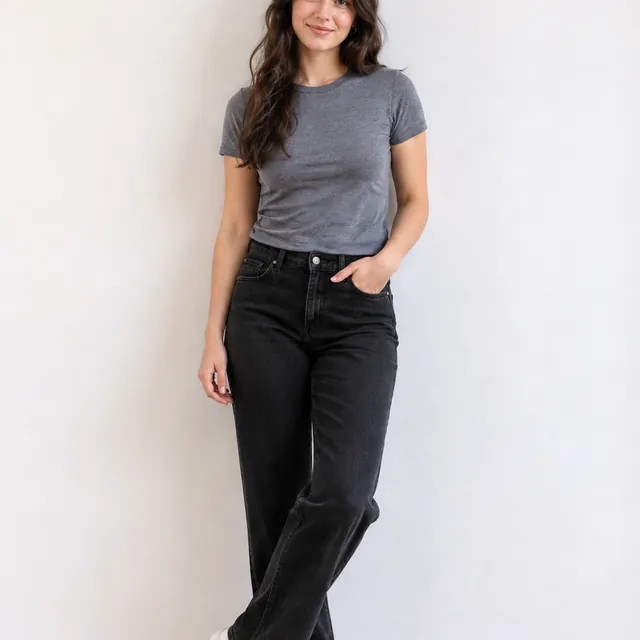
    Example resultThe sample photo: a woman in a grey tee and black jeans against a white wallBefore
    Drop your photo firstThen the garment. Any clear shot of the piece works.
    Your file
    Your photo Front-facing, waist up or full body
    Garment Flat-lay, hanger or product page shot
    Garment type
    Cost – credits · ≈ 20 s

    In short

    What is an AI outfit changer?

    An AI outfit changer swaps the clothes in a photo. Wear This takes your photo and a picture of one specific garment, then fits that exact piece to your body with real folds, fit and shadows.

    Input
    Photo + garment
    Output
    Photo
    Time
    about 20 s
    Cost
    – credits

    The equation

    You, plus one garment, equals you wearing it.

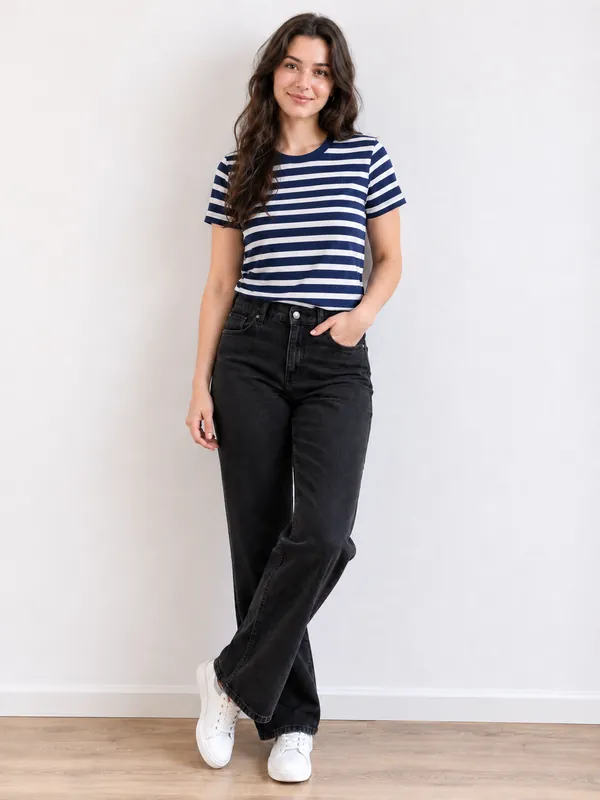
    An AI outfit changer is only useful if it keeps the exact piece. Pick a garment from the rail and Wear This puts that one on, stripes, checks and flowers lined up with the folds.
    =
    The same woman wearing a red and black plaid overshirt with black jeansWearing: Plaid overshirt

    How it works

    See it on you before checkout

    me-front.jpg · 1536 × 2048✓ added
    Garment type
    TopBottomDressOuterwear
    ✓ Done

    Garment photos

    The better the garment photo, the closer the fit.

    Wear This copies what it can see. Tap each kind of garment photo to see how much of the colour, pattern and small details survive the trip onto you.

    What the flat-lay photo gave: the woman in the plaid overshirtOn you

    Flat-lay · Best

    Laid flat on a plain surface in even light. Every stripe and button is visible, so the AI outfit changer has nothing to guess.

    • Colour match98%
    • Pattern match96%
    • Small details95%

    Deep dive

    How the AI outfit changer fits the garment

    01

    It keeps the exact piece

    Generic try-on tools draw something that looks similar. Wear This keeps the garment you upload: the colour, the print, the button count, the logo position. It reads the piece as a flat pattern, then wraps it around your body so stripes bend over shoulders and prints stretch where fabric would stretch.

    02

    The garment type tells it where

    Top, bottom or dress tells Wear This which part of your outfit the piece replaces, so a jacket goes over your top and trousers keep your shoes. Outerwear goes on like a top. Pick the type before you run so the result matches what will arrive in the box.

    03

    Folds and shadows sell it

    A try-on looks pasted when the fabric is flat. Wear This adds the creases that form at elbows, waists and shoulders in your pose and shades them with the light from your photo. That is the difference between a sticker and a fitting.

    Ideas

    Try-ons that sell

    Recipes

    Settings that just work

    Three AI outfit changer recipes for the jobs people bring most. Tap one to load its garment type into Wear This at the top of the page, with sample photos ready.

    Preview

    Check before checkout

    Outerwear

    Upload the jacket from the product page and see the colour against your skin before you pay.
    Preview

    Model diversity in minutes

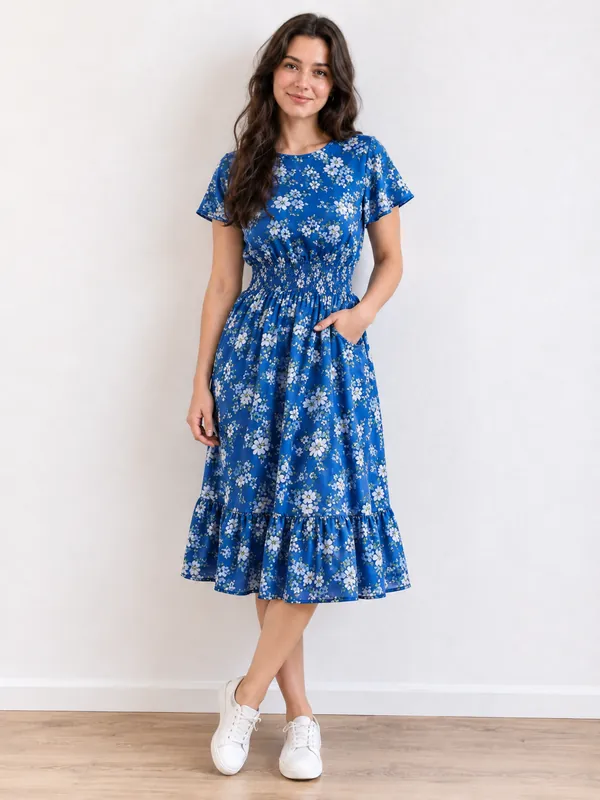
    Dress

    One dress on five consented models of different sizes, for a product page that shows real fits.
    Preview

    A week of outfit posts

    Top

    One photo of you, seven tops. A full week of content from a single shoot.

    The honest comparison

    By hand vs Wear This

    Swapping clothes in a photo by hand means cutting out the garment, warping it to the body and painting every fold. The AI outfit changer does the fitting in about 20 seconds.

    How many try-ons this month?10try-ons
    180

    By-hand time is a typical estimate of 1.3 h per try-on.

    By hand≈ 13 h
    Wear This≈ 3 min
    Time saved 12 hCredits –
    What it takesBy handWear This
    TimeOrder, wait, try, returnAbout 20 seconds
    AccuracyGuess from a model photoThe exact piece on your body
    BrandsBook models per sizeOne garment on many people
    ContentOne outfit change per takeTwenty try-ons from one photo
    CostReturn shipping– credits

    Better results

    A fit that looks real

    Before you run · tick them off0 / 3
    Ready. Good input in, good result out.
    Skip
    • ✕Use a garment photo with a person wearing it in a twisted pose.
    • ✕Combine two garments in one photo.
    • ✕Use it on photos of people who did not agree.
    Inputs You + 1 garmentTypes Top · bottom · dress · outerwearOutput Up to 1296 px tallResult 1 image per run

    Plans

    Wear This is in every plan.

    Starter

    Fits you
    –Wear This try-ons / mo
    1,000 credits / mo · – credits per try-on
    $19.90$14.99/ month, billed yearly
    Get Starter

    Studio

    MOST POPULARFits you
    –Wear This try-ons / mo
    2,600 credits / mo · – credits per try-on
    $61.90$30.83/ month, billed yearly
    Get Studio

    Omni Creator

    BEST VALUEFits you
    –Wear This try-ons / mo
    4,200 credits / mo · – credits per try-on
    $101.90$45.83/ month, billed yearly
    Get Omni Creator
    Failed run? Credits back automaticallyCommercial use on paid plansCancel anytime

    FAQ

    Questions about Wear This

    How is this AI outfit changer different from a filter?

    It uses the exact garment you upload, not a lookalike. Colour, pattern, logo placement and texture carry over, and the fabric drapes to your body and pose.

    Can I try on shoes and accessories?

    Wear This is tuned for clothing. Shoes and bags work sometimes, but results are best with tops, bottoms, dresses and outerwear.

    Can brands use it for product photos?

    Yes, with models who agreed to it. It is a fast way to show one piece on different bodies.

    How many credits?

    The credits for a run are shown on the button before you start. If a run fails, nothing is charged and the credits go back to your balance.

    Can I try on two garments at once?

    Run one garment, then use the result as your photo and add the second piece. Layering works best from the inside out.

    Will the size be accurate?

    Wear This shows how the piece drapes on your body. It does not know the brand’s size chart, so check measurements before ordering.

    What if the garment photo is low quality?

    Small or blurry garment photos lose detail in prints and logos. Use the largest product image you can find, ideally at least 1000 pixels on the long edge.

    Can I use Wear This results commercially?

    Yes. On paid plans the images you make are yours to use in ads, client work and products. Only upload material you own or have permission to use.

    Who can see what I upload?

    Only you. Uploads and results live in your private History, are never posted anywhere for you, and can be deleted at any time.

    Will the AI outfit changer keep the exact pattern?

    That is the point of Wear This. The AI outfit changer reads the garment photo and carries its colour, pattern and details onto your body, bending stripes and checks with the folds instead of inventing a new design.
    More Minnies

    Keep the run going

    All Minnies
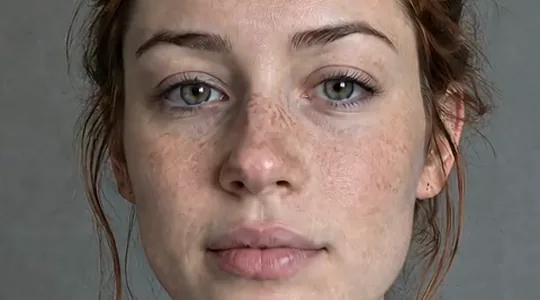
    True SkinRetouch skin, keep the texture.
    Light RigChange the lighting after the shoot.
    Look BookCopy the mood of any reference photo.

    Minnies · included in every plan

    Try it on. Then decide.

    Any garment, on you, in 20 seconds. Wear This comes with every Creatide AI plan.

    Try it on See plans