Explore
  • VideoPopular
  • Image
  • Music
  • Story
  • Motion
  • Upscale
  • Lip Sync
  • MinniesNew
  • SubtitlesNew
  • Video ExtendNew
  • Video ProducerNew
  • Agent+Popular
  • Ad HubNew
  • TakeShiftNew
  • 3D HubNew
  • Viral
  • Effects
  • Born Elsewhere
Pricing-65%-65% OFFUpgrade-65%-65% OFF
Log inSign upSign Up Free

One idea.
Every model.
One finished creation.

The AI-native creative suite for video, image, music and ads.

Live support on TelegramChat with our team in real time

Create

  • Video
  • Image
  • Music
  • Story
  • Motion
  • Upscale
  • Lip Sync
  • MinniesNew
  • SubtitlesNew
  • Video ExtendNew
  • Video ProducerNew
  • Agent+
  • Ad HubNew
  • TakeShiftNew
  • 3D HubNew
  • Viral
  • Effects
  • Born Elsewhere

Features

  • AI Video Generator
  • AI Image Generator
  • AI Music Generator
  • 2× Duration
  • 8K Output
  • Director Mode
  • Photo Studio Mode
  • Composer Mode
  • Image to Video AI
  • Text to Video AI
  • Agent+

Video models

  • Seedance 2.5
  • Kling 4.0
  • Gemini Omni 1.2 Flash
  • Vidu Q4
  • MiniMax H3
  • PixVerse C1
  • Wan 3.0
  • Grok Video 1.5
  • FLUX.3 Video
  • MAGI-2
  • All video models

Image models

  • Seedream 5.5
  • Muse Image
  • GPT Image 2.6
  • Qwen Image 3.0
  • Kling Image 4.0
  • FLUX 3 Image
  • Nano Banana 2.1
  • Grok Image 2.0
  • Ideogram 4.5
  • Z-Image
  • MiniMax H3 Image
  • All image models

Resources

  • Runway Unlimited Extension: What Creators Need to Know
  • Suno Download Limits: What Creators Need to Know
  • FLUX 3 Video Pricing: What Creators Actually Pay Per Clip
  • What is SeeDance 2.0? ByteDance's AI Video Generator
  • Browse all articles
  • Help Center
  • Prompt Guide
  • Video Prompts
  • Image Prompts
  • Music & Sound Prompts

Company

  • About
  • Pricing
  • Contact
  • Trust Center
  • Brand kit
  • Affiliate program
  • Creator Partner Program

Free tools

  • Video Compressor
  • Trim, Cut & Merge
  • Slow Motion & Speed Ramp
  • Extract Audio or Mute
  • Frame Grabber
  • Video to Text
  • Text to Speech
  • Slowed + Reverb
  • Remove Image Background
  • Image Upscaler
  • Magic Eraser
  • Image to Prompt
  • Video to Prompt
  • AI Clip Stitcher
  • Seamless Loop Maker
  • Video Background Remover
  • Color Match
  • Voice Cleaner
  • Start Frame Prep
  • All free tools

Compare

  • vs Higgsfield
  • vs Runway
  • vs Pika
  • vs Krea
  • vs Freepik AI
  • vs Leonardo AI
  • vs OpenArt
  • vs Kling AI
  • vs Artlist
  • vs BytePlus
  • vs Canva
  • vs ElevenLabs
  • vs Grok Imagine
  • vs InVideo
  • vs Picsart
  • X / Twitter
  • YouTube
  • Instagram
  • TikTok
  • Telegram
  • Facebook

All systems normal

  • Terms
  • Privacy
  • Cookie policy
  • Content policy
  • Refund policy
  • DMCA

© 2026 AIVid, LLC. All rights reserved.

  1. Creatide.ai
  2. /
  3. Minnies
  4. /
  5. Fitting Room

Fitting RoomAI stylist · three looks, on you

Upload a full-body photo, pick where you are going. Get three complete outfits styled on you.
MinniePhoto → 3 looks≈ 30 s– credits
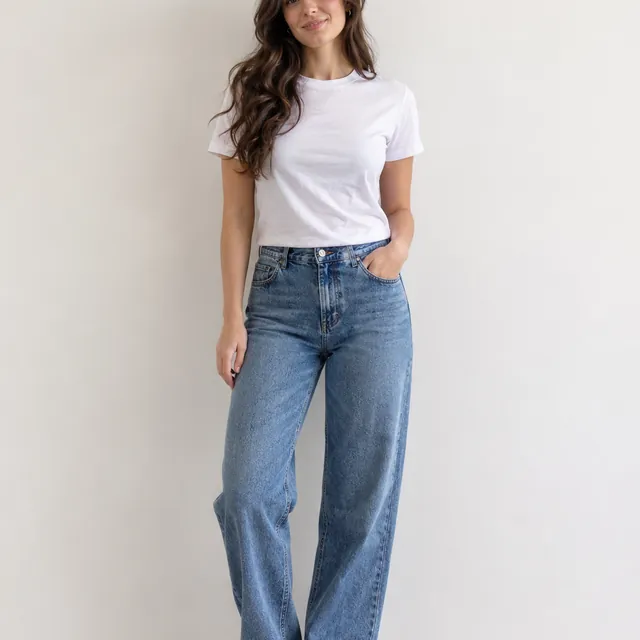
Example resultBefore
Drop a full-body photoStand straight, arms relaxed, good light. Mirror selfies are fine.
Your file
Full-body photo Standing, head to toe
Occasion
Vibe
Budget feel
Cost – credits · ≈ 30 s
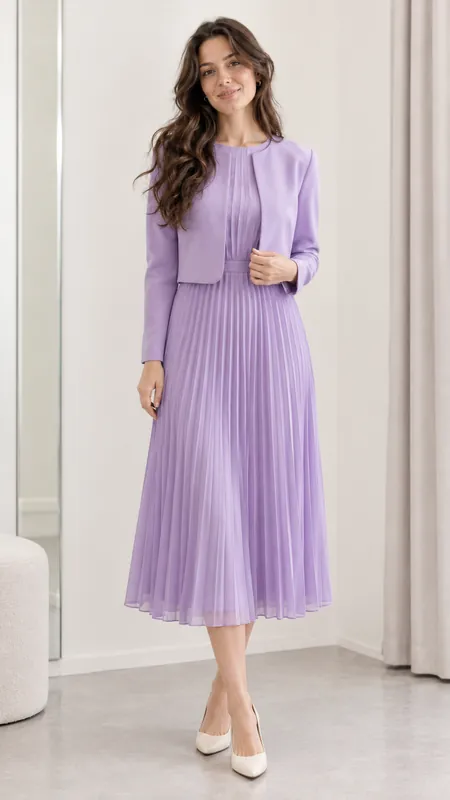
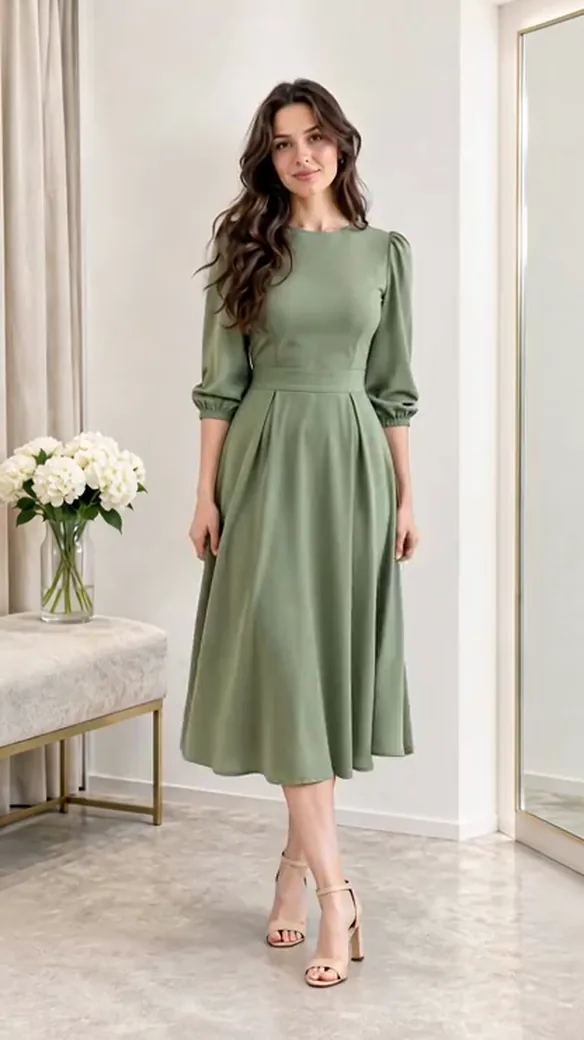
A woman with long dark wavy hair in a sage green midi dress and nude heels in a bright fitting room
The sample photo: the woman head to toe in jeans and a white tee against a light wall

In short

What is an AI stylist?

An AI stylist suggests outfits that suit your body, colouring and plans. Fitting Room takes one full-body photo and an occasion and renders three complete looks on you.

Input
Photo
Output
3 looks
Time
about 30 s
Cost
– credits

The occasion board

Pick where you are going. Get three looks.

An AI stylist starts from the plan, not from the wardrobe. Choose an occasion and Fitting Room builds three complete outfits around it, each with every piece named. Flip through them the way you would in a real fitting room.
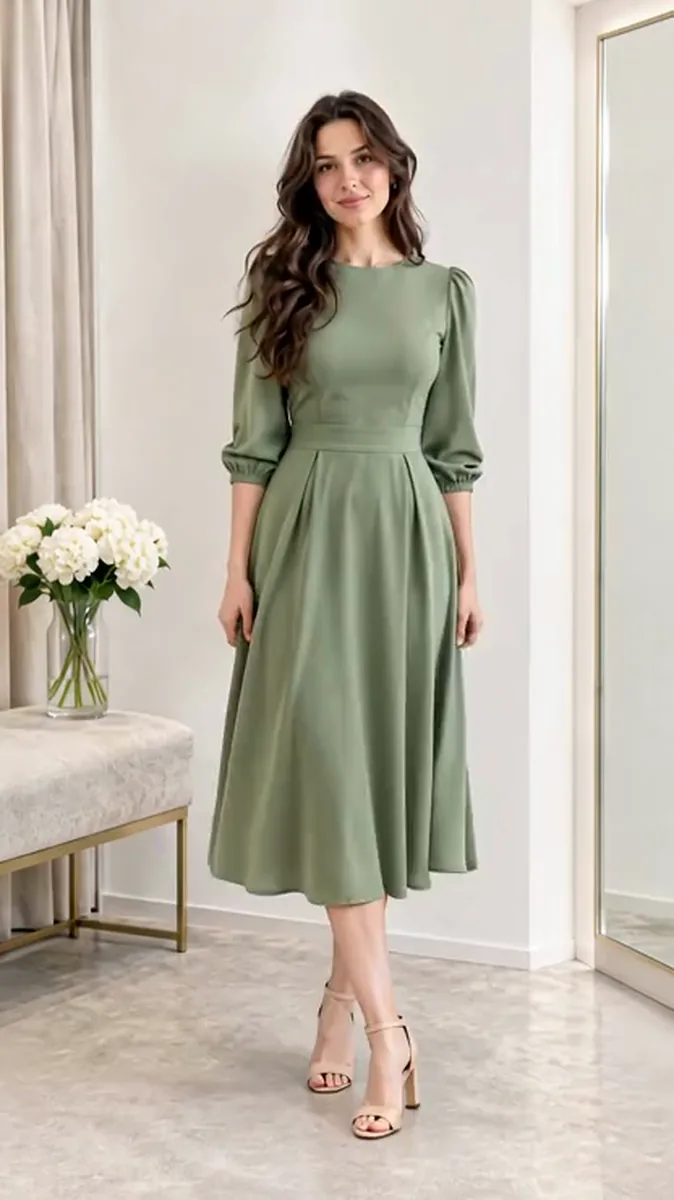
The woman in a sage green midi dress with puff sleeves and nude strappy heels
Look 1 of 3
Wedding guest

Garden ceremony

  • Sage midi dress, puff sleeves
  • Strappy heels, nude

How it works

Tell it where. It tells you what.

mirror-fit.jpg · 1440 × 2560✓ added
Occasion
Wedding guestFirst dateOfficeFestivalInterviewSurprise me
Vibe
ClassicStreetMinimalBold
✓ Done

Colour reading

The colours that light you up.

Before it picks a single piece, Fitting Room reads your colouring from the photo. Choose an undertone below, then hover or tap the swatches: the colour goes right next to the face, the place where it matters most.
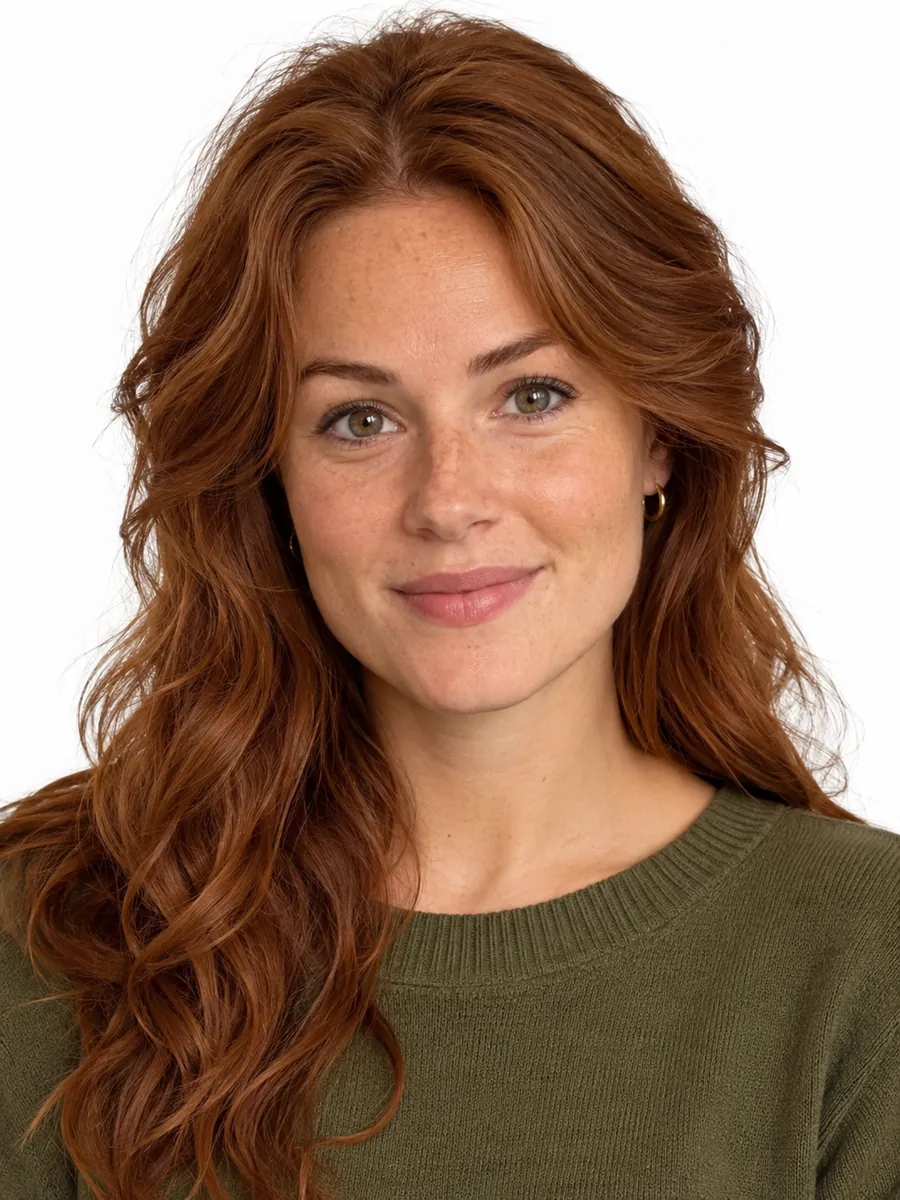
A woman with a warm golden undertone and auburn hair, the colour #B5532F draped under her face
Wear more
Go easy on

Warm undertones glow in rust, olive, mustard and cream. Icy pastels and stark white can wash you out.

Deep dive

How the AI stylist builds a look

01

It starts with you

Fitting Room reads proportions, skin undertone, hair colour and what you are already wearing. Warm undertones get rust, olive and cream; cool undertones get navy, grey and berry. Proportions decide cuts: a cropped jacket or a long coat, a high waist or a straight leg. Then the occasion sets the rules.

02

Occasion first, trend second

A wedding guest look avoids white and anything louder than the couple. An interview look stays one notch above the company’s dress code. A festival look prioritises comfort and something that photographs well in crowds. Trends only come in where they fit those rules, which keeps the looks wearable next year.

03

Three looks, three directions

You always get three different answers, not three versions of one outfit: one safe, one sharper and one that pushes your style a little. That spread is deliberate. Most people pick the middle one, and the bold one often teaches them a colour or cut they had never tried.

Ideas

Never stare at a full closet again

Recipes

Settings that just work

Three AI stylist recipes for the moments people dress for most. Tap one to load its occasion, vibe and budget into Fitting Room at the top of the page, with a sample photo ready.

Preview

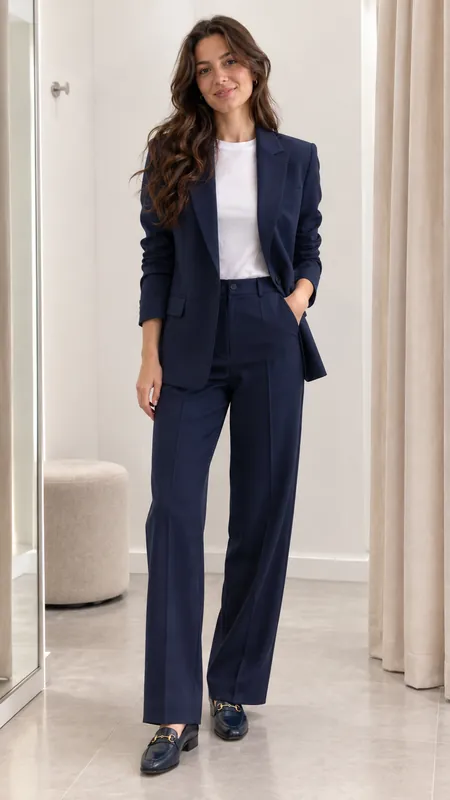
The wedding Saturday

Wedding guestClassicMid

Three looks that respect the dress code, avoid white and photograph well in daylight.
Preview

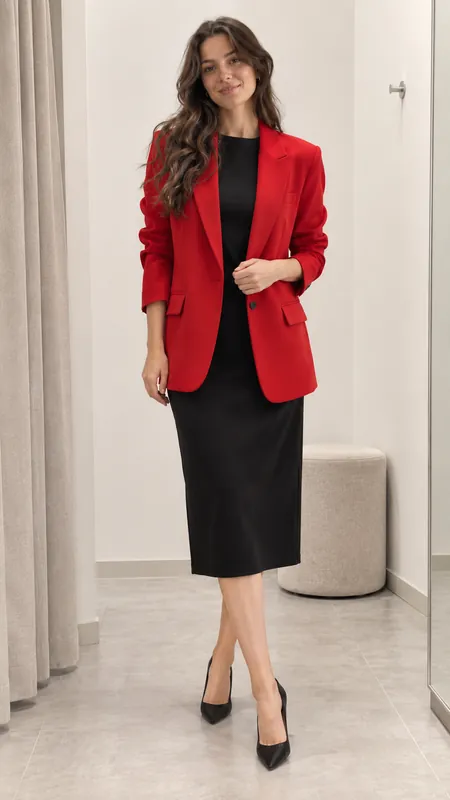
The job interview

InterviewMinimalHigh street

Clean, one step above business casual, built from pieces you can find in any mall.
Preview

The stuck-in-a-rut fix

Surprise meBold

Pushes your style a little further than usual. Good for discovering a colour or cut you never tried.

The honest comparison

By hand vs Fitting Room

Planning an outfit properly means trying things on, taking photos and second-guessing. The AI stylist puts three finished looks on you in about 30 seconds.

How many outfit plans this month?10outfit plans
140

By-hand time is a typical estimate of 1.5 h per outfit plan.

By hand≈ 15 h
Fitting Room≈ 5 min
Time saved 15 hCredits –
What it takesBy handFitting Room
TimeAn hour of trying things onAbout 30 seconds
IdeasWhat you already ownThree fresh looks per occasion
CostA stylist session– credits
ShoppingBuy, try, returnSee it on you first
RepeatEvery new eventAny occasion, any time

Better results

Looks that actually fit

Before you run · tick them off0 / 3
Ready. Good input in, good result out.
Skip
  • ✕Upload a seated or cropped photo.
  • ✕Expect exact brand items. Pieces are styled, not sold.
  • ✕Use someone else's photo without asking.
Input 1 full-body photoOccasions 5 + surpriseVibes 4Result 3 looks per run

Plans

Fitting Room is in every plan.

Starter

Fits you
–Fitting Room stylings / mo
1,000 credits / mo · – credits per styling
$19.90$14.99/ month, billed yearly
Get Starter

Studio

MOST POPULARFits you
–Fitting Room stylings / mo
2,600 credits / mo · – credits per styling
$61.90$30.83/ month, billed yearly
Get Studio

Omni Creator

BEST VALUEFits you
–Fitting Room stylings / mo
4,200 credits / mo · – credits per styling
$101.90$45.83/ month, billed yearly
Get Omni Creator
Failed run? Credits back automaticallyCommercial use on paid plansCancel anytime

FAQ

Questions about Fitting Room

How does the AI stylist pick outfits?

Fitting Room reads your proportions, skin, hair and the occasion, then builds three complete outfits that suit them. Each look is rendered on you, not on a model.

Are the clothes real products?

They are styled pieces, not a shop. Use a look as a guide to find something similar anywhere you like.

Is my photo used for anything else?

No. It is used for your run and kept in your private History until you delete it.

What does it cost?

{credits} credits for three looks.

Can it style me around a piece I already own?

Not yet. Fitting Room styles three complete new looks for the occasion you pick and replaces what you wear in the photo, so a piece you own is not kept in the looks.

Does it work for every body type?

Yes. Looks are built on your own photo and proportions, not on a standard model size.

Can I save looks I like?

Every result is saved to your History with its occasion and vibe, so you can come back to a look before the event or share it with a friend for a second opinion.

Can I use Fitting Room results commercially?

Yes. On paid plans the images you make are yours to use in ads, client work and products. Only upload material you own or have permission to use.

Who can see what I upload?

Only you. Uploads and results live in your private History, are never posted anywhere for you, and can be deleted at any time.

Does the AI stylist know my body shape?

It reads your proportions and colouring from the full-body photo, then picks cuts and colours that work with them. The AI stylist never changes your body in the result: it only changes what you are wearing.

More Minnies

Keep the run going

All Minnies
True SkinRetouch skin, keep the texture.
Light RigChange the lighting after the shoot.
Wear ThisPut an exact garment on your photo.
Look BookCopy the mood of any reference photo.

Minnies · included in every plan

Three looks. Thirty seconds.

Your personal stylist, minus the appointment. Fitting Room comes with every Creatide AI plan.
Style me See plans